
1. הקדמה
Thank you for choosing the Vieta Pro Party 220 Portable Bluetooth Speaker. This powerful and versatile speaker is designed to deliver high-quality audio for various occasions, including parties, events, and karaoke sessions. This manual provides essential information for setting up, operating, and maintaining your speaker to ensure optimal performance and longevity.
2. המוצר נגמרview
The Vieta Pro Party 220 is a self-amplified portable speaker featuring advanced audio technology. It boasts 500W of powerful sound, Bluetooth 5.3 connectivity, Auracast technology, and a long-lasting 10-hour battery. Designed for portability, it includes an integrated handle and trolley-style wheels. Key features include:
- 500W RMS Sound Output: Delivers robust and clear stereo sound with 2" tweeters and 8" woofers.
- Bluetooth 5.3 with Auracast: Ensures stable and fast wireless connections, allowing multiple Auracast-compatible speakers to connect simultaneously.
- Karaoke Compatibility: Includes a wireless microphone and supports additional microphones. Features LED lights that synchronize with music.
- חיי סוללה של 10 שעות: Enjoy extended music playback with the rechargeable battery.
- אפשרויות קישוריות מרובות: Mini Jack 3.5mm, AUX, Micro USB, USB MP3 player, and SD card slot.
- סטריאו אלחוטי אמיתי (TWS): Connect two Party 220 speakers for an immersive stereo experience.
- עיצוב נייד: Integrated handle and wheels for easy transport.
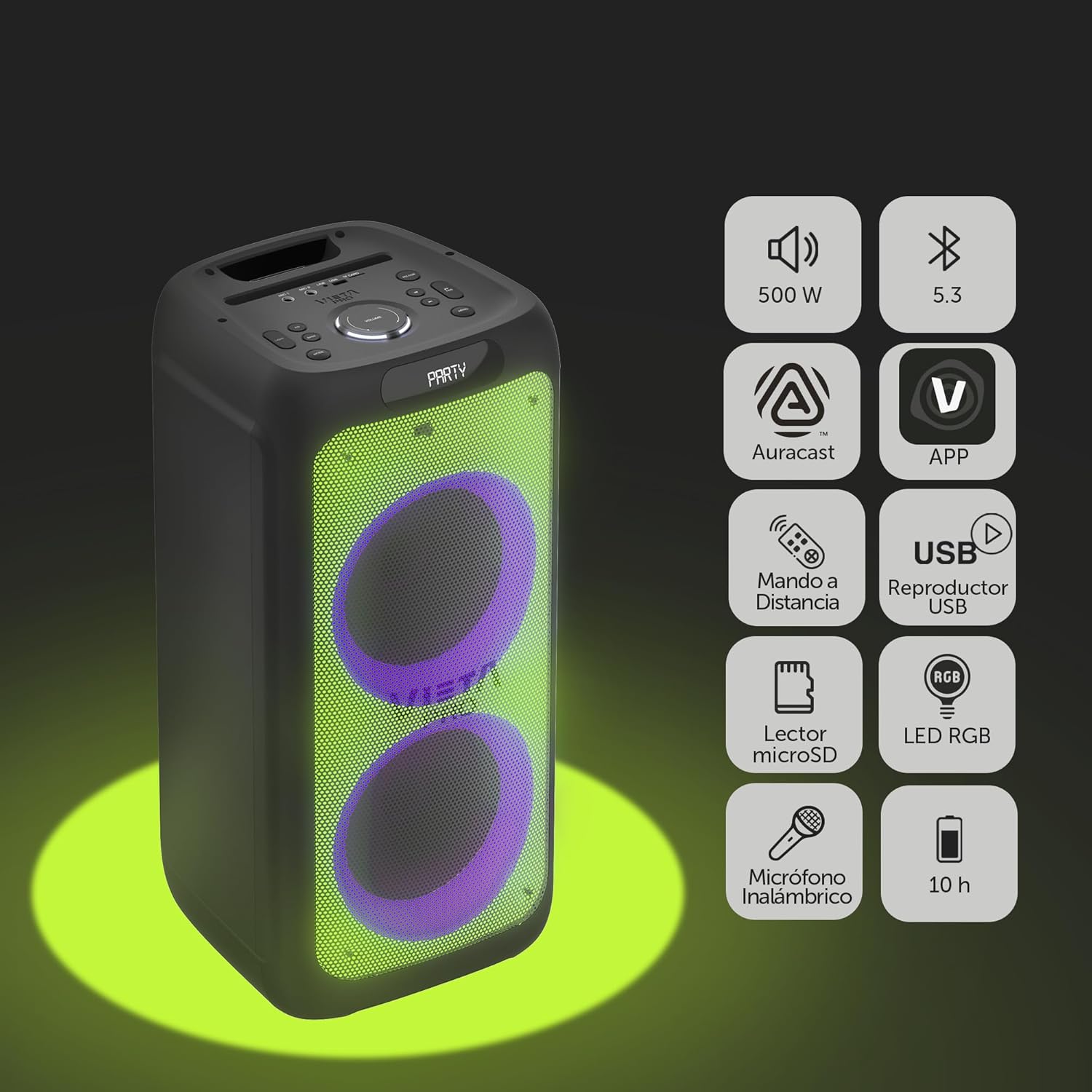
Image 2.1: The Vieta Pro Party 220 speaker highlighting its main features such as 500W power, Bluetooth 5.3, Auracast, app control, remote control, USB player, RGB LED lights, MicroSD reader, wireless microphone, and 10-hour battery life.
3. מה בקופסה
בעת פירוק האריזה, אנא ודאו שכל הפריטים נמצאים ובמצב תקין:
- Vieta Pro Party 220 Portable Bluetooth Speaker
- כבל חשמל
- מיקרופון אלחוטי
- שְׁלַט רָחוֹק
- מדריך למשתמש (מסמך זה)
4. התקנה
4.1. טעינת הרמקול
Before first use, fully charge the speaker. Connect the provided power cable to the speaker's power input and then to a suitable power outlet. The charging indicator will illuminate. Once fully charged, the indicator may change color or turn off, depending on the model.
טעינה מלאה מספקת עד 10 שעות של נגינה רציפה.

Image 4.1: The Vieta Pro Party 220 speaker in a home environment, illustrating its long battery life of up to 10 hours.
4.2. הפעלה / כיבוי
Locate the Power button on the speaker's control panel. Press and hold the Power button for a few seconds to turn the speaker ON or OFF.
5. הוראות הפעלה
5.1. זיווג Bluetooth
- Turn on the Vieta Pro Party 220 speaker. It will automatically enter Bluetooth pairing mode, indicated by a flashing LED light (usually blue).
- הפעל את Bluetooth במכשיר השמע שלך (סמארטפון, טאבלט, מחשב).
- חפש "Vieta Pro Party 220" in the list of available Bluetooth devices.
- Select the speaker to pair. Once connected, the LED indicator will stop flashing and remain solid.
5.2. Auracast Technology
The Party 220 supports Auracast, allowing you to connect multiple compatible speakers (including other Party 220 units or different brands supporting Auracast) for a synchronized audio experience. Refer to the specific instructions for Auracast pairing, usually initiated via a dedicated button or through the Vieta Pro app (if available).
5.3. צימוד סטריאו אלחוטי אמיתי (TWS)
To achieve a true stereo sound experience, you can pair two Vieta Pro Party 220 speakers:
- Ensure both Party 220 speakers are turned on and not connected to any Bluetooth device.
- On one speaker (this will be the primary speaker), press and hold the TWS button (if available) or follow the TWS pairing instructions in the speaker's specific controls.
- The primary speaker will search for the secondary speaker. Once connected, you will hear an audible confirmation, and the LED indicators will reflect the TWS connection status.
- Now, connect your audio device to the primary speaker via Bluetooth as described in section 5.1. Audio will play in stereo across both speakers.
5.4. Wired Connections (AUX, USB, MicroSD)
- כניסת AUX: Connect an external audio device using a 3.5mm audio cable to the AUX input port. The speaker will automatically switch to AUX mode or require manual selection via the Mode button.
- השמעת USB: הכנס כונן הבזק מסוג USB המכיל קובץ שמע MP3 fileליציאת ה-USB. הרמקול יזהה וינגן אוטומטית את files. Use the control panel or remote to navigate tracks.
- ניגון כרטיס MicroSD: Insert a MicroSD card with MP3 audio files into the MicroSD slot. The speaker will automatically detect and play the files.
5.5. Karaoke Function and Wireless Microphone
The Party 220 comes with a wireless microphone for karaoke. Simply turn on the microphone, and it should automatically connect to the speaker. Adjust microphone volume using the dedicated controls on the speaker or remote control. The speaker also has inputs for additional wired microphones.

תמונה 5.5: תקריב view of the wireless microphone included with the Vieta Pro Party 220 speaker, ready for karaoke use.
5.6. LED RGB Lights
The speaker features dynamic RGB LED lights that can enhance your audio experience. Use the dedicated button on the control panel or the remote control to cycle through different light modes, synchronize them with the music, or turn them off.

Image 5.6: The Vieta Pro Party 220 speaker showcasing its vibrant RGB LED lighting feature.
5.7. שלט רחוק
The included remote control allows for convenient operation of the speaker from a distance. Functions typically include power, volume, track navigation, mode selection, EQ settings, and LED light control.
6. תחזוקה
- ניקוי: השתמשו במטלית רכה ויבשה לניקוי החלק החיצוני של הרמקול. אין להשתמש בחומרי ניקוי שוחקים, שעווה או ממסים.
- אִחסוּן: יש לאחסן את הרמקול במקום קריר ויבש, הרחק מאור שמש ישיר וטמפרטורות קיצוניות.
- טיפול בסוללה: כדי להאריך את חיי הסוללה, הימנעו מפריקה מלאה של הסוללה לעתים קרובות. טען את הרמקול באופן קבוע, גם אם אינו בשימוש למשך פרקי זמן ממושכים.
- חשיפה למים: While the speaker may have some resistance, avoid direct exposure to water or excessive moisture unless explicitly stated as waterproof.
7. פתרון תקלות
| בְּעָיָה | סיבה אפשרית | פִּתָרוֹן |
|---|---|---|
| אין כוח | הסוללה התרוקנה; כבל החשמל אינו מחובר כראוי. | טען את הרמקול; ודא שכבל החשמל מחובר היטב. |
| אין קול | עוצמת קול נמוכה מדי; מצב קלט שגוי; המכשיר לא משויך. | Increase volume on speaker and source device; Select correct input mode (Bluetooth, AUX, USB); Re-pair Bluetooth device. |
| צימוד Bluetooth נכשל | הרמקול לא במצב צימוד; המכשיר רחוק מדי; הפרעות. | ודא שהרמקול במצב צימוד; קרב את המכשיר; כבה התקני Bluetooth אחרים. |
| המיקרופון לא עובד | Microphone off; Battery low in microphone; Volume too low. | Turn on microphone; Replace microphone batteries; Increase microphone volume. |
| התאמת TWS נכשלת | Speakers not in TWS pairing mode; Too far apart. | Ensure both speakers are in TWS pairing mode; Place speakers closer together. |
8. מפרטים
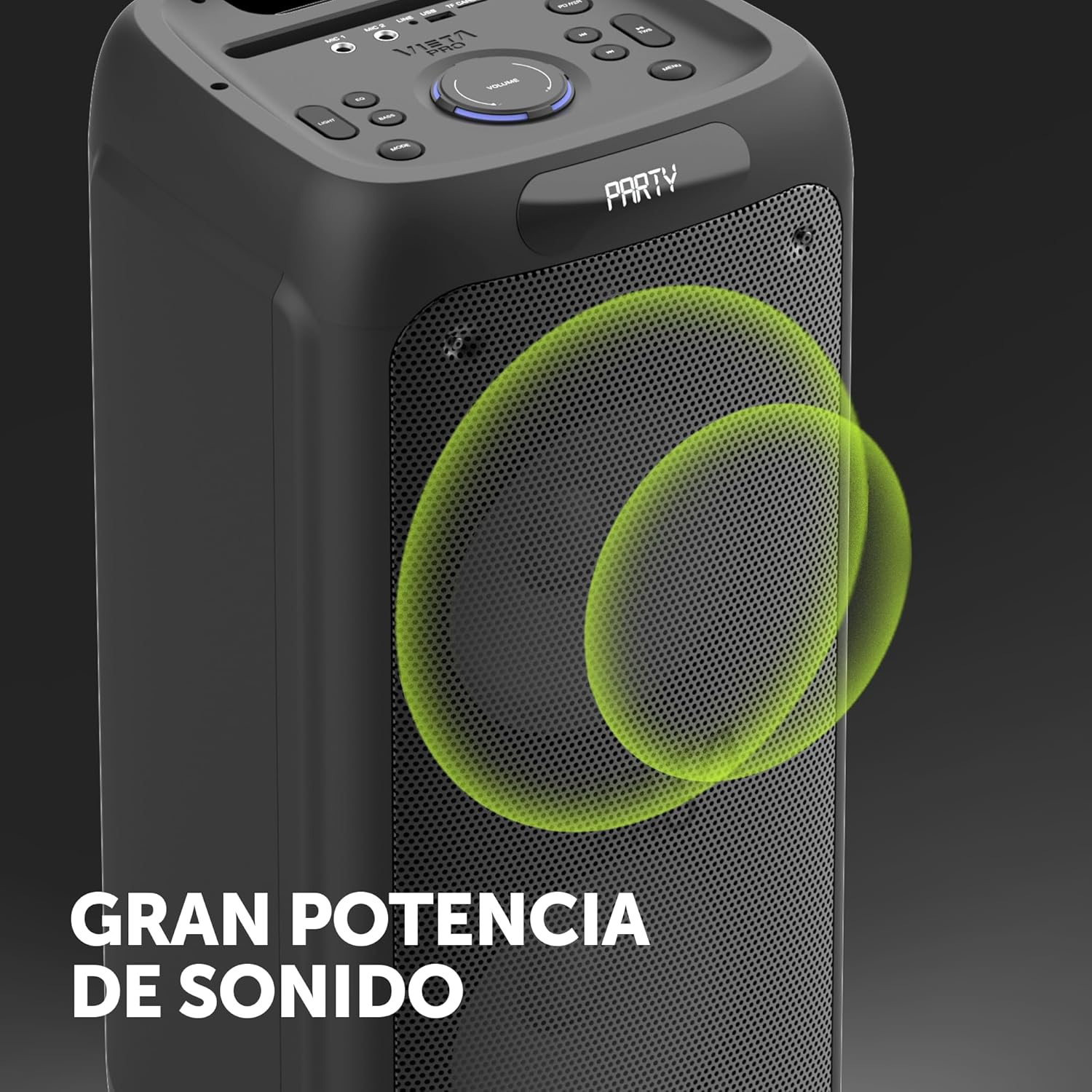
Image 8.1: The Vieta Pro Party 220 speaker, highlighting its powerful sound output.
| תכונה | פְּרָט |
|---|---|
| שם הדגם | מסיבה 220 |
| מספר דגם | VM-HW455BK |
| מותג | Vieta Pro |
| סוג רמקול | Outdoor, Portable, Self-ampליפיד |
| טכנולוגיית קישוריות | Bluetooth 5.3, AUX, USB, MicroSD |
| תקשורת אלחוטית | בלוטות' |
| עוצמת פלט מקסימלית של הרמקול | 500 וואט (RMS) |
| מצב פלט שמע | סטריאו (עם TWS) |
| תגובת תדר | 20 מגה-הרץ |
| מקור כוח | מופעל על סוללה |
| חיי סוללה | עד 10 שעות |
| שיטת בקרה | Remote Control, On-device buttons |
| תכונות מיוחדות | Anti-shock, USB Port, Shock resistant, Wireless speakers, Auracast, Karaoke, LED RGB lights |
| מכשירים תואמים | MP3 Player, Mobile, PC, DJ Mixer, Tablet, Television |
| מידות המוצר | 33.7D x 30W x 70.5H ס"מ |
| משקל פריט | 5 קילוגרם |
| חוֹמֶר | פּלָסטִי |
| צֶבַע | שָׁחוֹר |
9. אחריות ותמיכה
The Vieta Pro Party 220 speaker comes with a limited warranty. Please refer to the warranty card included in your packaging for detailed terms and conditions. For technical support, troubleshooting assistance beyond this manual, or warranty claims, please contact Vieta Pro customer service through their official webאתר או פרטי הקשר שסופקו עם תיעוד המוצר שלך.
אנא שמור את הוכחת הרכישה שלך לצורכי אחריות.