
1. הקדמה
The ANCEL MR500 is a marine diagnostic tool designed for Yamaha WaveRunner (PWC) and Outboard Engine models from 2003 to 2022. This device facilitates advanced diagnostics, parameter configuration, and performance analysis by communicating with the Engine Control Unit (ECU) and Engine Management Module (EMM).

Image 1.1: The ANCEL MR500 Marine Diagnostic Tool, showcasing its 5-inch touchscreen interface.
2. תכולת החבילה
ודא שכל הפריטים נמצאים בחבילה:
- כלי אבחון ANCEL MR500
- Diagnostic Cable(s) for Yamaha connection
- USB Cable for updates and power
- מדריך למשתמש (מסמך זה)
- תיק מגן קשיח

Image 2.1: The ANCEL hard protective case, measuring 13.38 x 8.68 x 4.33 inches, designed for storage and transport of the MR500 and its accessories.

Image 2.2: Illustrates the portability of the ANCEL MR500 protective case.
3. תכונות מוצר
- אבחון מקיף: Supports all Yamaha WaveRunner (PWC) and Outboard Engine models from 2003–2022.
- ECU and Fault Code Management: Reads and clears diagnostic trouble codes (DTCs) to identify and resolve engine issues.
- 15+ פונקציות מיוחדות: Includes active tests, parameter configurations, and service resets.
- ממשק ידידותי למשתמש: Features a 5.0-inch touchscreen tablet for intuitive operation.
- הצגת נתונים: Offers multiple display methods for live data, including graphs, tables, and dashboards, along with data freeze frame capabilities.
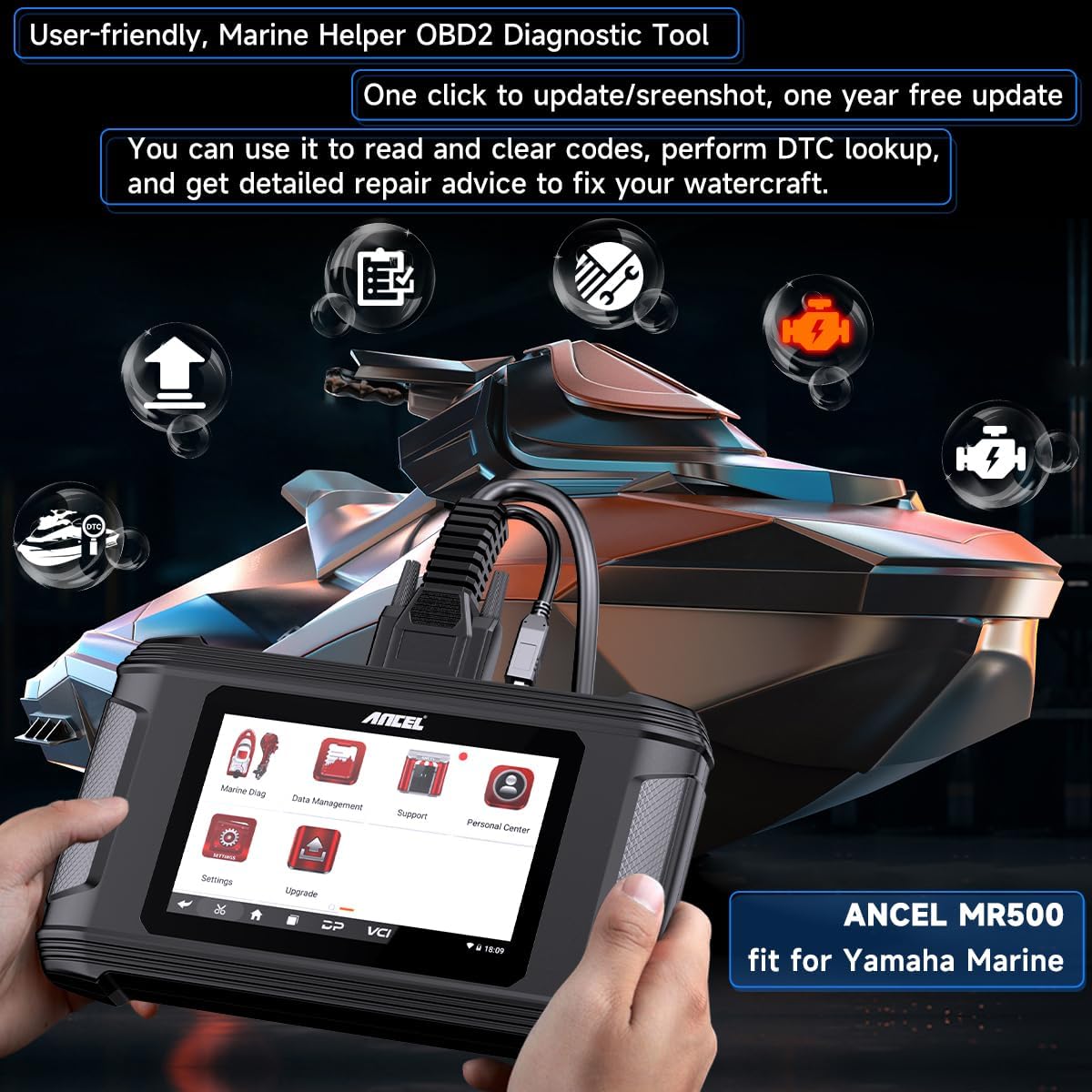
Image 3.1: The ANCEL MR500's user-friendly interface, highlighting features like updates, screenshots, and DTC lookup.
4. תאימות
The ANCEL MR500 is compatible with the following Yamaha models:
- Yamaha WaveRunner (PWC) Models (2003-2022): EX, EX Deluxe, EX Sport, EXR, EXR Deluxe, FX, FX 140, FX Cruiser, FZR, FZS, GP1300R, GP1800, GP1800R, VX, VX Cruiser, VX Cruiser HO, VX Deluxe, VX Sport, VXR, VXS, ועוד.
- Yamaha HPDI Outboard Engine Models (up to 2022): XF375, XF425, Z150, Z175, Z200, Z225, Z250, Z300, and more.

Image 4.1: The ANCEL MR500 supports a wide range of Yamaha watercraft and outboard engine models from 2003 to 2022.
5. התקנה
- הפעלה: Connect the diagnostic tool to a power source using the provided USB cable, or ensure the internal battery is charged.
- התחבר לרכב: Locate the diagnostic port on your Yamaha WaveRunner or Outboard Engine. Connect the appropriate diagnostic cable from the MR500 to the vehicle's diagnostic port.
- אתחול ראשוני: The device will power on automatically or prompt you to press the power button. Follow any on-screen instructions for initial setup, such as language selection.
6. הוראות הפעלה
6.1 ניווט בסיסי
The MR500 features a 5.0-inch touchscreen. Navigate through menus by tapping icons and options. Use the back button or gestures as indicated on-screen to return to previous screens.
6.2 פונקציות אבחון
After connecting the tool to your Yamaha vehicle, select the 'Marine Diag' option from the main menu to access diagnostic features.
- אחזור מידע על ECU: Access details about the Engine Control Unit.
- קראו את הקודים: Display current, pending, and historical diagnostic trouble codes (DTCs).
- קודים ברורים: Erase DTCs from the ECU memory after repairs are completed.
- חיפוש DTC: Provides definitions and potential causes for specific DTCs.
- קרא שעות מנוע: View סך שעות הפעולה של המנוע.
- Data Freeze Frame: Captures specific vehicle data at the moment a fault code is set.
- זרם נתונים חי: Displays real-time sensor data and parameters. This data can be viewed in various formats, including graphs, tables, and dashboards, for comprehensive analysis.

תמונה 6.1: נגמרview of diagnostic functions available for Yamaha watercraft and outboard engines.

Image 6.2: The MR500 provides comprehensive data presentation through graphs, tables, dashboards, output reports, and data freeze frames.
6.3 פונקציות מיוחדות
The MR500 offers over 15 special functions to assist with maintenance and component testing. Access these functions through the 'Special Functions' menu.
- מבחן פעיל: Send commands to activate specific components (e.g., ignition coil, injector, electric fuel pump) to verify their functionality.
- Tilt Limiter Set: Adjust or reset the tilt limiter settings.
- Oil Change Table: Access information related to oil change procedures.
- Remote Control System Reset: Reset the remote control system.
- Engine Records: View historical engine data.
- Rotor Reset (FWM): Perform rotor reset procedures.
- Oil Change Records: Access records of previous oil exchanges.
- SCU Configuration: Configure the System Control Unit.
- Initial Learning: Perform initial learning procedures for various systems.
- RIDE Bucket Learning: Conduct learning procedures for the RIDE bucket system.
- Transmission Test: Perform tests on the transmission system.

Image 6.3: The MR500 offers over 15 special functions for comprehensive maintenance and system adjustments.

Image 6.4: The Active Test function allows verification of specific component functionality by sending activation commands.
7. תחזוקה
- עדכוני תוכנה: The MR500 includes a free one-year software update. Connect the device to a computer with internet access and use the provided update software to ensure the tool has the latest diagnostic data and features.
- ניקוי: השתמשו במטלית רכה ויבשה לניקוי המכשיר. הימנעו מחומרי ניקוי שוחקים או ממסים.
- אִחסוּן: Store the tool in its protective case in a dry, cool environment when not in use.
8. פתרון תקלות
- המכשיר לא מופעל: Ensure the battery is charged or the device is connected to a stable power source via the USB cable.
- בעיות חיבור: Verify that the diagnostic cable is securely connected to both the MR500 and the vehicle's diagnostic port. Ensure the vehicle's ignition is on.
- לא ניתן לקרוא קודים: Confirm vehicle compatibility and that the correct vehicle model and year have been selected in the tool's menu. Check for any damaged cables.
- כשל בעדכון תוכנה: Ensure a stable internet connection and sufficient storage space on the device. Restart the update process if necessary.
9. מפרטים
| תכונה | פְּרָט |
|---|---|
| דֶגֶם | MR500 |
| לְהַצִיג | מסך מגע בגודל 5.0 אינץ' |
| כיסוי רכב | Yamaha WaveRunner (PWC) & Outboard Engines (2003-2022) |
| פונקציות אבחון | Read/Clear DTCs, Live Data, Freeze Frame, ECU Info, Engine Hours |
| פונקציות מיוחדות | 15+ functions including Active Test, Tilt Limiter Set, Oil Change Table, Remote Control System Reset |
| עדכוני תוכנה | 1-year free updates included |
| מידות מארז המגן | 13.38 x 8.68 x 4.33 אינץ' |
10. תמיכה
For technical assistance, warranty information, or further inquiries, please contact ANCEL customer support. The product includes 24/7 email support and a free one-year software update.
Please refer to the official ANCEL webבאתר או במסמכי הרכישה שלך לקבלת פרטי הקשר העדכניים ביותר.