
מָבוֹא
This manual provides detailed instructions for the DAREU A950GM Wireless Gaming Mouse. It covers product features, setup procedures, operational guidelines, maintenance tips, troubleshooting solutions, and technical specifications. Please read this manual thoroughly before using the product to ensure optimal performance and longevity.
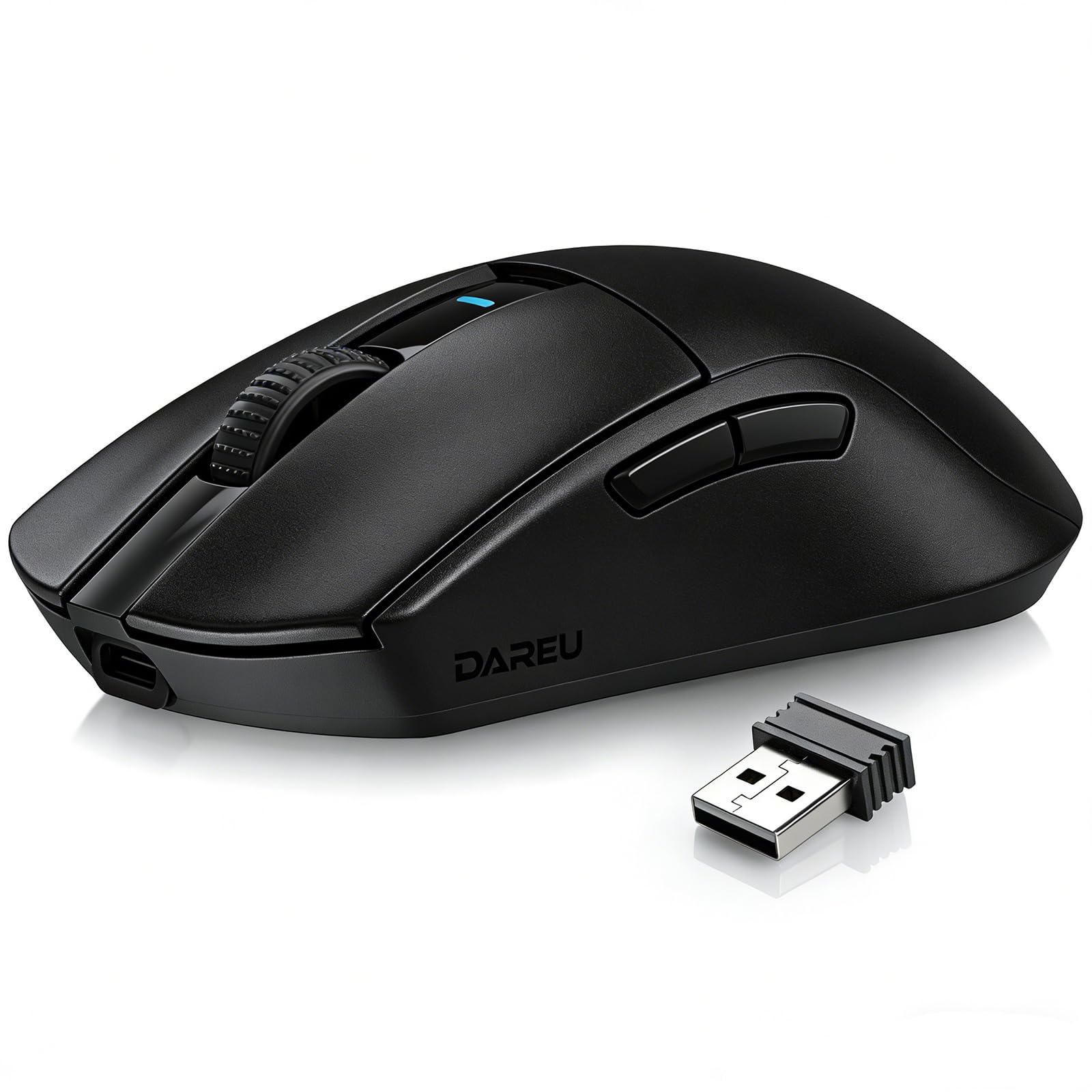
Image: The DAREU A950GM Wireless Gaming Mouse, showcasing its sleek black design and key features like lightweight design, tri-mode connectivity, high DPI, fast charge, Huano switches, and PAW3395 sensor.
הגדרה
תוכן החבילה
ודא שכל הפריטים נמצאים בחבילה:
- 1 x DAREU A950GM Mouse
- 1 x כבל Type-C
- 1 x מקלט USB
- 1 x מדריך למשתמש באנגלית

Image: Contents of the DAREU A950GM package, including the mouse, Type-C cable, USB receiver, user manual, and packaging box.
טעינה ראשונית
Before first use, it is recommended to fully charge the mouse. Connect the provided Type-C cable to the mouse and a USB power source. A full charge typically takes 30-40 minutes for the 500mAh battery, providing up to 128 hours of use (16 days in 2.4G mode, 32 days in BT5.1 mode, based on 4 hours of connection per day).

Image: The DAREU A950GM mouse indicating its fast charge capability and battery life in different modes.
מצבי קישוריות
The DAREU A950GM supports three connection modes: 2.4GHz Wireless, Bluetooth (BT5.1), and Wired (USB-C).
- מצב אלחוטי 2.4GHz:
- אתר את מקלט ה-USB המאוחסן בתחתית העכבר.
- חבר את מקלט ה-USB ליציאת USB זמינה במחשב שלך.
- Slide the switch on the bottom of the mouse to the '2.4G' position. The mouse will automatically connect.
- מצב Bluetooth:
- החלק את המתג בתחתית העכבר למצב 'BT'.
- On your device (PC, laptop, smartphone, tablet), open Bluetooth settings and search for new devices.
- Select 'DAREU A950GM' from the list to pair.
- מצב קווי:
- Connect the provided Type-C cable to the mouse and the other end to a USB port on your computer.
- העכבר יפעל כעכבר חוטי ויטען בו זמנית.
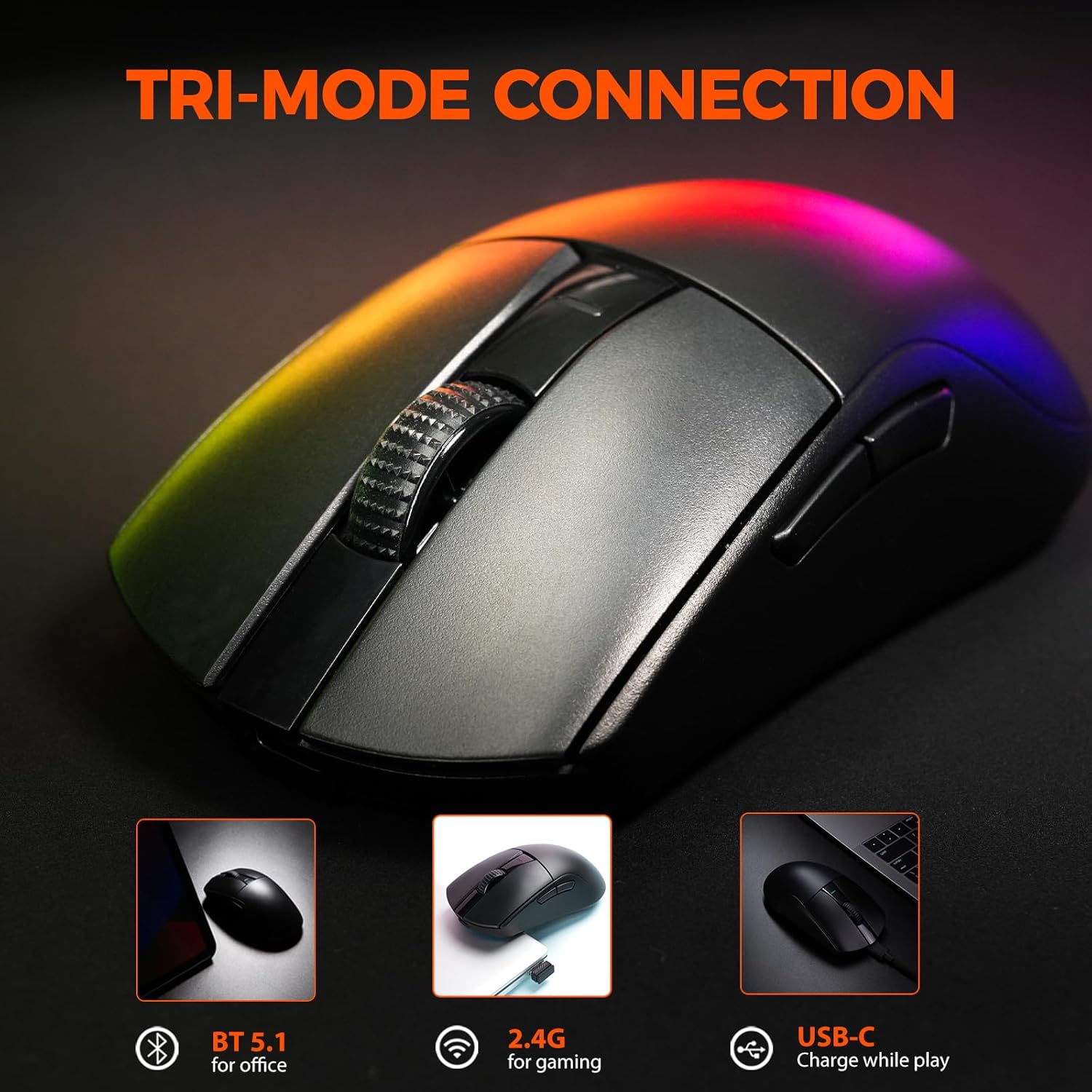
Image: The DAREU A950GM mouse demonstrating its tri-mode connectivity options: Bluetooth for office, 2.4G for gaming, and USB-C for charging while playing.
התקנת תוכנה
For advanced customization of buttons, macros, polling rate, and DPI settings, DAREU provides dual software support:
- Web-based Driver: Access the DAREU official webאתר עבור א web-based configuration tool. No installation is required.
- תוכנת שולחן עבודה: Download and install the dedicated DAREU e-sports driver software for your operating system (Windows 7 or later, macOS).
Customized settings are saved via the mouse's onboard memory.

Image: Screenshot of the DAREU all-in-one driver software interface, showing options for button customization, macro management, DPI settings, and battery level.
הוראות הפעלה
פונקציות כפתור
The DAREU A950GM features 5 programmable buttons:
- לחצן לחץ שמאל
- לחצן קליק ימני
- גלגל גלילה (ניתן ללחיצה)
- Side Button 1 (Forward)
- Side Button 2 (Backward)
These buttons can be customized using the DAREU software to assign various functions, shortcuts, or macros.
התאמת DPI
The mouse features an advanced PAW3395 optical sensor with adjustable sensitivity up to 26,000 DPI. The DPI button is located on the bottom of the mouse. Press this button to cycle through preset DPI levels. The current DPI setting is often indicated by an LED color change above the scroll wheel.

Image: The underside of the DAREU A950GM mouse, highlighting the PAW3395 optical sensor and its specifications (26000 DPI, 650 IPS, 50g Acceleration).
החלפת מצבים
To switch between 2.4GHz, Bluetooth, and Off modes, use the physical switch located on the bottom of the mouse. For wired mode, simply connect the USB-C cable.

Image: The bottom of the DAREU A950GM mouse, showing the 2.4G/OFF/BT switch, DPI button, USB receiver storage, PTFE feet, and Type-C interface. Serial number: A950GMW250901750.
תַחזוּקָה
ניקוי
כדי לשמור על ביצועים אופטימליים, נקו את העכבר באופן קבוע. השתמשו במטלית רכה ויבשה לניגוב המשטח. במקרה של לכלוך עיקש, שטפו מעט.amp ניתן להשתמש בבד, תוך הבטחה שלא תיכנס לחות לרכיבים הפנימיים. יש להימנע מכימיקלים חזקים או מחומרים שוחקים.
PBT Buttons and Huano Micro Switches
The DAREU A950GM features durable PBT buttons designed to resist fading and oil buildup. The Huano micro switches are rated for up to 100 million clicks, ensuring long-lasting and consistent performance. No specific user maintenance is required for these components beyond general cleaning.
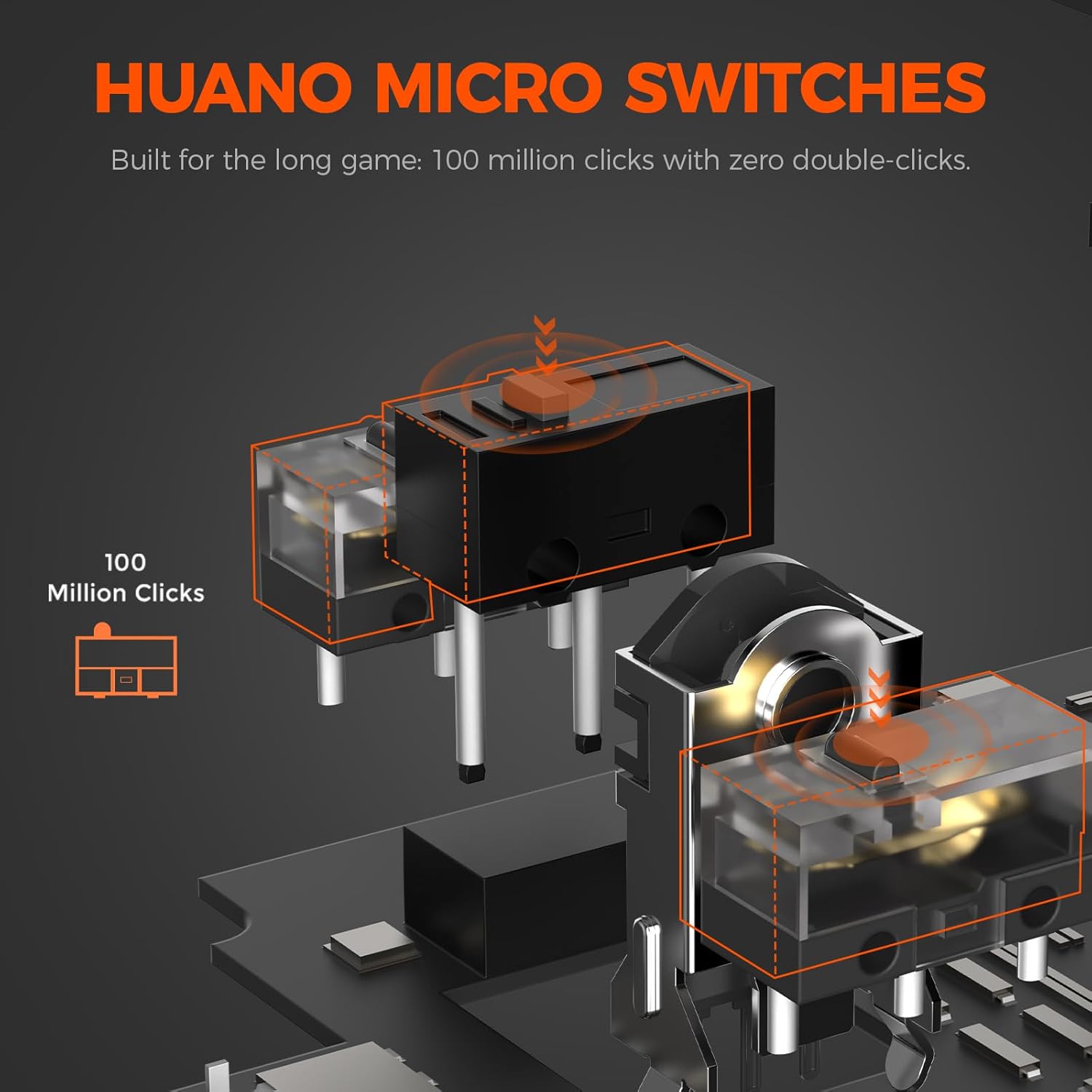
תמונה: פיצוץ view illustrating the Huano micro switches within the DAREU A950GM mouse, highlighting their 100 million click lifespan.
פתרון בעיות
בעיות קישוריות
- עכבר לא מתחבר דרך בלוטות': Ensure the mouse is in 'BT' mode and your device's Bluetooth is enabled and discoverable. Try re-pairing the mouse from your device's Bluetooth settings.
- Lag or intermittent connection in wireless modes: Ensure the USB receiver is plugged into a direct USB port, not a hub. Minimize interference from other wireless devices. If issues persist, try wired mode.
- 2.4GHz receiver not recognized: Ensure the receiver is fully inserted into the USB port. Try a different USB port.
בעיות במנהלי התקנים/תוכנה
- תוכנה לא מזהה עכבר: Ensure the mouse is connected to your computer (preferably in wired or 2.4GHz mode for initial setup). Restart the software and/or your computer.
- הגדרות לא נשמרות: Ensure you are using only one instance of the DAREU software (either web-based or desktop app) at a time to avoid conflicts.
DPI Button Placement
The DPI adjustment button is located on the bottom of the mouse. This design choice means on-the-fly DPI changes during gameplay may require lifting the mouse. For frequent DPI adjustments, consider pre-setting preferred DPI stages via the software.
מפרטים
| תכונה | פְּרָט |
|---|---|
| מותג | DAREU |
| שם הדגם | A950GM |
| צֶבַע | שָׁחוֹר |
| טכנולוגיית קישוריות | USB/BT/2.4G Hz |
| טכנולוגיית זיהוי תנועה | אופטי (חיישן PAW3395) |
| Mouse Maximum Sensitivity | 26000 DPI |
| מהירות שב"ס | 650 IPS |
| תְאוּצָה | 50 גרם |
| שיעור סקרים | 1000 הרץ |
| כמות הכפתורים | 5 לחצנים ניתנים לתכנות |
| מיקרו מתגים | הואנו (100 מיליון קליקים) |
| קיבולת סוללה | 500mAh פולימר ליתיום |
| חיי סוללה ממוצעים | Up to 128 hours (BT5.1 mode), 65 hours (2.4G mode) |
| זמן טעינה | 30-40 minutes (fast charge) |
| משקל פריט | 60 גרם |
| מידות פריט (L x W x H) | 122.8 x 64 x 39 מ"מ |
| מכשירים תואמים | PC, Laptop, Mac, Gaming Console, Smartphone, Tablet |
| תמיכה במערכת הפעלה | Windows 7 or later, macOS, Android |
| רכיבים כלולים | Mouse, Type-C cable, USB receiver, English user manual |
סרטוני מוצר
Video: An official DAREU GAMING video showcasing the DAREU A950GM Wireless Gaming Mouse, highlighting its PAW3395 sensor and black color variant.
Video: An official DAREU GAMING video demonstrating the DAREU A950GM Wireless Gaming Mouse in use.
אַחֲרָיוּת
The DAREU A950GM Wireless Gaming Mouse comes with a 1 שנות אחריות from the date of purchase. Please retain your proof of purchase for warranty claims. The warranty covers manufacturing defects and malfunctions under normal use. It does not cover damage caused by misuse, accidents, unauthorized modifications, or normal wear and tear.
תְמִיכָה
For further assistance, technical support, or warranty inquiries, please visit the official DAREU website or contact DAREU customer service. Refer to the packaging or the DAREU webאתר לקבלת פרטי הקשר העדכניים ביותר.
אתה יכול גם לבקר ב DAREU Store on Amazon למידע נוסף על המוצר ומשאבי תמיכה.