
1. הקדמה
Thank you for choosing the FLEXISPOT Electric Standing Desk. This manual provides detailed instructions for the assembly, operation, and maintenance of your new adjustable height desk. Designed to promote a healthier work environment, this desk allows you to easily switch between sitting and standing positions, reducing the negative effects of prolonged sitting. Please read this manual thoroughly before assembly and use to ensure proper function and safety.
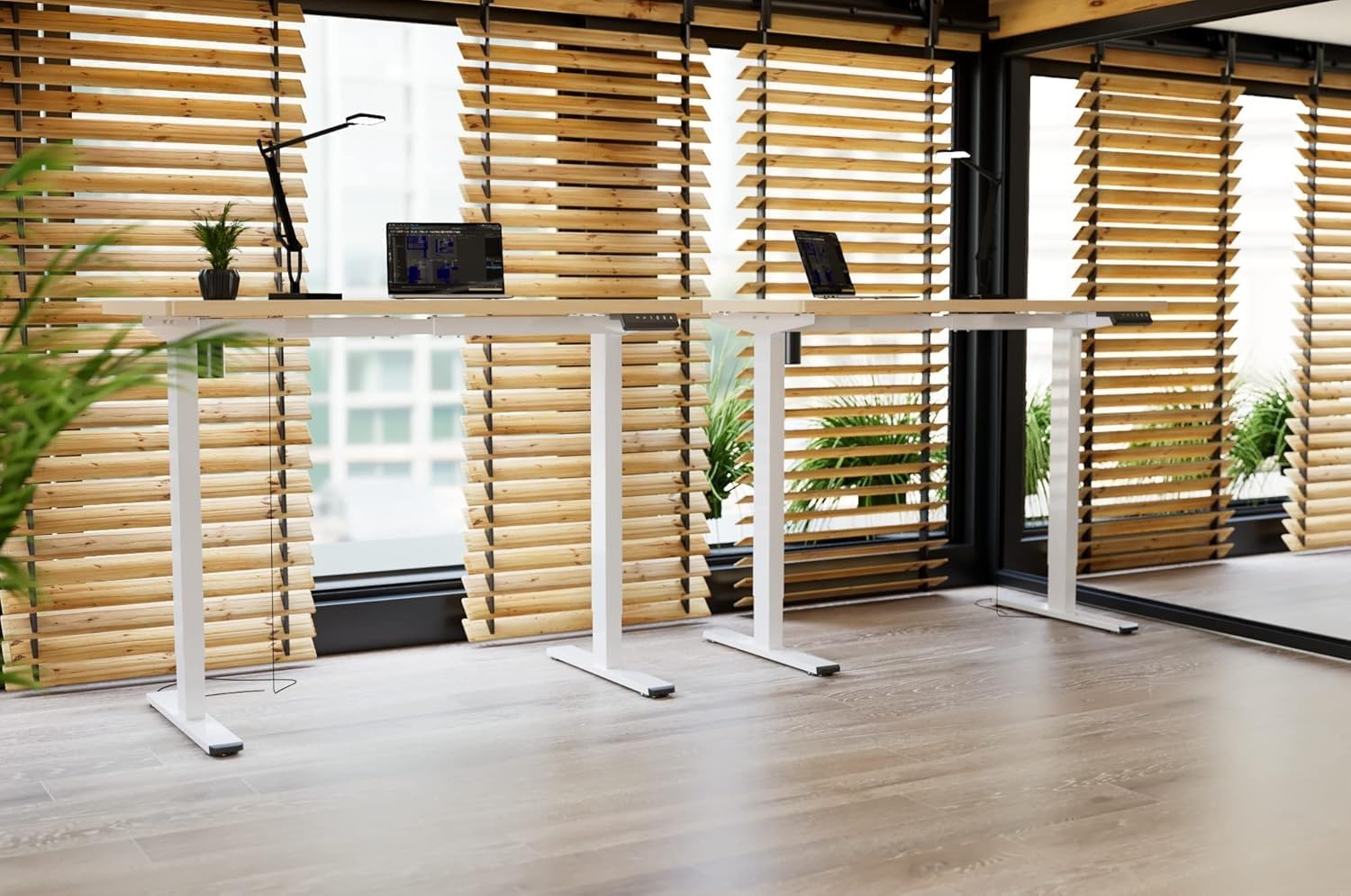
Image: Two FLEXISPOT electric standing desks with maple tops and white frames, set up in an office environment.
2. מידע בטיחות
- ודא שכל הרכיבים קיימים ולא ניזוקו לפני ההרכבה.
- הרחק ילדים וחיות מחמד מהשולחן במהלך הפעולה.
- Do not place hands or other body parts near moving parts of the desk frame.
- Avoid overloading the desk beyond its specified weight capacity.
- השתמשו רק במתאם החשמל המצורף וודאו שהוא מחובר לשקע מוארק.
- Do not disassemble or modify the desk's motor or control system.
- If any unusual noise or movement occurs, immediately stop operation and unplug the desk.
- שולחן זה מיועד לשימוש פנימי בלבד.
3. תכולת החבילה
אנא ודא שכל הרכיבים הבאים כלולים בחבילה שלך:
- Desktop (Maple, 140x60cm)
- Electric Lifting Columns (2x)
- Desk Feet (2x)
- רכיבי מסגרת/משקוף
- תיבת בקרה
- לוח מקשים רב תפקודי
- מתאם חשמל וכבל
- Backpack Hook (2x)
- Assembly Hardware (screws, Allen wrenches)
- מדריך הוראות
4. התקנה והרכבה
Follow these steps to assemble your FLEXISPOT Electric Standing Desk. It is recommended to have two people for assembly.
- פרק רכיבים: הוציאו בזהירות את כל החלקים מהאריזה והניחו אותם על משטח נקי ורך כדי למנוע שריטות.
- Assemble Desk Feet: Attach the desk feet to the bottom of the lifting columns using the provided screws.
- חבר את המוט הצלב: Secure the crossbar components between the two lifting columns.
- צרף שולחן עבודה: Place the desktop upside down on a soft surface. Carefully position the assembled frame onto the desktop, aligning the pre-drilled holes. Secure the frame to the desktop with the appropriate screws.
- Install Control Box and Keypad: Mount the control box and multi-function keypad to the underside of the desktop using the provided hardware.
- חבר כבלים: Connect the motor cables from the lifting columns to the control box. Connect the keypad cable to the control box. Finally, connect the power adapter to the control box and then to a power outlet.
- התקן אביזרים: Attach the backpack hooks to the desired location on the desk frame or desktop edge.
- ניהול כבלים: Organize all cables using cable ties or management trays (not included) to prevent tangles and ensure safe operation.
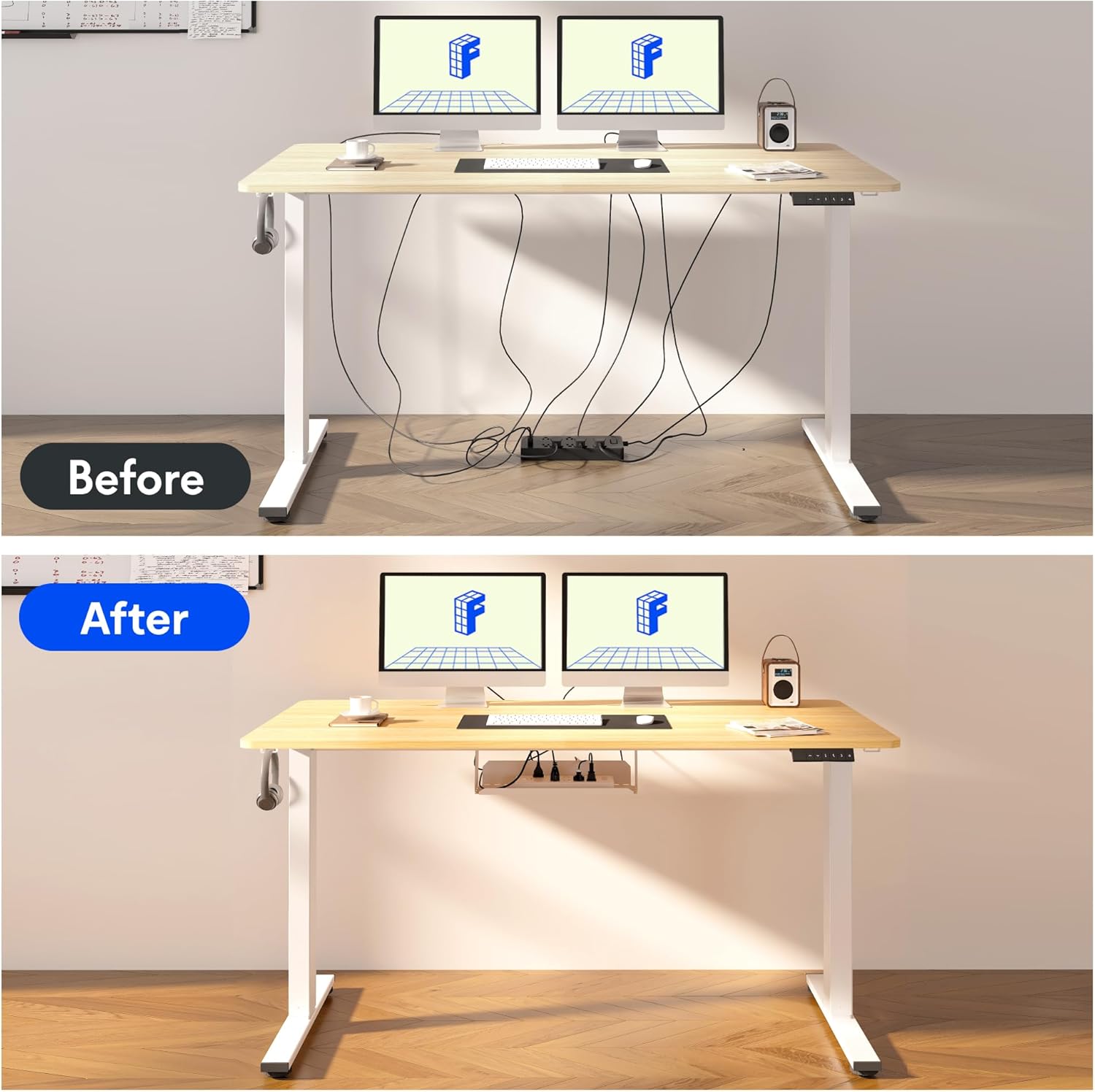
Image: Illustration of effective cable management for the desk, showing a 'before' state with loose cables and an 'after' state with cables neatly secured.

תמונה: תקריב view of the optional cup holder and backpack hooks, demonstrating their attachment to the desk.
5. הוראות הפעלה
Your FLEXISPOT desk features an intuitive multi-function keypad for easy height adjustment and memory presets.

תמונה: מפורט view of the multi-function keypad, highlighting the LED display, up and down adjustment keys, and four memory preset buttons.
- התאמת גובה: השתמש ב- Up (▲) ו לְמַטָה (▼) keys to raise or lower the desk to your desired height. The current height will be displayed on the LED screen.
- הגדרת הגדרות זיכרון קבועות מראש:
- Adjust the desk to your preferred sitting or standing height using the Up/Down keys.
- הקש על "מ" button (or similar memory set button, if present, otherwise directly press a number).
- Immediately press one of the numbered memory buttons (1, 2, 3 או 4) to save the current height to that preset. The LED display will confirm the setting.
- שחזור הגדרות זיכרון קבועות מראש: Press any of the numbered memory buttons (1, 2, 3 או 4) כדי להזיז את השולחן באופן אוטומטי לגובה שנשמר.
- פונקציית איפוס: If the desk encounters an error or needs to be reset, press and hold the לְמַטָה (▼) button until the desk reaches its lowest position and then slightly rises, indicating a successful reset.
6. תחזוקה
- ניקוי: נגבו את משטח השולחן והמסגרת בעזרת מטלית רכהamp מטלית. הימנעו מכימיקלים חזקים או חומרי ניקוי שוחקים.
- ניהול כבלים: Regularly check and organize cables to prevent damage and ensure smooth operation.
- סִיכָה: The lifting mechanism is designed to be maintenance-free. Do not apply lubricants to the columns.
- בְּדִיקָה: בדקו מעת לעת את כל הברגים והחיבורים כדי לוודא שהם מהודקים היטב. הדקו מחדש במידת הצורך.
7. פתרון תקלות
| בְּעָיָה | סיבה אפשרית | פִּתָרוֹן |
|---|---|---|
| שולחן הכתיבה לא זז. | Power cable disconnected, control box cable loose, overload. | Check all cable connections. Reduce weight on the desk. Perform a reset (see Operating Instructions). |
| השולחן זז לא אחיד או משמיע רעש חריג. | Loose screws, obstruction, uneven load. | Check all assembly screws. Ensure no obstructions are in the path of the lifting columns. Distribute weight evenly. |
| הגדרות זיכרון קבועות מראש אינן פועלות. | הגדרות קבועות מראש לא נשמרו כהלכה. | Re-save the memory presets following the steps in the Operating Instructions. |
| תצוגת LED מציגה קוד שגיאה. | שגיאת מערכת. | Perform a reset. If the error persists, contact customer support. |
8. מפרטים
- מידות שולחן עבודה: 140 ס"מ (אורך) x 60 ס"מ (רוחב)
- טווח גובה מתכוונן: 73.5 ס"מ עד 118 ס"מ
- חוֹמֶר: Maple wood desktop, Metal frame (White)
- מָנוֹעַ: Single motor, quiet operation (below 50 dB)
- מאפיינים מיוחדים: Electric height adjustment, Smart memory panel (4 presets), Backpack hook (2x)
- יַצִיבוּת: Enhanced frame design with wider feet and thicker columns for improved stability.

Image: Technical drawing illustrating the desktop dimensions (140x60cm) and the adjustable height range of the desk frame (73.5-118cm).

תמונה: פנימי view of the desk's powerful and quiet motor, emphasizing its smooth and stable operation.
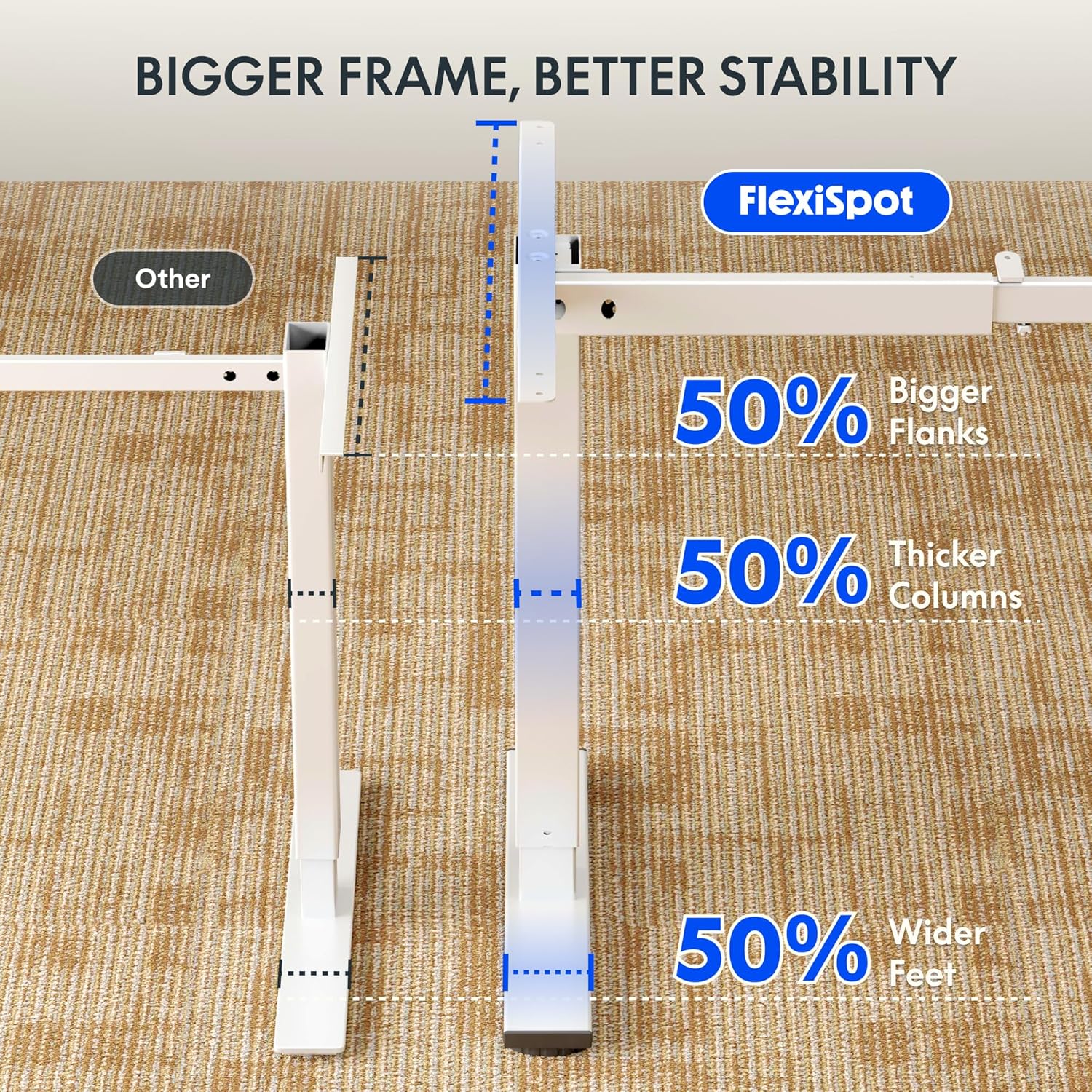
Image: Comparative diagram illustrating the superior stability of the FlexiSpot desk frame, featuring 50% bigger flanks, thicker columns, and wider feet compared to standard designs.
9. מידע על אחריות
This FLEXISPOT Electric Standing Desk is covered by a limited manufacturer's warranty. Please refer to the warranty card included in your package or visit the official FLEXISPOT website for detailed terms and conditions regarding coverage, duration, and claims process. Keep your proof of purchase for warranty service.
10. תמיכת לקוחות
If you have any questions, require assistance with assembly, or encounter issues not covered in this manual, please contact FLEXISPOT customer support. You can find contact information on the official FLEXISPOT webבאתר או דרך הקמעונאי שלך.
למידע נוסף, בקר: www.flexispot.com