
מָבוֹא
The MINIX 100W USB C Charger (NEO P3 Pro) is a versatile 3-port GaN charger designed for rapid charging of various devices, including laptops, tablets, and smartphones. It features a smart display for real-time charging information and a compact, travel-friendly design. This manual provides essential information for the safe and efficient use of your charger.

Image: The MINIX 100W USB C Charger (NEO P3 Pro) connected to a laptop, illustrating its fast charging capability.
What's in the Box (Setup)
Your MINIX 100W USB C Charger package includes the following items:
- 1x MINIX P3 PRO 100W Charger
- 1x EU Plug Adapter
- 1x UK Plug Adapter
- 1x מדריך למשתמש
- שקית אחסון 1x

Image: The MINIX P3 Pro charger, EU plug, UK plug, and storage bag, as included in the package.
Attaching the Correct Plug Adapter
The MINIX P3 Pro charger comes with interchangeable plug adapters (US, EU, UK) to ensure compatibility in various regions. To attach an adapter:
- Align the desired plug adapter with the charger's prongs.
- Gently push the adapter onto the charger until it clicks securely into place.
- To remove, press the release button (if present) and slide the adapter off.

Image: The MINIX charger with its switchable US, EU, and UK plug adapters.
הוראות הפעלה
חיבור התקנים
The MINIX P3 Pro features two USB-C ports and one USB-A port. Connect your devices using appropriate charging cables. For optimal 100W charging, use a 100W 5A cable connected to a single USB-C port.
- USB-C1: תפוקה מקסימלית של עד 100W.
- USB-C2: תפוקה מקסימלית של עד 100W.
- USB-A1: תפוקה מקסימלית של עד 30W.

Image: The MINIX P3 Pro charging three devices concurrently: a laptop via USB-C1, a tablet via USB-C2, and a smartphone via USB-A1.
Smart Display and Touch Control
The integrated smart display provides real-time information about your charging status. You can interact with the display using the touch control button.
- מצב טעינה: View the current wattagפלט e.
- פרטים ספציפיים לנמל: Tap the touch button to cycle through individual port outputs.
- Temperature Reminder: The display may show temperature-related information for safety.
- זמן כולל: Displays the total charging duration.
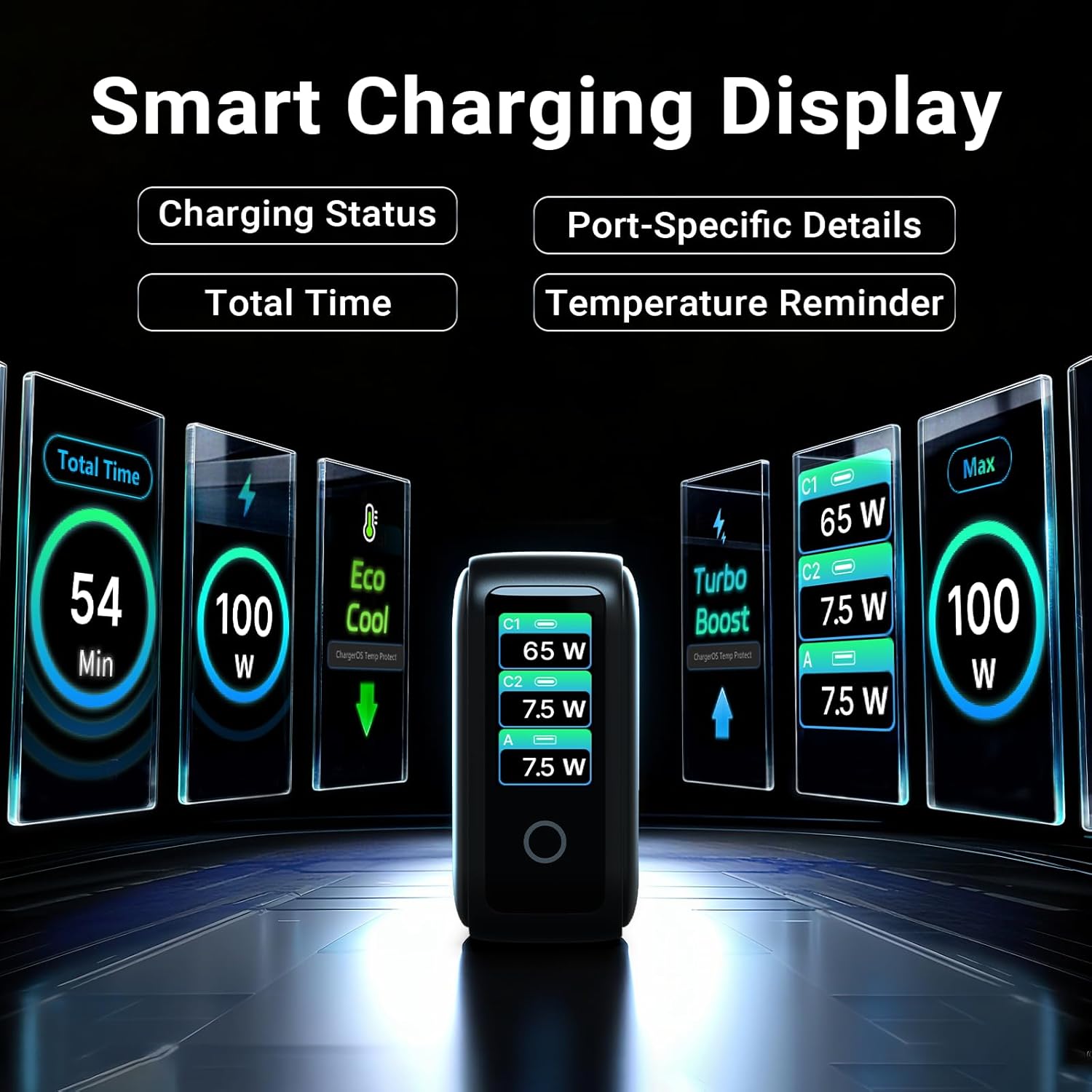
Image: The smart display of the MINIX P3 Pro, showcasing real-time charging status and port-specific details.
סיבוב מסך
To adapt the display orientation to your wall outlet, press and hold the touch control button for 3 seconds. The screen will rotate 180°.
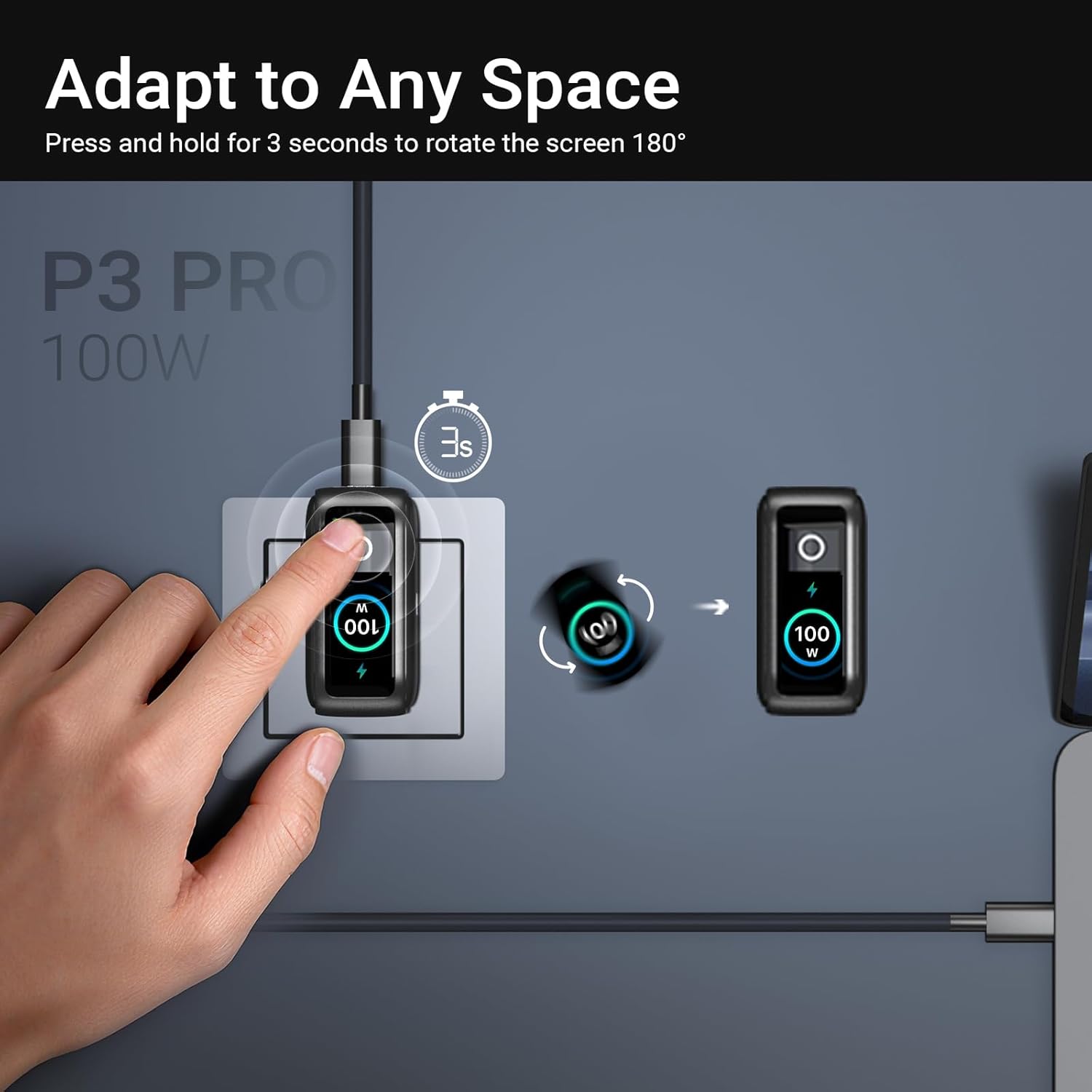
Image: The MINIX P3 Pro charger plugged into a wall socket, illustrating how to rotate the smart display by 180 degrees for better viewing.
חלוקת כוח
The charger intelligently redistributes power based on the number of connected devices and their power requirements. Below is a general guide to power output configurations:
- יציאת יציאה אחת:
- USB-C1: 100W
- USB-C2: 100W
- USB-A1: 30W
- 2 יציאות פלט:
- USB-C1 + USB-C2: 65W + 30W
- USB-C1 + USB-A1: 65W + 7.5W
- USB-C2 + USB-A1: 7.5W + 7.5W
- 3 יציאות פלט:
- USB-C1 + USB-C2 + USB-A1: 65W + 7.5W + 7.5W
Video: An official product introduction video for the MINIX P3 Pro, demonstrating its features and functionality, including power distribution across multiple ports.
תַחזוּקָה
To ensure the longevity and optimal performance of your MINIX P3 Pro charger, follow these maintenance guidelines:
- שמרו על ניקיון המטען, ללא אבק ולכלוך. השתמשו במטלית רכה ויבשה לניקוי.
- הימנע מחשיפת המטען לטמפרטורות קיצוניות, לחות או אור שמש ישיר.
- אין להפיל את המטען ואל תחשוף אותו לפגיעות חזקות.
- Store the charger in the provided storage bag when not in use, especially during travel, to protect it from scratches and damage.
- יש לוודא אוורור נאות סביב המטען במהלך הפעולה כדי למנוע התחממות יתר.
מפרטים
| תכונה | פְּרָט |
|---|---|
| מותג | מיניקס |
| מספר דגם | P5010 |
| סך כל יציאות USB | 3 (2x USB Type-C, 1x USB Type-A) |
| מהtage | 100W (מקסימום) |
| קלט כרךtage | 240 וולט |
| זרם פלט | 5 Amps |
| פלט כרךtage | 120 וולט |
| סוג מחבר | USB סוג A, USB סוג C |
| מכשירים תואמים | Laptops, Tablets, Samsung Galaxy S21-S24 Series, iPhone 17/16/15/14/13/12 Series, iPhone SE (3rd Gen) |
| תכונות מיוחדות | Fast Charging, Lightweight Design, Multi-Device Charging, Travel-Friendly, Smart Display, Touch Control |
| צֶבַע | שָׁחוֹר |
| משקל פריט | 200 גרם |
| חוֹמֶר | אלסטומר תרמופלסטי (TPE) |
| הסמכות | CE, FCC, WEEE |
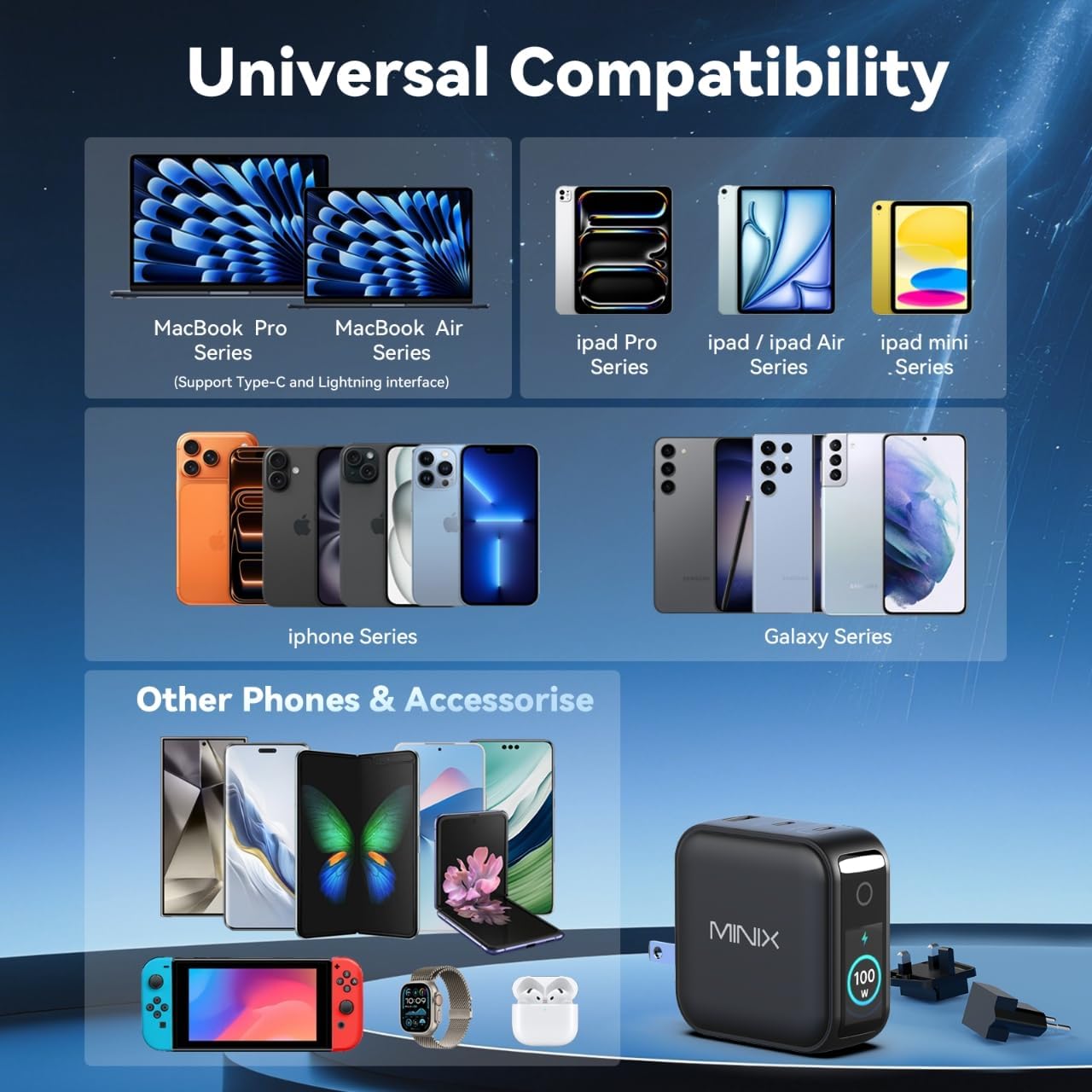
Image: A visual representation of the MINIX P3 Pro's universal compatibility with various devices.
פתרון בעיות
If you encounter issues with your MINIX P3 Pro charger, please refer to the following common troubleshooting steps:
- המטען לא נדלק:
- ודא שהמטען מחובר היטב לשקע קיר תקין.
- Verify that the correct regional plug adapter is firmly attached.
- המכשיר לא נטען או נטען לאט:
- Check that the charging cable is securely connected to both the charger and your device.
- Ensure the charging cable is not damaged and supports the required power delivery (e.g., 100W for high-power devices).
- נסה יציאה אחרת במטען.
- If charging multiple devices, note that power is distributed, which may reduce individual port output. Refer to the "Power Distribution" section.
- Ensure your device supports the charging protocols (PPS, PD3.0, QC3.0) supported by the charger.
- Smart display not working or showing incorrect information:
- Ensure the charger is powered on and a device is connected.
- Tap the touch button to cycle through display modes.
- If the display is unresponsive, unplug the charger from the wall for a few seconds and then plug it back in.
- המטען מרגיש חם במהלך השימוש:
- זה נורמלי שהמטען יתחמם במהלך הפעולה, במיוחד במהלך טעינה בהספק גבוה.
- Ensure there is adequate ventilation around the charger. If it becomes excessively hot, disconnect it immediately and contact support.
מידע בטיחות
אנא קראו ופעלו לפי אמצעי הזהירות הבאים כדי למנוע נזק למוצר או פגיעה עצמית:
- אין לחשוף את המטען למים, לחות או לחות גבוהה.
- Avoid using the charger in environments with extreme temperatures.
- Do not disassemble, modify, or attempt to repair the charger yourself. This will void the warranty.
- הרחק את המטען מהישג ידם של ילדים וחיות מחמד.
- Use only compatible cables and devices with the charger.
- נתק את המטען מהחשמל במהלך סופות ברקים או כאשר אינו בשימוש למשך תקופות ממושכות.
- The charger includes built-in safety features such as over-current, over-voltagה, הגנה מפני טמפרטורת יתר וקצר חשמלי.
אחריות ותמיכה
The MINIX 100W USB C Charger (NEO P3 Pro) comes with a אחריות יצרן לשנה.
תמיכת לקוחות
For any questions, technical assistance, or warranty claims, please contact MINIX customer service:
- תמיכה מקוונת: בקר ב MINIX Store on Amazon and use the "Ask Product Question" feature.
- Offline Maintenance Service: אנא בקר ברשמית שלנו webאתר למידע נוסף.
אנא ודאו כי מספר הדגם של המוצר (P5010) ופרטי הרכישה מוכנים בעת פנייה לתמיכה.