
1. המוצר נגמרview
The AFEXOA RGB Night Light Alarm Clock (Model NC-01) combines a digital alarm clock with a versatile night light, featuring an hourglass design. It offers multiple wake-up sounds, adjustable volume, snooze functionality, and various lighting modes including warm white and 7 RGB ambient colors. It also includes a sleep timer for convenience.

Image: The AFEXOA RGB Night Light Alarm Clock in its hourglass form, illuminated with rainbow colors, positioned on a bedside table. The digital display shows the time 8:38.
2. תכולת החבילה
אנא סמן את התיבה עבור הפריטים הבאים:
- 1 x AFEXOA RGB Night Light Alarm Clock (Model NC-01)
- 1 x כבל טעינה מסוג C
- 1 x מדריך התחלה מהירה
- מדריך למשתמש אחד (מסמך זה)
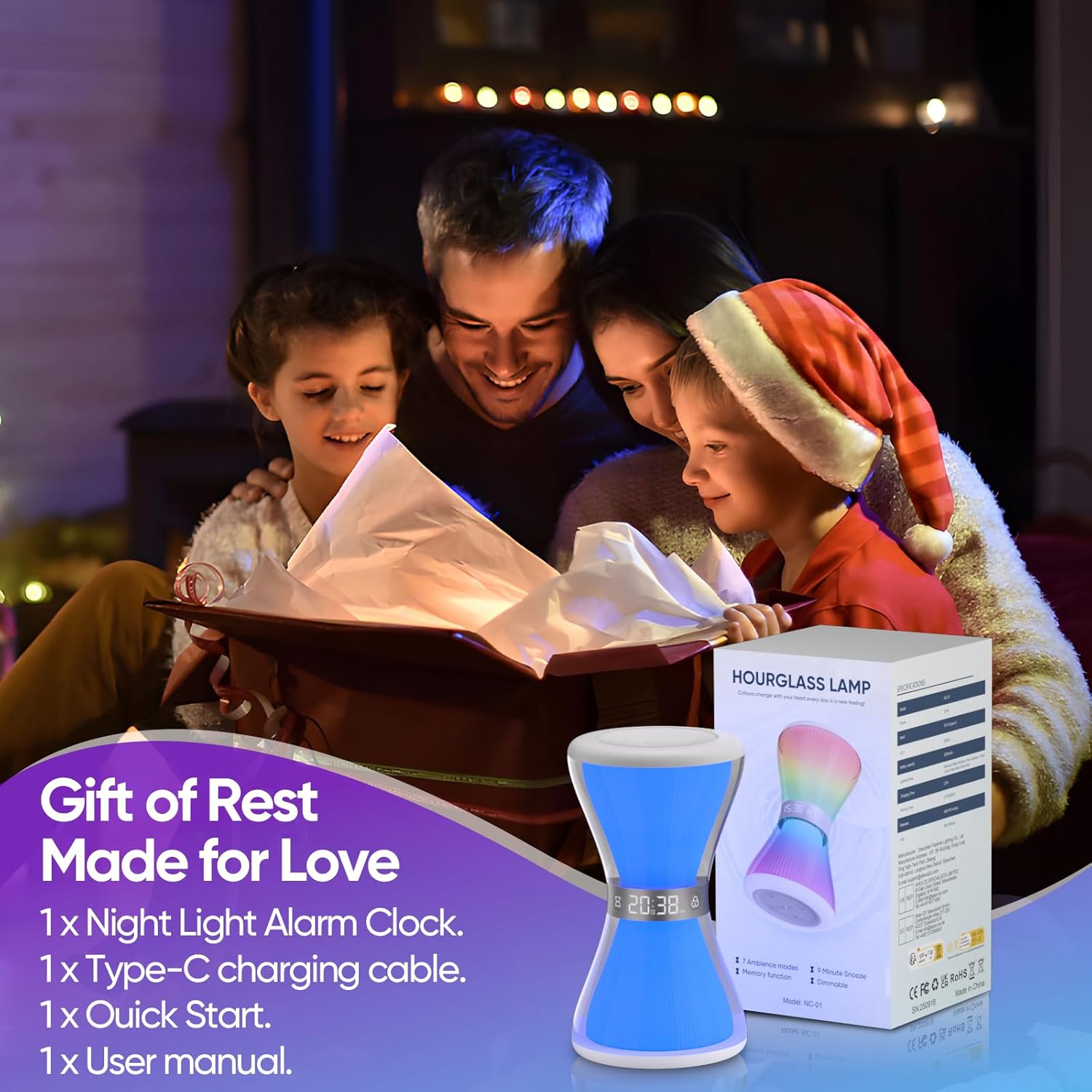
Image: The AFEXOA RGB Night Light Alarm Clock, its retail packaging, and included accessories (Type-C cable, quick start guide, user manual).
3. מדריך התקנה
3.1. טעינת ההתקן
Before first use, fully charge the alarm clock using the provided Type-C USB cable. Connect the cable to the charging port on the device and a compatible USB power adapter (not included). The charging indicator will show the charging status.
3.2. הפעלה ראשונית
Once charged, the device should power on automatically. If not, locate the power button (usually on the base) and press it to turn on the device.
3.3. Setting the Time (12/24H Format)
Refer to the quick start guide or the device's base for specific buttons to set the time. Typically, there will be a 'Time Set' button or a combination of 'M' (Mode) and '+' / '-' buttons. You can switch between 12-hour and 24-hour formats as desired.

Image: The alarm clock's digital display showing time in both 12-hour (AM/PM) and 24-hour formats, illustrating the time setting feature.
4. הוראות הפעלה
4.1. פונקציות שעון מעורר
כדי להגדיר אזעקה:
- Press the 'Alarm' button (or 'M' button until alarm mode is selected).
- Use the '+' and '-' buttons to adjust the desired alarm time.
- אשר את הגדרת הזמן.
- Select from 7 available wake-up sounds (e.g., beep, bird, piano, soft music).
- Adjust the alarm volume from 8 levels to suit your preference. The alarm sound will gradually increase in volume to provide a gentle wake-up.
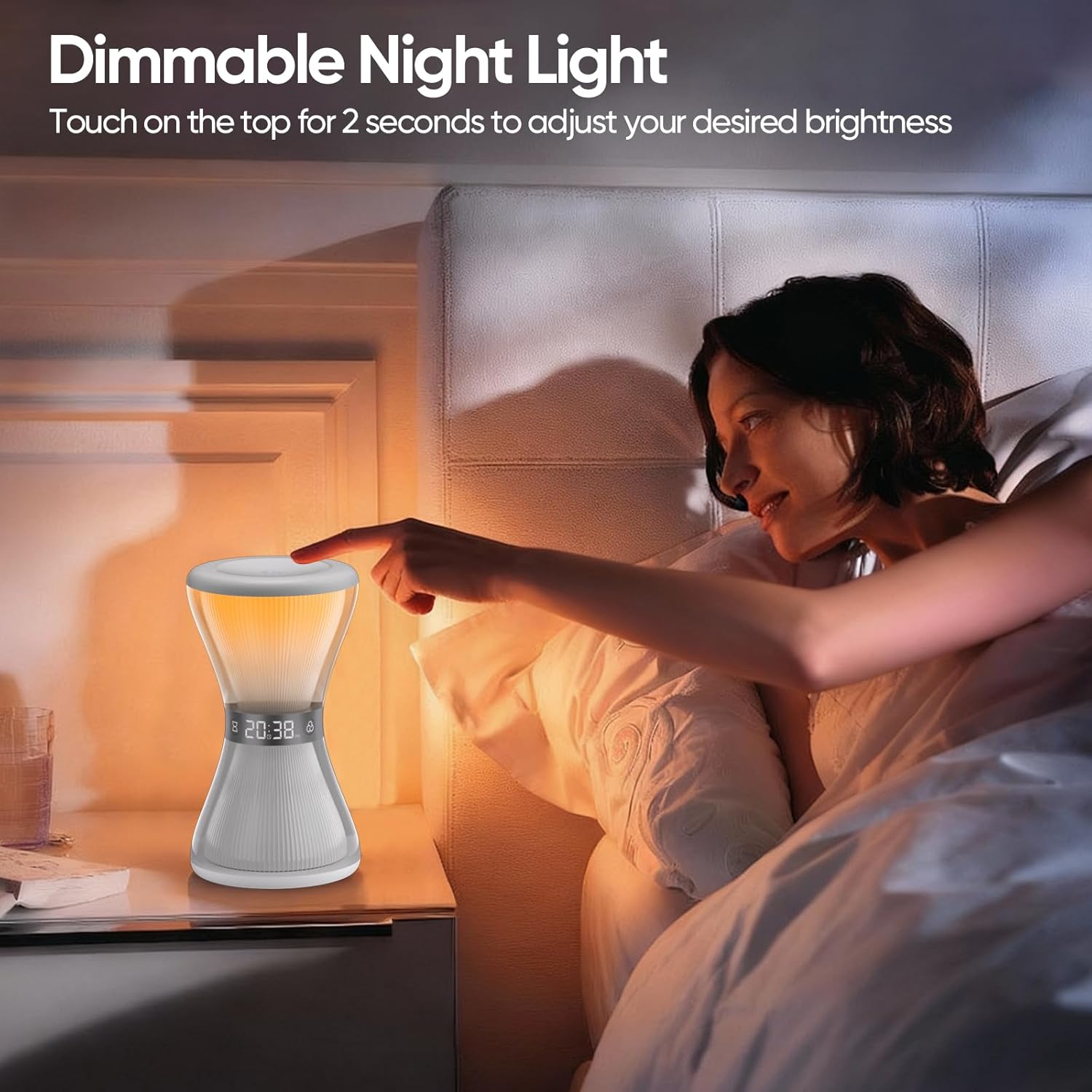
Image: The alarm clock on a nightstand, highlighting its features for customizing alarms, including 7 wake-up ringtones and 8 volume levels.

Image: A visual representation of the 7 available wake-up sounds and the 8 adjustable volume levels for the alarm function.
4.2. פונקציית נודניק
When the alarm sounds, gently touch or tap the top surface of the alarm clock to activate the snooze function. This will provide an additional 9 minutes of sleep time. The snooze function can be used multiple times. If no operation is detected within 20 minutes of the alarm sounding, the alarm will automatically turn off.

Image: A person reaching to tap the alarm clock for the 9-minute snooze function.
4.3. Night Light Operation (Warm White)
To turn on the warm white night light, simply touch the top surface of the device. To adjust the brightness, keep your hand on the top surface for a short period. The brightness will cycle through its levels, release your hand when the desired brightness is reached.

Image: A person interacting with the top of the alarm clock to adjust the dimmable warm white night light.
4.4. RGB Ambient Lights
The alarm clock features 7 RGB ambient light colors and a flowing light effect. You can select your favorite light mode to create a specific atmosphere. There are 3 adjustable brightness levels for the RGB lights. Consult the quick start guide for specific button presses to cycle through modes and adjust brightness.

תמונה: תצוגת שעון המעוררasing its various RGB ambient light colors and patterns, demonstrating the 'Gorgeous Light Show' feature.
4.5. טיימר שינה
The sleep timer allows you to set a duration (from 5 to 90 minutes) after which the lights will automatically turn off. During the timer, you can choose from four static light colors: white, red, blue, and green. This feature is designed to aid sleep by gradually dimming or turning off the light.

Image: A child sleeping next to the alarm clock, which is set to a pink light, illustrating the sleep aid with auto-off timer feature.

Image: A visual representation of the sleep timer function, showing various time settings from 5 to 90 minutes.
4.6. Hourglass Countdown Visual Mode
The unique hourglass design can display a visual countdown with lights. Red, green, blue, and white lights are available for selection in this mode, providing a decorative and calming visual effect. This is a visual feature and not a functional timer for user input.

Image: A child studying at a desk with the alarm clock displaying a white hourglass countdown light, providing a visual aid.
5. תחזוקה
5.1. ניקיון
To clean the alarm clock, gently wipe its surface with a soft, dry, or slightly damp מטלית. אין להשתמש בחומרי ניקוי שוחקים, ממסים ואל תטבלו את המכשיר במים.
5.2. טיפול בסוללה
The device is powered by a built-in Lithium Ion battery. For optimal battery life, avoid fully discharging the battery frequently and store the device in a cool, dry place when not in use for extended periods. Do not attempt to replace the battery yourself.
6. פתרון תקלות
- המכשיר לא נדלק: Ensure the device is fully charged using the provided Type-C cable. Check if the power button is pressed.
- האזעקה לא נשמעת: Verify that the alarm is set correctly and enabled. Check the alarm volume level.
- האורות לא עובדים: Ensure the device is powered on. Check if the light mode is selected and brightness is adjusted.
- Time display is incorrect: Re-enter the time settings as described in Section 3.3.
- Snooze function not responding: Ensure you are tapping the designated touch area on the top of the device.
7. מפרטים
| תכונה | מִפרָט |
|---|---|
| מספר דגם | NC-01 |
| מותג | AFEXOA |
| מידות (W x H) | 3.54 אינץ' x 6.3 אינץ' |
| מִשׁקָל | 200 גרם |
| חוֹמֶר | אקרילוניטריל בוטאדיאן סטירן (ABS) |
| מקור כוח | מופעל על סוללה (סוללת ליתיום יון אחת כלולה) |
| סוג תצוגה | דִיגִיטָלי |
| תכונות מיוחדות | Adjustable Brightness, Alarm, Illuminated, Mood Light, Timer |
| צלילי השכמה | 7 אפשרויות |
| רמות עוצמת הקול של האזעקה | 8 רמות |
| משך נודניק | דקות 9 |
| טיימר שינה | 5-90 דקות |
| אורות סביבה | 7 RGB colors, 3 brightness levels |
| אור לילה | Warm white, adjustable brightness |
8. אחריות ותמיכה
For warranty information or technical support, please refer to the contact details provided in your product packaging or visit the official AFEXOA webאֲתַר. שמור את קבלה הרכישה שלך לתביעות אחריות.