
1. הקדמה
This manual provides essential information for setting up, operating, maintaining, and troubleshooting your Thunderobot Storm 15 4050 Gaming Laptop. Please read it thoroughly to ensure optimal performance and longevity of your device.
תכונות עיקריות:
- מעבד: אינטל Core i7-13620H (10 ליבות, עד 4.9 גיגה-הרץ)
- גרָפִיקָה: GPU מחשב נייד NVIDIA GeForce RTX 4050
- זֵכֶר: 32GB DDR4 RAM (3200 MHz)
- אִחסוּן: כונן SSD PCIe M.1 בנפח 2TB
- לְהַצִיג: 15.6-inch Full HD (1920x1080) 165Hz, 100% sRGB, DC Dimming
- מַעֲרֶכֶת הַפעָלָה: Windows 11 Home
- הִתקָרְרוּת: Advanced Frost Cooling System with multi-heat-pipe design and high-pressure turbine fan
- מִקלֶדֶת: Full-size backlit keyboard with numeric keypad
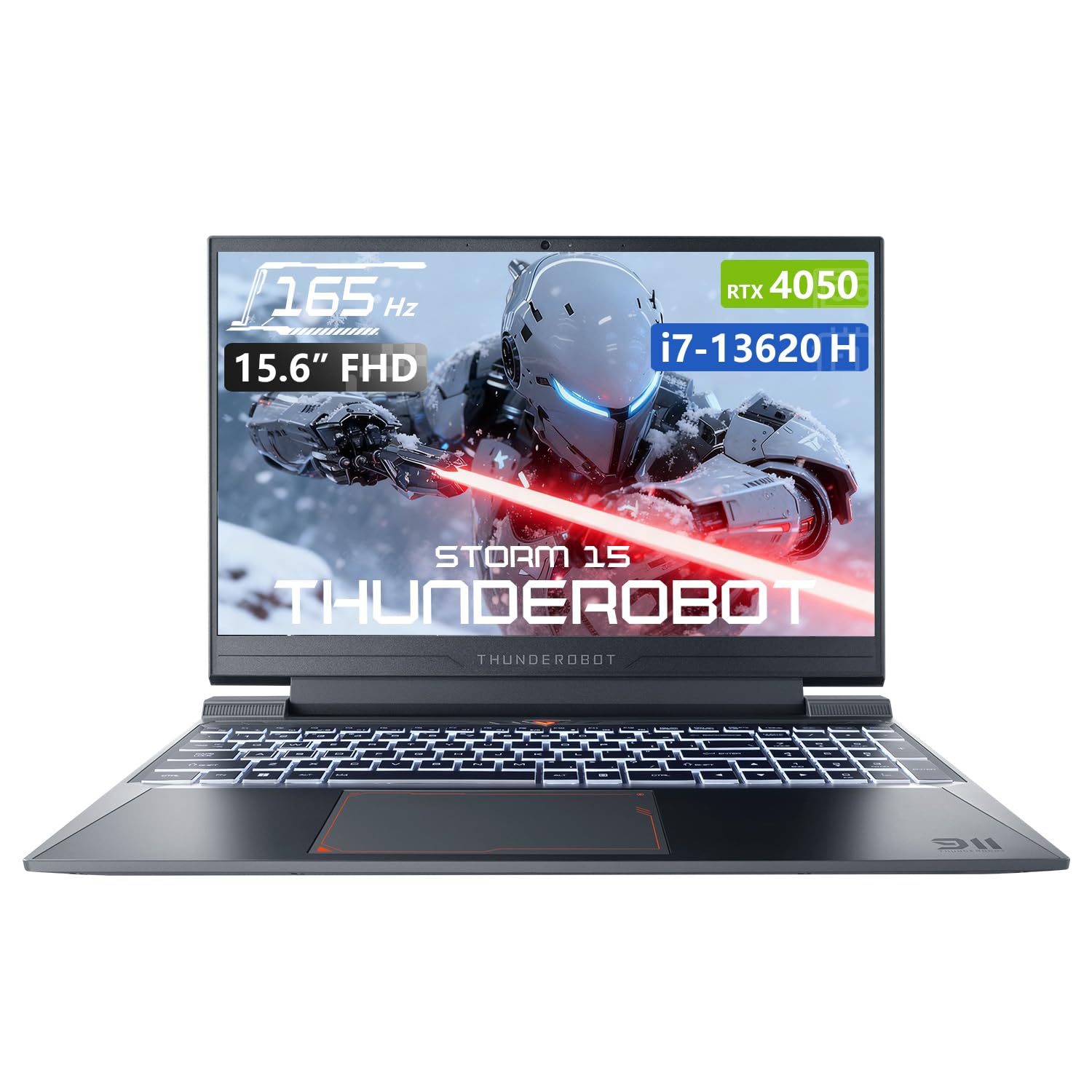
Image: The Thunderobot Storm 15 4050 Gaming Laptop, showcasing its sleek design and backlit keyboard.
2. התקנה
2.1 הפעלה ראשונית
- לִפְרוֹק: הוציאו בזהירות את המחשב הנייד ואת כל האביזרים מהאריזה.
- חבר חשמל: חבר את מתאם ה-AC לשקע החשמל של המחשב הנייד ולאחר מכן לשקע בקיר.
- הפעלה: פתחו את מכסה המחשב הנייד ולחצו על כפתור ההפעלה, שבדרך כלל ממוקם מעל המקלדת או בצד.
- הגדרה ראשונית: פעל לפי ההוראות שעל המסך כדי להשלים את הגדרת Windows 11 Home, כולל שפה, אזור, חיבור רשת ויצירת חשבון משתמש.
2.2 חיבור ציוד היקפי
המחשב הנייד שלך מצויד במגוון יציאות לחיבור התקנים חיצוניים.

Image: Diagram illustrating the various ports and slots available on the Thunderobot Storm 15 laptop.
- התקני USB: Connect USB mice, keyboards, external drives, or other peripherals to the USB 3.1 Type-A ports or the USB 3.1 Gen 2 Type-C port.
- תצוגה חיצונית: השתמש ביציאת ה-HDMI כדי לחבר צג חיצוני או טלוויזיה.
- רֶשֶׁת: לקבלת חיבור אינטרנט קווי יציב, חבר כבל Ethernet ליציאת RJ-45.
- שֶׁמַע: Connect headphones or external speakers to the 3.5mm Combo Jack.
3. הפעלת המחשב הנייד
3.1 תכונות תצוגה
The 15.6-inch Full HD display offers a 165Hz refresh rate for smooth visuals and 100% sRGB color gamut for accurate color reproduction. DC dimming technology helps reduce screen flickering.
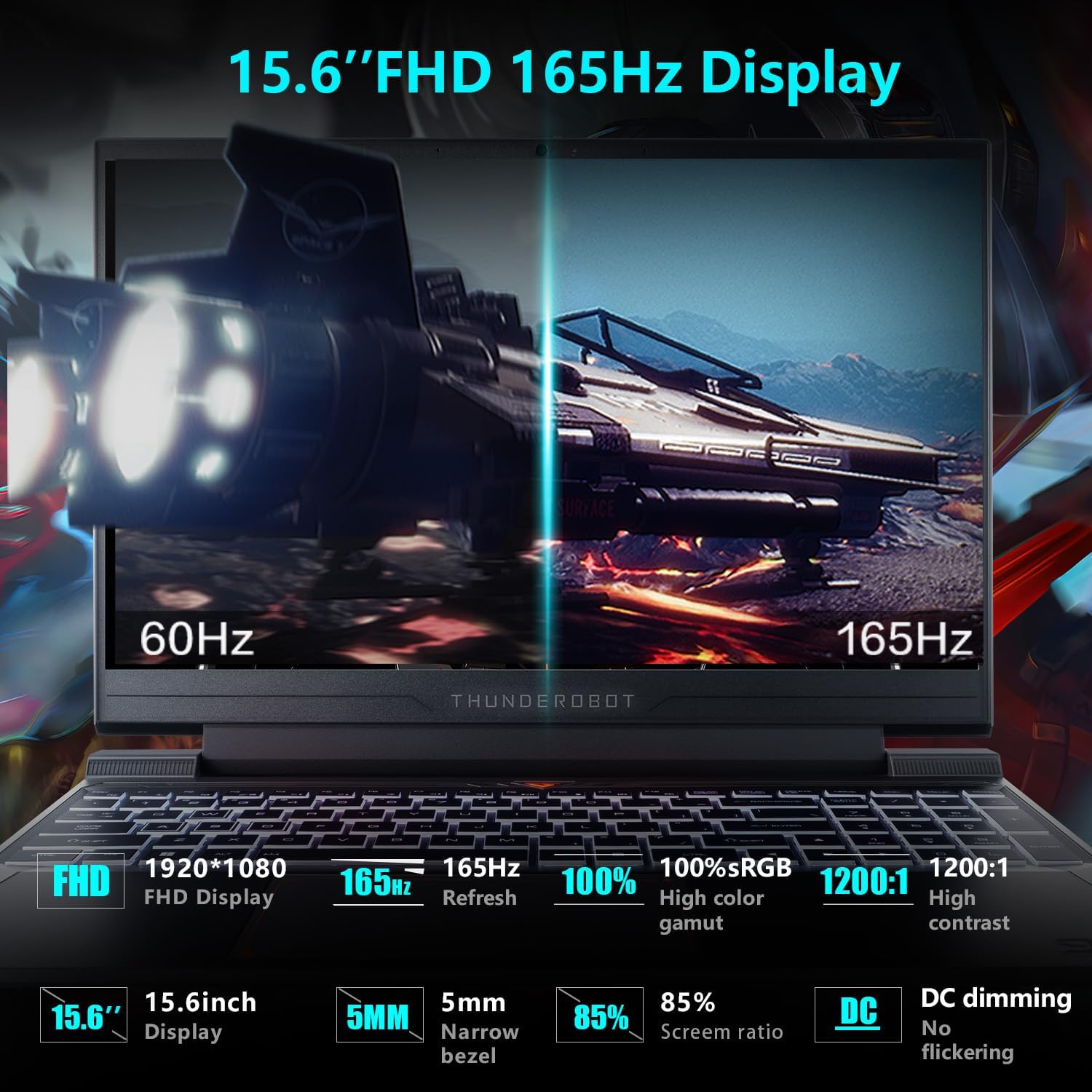
Image: Close-up of the 15.6-inch Full HD 165Hz display, highlighting its smooth motion capabilities.
3.2 מקלדת ומשטח מגע
The full-size backlit keyboard includes a numeric keypad for enhanced productivity and gaming. The anti-fingerprint surface helps maintain a clean appearance.
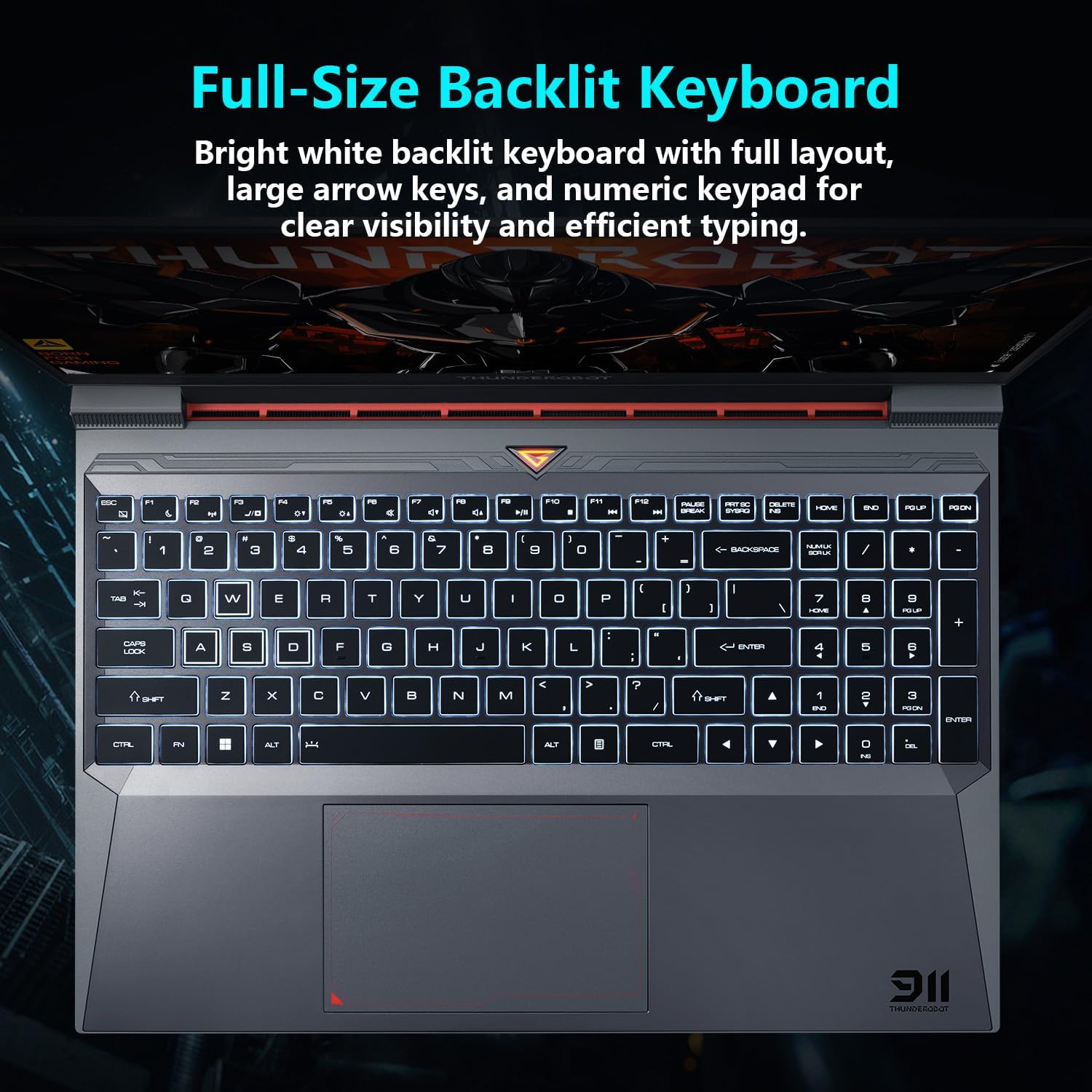
תְמוּנָה: View of the full-size backlit keyboard with its bright white backlighting and numeric keypad.
3.3 מערכת שמע
Experience immersive sound with the laptop's professional sound certification and high-specification speaker design.
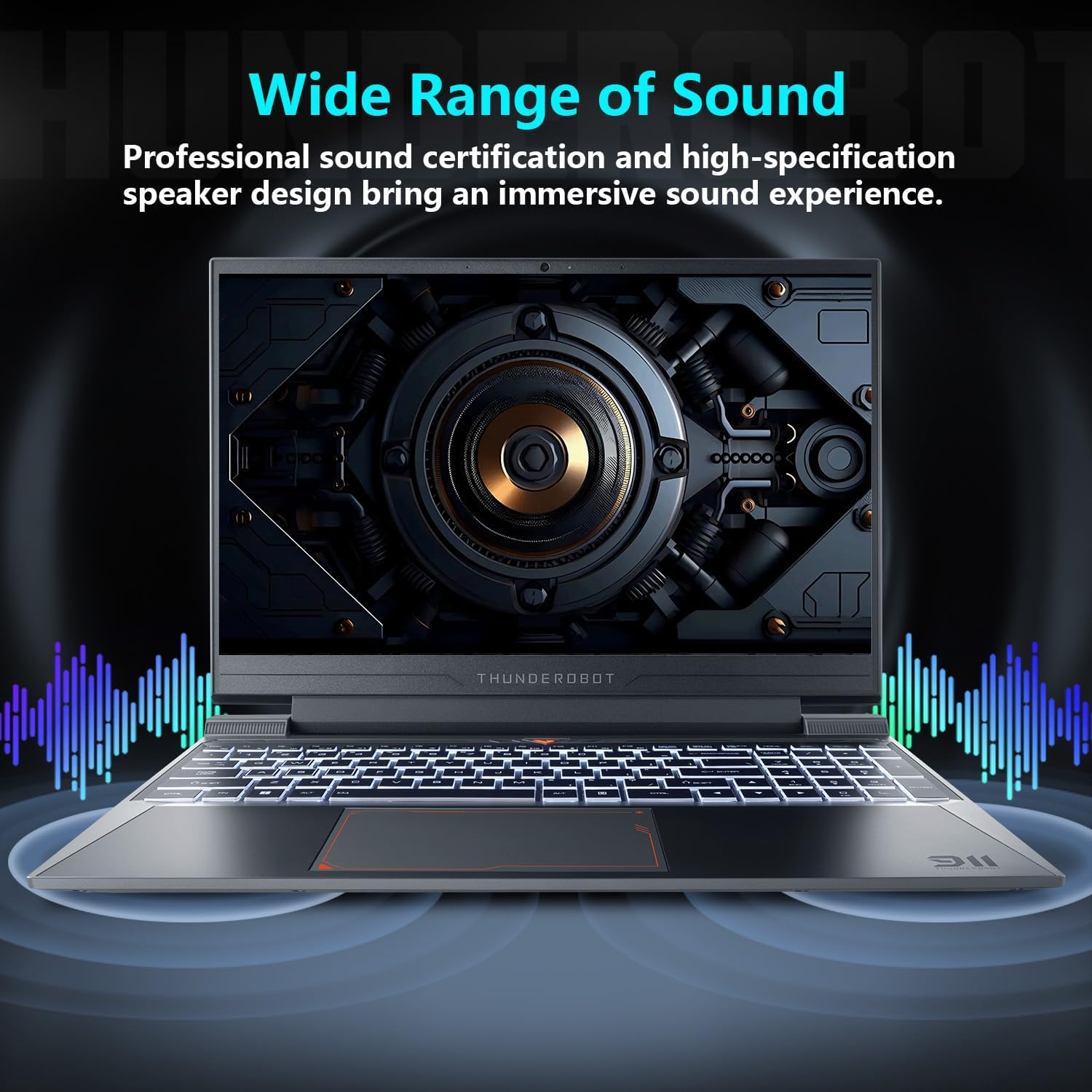
Image: Laptop displaying sound waves, illustrating its wide range of sound capabilities.
3.4 מערכת קירור
The Advanced Frost Cooling System features multi-heat-pipe design (10mm/8mm composite pipes), a high-pressure turbine fan with 80 ultra-thin LCP blades, and 126 dense copper fins (28,000mm²) to ensure efficient heat dissipation. This design keeps critical components cool during intensive use.
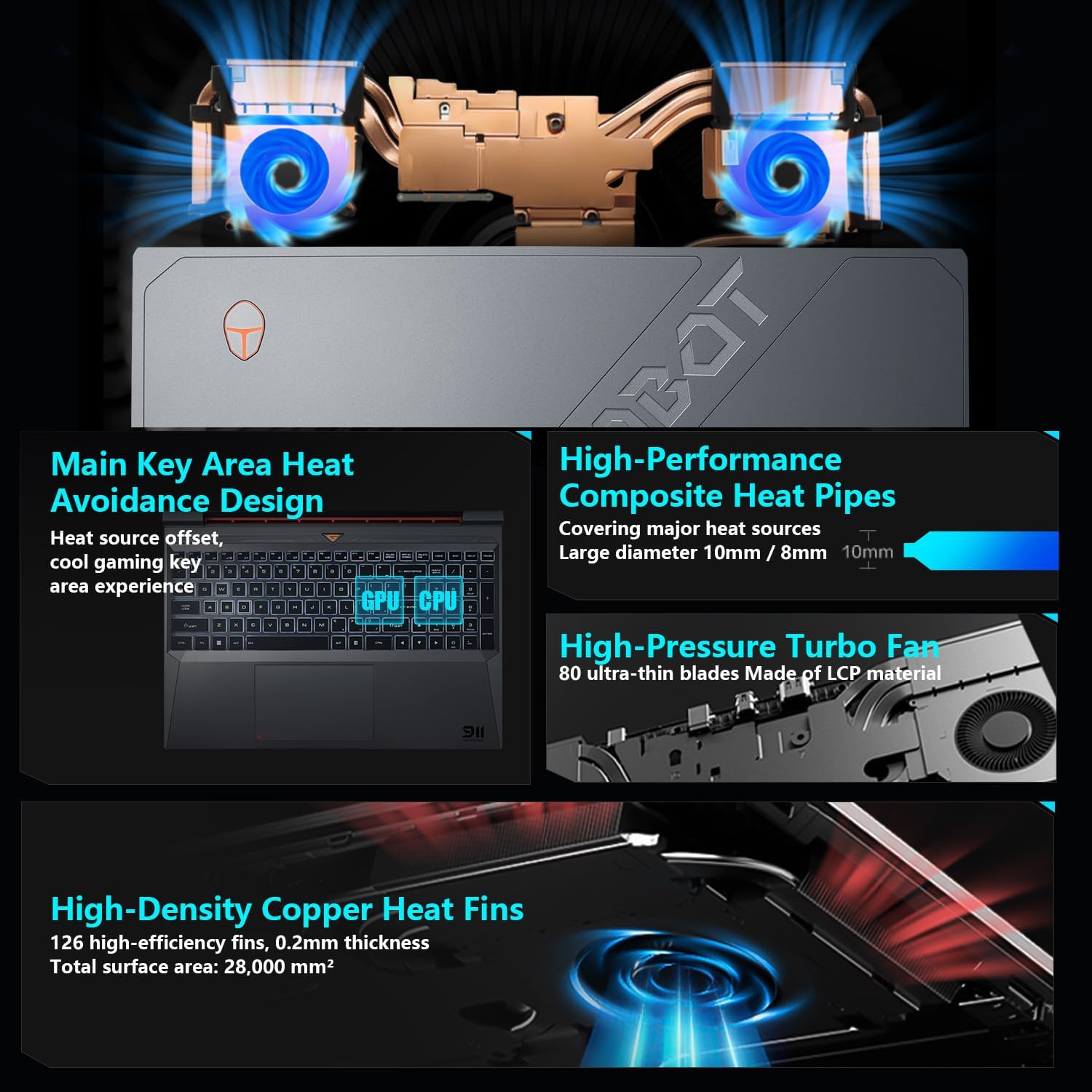
Image: Diagram showing the internal cooling system with heat pipes, fans, and copper fins.
3.5 Control Center Software
The Control Center software allows you to adjust and switch between various performance modes (e.g., Berserk mode, Game mode, Audio and Video Office mode) and customize fan speed and lighting settings. Access it by typing "Control Center" in the Windows search bar or using designated function keys.

Image: Screenshots of the Control Center software interface, showing options for performance modes, fan adjustment, and lighting controls.
4. תחזוקה
4.1 ניקוי
- מָסָך: השתמש במטלית רכה נטולת מוך דampשטוף במים או בחומר לניקוי מסכים. הימנע מכימיקלים חזקים.
- מקלדת ושלדה: Use a soft cloth to wipe surfaces. Compressed air can be used to clear dust from between keys and vents.
- פתחי אוורור: Regularly check and clean the cooling vents to prevent dust buildup, which can hinder airflow and performance.
4.2 עדכוני תוכנה
Keep your operating system and drivers updated to ensure optimal performance and security. Windows Update will handle OS updates, and you can check the Thunderobot support website for the latest driver versions for your specific model.
5. פתרון תקלות
5.1 בעיות נפוצות
- מחשב נייד לא נדלק: Ensure the AC adapter is securely connected to both the laptop and a working power outlet. Check if the power button is functioning correctly.
- התחממות יתר: Ensure cooling vents are not blocked. Use the Control Center to adjust fan speeds. Consider using the laptop on a hard, flat surface to improve airflow.
- בעיות תצוגה: If the screen is blank, try connecting an external monitor to check if the issue is with the laptop's display or the graphics output. Update graphics drivers.
- ביצועים איטיים: בדוק אם אפליקציות רקע צורכות משאבים. ודא שיש מספיק מקום אחסון פנוי. הפעל סריקת תוכנות זדוניות.
- לא זוהה ציוד היקפי: Ensure the peripheral is correctly plugged into the appropriate port. Try a different port or restart the laptop. Update relevant drivers.
5.2 צור קשר עם התמיכה
If you encounter issues that cannot be resolved using this guide, please refer to the Thunderobot official support channels for assistance.
6. מפרטים
| תכונה | פְּרָט |
|---|---|
| גודל תצוגת מסך עומד | 15.6 אינץ' |
| רזולוציית מסך | 1920 x 1080 פיקסלים |
| רזולוציית מסך מקסימלית | 1920x1080 פיקסלים |
| מעבד | Intel Core i7-13620H (4.9 GHz max turbo) |
| אַיִל | זיכרון DDR4 בנפח 32 ג'יגה-בייט (3200 מגה-הרץ) |
| כונן קשיח | כונן SSD בנפח 1 טרה-בייט (4 יחידות PCIE) |
| מעבד גרפי | GPU מחשב נייד NVIDIA GeForce RTX 4050 |
| סוג אלחוטי | 802.11ax, בלוטות' |
| מספר יציאות USB 3.0 | 3 |
| מַעֲרֶכֶת הַפעָלָה | Windows 11 Home |
| משקל פריט | 12 פאונד |
| מידות המוצר | 14.12 x 10.14 x 0.94 אינץ' |
| צֶבַע | שָׁחוֹר |
| תכונה מיוחדת | מקלדת עם תאורה אחורית, מקלדת מספרית |

Image: Performance benchmarks comparing the RTX 4050 and Intel Core i7-13620H against previous generations.
7. אחריות ותמיכה
כל מחשב נייד של Thunderobot כולל אחריות ל-12 חודשים, offering expert support, thorough diagnostics, and genuine parts if a repair is needed. Additionally, a אחריות ל-90 יום is provided on all warranty replacement parts, ensuring hassle-free repairs. Your complete satisfaction is our commitment.
For further support, please visit the official Thunderobot webלאתר או לפנות לשירות הלקוחות שלהם.
וידאו: אוברview of the Thunderobot Storm 15 Laptop, showcasinהתכונות והעיצוב שלו.