
1. הקדמה
Thank you for choosing the Lepro SW1 AI Smart Outdoor LED Strip Lights. This product is designed to provide versatile and durable outdoor lighting with smart control features. This manual provides essential information for safe installation, operation, and maintenance of your LED strip lights.

Image: Lepro SW1 AI Smart Outdoor LED Strip Lights installed on a house exterior.
2. מה בקופסה
אנא ודא שכל הרכיבים קיימים לפני ההתקנה:
- אור רצועת LED באורך 49.2 רגל
- 9.84ft Cable with Controller
- Wall Adapter (36V 24W)
- 18 תפסי הרכבה
- Screws (for clips)
- Anchors (for clips)

תמונה: כל הרכיבים הכלולים באריזת המוצר.
3. מידע בטיחות חשוב
- Do not cut the LED strip lights. The strip lights are designed for a specific length and cannot be shortened.
- Ensure the power supply is placed in an electrical box for safe and long-term outdoor usage. The power supply itself is not designed for direct outdoor exposure.
- This product is IP65 waterproof, meaning it is dust-tight and protected against low-pressure water jets. However, it should not be submerged in water.
- Use only the provided power adapter and controller.
- Ensure the installation surface is clean and dry before attaching the strip lights.
- Operate within the specified working temperature range of -20°C to 40°C (-4°F to 104°F).

Image: Illustration of the product's IP65 waterproof rating and recommended power adapter placement.
4. התקנה והתקנה
4.1 Pre-Installation Tips
- Select a length that closely matches your requirements, as the strip lights cannot be cut.
- This SW1 waterproof strip light is only compatible with the Lepro app (not compatible with "Lepro Lampux" or "Smart Life" app).
- Test the light by connecting and powering it before permanent installation. Do not test while the strip is still rolled up.
4.2 התקנה פיזית
- נקה את המשטח: Ensure the installation surface is dry and clean.
- בדוק את האורות: Connect the strip light to the controller and power adapter, then plug it in to ensure it functions correctly.
- אבטח את המתאם: Place the power adapter in an appropriate electrical box to protect it from direct outdoor elements.
- Secure the Controller: Use the provided clips and screws to securely fasten the controller to a dry, clean surface.
- חבר את רצועת ה-LED: Carefully peel away the backing paper and film from the adhesive on the light strip, leaving only the adhesive on the strip. Attach the LED strip to the desired surface.
- Use Clips and Screws: For secure and long-lasting installation, use the provided clips and screws to fasten the LED strip in place, especially on rough or vertical surfaces.

Image: Visual guide for physical installation steps.

Image: Proper method for peeling the adhesive backing.
4.3 חיבור לאפליקציה
To unlock the full potential of your Lepro SW1 lights, connect them to the Lepro app:
- Download Lepro APP: חפש "Lepro" in your smartphone's app store (Apple App Store or Google Play Store) and download the official Lepro app.
- רשום חשבון: Open the app and follow the prompts to register a new user account.
- הפעלת בלוטות' ו-Wi-Fi: Ensure your phone's Bluetooth is enabled and connected to a רשת Wi-Fi 2.4GHz. The lights do not support 5GHz Wi-Fi.
- אורות הפעלה: Plug in the strip lights to activate them.
- הוסף מכשיר: In the Lepro app, click "Add Device" on the homepage.
- Discover SW1: The app will search for nearby devices. Select "SW1" when it appears.
- התאמה עם Wi-Fi: Follow the in-app instructions to pair the device with your 2.4GHz Wi-Fi network.
- סִיוּם: Once successfully paired, you can control your lights via the app.

Image: Visual guide for connecting the SW1 to the Lepro App.
Video: Installation and Connection Steps for SW1
This video provides a detailed walkthrough of the physical installation and app connection process for the Lepro SW1 LED Strip Lights.
5. הוראות הפעלה
5.1 תכונות בקרת אפליקציות
The Lepro app offers extensive control over your SW1 LED strip lights:
- Millions of Color Options: Select from 16 million RGB colors to customize your lighting.
- ניתן לכוונן לבן: Adjust white light from 2700K (warm white) to 5700K (cool daylight).
- בהירות ניתנת לעמעום: התאם את הבהירות מ-1% ל-100%.
- LightGPM 4 - Personalized AI Lighting Designer: Use AI to create custom lighting scenes based on your ideas, moods, or even uploaded photos. The AI learns your preferences over time.
- Take a Photo, Get the Vibe: Upload a picture of your space, a movie poster, or a game character, and the app will generate a matching lighting theme.
- LightBeats Music Sync: Sync your lights with music played through your phone's microphone for dynamic lighting effects.
- ניהול קבוצה: Manage multiple Lepro AI lights together for synchronized control.

תמונה: דוגמהamples of AI-generated lighting designs using LightGPM 4.
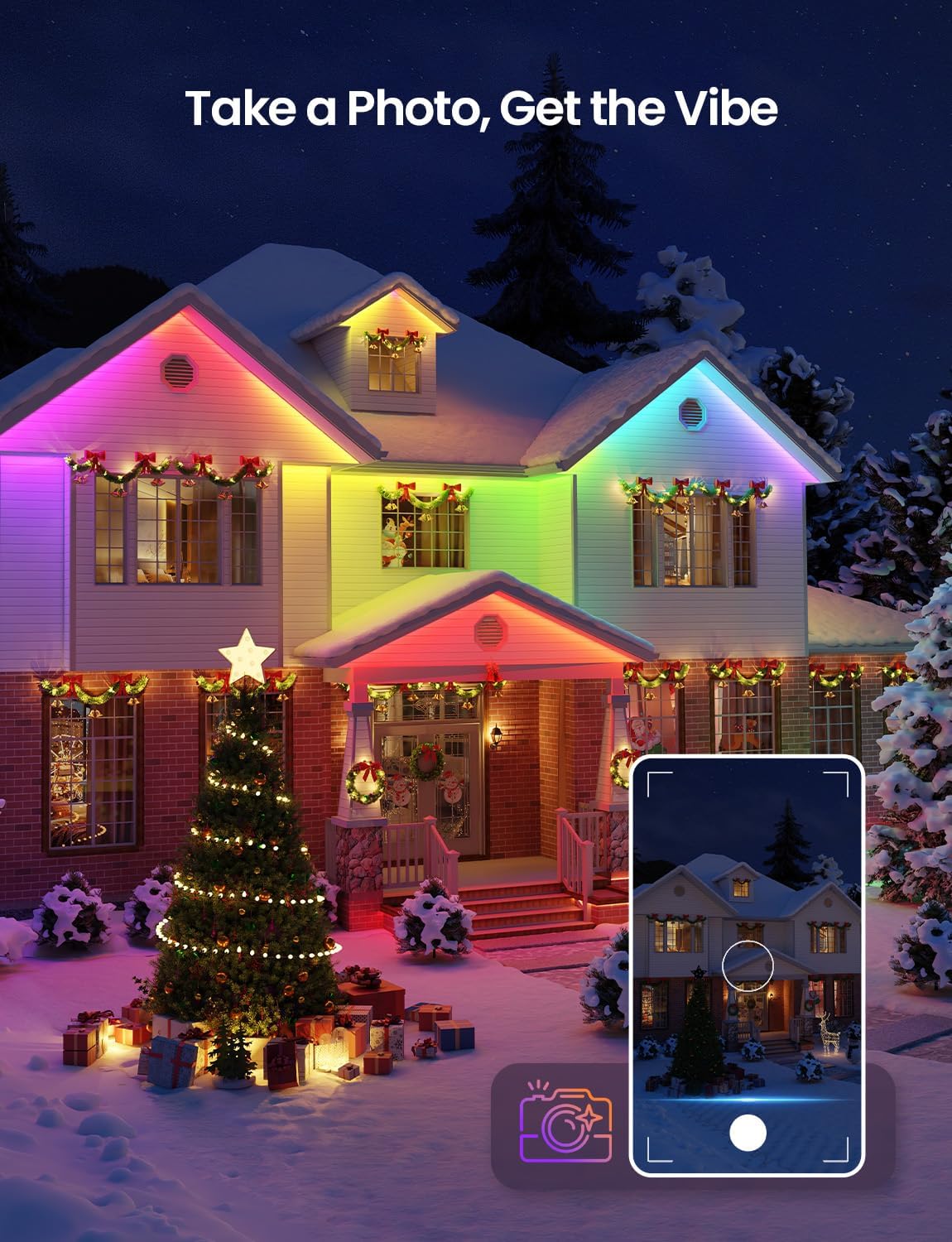
Image: Using the 'Take a Photo, Get the Vibe' feature for holiday decor.

Image: Lights dancing with music rhythm via the LightBeats feature.
5.2 שליטה קולית
The Lepro SW1 lights are compatible with Amazon Alexa and Google Assistant for convenient hands-free control:
- אפשר מיומנות: Link your Lepro account with Amazon Alexa or Google Assistant through their respective apps.
- Simple Commands: Use voice commands such as "Alexa, turn on the strip lights" or "Hey Google, set the strip lights to red."
- AI Voice Prompts: The Lepro app also supports advanced AI voice prompts to create specific lighting scenes (e.g., "Hey Lepro, set a cyberpunk city scene").

Image: Updated voice control features within the Lepro app.

Image: Hands-free voice control with Alexa and Google Assistant.
Video: How to Connect Lepro AI Lights to Alexa
This video demonstrates the process of linking your Lepro app with Amazon Alexa for voice control.
6. תחזוקה
- ניקוי: נגבו בעדינות את פס הלד בעזרת מטלית רכהamp מטלית להסרת אבק או לכלוך. אין להשתמש בכימיקלים חזקים או בחומרי ניקוי שוחקים.
- בְּדִיקָה: Periodically inspect the strip lights, power adapter, and controller for any signs of damage, wear, or loose connections.
- הגנה מפני מזג אוויר: While the strip lights are IP65 waterproof and weather-resistant, extreme weather conditions (e.g., severe storms, prolonged heavy snow) may require additional protection or temporary removal if possible. Ensure the power adapter remains protected in an electrical box.
- אִחסוּן: אם מאחסנים את הנורות לתקופה ממושכת, ודאו שהן נקיות, יבשות ומפותלות באופן רופף כדי למנוע נזק.

Image: Weather resistance of the LED strip lights in different seasons.
7. פתרון תקלות
| בְּעָיָה | סיבה אפשרית | פִּתָרוֹן |
|---|---|---|
| אורות לא נדלקים. | אין חשמל, חיבור רופף, מתאם/בקר פגום. | Check power outlet. Ensure all connections are secure. Test with another power source if possible. |
| Cannot connect to Lepro app. | Incorrect Wi-Fi band (5GHz), Wi-Fi signal too weak, Bluetooth off, incorrect app. | Ensure phone is on 2.4GHz Wi-Fi. Move closer to router. Enable Bluetooth. Confirm using the official Lepro app. |
| בקרת קולית לא עובדת. | Lepro skill not enabled, incorrect voice commands, no internet connection. | Ensure Lepro skill is enabled in Alexa/Google Home app. Use correct commands. Check internet connection. |
| Lights flicker or change colors unexpectedly. | Loose connection, power fluctuation, interference. | Check all connections. Ensure power supply is stable. Reduce potential interference sources. |
8. מפרטים
- מספר דגם: SW1-15
- מֶשֶׁך: 49.2 רגל
- צֶבַע: RGBCW (אדום, ירוק, כחול, לבן קר, לבן חם)
- טמפרטורת צבע: לבן מתכוונן 2700K-5700K
- עמידות במים: IP65 (Strip Light, Adapter, Controller)
- קישוריות: 2.4GHz Wi-Fi
- שיטת בקרה: App Control (Lepro App), Voice Control (Amazon Alexa, Google Assistant)
- כרך ידtage: 36 וולט (DC)
- מהtage: 24 וואט
- סוג מקור אור: LED (405 LEDs total, 8 LEDs per foot)
- חוֹמֶר: נחושת, פלסטיק
- משקל פריט: 2.9 פאונד
- רכיבים כלולים: 49.2ft strip light, 9.84ft cable with controller, Wall Adapter, 18 clips, Screws
9. אחריות ותמיכה
The Lepro SW1 AI Smart Outdoor LED Strip Lights come with a אחריות יצרן לשנה.
For technical support, troubleshooting assistance, or warranty claims, please contact Lepro customer service through the official Lepro website or the contact information provided in your product packaging. Please have your model number (SW1-15) and proof of purchase ready when contacting support.