
מָבוֹא
This manual provides detailed instructions for the safe installation, operation, and maintenance of your TCL 62-inch ceiling fan. Please read this manual thoroughly before installation and keep it for future reference. Ensure all safety precautions are followed to prevent injury or damage.
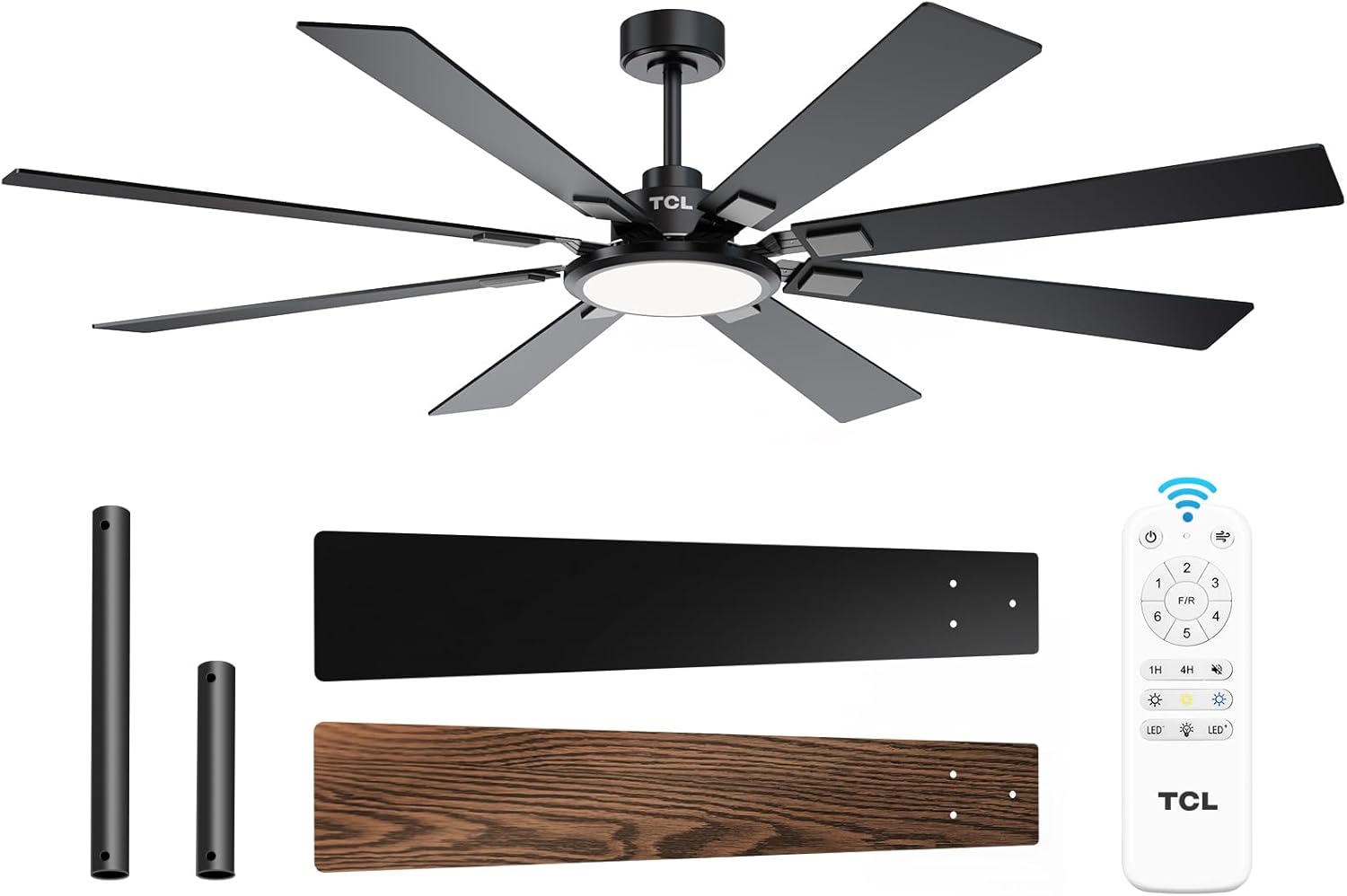
Figure 1: TCL 62-Inch Ceiling Fan Overview
מידע בטיחות
יש להקפיד תמיד על אמצעי זהירות בסיסיים בעת התקנה והפעלה של מכשיר זה כדי להפחית את הסיכון לשריפה, התחשמלות ופגיעה גופנית.
- קרא את כל ההוראות: Familiarize yourself with the fan's components and installation steps before beginning.
- בטיחות חשמל: Ensure the power is turned off at the circuit breaker before installation or servicing. All wiring must be in accordance with national and local electrical codes.
- הַרכָּבָה: The fan must be mounted to a structurally sound ceiling joist or outlet box capable of supporting the fan's weight (12.4 lbs).
- מרווח להב: שמרו על מרווח מינימלי של 7 מטרים מהרצפה ועד להבי המאוורר.
- התקנה מקצועית: אם אינך בטוח לגבי החיווט או ההתקנה, התייעץ עם חשמלאי מוסמך.
התקנה והתקנה
רכיבים כלולים
Before beginning installation, verify that all parts are present:
- מאוורר תקרה אחד עם 8 להבים
- מדריך הוראות (מסמך זה)
- שְׁלַט רָחוֹק
- Downrods (10-inch and 5-inch switchable)

Figure 2: Fan Components and Features
שלבי התקנה
- כבה את הכוח: Disconnect power at the main circuit breaker to avoid electrical shock.
- התקנת תושבת הרכבה: Securely attach the mounting bracket to the ceiling outlet box or a structural support. Ensure it can safely hold the fan's weight.
- הרכבת מוט הרמה: Choose the appropriate downrod (5-inch or 10-inch) and assemble it with the fan motor unit.
- מאוורר לתלות: הרם בזהירות את מכלול המאוורר ותלה אותו על תושבת ההרכבה.
- תִיוּל: Connect the electrical wires according to the wiring diagram provided in the separate installation guide. Ensure all connections are secure.
- חבר להבים: Securely attach the 8 fan blades to the motor housing. Note that blades are reversible with black and wood-grain sides.
- התקן ערכת אור: Connect and install the LED light panel to the bottom of the fan.
- החזר כוח: לאחר השלמת ההתקנה וכל החיבורים נבדקו, יש להחזיר את החשמל למפסק החשמל.
מדריך וידאו להתקנה
Video 1: Step-by-step guide on how to install the TCL ceiling fan, demonstrating the ease of assembly and mounting.
הוראות הפעלה
Your TCL ceiling fan is operated using the included remote control. Ensure batteries are correctly installed in the remote.
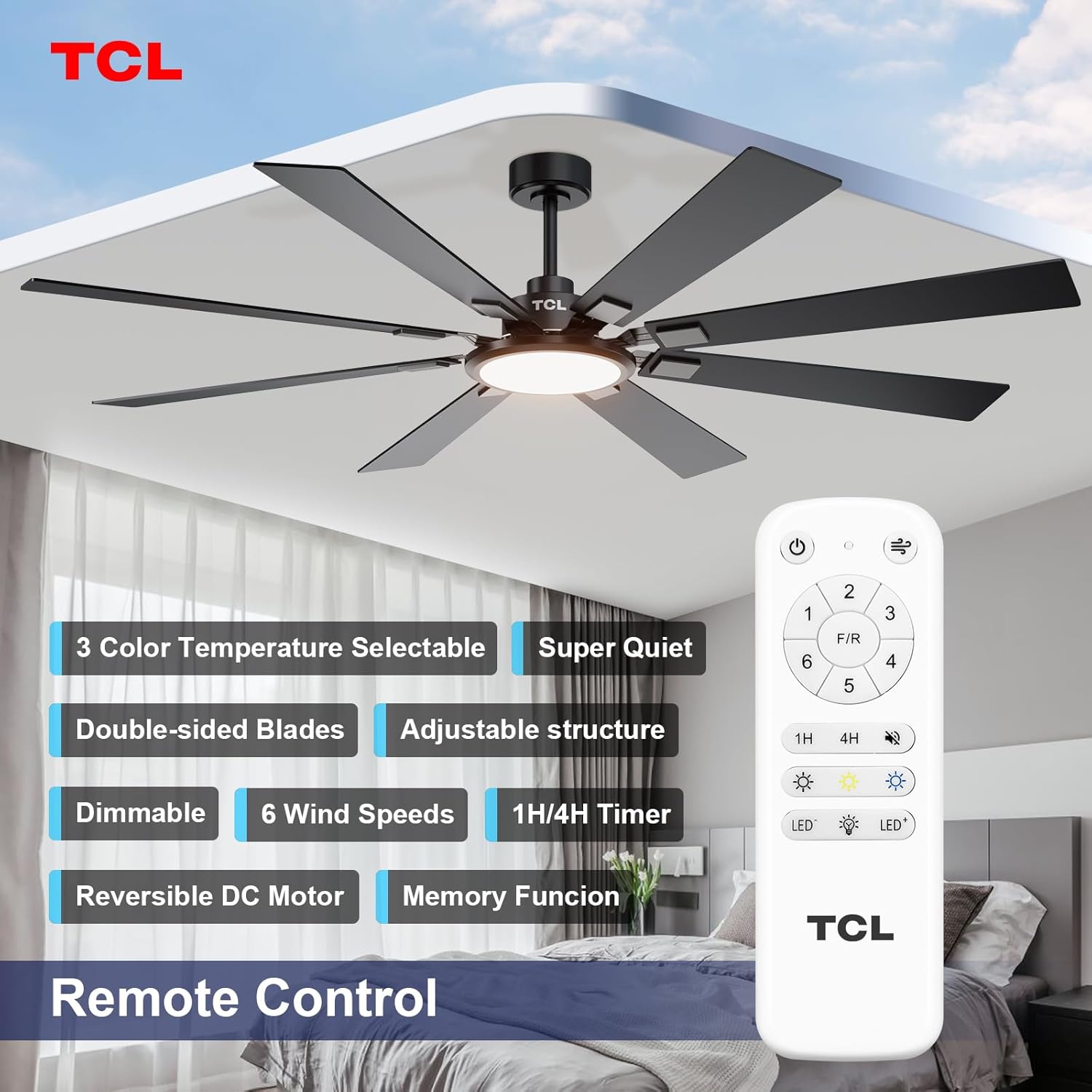
איור 3: פריסת השלט רחוק
בקרת מהירות מאוורר
The fan features 6 adjustable speeds to suit your comfort needs. Use the '1' through '6' buttons on the remote to select your desired speed.
- רמות 1-2: Low, comfortable wind for gentle air circulation.
- רמות 3-4: Medium, natural wind for moderate cooling.
- רמות 5-6: High, powerful wind for maximum cooling.
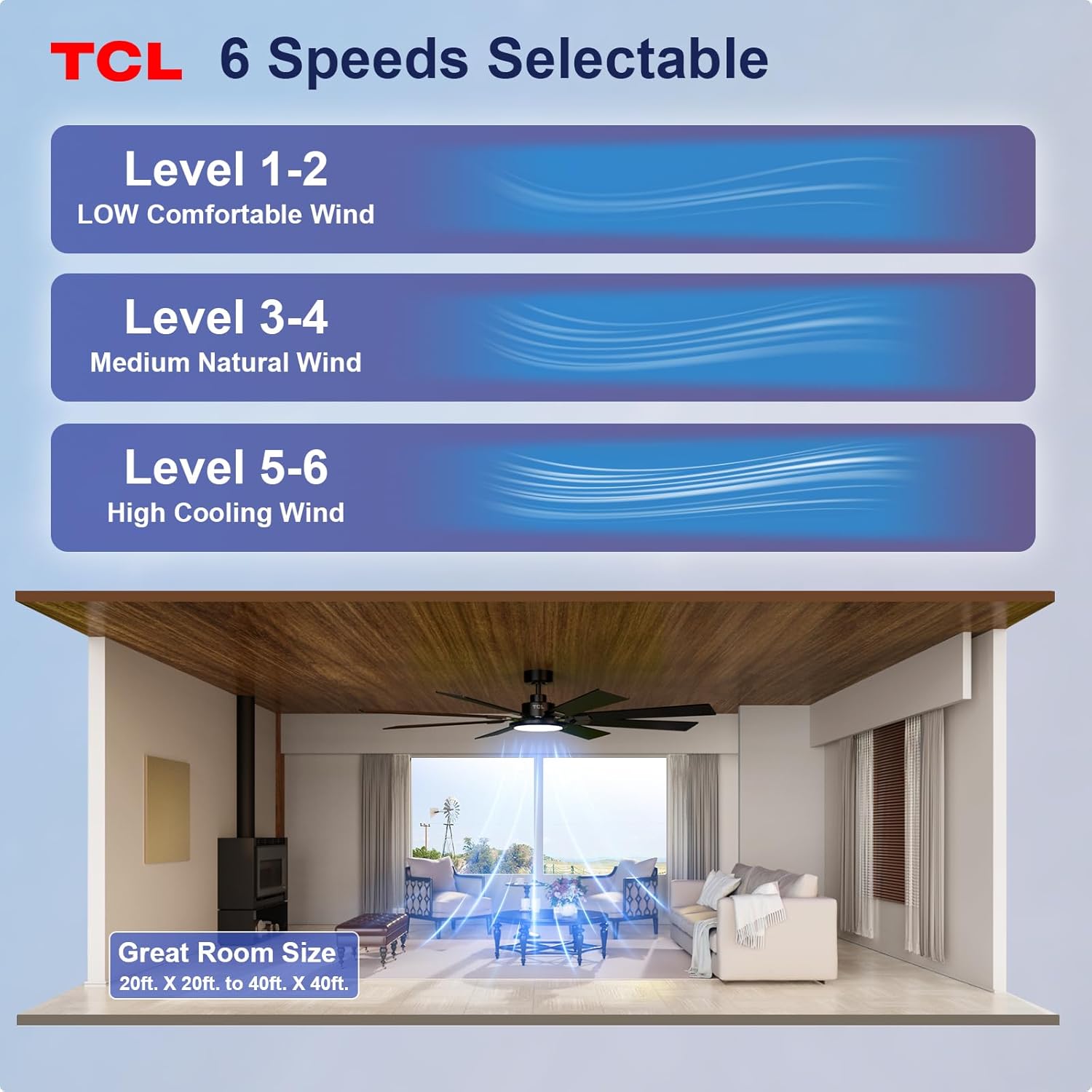
Figure 4: Fan Speed Settings
הפעלה קלה
The integrated LED light offers dimmable brightness and 3 color temperature options:
- הפעלה/כיבוי: Use the light button on the remote to turn the light on or off.
- עמעום: Use the dimming buttons (up/down arrows) to adjust brightness from 10% to 100%.
- טמפרטורת צבע: Cycle through 3000K (Warm White), 4000K (Natural White), and 6000K (Cool White) using the color temperature button.
- פונקציית זיכרון: The fan remembers your last light setting (brightness and color temperature) when turned off and on again. To ensure memory function works correctly, wait at least 20 seconds after turning off the light before turning it back on.

Figure 5: Customizable Light Settings
מנוע DC הפיך
The fan features a reversible DC motor, allowing you to change the direction of airflow for year-round comfort. Use the 'F/R' button on the remote control.
- מצב קיץ (זרימת אוויר כלפי מטה): Blades rotate counter-clockwise, creating a downward breeze that provides a cooling effect.
- מצב חורף (זרימת אוויר כלפי מעלה): Blades rotate clockwise, drawing cool air up and pushing warm air down from the ceiling, helping to balance indoor heating.

Figure 6: Reversible DC Motor Function
פונקציית טיימר
Set the fan to automatically turn off after a specified period using the timer buttons (1H/4H) on the remote control.
פעולה שקטה
The fan is designed for noiseless operation, ensuring a peaceful environment.

Figure 7: Noiseless Operation Comparison
סרטוני מבצע
סרטון 2: נגמרview of the TCL ceiling fan, highlighting its modern design and large size suitable for various rooms.
Video 3: Demonstrates the cooling power and stylish lighting features of the TCL ceiling fan.
סרטון 4: סקירה מקיפהview of the TCL ceiling fan's features and benefits.
תַחזוּקָה
תחזוקה שוטפת מבטיחה ביצועים אופטימליים ומאריכה את תוחלת החיים של מאוורר התקרה שלכם.
- ניקוי: יש לנקות מעת לעת את להבי המאוורר ואת בית המנוע בעזרת מטלית רכהamp מטלית. אין להשתמש בחומרי ניקוי שוחקים או ממסים. יש לוודא שהחשמל כבוי לפני הניקוי.
- בדיקת להב: Check fan blades for any cracks or damage. Replace damaged blades immediately.
- הדק את הברגים: Over time, screws may loosen. Periodically check and tighten all screws on the motor housing and blade attachments.
- כיסוי אור: ודא שכיסוי התאורה מהודק היטב.
פתרון בעיות
אם אתם נתקלים בבעיות עם המאוורר שלכם, עיינו בבעיות הנפוצות ובפתרונות הבאים:
| בְּעָיָה | סיבה אפשרית | פִּתָרוֹן |
|---|---|---|
| המאוורר לא מופעל | אין חשמל למאוורר; חיבורי חוטים רופפים; סוללת השלט רחוק מתה. | בדוק את מפסק החשמל; ודא שכל חיבורי החוטים מאובטחים; החלף את סוללות השלט רחוק. |
| האור לא עובד | Loose wire connection; LED panel issue. | Check light kit wiring; Contact customer support if LED panel is faulty. |
| נדנוד מוגזם | להבים רופפים או חומרת הרכבה; להבים לא מאוזנים. | ודאו שכל ברגי הלהב וברגי ההרכבה מהודקים היטב; השתמשו בערכת איזון (לא כלולה) במידת הצורך. |
| פעולה רועשת | ברגים רופפים; בעיה במנוע. | Tighten all screws; If noise persists, contact customer support. |
מפרטים
Detailed technical specifications for the TCL 62-inch ceiling fan:
| תכונה | פְּרָט |
|---|---|
| מותג | TCL |
| מספר דגם | HFSB-000000D |
| גוֹדֶל | 62 אינץ' |
| צֶבַע | שָׁחוֹר |
| חוֹמֶר | מתכת, עץ |
| סִגְנוֹן | מוֹדֶרנִי |
| שימוש בפנים/חוץ | פנימי, חיצוני |
| מקור כוח | DC |
| שיטת בקרה | מְרוּחָק |
| מקור אור | LED |
| מספר מקורות האור | 1 |
| כרך ידtage | 120 וולט |
| צבע בהיר | Warm to Cool White (2700K-6500K) |
| מהtage | 66 וואט |
| בְּהִירוּת | 3000 לומן (מקסימום) |
| יְעִילוּת | לד, ניתן לעמעום |
| משקל פריט | 12.4 פאונד |
| מידות (L x W x H) | 72"L x 72"W x 20"H (Note: Product is 62-inch, this dimension might refer to overall span) |
| UPC | 846042019989 |
אחריות ותמיכה
מידע על אחריות
This TCL ceiling fan is covered by a limited manufacturer's warranty. Please refer to the warranty card included in your product packaging for specific terms, conditions, and duration. Retain your proof of purchase for warranty claims.
תמיכת לקוחות
For technical assistance, troubleshooting not covered in this manual, or warranty inquiries, please contact TCL customer service. Contact information can typically be found on the product packaging or the official TCL webאֲתַר.