1. הקדמה
This manual provides essential information for the safe and efficient use of your Skyworth 55" X6600H 4K QD-MiniLED Google Smart TV. Please read it thoroughly before operating the device and retain it for future reference. The Skyworth 55X6600H features a 4K Mini LED display, Google TV operating system, Dolby Vision, Dolby Atmos, HDR10+, local dimming, MEMC, and gaming enhancements.

תמונה: חזית view of the Skyworth 55X6600H 4K QD-MiniLED Google Smart TV, showcasinהמסגרת הדקה והמעמד.
2. מידע בטיחות
- אין לחשוף את הטלוויזיה לגשם או לחות כדי למנוע שריפה או התחשמלות.
- אל תפתחו את הטלוויזיהasinז. הפנה את כל הטיפולים לצוות מוסמך.
- יש לוודא אוורור נאות. אין לחסום פתחי אוורור.
- הגן על כבל החשמל מפני הליכה או צביטה.
- נתק את הטלוויזיה מהחשמל במהלך סופות ברקים או כאשר אינה בשימוש למשך תקופות ארוכות.
- הרחיקו חלקים קטנים וסוללות מהישג ידם של ילדים.
3. תכולת החבילה
ודא שכל הפריטים נמצאים באריזה:
- Skyworth 55" X6600H TV
- שְׁלַט רָחוֹק
- מעמד טלוויזיה (2 יחידות)
- ברגים להרכבת המעמד
- כבל חשמל
- מדריך למשתמש (מסמך זה)
- תעודת אחריות
4. התקנה
4.1 הרכבת המעמד
- הנח בזהירות את הטלוויזיה כשפניה כלפי מטה על משטח רך ושטוח כדי למנוע נזק למסך.
- זהה את חלקי המעמד השמאליים והימניים.
- יישר כל חלק מעמד עם החריצים המתאימים בתחתית הטלוויזיה.
- אבטחו כל חלק מעמד באמצעות הברגים המצורפים.
- Carefully lift the TV to an upright position on a stable surface.
4.2 התקנה על הקיר (אופציונלי)
The Skyworth 55X6600H is wall-mountable. A VESA-compatible wall mount (not included) is required. Consult a professional for wall mounting to ensure safety and proper installation. Refer to the wall mount manufacturer's instructions for specific details.
4.3 חיבור התקנים
Connect external devices such as set-top boxes, gaming consoles, or Blu-ray players to the TV's input ports.
- HDMI: Use HDMI cables for high-definition audio and video. The TV supports HDMI 2.1 for enhanced gaming features.
- USB: חבר התקני אחסון USB להפעלת מדיה.
- אנטנה/כבל: Connect an antenna or cable TV feed to the DVB-T2 input for live broadcast channels.
תמונה: אחורי view of the Skyworth 55X6600H TV, illustrating the location of HDMI, USB, and other connectivity ports.
4.4 חיבור מתח
Plug the power cord into the TV's power input, then into a wall outlet. Ensure the power outlet is easily accessible.
5. הגדרה ראשונית
5.1 הפעלה ראשונה
Press the power button on the remote control or on the TV. The TV will display the Skyworth logo and then guide you through the initial setup process.
5.2 הגדרת גוגל TV
Follow the on-screen instructions to configure your TV:
- בחירת שפה: בחר את השפה המועדפת עליך.
- חיבור רשת: התחבר לרשת ה-Wi-Fi שלך. הזן את הסיסמה במידת הצורך.
- כניסה לחשבון גוגל: היכנס באמצעות חשבון Google שלך כדי לגשת לתכונות, לאפליקציות ולהמלצות מותאמות אישית של Google TV.
- תנאים והגבלות: Accept the Google Terms of Service and Privacy Policy.
- Google Assistant: Set up Google Assistant for voice control.
- סריקת ערוצים: אם משתמשים באנטנה, בצעו סריקת ערוצים כדי למצוא ערוצי שידור זמינים.
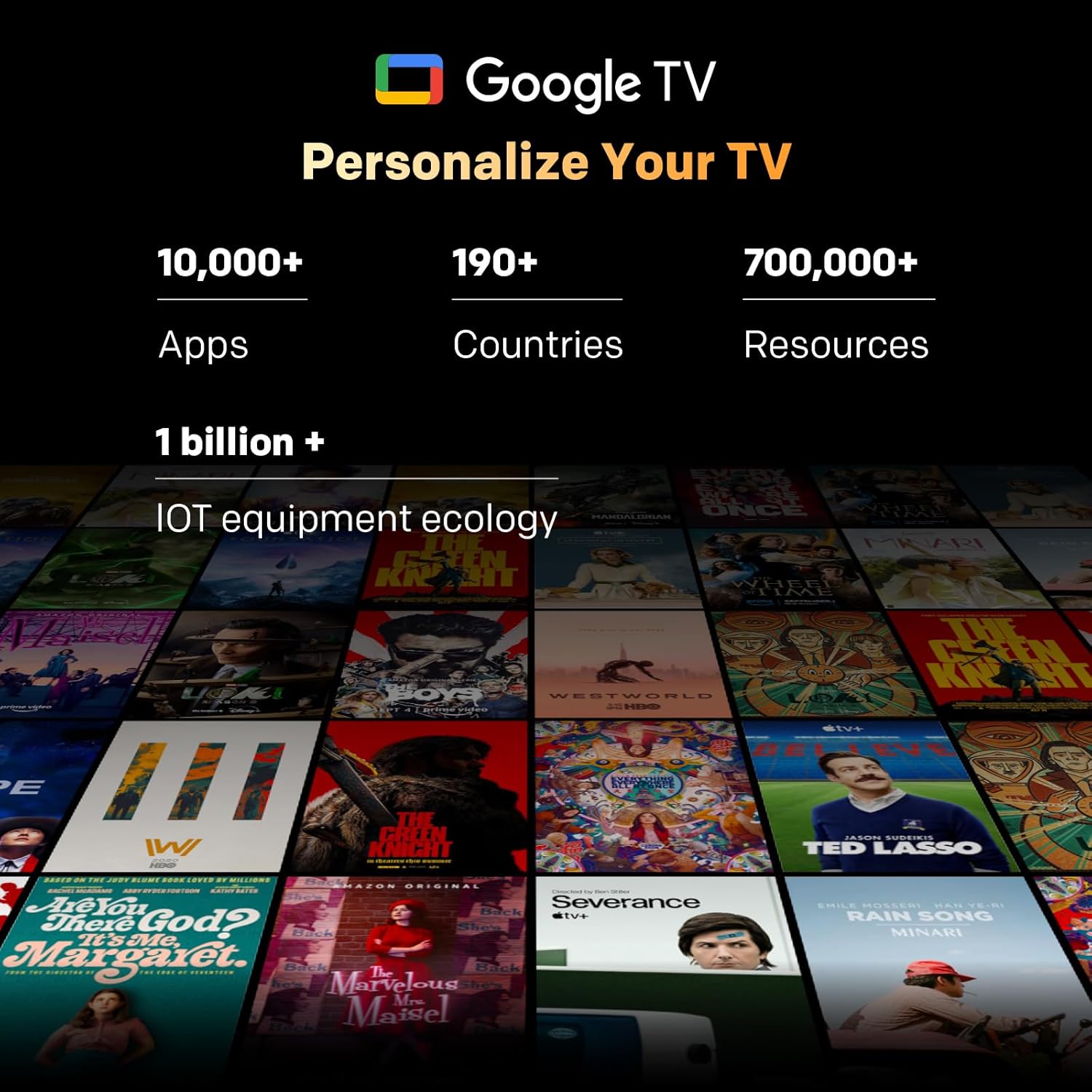
Image: A visual representation of the Google TV interface, showing various streaming content and app icons.
6. הפעלת הטלוויזיה שלך
6.1 פונקציות שלט רחוק
The included remote control allows navigation and control of your TV. It features dedicated buttons for popular streaming services and a microphone for Google Assistant voice commands. The 'Find-My-Remote' feature can help locate a misplaced remote.
6.2 ניווט ב-Google TV
Google TV organizes content from your streaming services and apps into a unified interface. Use the directional pad on your remote to browse recommendations, access your app library, and adjust settings.
- אפליקציות: Access pre-installed apps like Netflix, YouTube, and Prime Video, or download more from the Google Play Store.
- Google Assistant: לחץ על כפתור Google Assistant בשלט הרחוק שלך כדי להשתמש בפקודות קוליות לחיפוש תוכן, שליטה במכשירי בית חכם או קבלת מידע.
- Chromecast Built-in: Stream content directly from compatible devices (smartphones, tablets, computers) to your TV.
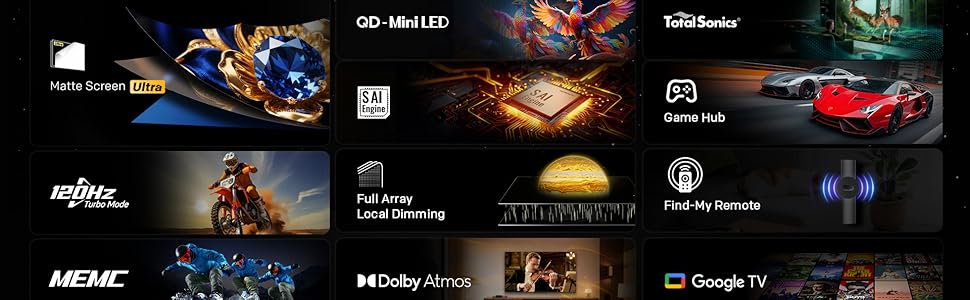
Image: The Google TV home screen, displaying a wide selection of movies, TV shows, and applications available for streaming.
6.3 הגדרות תמונה
Access the picture settings menu to optimize your viewניסיון.
- מצבי תמונה: Select from various preset modes (e.g., Standard, Vivid, Movie, Game) or customize settings like brightness, contrast, and color.
- HDR (טווח דינמי גבוה): The TV supports HDR10+ and Dolby Vision for enhanced contrast and color with compatible content.
- עמעום מקומי: The Mini LED panel with 54-zone local dimming automatically adjusts backlight for deeper blacks and brighter whites.
- Eye Care 5.0 Display: This technology reduces blue light emission to minimize eye strain during prolonged viewing.
- מצב יוצר סרטים: Activates settings that preserve the original aspect ratio, colors, and frame rates of films, as intended by the director.
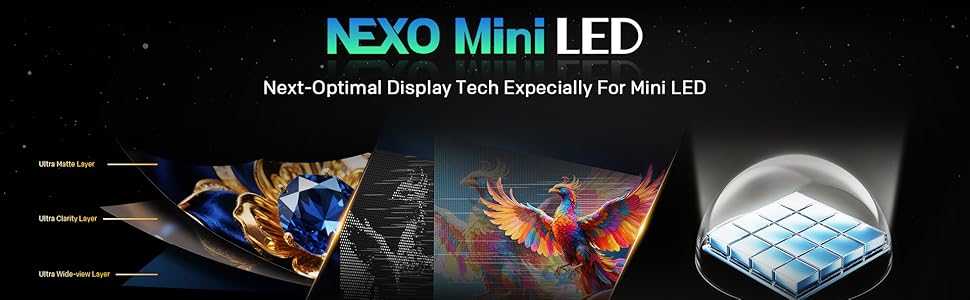
Image: A close-up of the Skyworth TV screen, highlighting the benefits of Mini LED technology for superior picture quality.
6.4 הגדרות סאונד
Adjust audio settings for an immersive sound experience.
- מצבי סאונד: Choose from presets like Standard, Music, Movie, or customize equalizer settings.
- Dolby Atmos: Experience multi-dimensional sound with Dolby Atmos-enabled content.
- DBX-TV: Enhances audio clarity and volume consistency.

Image: A graphic illustrating Skyworth's collaboration with Total Sonics for enhanced audio quality, featuring a sound engineer.
6.5 תכונות משחקים
הטלוויזיה מצוידת בתכונות לשיפור חוויית המשחק שלכם:
- MEMC (הערכת תנועה, פיצוי תנועה): Reduces motion blur and judder for smoother fast-paced action.
- תמיכה ב-HDMI 2.1: Provides higher bandwidth for features like 4K at higher refresh rates and Variable Refresh Rate (VRR) with compatible gaming consoles.
- מצב משחק: Optimizes input lag and picture settings for a more responsive gaming experience.
- זמן תגובה של 8ms: Ensures quick pixel transitions for reduced ghosting.
Image: A visual demonstrating MEMC technology, showing horses in motion with reduced blur and enhanced clarity.
7. תחזוקה
7.1 ניקוי
- מָסָך: נגבו בעדינות את המסך בעזרת מטלית רכה ונטולת סיבים. עבור סימנים עקשניים, השתמשו בחומר ניקוי מסכים המיועד במיוחד לטלוויזיות, יש למרוח על המטלית, לא ישירות על המסך.
- גוף הטלוויזיה: Wipe the TV frame and stand with a soft, dry cloth. Do not use abrasive cleaners or solvents.
- תמיד נתקו את הטלוויזיה מהחשמל לפני ניקוי.
7.2 עדכוני תוכנה
Your TV may receive software updates to improve performance and add new features. Ensure your TV is connected to the internet. Updates can usually be found in the TV's settings menu under 'System' or 'About'.
8. פתרון תקלות
אם נתקלת בבעיות עם הטלוויזיה שלך, עיין בפתרונות הנפוצים הבאים:
| בְּעָיָה | פִּתָרוֹן |
|---|---|
| אין כוח | בדוק אם כבל החשמל מחובר היטב לטלוויזיה ולשקע בקיר. בדוק את השקע עם מכשיר אחר. |
| אין תמונה, אבל יש קול | ודא שמקור הקלט הנכון נבחר. בדוק את חיבורי הכבלים להתקנים חיצוניים. |
| אין קול, אבל יש תמונה | בדוק את עוצמת הקול ואת מצב ההשתקה. ודא את הגדרות פלט השמע. |
| השלט רחוק לא עובד | החלף סוללות. ודא שאין חסימות בין השלט לטלוויזיה. התאם מחדש את השלט אם זהו שלט בלוטות'. |
| לא ניתן להתחבר ל-Wi-Fi | בדוק את סיסמת ה-Wi-Fi. הפעל מחדש את הנתב. ודא שהטלוויזיה נמצאת בטווח קליטה של אות ה-Wi-Fi. |
9. מפרטים
| תכונה | פְּרָט |
|---|---|
| שם הדגם | 55X6600H |
| גודל מסך | 55 אינץ' |
| טכנולוגיית תצוגה | מיני לד |
| הַחְלָטָה | 3840x2160 (4K UHD) |
| קצב רענון | 60Hz (with MEMC for smoother motion) |
| תמיכה ב-HDR | HDR10+, דולבי ויז'ן |
| עמעום מקומי | 54 אזורים |
| סולם צבעים | 93% DCI-P3 |
| מַעֲרֶכֶת הַפעָלָה | Google TV |
| פלט אודיו | 2 x 12W Speakers (2.0 channel) |
| טכנולוגיית אודיו | Dolby Atmos, DBX-TV |
| קישוריות | HDMI (3 ports, including HDMI 2.1), USB (1 port), Wi-Fi (Dual-band), Bluetooth 5.1, DVB-T2 Tuner |
| זמן תגובה | 8ms |
| מידות (עם מעמד) | 26.4D x 122.6W x 78.2H ס"מ |
| מִשׁקָל | 9.8 קילוגרם |
10. מידע על אחריות
The Skyworth 55X6600H TV comes with a אחריות מוגבלת לשנה. This warranty covers manufacturing defects under normal use. Please refer to the included Warranty Card for full terms and conditions, including details on coverage, exclusions, and how to make a claim.
11. תמיכת לקוחות
For further assistance, technical support, or warranty inquiries, please contact Skyworth customer service. Contact details can typically be found on the Skyworth official webבאתר או בתעודת האחריות המצורפת למוצר שלך.