
מָבוֹא
The ShanWan Wireless Controller is a versatile gaming peripheral designed for use across multiple platforms, including PC, iPhone, Android, Nintendo Switch, and Steam. It offers tri-mode connectivity (Bluetooth, 2.4G wireless, and USB-C wired) to ensure a seamless gaming experience. This manual provides detailed instructions for setup, operation, maintenance, and troubleshooting to help you maximize your controller's performance.
Note: This controller is not compatible with Xbox or PlayStation 4/5 consoles.
תוכן החבילה
- ShanWan Wireless Controller
- כבל טעינה USB-C
- דונגל אלחוטי 2.4G
- מדריך למשתמש (מסמך זה)
בקר נגמרview
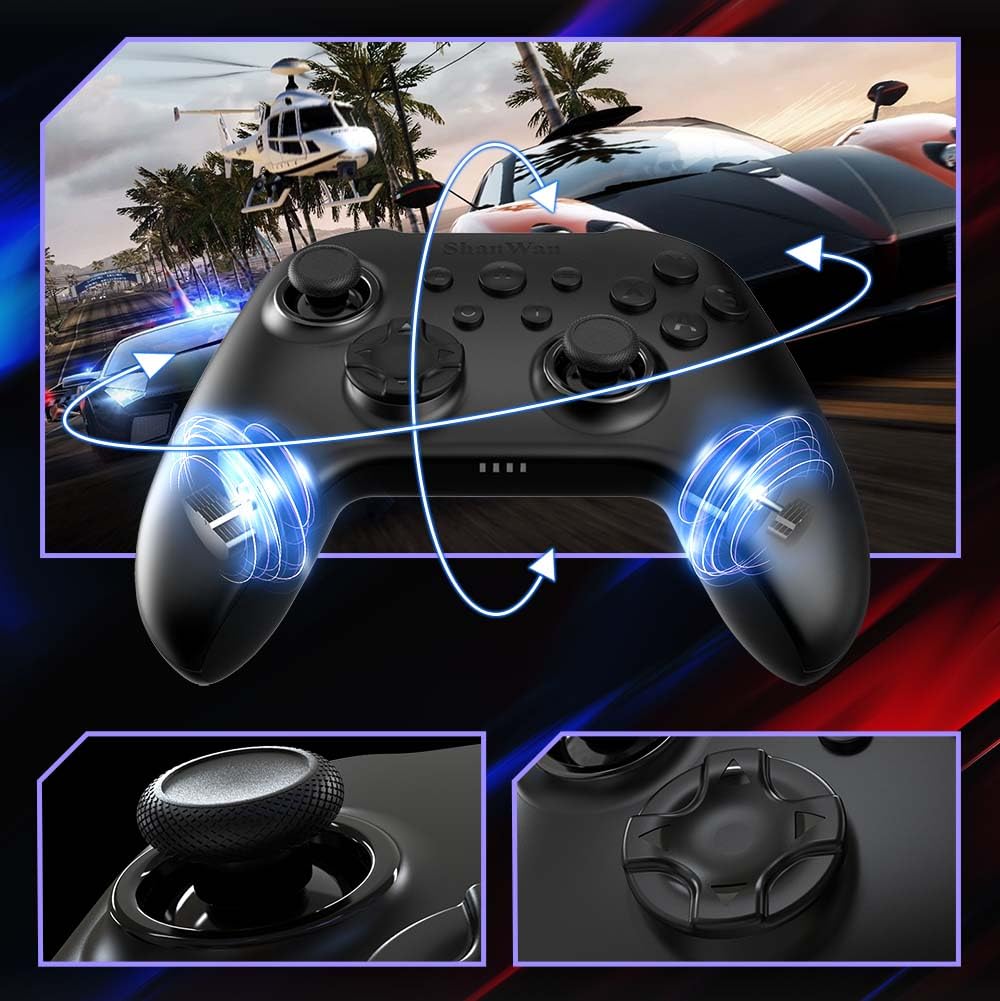
תְמוּנָה: חֲזִית view of the ShanWan Wireless Controller, showcasing its ergonomic design, dual joysticks, D-pad, and face buttons (A, B, X, Y).
תְמוּנָה: בְּחֲזָרָה view of the ShanWan Wireless Controller, highlighting the mode switch for different platforms (X, D, S).
תכונות עיקריות:
- ג'ויסטיקים עם אפקט הול: Designed for precision with no dead zones and anti-drift capabilities.
- Durable Gel Buttons: Conductive gel buttons tested for 1 million clicks for long-lasting performance.
- גירוסקופ בעל 6 צירים: Provides precise motion sensing for immersive gameplay.
- מנועי רטט כפולים: Delivers strong and subtle haptic feedback for an enhanced gaming experience.
- פונקציית טורבו: מאפשר לחיצות מהירות וחוזרות על כפתורים.
הגדרה
1. טעינת הבקר
Before initial use, fully charge the controller using the provided USB-C cable. Connect the USB-C end to the controller and the USB-A end to a power source (e.g., computer USB port, USB wall adapter). The charging indicator lights will show charging status and turn off when fully charged.
2. התחברות למכשירים
The ShanWan Wireless Controller supports three connection modes: Bluetooth, 2.4G Wireless, and USB-C Wired. Ensure the mode switch on the back of the controller is set to the appropriate platform before attempting to connect.

תְמוּנָה: Visual representation of the controller's tri-mode connectivity, illustrating Bluetooth, 2.4G wireless, and USB-C wired options.
Mode Switch Settings:
- 'S' Mode: For Nintendo Switch.
- 'X' Mode: For PC (X-input), Android.
- 'D' Mode: For PC (D-input), iOS.
חיבור Bluetooth:
- Set the mode switch on the back of the controller to the desired platform ('S', 'X', or 'D').
- Press and hold the pairing button (usually a small button on the top or back) until the indicator lights flash rapidly.
- On your device (PC, iPhone, Android, Switch), go to Bluetooth settings and search for new devices.
- Select "ShanWan Controller" or a similar name from the list to pair.
- Once paired, the indicator lights on the controller will become solid.
2.4G Wireless Connection (for PC/Switch):
- Set the mode switch on the back of the controller to 'X' (for PC) or 'S' (for Switch).
- Insert the 2.4G wireless dongle into a USB port on your PC or Switch dock.
- Press the Home button on the controller to power it on. It should automatically connect to the dongle.
- The indicator lights will become solid once connected.
חיבור חוטי USB-C:
- Connect the USB-C cable to the controller and the other end to your PC or Switch dock.
- The controller will automatically be recognized as a wired device.
- No specific mode switch setting is required for wired connection, but setting it to the correct platform mode ('X' for PC, 'S' for Switch) is recommended for optimal compatibility.
הוראות הפעלה
הפעלה/כיבוי:
- הפעלה: Press the Home button once.
- כיבוי: Press and hold the Home button for 3-5 seconds, or the controller will automatically power off after a period of inactivity.
בקרת תנועה:
The built-in 6-axis gyroscope provides motion control capabilities, particularly useful for games on Nintendo Switch or other compatible platforms. Ensure the game supports motion controls for this feature to function.
משוב רטט:
The dual vibration motors provide haptic feedback during gameplay. The intensity of the vibration can often be adjusted through game settings or the Gamepad Space app.
פונקציית טורבו:
To activate the Turbo function for a specific button:
- Press and hold the button you wish to set to Turbo.
- While holding the button, press the Turbo button (refer to controller layout for location).
- The button will now repeatedly register presses as long as it is held down.
To deactivate Turbo for a button, repeat the process.
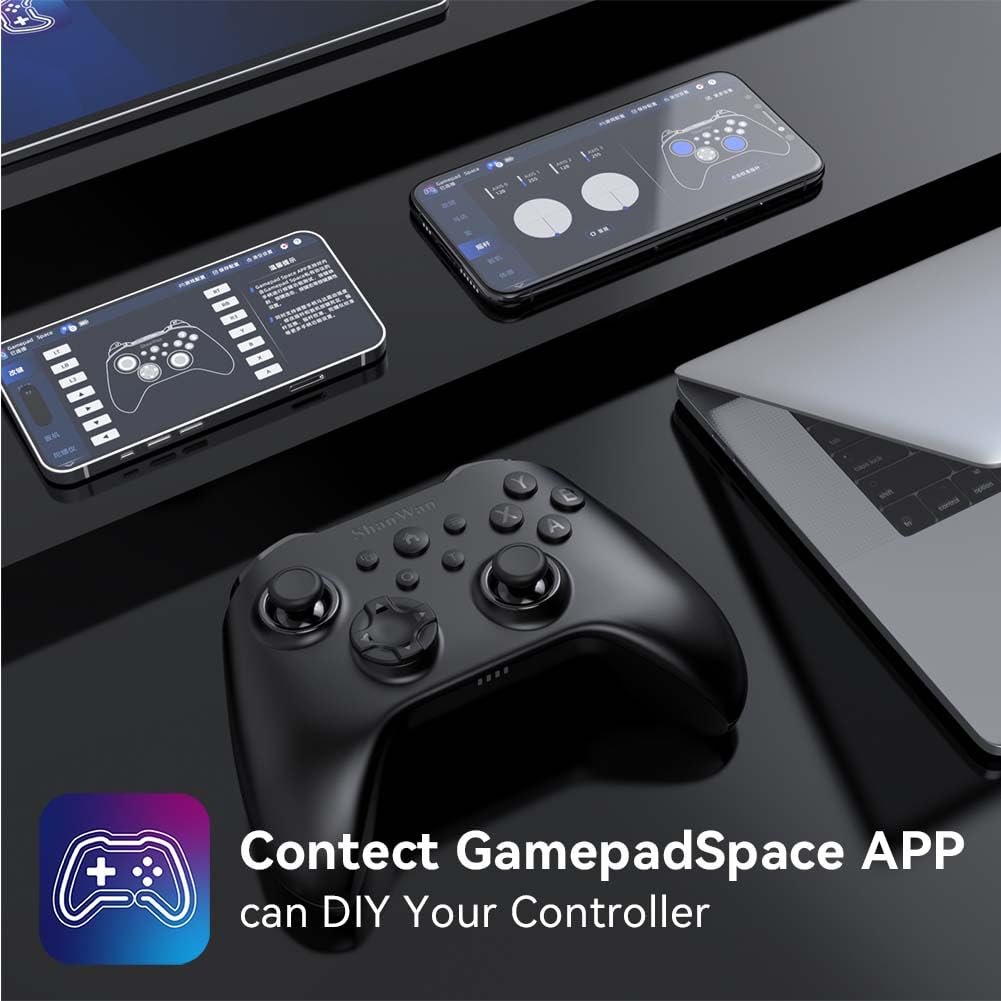
Software Customization (Gamepad Space App):
Enhance your gaming experience by customizing controller settings using the Gamepad Space mobile application.

תְמוּנָה: A ShanWan controller alongside smartphones displaying the Gamepad Space app, illustrating options for calibration and on-the-fly adjustments.
- Download the "Gamepad Space" app from your mobile device's app store.
- Connect your controller to your mobile device via Bluetooth.
- בתוך האפליקציה, אתה יכול:
- שדרוג קושחה.
- כוונן את הסטיק והפעל אזורים מתים.
- התאם אישית את עוצמת הרטט.
- כפתורי בדיקה.
תַחזוּקָה
- ניקוי: השתמשו במטלית רכה ויבשה לניקוי הבקר. הימנעו משימוש בכימיקלים חזקים או בחומרים שוחקים.
- אִחסוּן: יש לאחסן את הבקר במקום קריר ויבש, הרחק מאור שמש ישיר וטמפרטורות קיצוניות.
- טיפול בסוללה: כדי להאריך את חיי הסוללה, הימנעו מפריקה מלאה של הבקר לעתים קרובות. טען אותו באופן קבוע, גם אם אינו בשימוש רציף.
פתרון בעיות
הבקר לא מתחבר:
- ודא שהבקר טעון.
- Verify the mode switch on the back of the controller is set correctly for your platform (S, X, or D).
- עבור Bluetooth, ודא שה-Bluetooth של המכשיר שלך מופעל ושהבקר נמצא במצב צימוד.
- For 2.4G wireless, ensure the dongle is properly inserted and the controller is in the correct mode.
- נסה להפעיל מחדש גם את הבקר וגם את המכשיר שלך.
השהיית קלט או ניתוקים:
- ודא שאין הפרעות אלקטרומגנטיות חזקות בקרבת מקום.
- Move closer to your device for a stronger wireless signal.
- ודא שהסוללה של הבקר אינה חלשה.
- Consider using a wired USB-C connection for the most stable experience.
Joystick Drift or Unresponsive Buttons:
- Calibrate the joysticks and test buttons using the Gamepad Space app.
- Ensure the controller's firmware is up to date via the Gamepad Space app.
- נקו את סביב הכפתורים והג'ויסטיקים כדי להסיר כל פסולת.
מפרטים
| דֶגֶם | B0FS13DT2B |
| טכנולוגיית קישוריות | בלוטות', אלחוטי 2.4G, USB-C קווי |
| מכשירים תואמים | Android, iOS, Nintendo Switch, Nintendo Switch 2, PC |
| סוג בקר | Gamepad |
| כמות הכפתורים | 12 |
| תכונות מיוחדות | Hall Effect Joysticks, 6-Axis Gyroscope, Dual Vibration, Turbo Function, Software Customization |
| מקור כוח | מופעל על סוללה |
| משקל פריט | 300 גרם |
| מידות פריט (D x W x H) | 2.5 אינץ' x 4 אינץ' x 6 אינץ' |
אחריות ותמיכה
ShanWan products are designed for reliability and performance. For specific warranty information, please refer to the documentation included with your purchase or visit the official ShanWan support website. If you encounter any issues not covered in this manual, please contact ShanWan customer support for assistance.
תמיכה מקוונת: Visit the ShanWan Store on Amazon