
1. הקדמה
This manual provides essential instructions for the installation, operation, and maintenance of your Aninerel 3000W Hybrid Solar Inverter, model ANJ-3KW-LV-WIFI. This device is designed to convert 24V DC power to 110V AC pure sine wave power, suitable for various off-grid and backup power applications. Please read this manual thoroughly before installation and use to ensure safe and efficient operation.
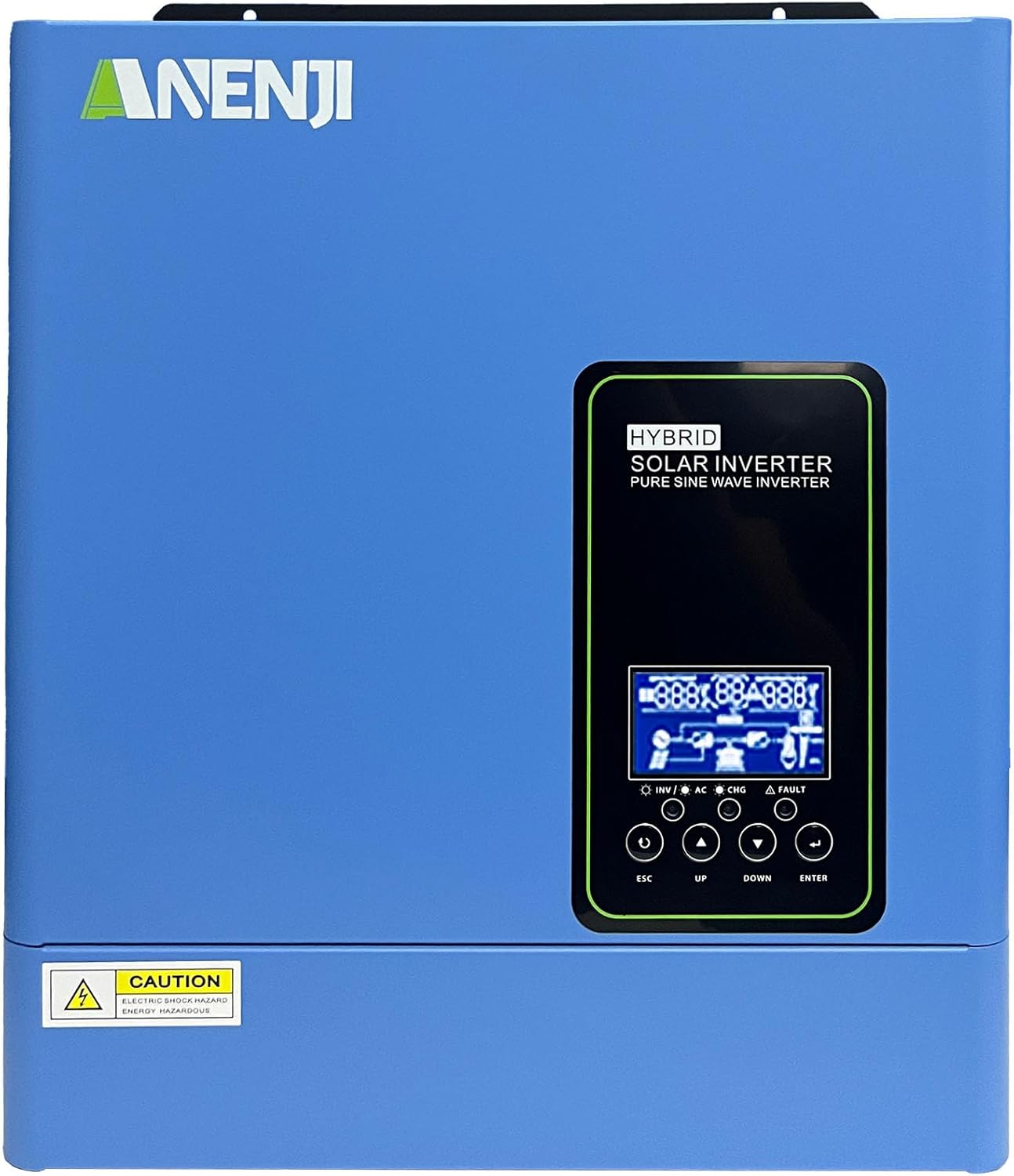
איור 1.1: חזית view of the Aninerel 3000W Hybrid Solar Inverter. The inverter features a blue casing with the Aninerel logo and a central LCD display panel with control buttons.
2. הוראות בטיחות
יש להקפיד תמיד על אמצעי הזהירות הבאים כדי להפחית את הסיכון להתחשמלות, שריפה או פציעה:
- Read all instructions and cautionary markings on the unit and in this manual before installation or operation.
- Do not disassemble the inverter. Refer servicing to qualified personnel. Incorrect reassembly may result in electric shock or fire.
- כדי להפחית את הסיכון להתחשמלות, נתק את כל החיווט לפני כל ניסיון תחזוקה או ניקוי.
- This inverter is designed for indoor or semi-outdoor use with an IP65 rating. Avoid direct exposure to rain or snow.
- Ensure proper ventilation around the inverter to prevent overheating. Do not block ventilation openings.
- יש להשתמש בכלים מתאימים ובציוד מגן אישי במהלך ההתקנה.
- Ensure all wiring connections are tight and secure to prevent loose connections that can cause overheating.
- Do not connect the inverter to a public utility grid without proper authorization and safety measures.
3. המוצר נגמרview
The Aninerel 3000W Hybrid Solar Inverter integrates a pure sine wave inverter, an MPPT solar charge controller, and a battery charger into one compact unit. It is designed to provide uninterrupted power support.
3.1 תכונות עיקריות
- 3000W Pure Sine Wave Output: Converts 24V DC to 110V AC, providing stable power for sensitive electronics.
- Integrated 100A MPPT Solar Charge Controller: Maximizes solar energy harvesting with up to 500VDC PV input.
- Flexible Charging and Output Modes: Offers multiple modes (Solar Only, AC Priority, Hybrid Charging; Mains Priority, PV Priority, Hybrid Output) for diverse power management.
- תאימות סוללה רחבה: Supports AGM, GEL, Lead-acid, Li-ion, and LiFePO4 24V batteries.
- תצוגת LCD חכמה: Provides real-time monitoring and allows for easy configuration of system settings.
- Wi-Fi מובנה: Enables remote monitoring of the inverter status (registration required).
- עיצוב חזק: IP65-rated enclosure for durability in various environments, with intelligent cooling.
- הגנות מקיפות: כולל overvoltagה, undervoltage, reverse polarity, and short circuit protection.

איור 3.1: פאנל קדמי ואחורי מעלview. This diagram labels the LCD display, indicators, function buttons, RS485 communication port, grounding terminal, battery input, dry contact port, built-in Wi-Fi, AC input, AC output, PV input, and power on/off switch.
3.2 לוח קדמי ומחוונים
- תצוגת LCD: Shows system status, operational data, and configuration settings.
- מחוון טעינה: Illuminates to indicate battery charging status.
- מחוון מצב: Provides general operational status of the inverter.
- מחוון תקלות: Lights up to signal system errors or warnings.
- Function Buttons (ESC, UP, DOWN, ENTER): Used for navigating menus and adjusting settings on the LCD.
3.3 חיבורי לוח אחורי
- יציאת תקשורת RS485: לצורך תקשורת וניטור חיצוניים.
- מסוף הארקה: חיוני להארקה בטיחותית.
- קלט סוללה: Connects to the 24V battery bank.
- נמל מגע יבש: עבור בקרה חיצונית או איתות.
- Built-in Wi-Fi Module: For wireless monitoring.
- כניסת AC: Connects to grid utility or generator AC power.
- פלט AC: Connects to household loads.
- קלט PV: Connects to solar panel arrays.
- מתג הפעלה/כיבוי: שולט על אספקת החשמל הראשית לממיר.
4. התקנה והגדרה
Proper installation is crucial for the safe and efficient operation of your hybrid solar inverter. Ensure all connections are made by a qualified electrician and adhere to local electrical codes.
4.1 הרכבת המהפך
- בחרו מקום מתאים, יבש, מאוורר היטב ומוגן מאור שמש ישיר ולחות.
- Ensure sufficient clearance around the inverter for proper airflow and cooling.
- Mount the inverter vertically on a sturdy surface using appropriate fasteners.
4.2 חיבורי חיווט
Follow the wiring diagram carefully. All wiring should be performed with the inverter and all power sources disconnected.
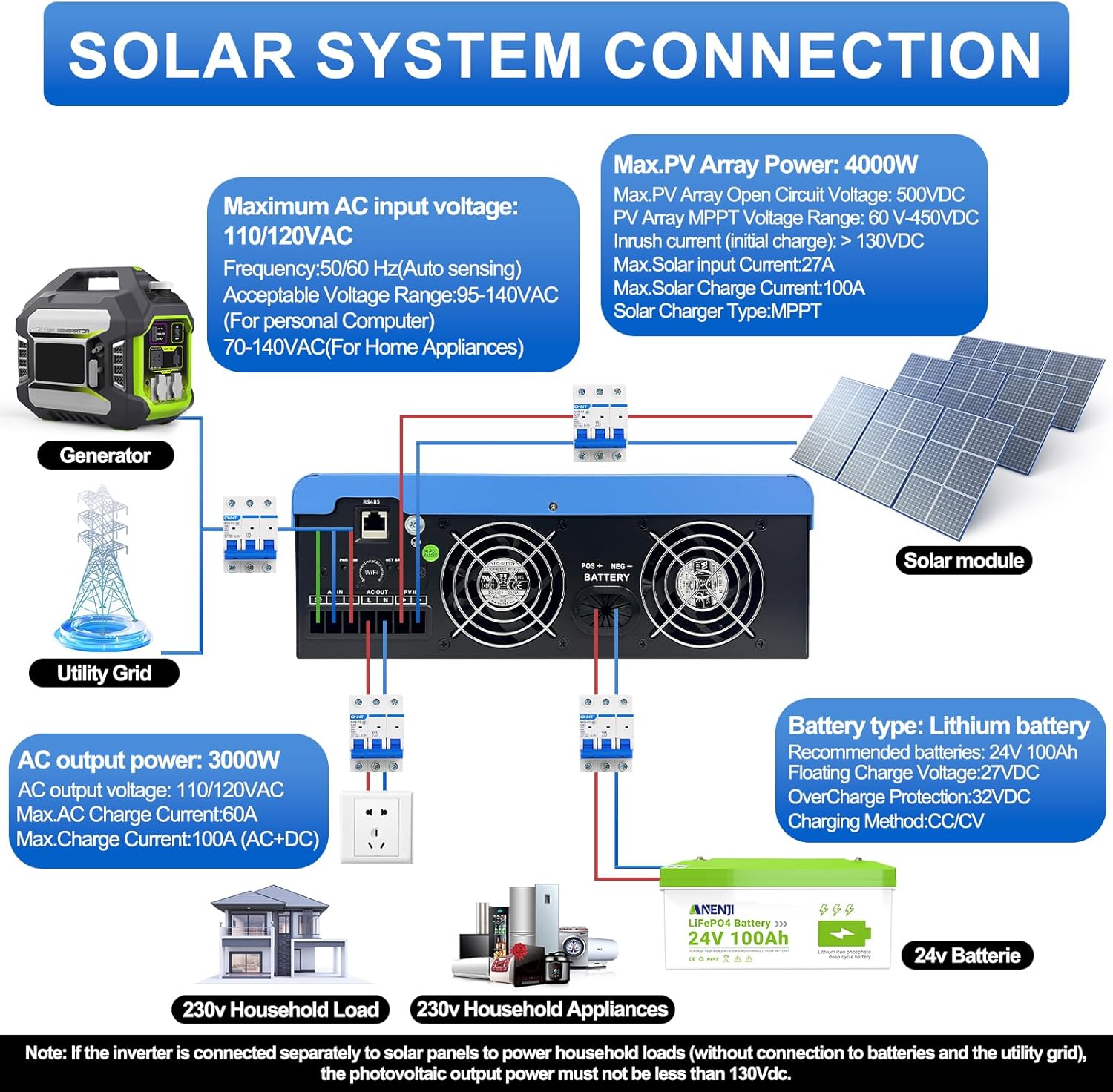
Figure 4.1: Solar System Connection Diagram. This diagram illustrates the connections for solar panels, generator, utility grid, 24V battery, and household loads to the inverter. It shows the PV input, battery input, AC input, and AC output terminals.
4.2.1 חיבור סוללה
- Connect the 24V battery bank to the battery input terminals on the inverter. Ensure correct polarity (+ to + and - to -).
- Use appropriate cable gauges for the battery connections to handle the expected current.
- The ANJ-3KW-LV-WIFI model supports a 24-volt DC system and is recommended for use with batteries of at least 100 ampere-hours capacity.

Figure 4.2: Inverter Battery Connection. This diagram shows wiring configurations for both 12-volt and 24-volt battery systems, emphasizing correct series/parallel connections for the desired voltage.
4.2.2 PV (Solar Panel) Connection
- Connect the solar panel array to the PV input terminals. Observe correct polarity.
- Ensure the total open circuit voltagמתח מערך ה-PV אינו עולה על 500 וולט DC.
- The MPPT voltage range is 60-450VDC. Ensure your PV array voltage falls within this range for optimal charging.
4.2.3 חיבור כניסת AC
- חבר את רשת החשמל או את גנרטור זרם החילופין (AC) להדקי קלט ה-AC.
- The inverter supports 110/120VAC input with auto-sensing frequency (50/60Hz).
4.2.4 חיבור פלט AC
- Connect your household loads or appliances to the AC output terminals.
- The inverter provides 3000W continuous AC output at 110/120VAC.
4.3 הפעלה ראשונית
- After all connections are secure, switch on the battery breaker first.
- Then, switch on the PV array breaker (if applicable).
- Finally, switch on the AC input breaker (if applicable) and the inverter's main power switch.
- Observe the LCD display for initial boot-up and status indicators.
5. תפעול
The inverter offers various configurable settings to optimize power management based on your specific needs.
5.1 צג LCD והגדרות
The LCD display provides real-time information and allows you to configure operational parameters using the function buttons.
- השתמש ב- UP ו לְמַטָה כפתורים כדי לנווט בין אפשרויות התפריט.
- לִלְחוֹץ לְהַכנִיס כדי לבחור אפשרות או לאשר הגדרה.
- לִלְחוֹץ ESC to exit a menu or cancel an action.
5.2 Charging Priority Modes
These settings determine how the battery bank is charged from available power sources.

Figure 5.1: Charger Source Priority. This diagram illustrates three charging priority options: Solar First (solar panels charge first, AC input only if solar is unavailable), Solar and AC Input Simultaneously (both solar and utility charge at the same time), and Solar Only (solar energy is the exclusive charging source).
- ראשון סולארי: Prioritizes solar power for charging. AC input will only charge the battery when solar power is insufficient or unavailable.
- AC Priority (Utility Priority): Prioritizes AC input (utility or generator) for charging. Solar power will supplement or take over if AC input is unavailable.
- סולארי בלבד: The inverter will only charge the battery bank from solar power. AC input will not be used for charging.
5.3 מצבי עדיפות פלט
These settings determine the power source for your connected loads.

Figure 5.2: Output Source Priority. This diagram shows three output priority options: Solar First (power from solar first, AC input supplements if solar is insufficient), AC First (redirects AC input to power loads, uses solar/batteries when AC is unavailable), and DC Priority (prioritizes solar first, then battery, then AC input only when voltage drops to a programmable value).
- Solar First (PV Priority): Prioritizes solar power to supply loads. If solar power is insufficient, the battery bank will supplement, and then AC input will be used.
- AC First (Mains Priority): Prioritizes AC input (utility or generator) to power loads. If AC input is unavailable, the inverter will switch to battery power.
- DC Priority (Battery Priority): Prioritizes solar power first, then battery power. AC input will only engage when the battery voltage drops below a programmable threshold.
5.4 Wi-Fi Monitoring
The built-in Wi-Fi module allows for remote monitoring of your inverter's performance and status via a dedicated application. Registration may be required to access this feature.

Figure 5.3: Wi-Fi Monitoring. This image depicts a user monitoring the hybrid inverter's status wirelessly via a smartphone application, highlighting the convenience of the built-in Wi-Fi feature.
6. תחזוקה
Regular maintenance helps ensure the longevity and optimal performance of your Aninerel Hybrid Solar Inverter.
- ניקוי: יש לנקות מעת לעת את החלק החיצוני של הממיר בעזרת מטלית יבשה. יש לוודא שפתחי האוורור נקיים מאבק ופסולת.
- חיבורים: Annually check all electrical connections (battery, PV, AC input/output) for tightness and corrosion. Tighten any loose connections.
- סְבִיבָה: ודא שסביבת ההתקנה נשארת בטווחי הטמפרטורה והלחות שצוינו.
- קושחה: בדוק את זה של היצרן webאתר עבור עדכוני קושחה זמינים לשיפור ביצועים או תכונות חדשות.
7. פתרון תקלות
סעיף זה מספק פתרונות לבעיות נפוצות שאתה עשוי להיתקל בהן. אם הבעיה נמשכת, צור קשר עם תמיכת הלקוחות.
| בְּעָיָה | סיבה אפשרית | פִּתָרוֹן |
|---|---|---|
| הממיר לא נדלק | אין חיבור סוללה או עוצמת סוללה חלשהtage; Power switch off; Loose wiring. | בדוק את חיבורי הסוללה ונפחtage; Ensure power switch is ON; Verify all wiring is secure. |
| אין פלט AC | Overload; Short circuit on output; Inverter in fault mode; Output priority setting. | Reduce load; Check for short circuits; Refer to LCD fault codes; Adjust output priority settings. |
| הסוללה לא נטענת מהסולארי | Low PV voltage; Incorrect PV connection; Solar charging disabled; Faulty solar panels. | בדיקת נפח מערך PVtage (must be >60VDC); Verify PV polarity; Check charging priority settings; Inspect solar panels. |
| אזהרת התחממות יתר | Insufficient ventilation; Excessive ambient temperature; Overload. | Ensure clear airflow around inverter; Relocate to cooler area; Reduce connected load. |
| ניטור Wi-Fi לא עובד | No Wi-Fi signal; Incorrect app configuration; Registration issue. | Check Wi-Fi signal strength; Reconfigure app settings; Contact support for registration issues. |
8. מפרטים
Technical specifications for the Aninerel 3000W Hybrid Solar Inverter ANJ-3KW-LV-WIFI:
| תכונה | מִפרָט |
|---|---|
| מספר דגם | ANJ-3KW-LV-WIFI |
| פלט כוח רציף | 3000W |
| שיא הספק | 6000W |
| קלט DC כרךtage | 24V |
| פלט AC כרךtage | 110V AC |
| צורת גל פלט | גל סינוס טהור |
| מקסימום כוח קלט PV | 4000W |
| MPPT Controller Current | 100A |
| מקסימום PV Open Circuit Voltage | 500VDC |
| מערך PV MPPT כרךtagטווח | 60-450VDC |
| מקסימום זרם קלט AC | 60A |
| תדר פלט | 50/60 הרץ (חישה אוטומטית) |
| תאימות סוללה | AGM, GEL, Lead-acid, Li-ion, LiFePO4 (24V) |
| דירוג הגנה | IP65 |
| מידות המוצר | 15 x 6.98 x 18 אינץ' |
| משקל פריט | 16.5 פאונד |
9. אחריות ותמיכה
For warranty information, please refer to the warranty card included with your product or visit the official Aninerel website. For technical support, troubleshooting assistance, or service inquiries, please contact Aninerel customer service through their official channels.
Manufacturer: Shenzhen Anenji Energy Technology Co.,Ltd