
1. הקדמה
The T-WOLF G520 is a high-performance wired gaming mouse designed for precision and comfort. It features a USB2.0 wired connection, 7 customizable buttons, and dynamic RGB lighting. This manual provides essential information for setting up, operating, and maintaining your G520 gaming mouse.
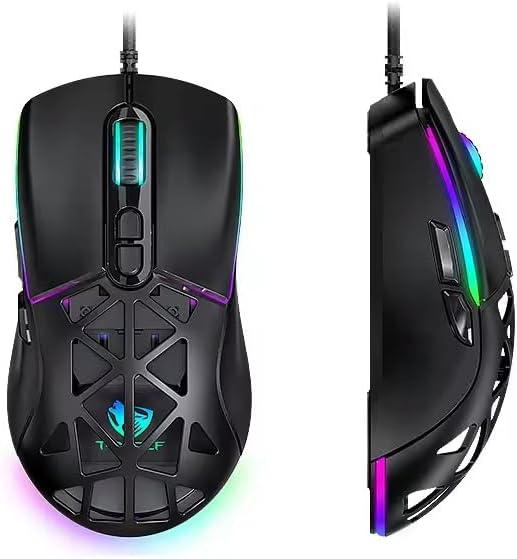
Figure 1: T-WOLF G520 Gaming Mouse (Front and Side View)
2. תכונות מוצר
- קֶשֶׁר: Wired USB2.0 for stable and responsive performance.
- סוג חיישן: Optical sensor for accurate tracking.
- הגדרות DPI: Adjustable DPI from 800 to 12800 (800 / 1600 / 3200 / 4800 / 6400 / 12800).
- שיעור סקרים: 1000Hz for rapid response times.
- כפתורים: 7 programmable buttons (Left, Right, Middle, Forward, Back, DPI+, DPI-).
- תאורת RGB: 13 dynamic RGB lighting modes.
- עֲמִידוּת: 10 million click lifespan for micro switches.
- כֶּבֶל: 1.5m braided cable for enhanced durability and tangle resistance.
- לְעַצֵב: Lightweight honeycomb structure and ergonomic shape for comfortable grip and ventilation.
- התאמה אישית: Magnetic interchangeable back cover.

איור 2: תכונות עיקריות מעלview
3. תכולת החבילה
- T-WOLF G520 Gaming Mouse Unit
- Interchangeable Magnetic Back Covers (2 types)

Figure 3: G520 Mouse with Interchangeable Back Covers
4. הוראות התקנה
- Connect the USB connector of the T-WOLF G520 gaming mouse to an available USB 2.0 port on your computer.
- The mouse is Plug & Play compatible and does not require additional drivers for basic functionality. Your operating system will automatically detect and install the necessary drivers.
- Once detected, the mouse will be ready for use.
5. הוראות הפעלה
5.1 פונקציות כפתורים
The T-WOLF G520 mouse features 7 buttons with the following default functions:
- כפתור שמאל: פונקציית קליק ראשונית.
- כפתור ימין: פונקציית לחיצה משנית (תפריט הקשר).
- כפתור אמצעי / גלגל גלילה: Scroll up/down, click for universal scroll or other functions.
- לחצן קדימה: מנווט קדימה ב web דפדפנים או file חוקרים.
- כפתור חזרה: מנווט אחורה ב web דפדפנים או file חוקרים.
- כפתור DPI+: מגביר את רגישות ה-DPI.
- כפתור DPI: מפחית את רגישות ה-DPI.
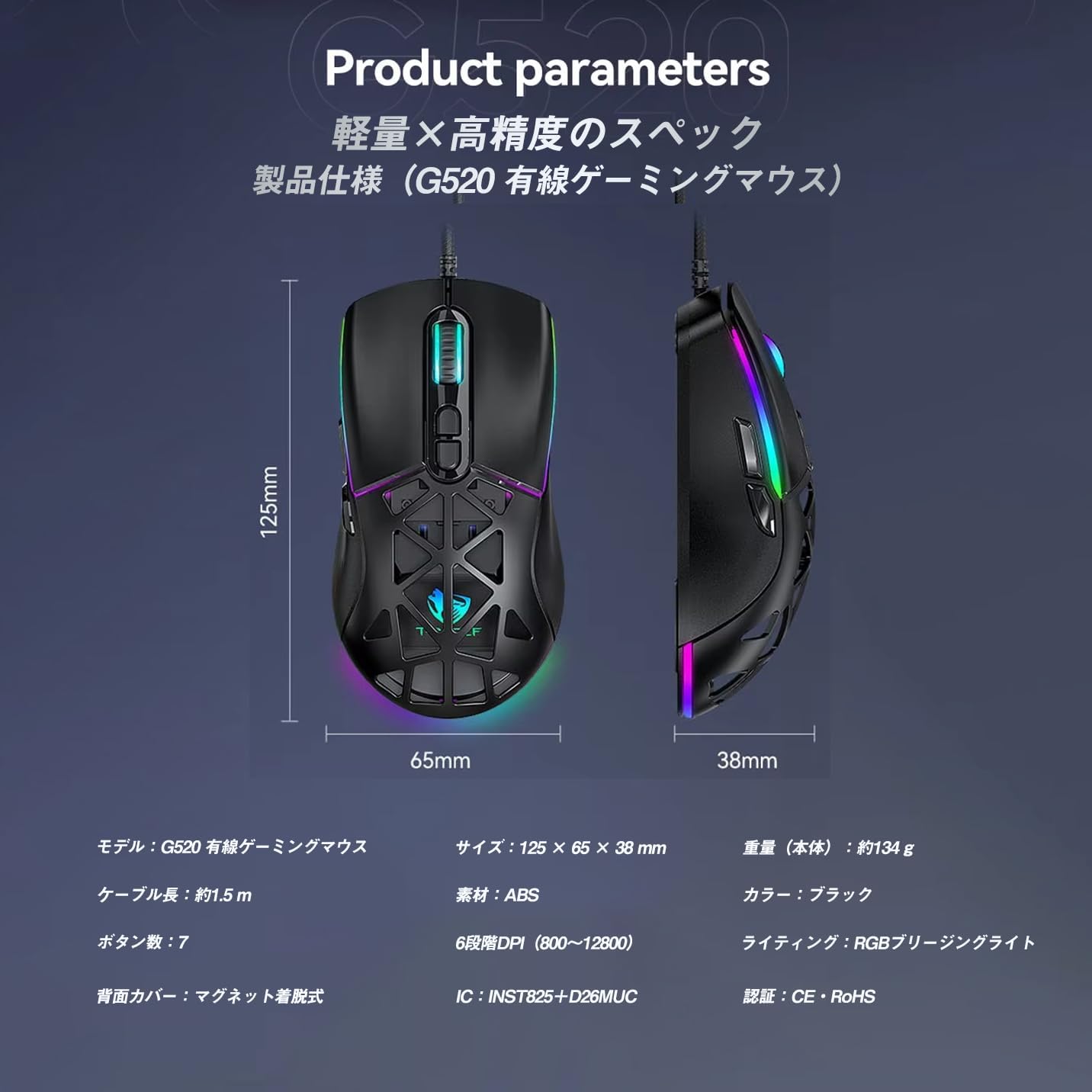
Figure 4: G520 Button Layout
התאמת 5.2 DPI
The mouse supports 6 adjustable DPI levels. To change the DPI, press the DPI+ or DPI- buttons located on the top of the mouse. Each press will cycle through the available DPI settings: 800, 1600, 3200, 4800, 6400, and 12800.

איור 5: רמות כוונון DPI
5.3 בקרת תאורת RGB
The T-WOLF G520 features 13 RGB lighting modes. To change the RGB lighting mode, press and hold the כפתור חזרה ואת כפתור DPI simultaneously for approximately 3 seconds. Repeat this action to cycle through the different lighting effects.
5.4 Magnetic Back Cover
The mouse comes with two types of magnetic back covers that can be easily interchanged. To remove a cover, gently lift it from the back of the mouse. To attach a cover, align it with the mouse body and allow the magnets to secure it in place.

Figure 6: Magnetic Back Cover Exchange
6. תחזוקה
- ניקוי: השתמשו במטלית רכה ויבשה לניקוי העכבר. במקרה של לכלוך עיקש, נגבו מעטamp ניתן להשתמש במטלית, תוך הקפדה על כך שנוזלים לא ייכנסו לעכבר.
- הימנע מנוזלים: Do not immerse the mouse in water or expose it to excessive moisture.
- אִחסוּן: יש לאחסן את העכבר במקום קריר ויבש, הרחק מאור שמש ישיר וטמפרטורות קיצוניות.
- טיפול בכבלים: Avoid bending or twisting the braided cable excessively to prevent damage.
7. פתרון תקלות
- עכבר לא מגיב:
- ודא שכבל ה-USB מחובר היטב ליציאת ה-USB של המחשב שלך.
- נסה לחבר את העכבר ליציאת USB אחרת.
- הפעל מחדש את המחשב.
- DPI לא משתנה:
- Ensure you are pressing the correct DPI+ or DPI- buttons.
- The mouse cycles through 6 fixed DPI levels; there is no software adjustment.
- תאורת RGB לא עובדת/משתנה:
- ודא שהעכבר מחובר כראוי.
- לחץ והחזק את כפתור חזרה ו כפתור DPI simultaneously for 3 seconds to cycle through modes.
- בעיות מעקב:
- נקו את החיישן האופטי בחלק התחתון של העכבר.
- השתמשו בעכבר על משטח נקי ואחיד או על משטח עכבר.
8. מפרטים
| תכונה | מִפרָט |
|---|---|
| דֶגֶם | G520 |
| סוג חיבור | Wired USB2.0 |
| סוג חיישן | אוֹפּטִי |
| הגדרות DPI | 800 / 1600 / 3200 / 4800 / 6400 / 12800 |
| שיעור סקרים | 1000 הרץ |
| מספר כפתורים | 7 |
| אורך כבל | 1.5 מטר (קלוע) |
| מידות (L×W×H) | 124 × 65 × 40 מ"מ |
| מִשׁקָל | כ. 132 גרם |
| כרך הפעלהtage/נוכחי | 5V / 150mA |
| תְאוּרָה | RGB (13 מצבים) |
| חוֹמֶר | פלסטיק (ABS) |
| מערכת הפעלה תואמת | Windows 10, Windows 11, Mac OS, Linux (OS standard, no driver required) |

Figure 7: Product Specifications Diagram
9. אחריות ותמיכה
This product is covered by a standard manufacturer's warranty. Please refer to your purchase documentation for specific warranty terms and conditions. For technical support or warranty claims, please contact the retailer or the manufacturer's customer service.