
המוצר נגמרview
The pTron Studio Pro are wireless over-ear headphones designed for extended listening and clear communication. They feature an ergonomic design with soft earpads and an adjustable headband for comfortable wear. Key features include long battery life, advanced audio drivers, and versatile connectivity options.
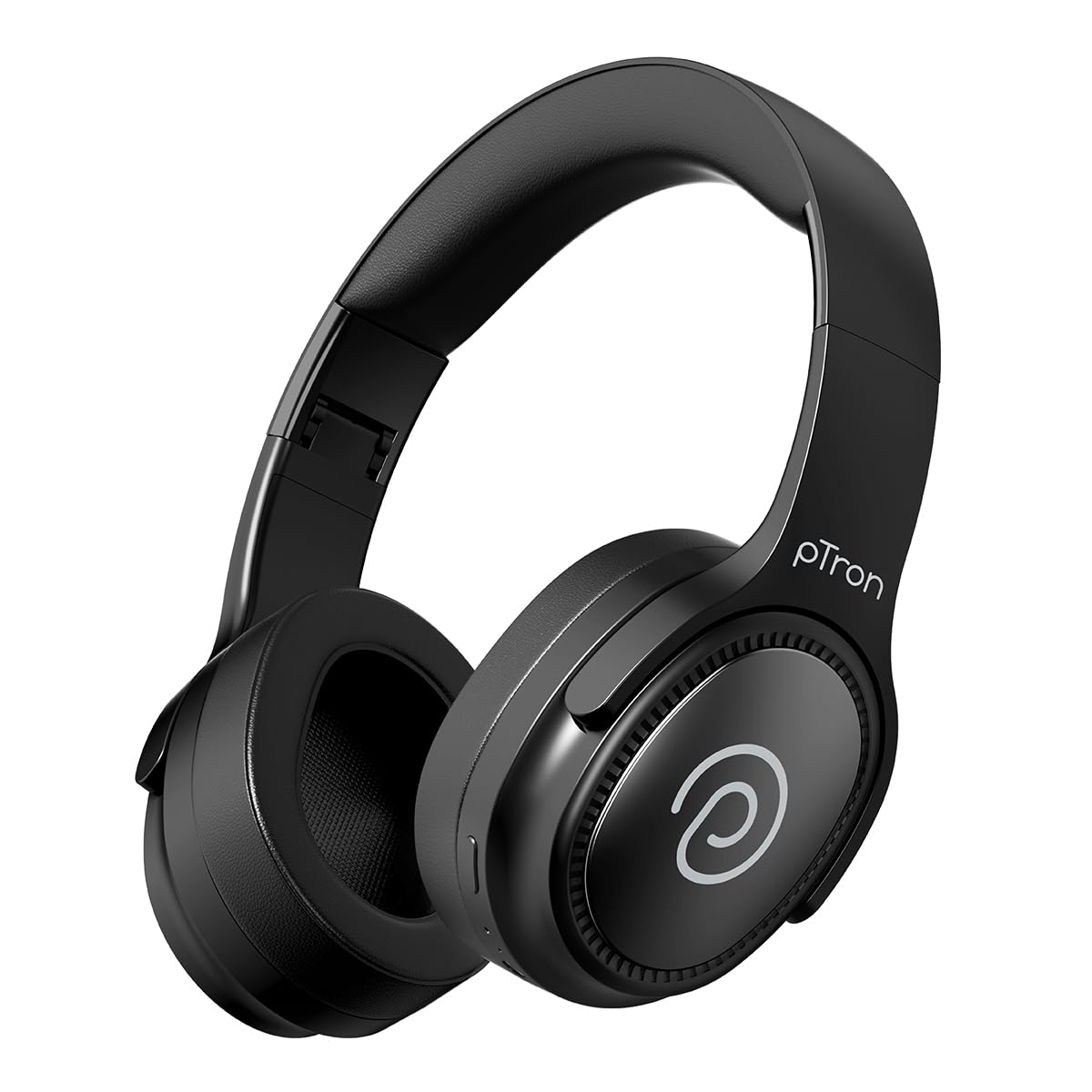
Image: pTron Studio Pro Wireless Over-Ear Headphones in Jet Black, showcasinהעיצוב החלקלק.
תכונות מפתח
- זמן משחק מורחב: Up to 65 hours of music playback on a single full charge.
- טעינה מהירה: 2.5 hours for a full charge via Type-C. A 10-minute charge provides approximately 4 hours of playtime.
- אודיו באיכות גבוהה: Equipped with 40mm Neody Drivers for pristine stereo sound.
- נקה שיחות: Built-in HD Microphone with TruTalk AI-ENC (Environmental Noise Cancellation) for crystal-clear calls.
- קישוריות מתקדמת: Fast Bluetooth v5.4 for instant pairing and stable connection.
- זיווג כפול של מכשירים: Seamlessly connect and switch between two devices simultaneously.
- מצבים מגוונים: Dedicated Low-Latency Gaming Mode and Music Mode.
- עמידות במים: IPX4 rating, making them resistant to water splashes and sweat.
- Comfort & Portability: Ergonomic, lightweight, and foldable design with soft earpads and an adjustable headband for a perfect fit and easy storage.
- בקרות קלות: Multi-functional buttons for managing music, calls, and activating voice assistant.

Image: Infographic detailing the main features of the pTron Studio Pro headphones, including battery life, drivers, and connectivity.
מה יש בקופסה
Upon unboxing your pTron Studio Pro headphones, you will find the following items:
- pTron Studio Pro Wireless Over-Ear Headphones
- כבל טעינה (סוג C)
- מדריך למשתמש
Video: An official product video demonstrating the unboxing and key features of the pTron Studio Pro headphones.
פריסת מוצר ובקרות
Familiarize yourself with the physical components and control buttons of your pTron Studio Pro headphones.

תמונה: מפורט view of the multi-function control buttons located on the ear cup, including power, volume, and track controls.
פונקציות כפתור הבקרה:
| כפתור/פעולה | פוּנקצִיָה |
|---|---|
| לחצן הפעלה (לחיצה ארוכה) | הפעלה/כיבוי, כניסה למצב צימוד |
| Play/Pause Button (Single Press) | השמעה/השהיה של מוזיקה, מענה/סיום שיחה |
| Play/Pause Button (Long Press) | דחיית שיחה, הפעלת עוזר קולי |
| Volume Up (+) (Single Press) | הגדל את עוצמת הקול |
| Volume Down (-) (Single Press) | הורד את עוצמת הקול |
| Volume Up (+) (Long Press) | המסלול הבא |
| Volume Down (-) (Long Press) | המסלול הקודם |
| Mode Button (Single Press) | מעבר בין מצב משחק למצב מוזיקה |
הגדרה
1. טעינת האוזניות
- חברו את כבל הטעינה מסוג C המצורף לשקע הטעינה באוזניות.
- Connect the other end of the cable to a USB power source (DC5V-1A max.).
- מחוון ה-LED יציג את מצב הטעינה. טעינה מלאה אורכת כשעתיים.
- טעינה של 10 דקות יכולה לספק עד שעתיים של זמן נגינה.

Image: The pTron Studio Pro headphones highlighting the Type-C charging port and emphasizing the 65-hour playtime.
2. זיווג Bluetooth
- ודא שהאוזניות טעונות במלואן.
- לחץ והחזק את לחצן ההפעלה עד שנורית ה-LED תהבהב לסירוגין באדום וכחול, כדי לציין מצב צימוד.
- במכשיר שלך (סמארטפון, טאבלט, מחשב נייד), הפעל את Bluetooth וחפש מכשירים זמינים.
- Select "pTron Studio Pro" from the list of devices.
- לאחר החיבור, נורית החיווי תידלק בכחול קבוע או תפסיק להבהב.
3. זיווג מכשירים כפולים
- התאם את האוזניות למכשיר הראשון כפי שתואר לעיל.
- השבת את ה-Bluetooth במכשיר הראשון. האוזניות ייכנסו מחדש למצב צימוד.
- חבר את האוזניות למכשיר השני.
- הפעל מחדש את Bluetooth במכשיר הראשון. האוזניות אמורות להתחבר אוטומטית לשני המכשירים.
- כעת ניתן להחליף בין השמעת אודיו לשני המכשירים המחוברים.

Image: The headphones connected to both a laptop and a smartphone, demonstrating the dual device pairing feature.
4. Wired Connection (3.5mm Aux-in)
- Insert one end of a 3.5mm audio cable (not included) into the Aux-in port on the headphones.
- חבר את הקצה השני של הכבל לשקע 3.5 מ"מ של מקור השמע שלך.
- האוזניות יעברו אוטומטית למצב קווי.

Image: The headphones connected to a smartphone using a 3.5mm Aux-in cable, illustrating wired music playback.
הוראות הפעלה
הפעלה/כיבוי
- הפעלה: לחץ והחזק את לחצן ההפעלה למשך כ-3 שניות עד שנורית ה-LED תידלק.
- כיבוי: לחץ והחזק את לחצן ההפעלה למשך כ-5 שניות עד שנורית ה-LED יכבה.
בקרות מוזיקה
- הפעל/השהה: לחיצה אחת על כפתור ההפעלה/השהיה.
- הרצועה הבאה: לחץ לחיצה ארוכה על כפתור הגברת עוצמת הקול (+).
- רצועה קודמת: לחץ לחיצה ארוכה על כפתור הנמכת עוצמת הקול (-).
- הגבר קול: לחיצה אחת על כפתור הגברת עוצמת הקול (+).
- להנמיך קול: לחיצה אחת על כפתור הנמכת עוצמת הקול (-).
פקדי שיחות
- מענה/סיום שיחה: לחיצה אחת על כפתור ההפעלה/השהיה.
- דחה שיחה: לחץ לחיצה ארוכה על כפתור הפעל/השהה.
עוזר קולי
- הפעל את Assistant Voice: Long press the Play/Pause button (after rejecting a call, if applicable, or when not on a call).
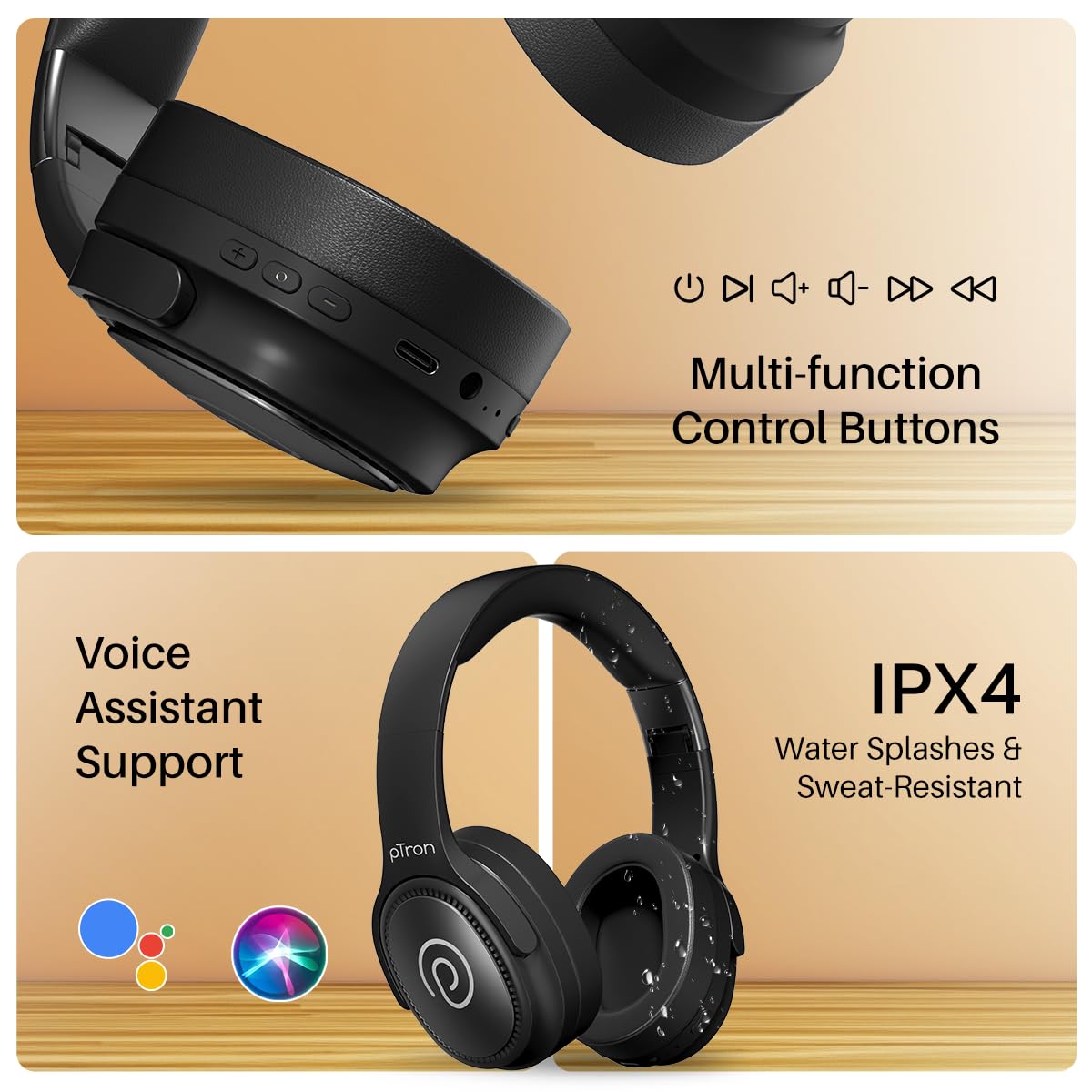
Image: The headphones illustrating support for voice assistants like Google Assistant and Siri, along with their IPX4 water-resistant rating.
Game & Music Modes
- החלפת מצבים: Single press the Mode button to toggle between Low-Latency Gaming Mode and standard Music Mode.
תַחזוּקָה
To ensure the longevity and optimal performance of your pTron Studio Pro headphones, follow these maintenance guidelines:
- ניקוי: השתמשו במטלית רכה ויבשה לניקוי האוזניות. אין להשתמש בחומרי ניקוי שוחקים או ממסים.
- אִחסוּן: כאשר האוזניות אינן בשימוש, יש לאחסן אותן במקום קריר ויבש. העיצוב המתקפל מאפשר אחסון קומפקטי.
- חשיפה למים: While rated IPX4 for water splashes and sweat resistance, avoid submerging the headphones in water or exposing them to heavy rain. Dry them thoroughly if they get wet.
- טְעִינָה: Use only the provided Type-C cable and a compatible power adapter (DC5V-1A max.) for charging.
- הימנע מטמפרטורות קיצוניות: אל תחשוף את האוזניות לטמפרטורות גבוהות או נמוכות במיוחד.
פתרון בעיות
If you encounter any issues with your pTron Studio Pro headphones, refer to the following common troubleshooting steps:
| בְּעָיָה | פִּתָרוֹן |
|---|---|
| האוזניות לא נדלקות. | ודא שהאוזניות טעונות במלואן. חבר את האוזניות למקור חשמל ובדק את מחוון הטעינה. |
| לא ניתן לבצע התאמה עם מכשיר. | Make sure Bluetooth is enabled on your device and the headphones are in pairing mode (LED flashing red/blue). Move closer to the device. Forget previous pairings on your device and try again. |
| אין צליל או עוצמת קול נמוכה. | Check the volume levels on both the headphones and your connected device. Ensure the headphones are correctly paired. If using Aux-in, ensure the cable is fully inserted. |
| איכות השיחה ירודה. | ודא שהמיקרופון אינו חסום. עבור לאזור עם פחות רעש סביבתי. בדוק את אות הרשת של המכשיר שלך. |
| אוזניות מתנתקות לעתים קרובות. | Ensure there are no obstacles between the headphones and your device. Keep within the Bluetooth range (10 meters). Avoid strong electromagnetic interference. |
מפרטים
| תכונה | פְּרָט |
|---|---|
| מותג | pTron |
| שם הדגם | סטוּדִיוֹ |
| מיקום אוזניים | מעל אוזן |
| גרסת בלוטות' | 5.4 |
| טווח בלוטות' | 10 מטר |
| גודל מנהל התקן שמע | 40 מילימטרים |
| עַכָּבָּה | 32 אוהם |
| חיי סוללה ממוצעים | 65 שעות |
| זמן טעינת הסוללה | 2.5 שעות |
| יציאת טעינה | סוג-C |
| רמת עמידות במים | IPX4 (עמיד במים) |
| מִיקרוֹפוֹן | Built-in HD Mic with AI-ENC |
| שקע אוזניות | 3.5 מ"מ ג 'ק |
| סוג בקרה | בקרת שיחות, לחצן לחיצה |
| תכונות המוצר | Fast Charging, Foldable, Microphone Included, Noise Isolation, Surround Sound |
| משקל פריט | 200 גרם |
| חוֹמֶר | אקרילוניטריל בוטאדיאן סטירן (ABS) |
| מכשירים תואמים | טלפונים סלולריים, מחשבים שולחניים, מחשבים ניידים, טאבלטים |
אחריות ותמיכה
Your pTron Studio Pro headphones come with a manufacturer's warranty and dedicated customer support.
- אַחֲרָיוּת: 6 Months Manufacturer Warranty from the Date of Purchase on Manufacturing Defects Only.
- איש קשר ליצרן: Building A1, Red Box Creative Park, No. 3 Huancheng South Road, Bantian Street, Longgang District, Shenzhen City, China 518116.
- פרטי יצירת קשר עם שירות לקוחות: 40-67138888 / Support@ptron.in
- איש קשר של היבואן: PALRED ELECTRONICS PVT. LTD., SY.NO. 56, 1ST FLOOR, GUNDLAPOCHAMPALLY VILLAGE, TECH PARK MTP, TSIIC-IALA NACHARAM, HYDERABAD - 500076, TELANGANA, INDIA.