
1. המוצר נגמרview
The MONTECH HyperFlow Digital 240 CPU Liquid Cooler is an all-in-one (AIO) liquid cooling solution designed for efficient heat dissipation in computer systems. It features a powerful pump, two 120mm E28 ARGB fans, and a real-time digital display for monitoring CPU and GPU temperatures. This cooler is compatible with various Intel and AMD platforms.
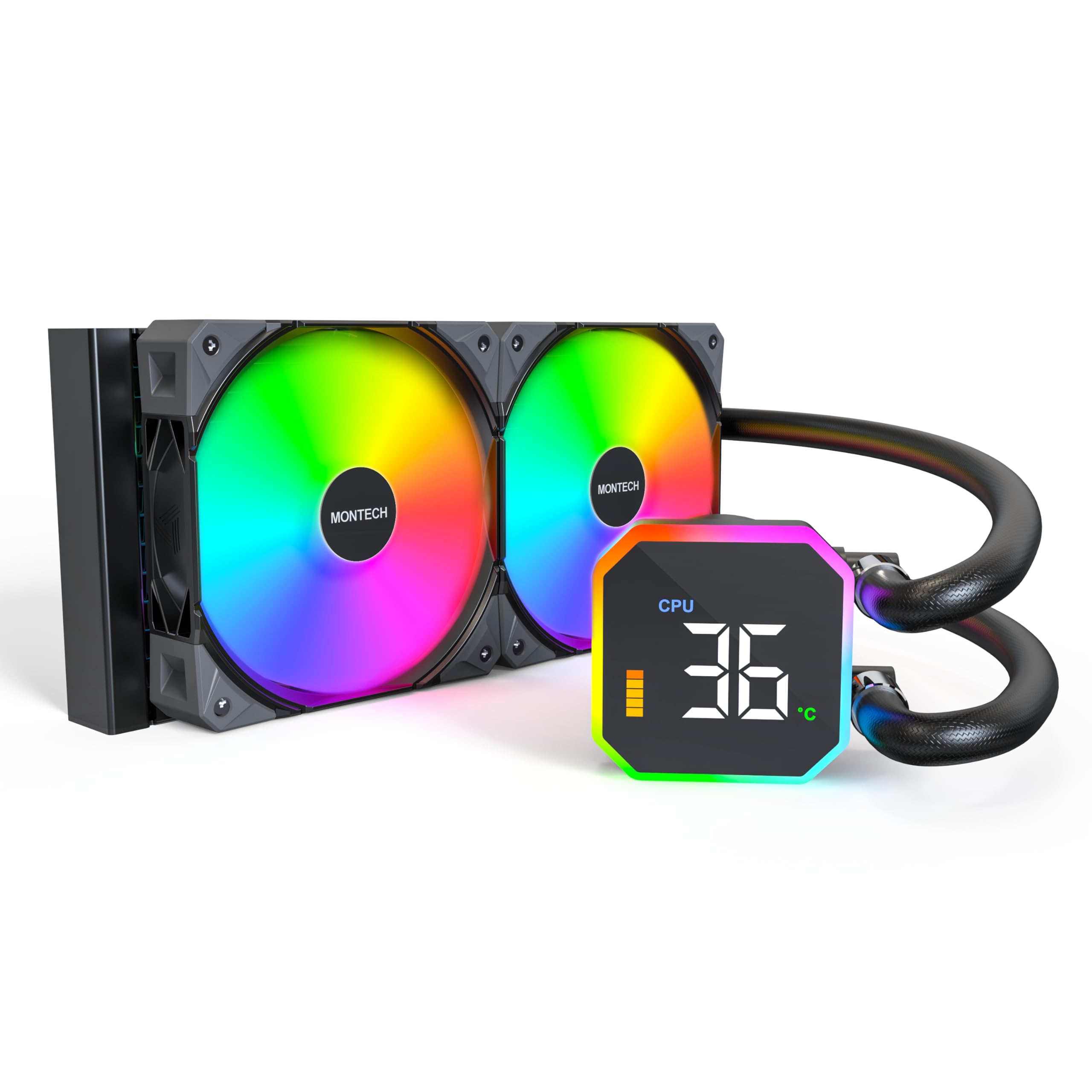
Image: The MONTECH HyperFlow Digital 240 CPU Liquid Cooler, showcasing the radiator, fans, pump, and digital display.
2. תכולת החבילה
ודא שכל הרכיבים נמצאים בחבילה לפני שתמשיך בהתקנה.
- MONTECH HyperFlow Digital 240 AIO Liquid Cooler (Radiator, Pump with Digital Display, Pre-installed Fans)
- Mounting Hardware for Intel Sockets (1151/1200/1700/1851/20XX)
- Mounting Hardware for AMD Sockets (AM3/AM4/AM5)
- Cables (Fan power, ARGB, USB for display)
- מדריך למשתמש (מסמך זה)

תמונה: מעלview diagram illustrating the main components and features of the HyperFlow Digital AIO cooler.
3. מפרט טכני
| תכונה | מִפרָט |
|---|---|
| מידות המוצר | אורך 11.08 אינץ', רוחב 1.07 אינץ', גובה 4.8 אינץ' |
| שיטת קירור | מַיִם |
| מהירות משאבה | 3100 סל"ד (±10%) |
| סוג מאוורר | E28 ARGB Fans |
| גודל מאוורר | 120 מ"מ |
| Maximum Fan Rotational Speed | 2200 סל"ד (±10%) |
| קיבולת זרימת אוויר | 96.27 רגל מעוקב לדקה (CFM) |
| לחץ סטטי | 4.13 mmH₂O |
| רמת רעש | 36.25 דציבלים (מקסימום) |
| Radiator Thickness | 27 מ"מ |
| Radiator FPI | 20 FPI (Fins Per Inch) |
| סוג מחבר חשמל | 4-Pin PWM |
| כרך ידtage | 12 וולט |
| חוֹמֶר | אלומיניום (רדיאטור) |
| מכשירים תואמים | CPU, Desktop |
| Intel Socket Support | 1151/1200/1700/1851/20XX |
| AMD Socket Support | AM3/AM4/AM5 |
| משקל פריט | 4.6 פאונד |
4. מדריך התקנה
The MONTECH HyperFlow Digital 240 is designed for hassle-free installation with pre-installed fans and pre-applied thermal paste.
4.1. הכן את המערכת שלך
- כבה את המחשב ונתק את כל הכבלים.
- Open your computer case to access the motherboard and CPU area.
- Remove any existing CPU cooler. Clean the CPU surface if necessary.
4.2. התקנת הרדיאטור והמאווררים
The fans are pre-installed on the radiator. Determine the optimal mounting location in your case (e.g., top, front) ensuring adequate clearance.

Image: Illustration of radiator and fan dimensions (27mm radiator, 28mm fan thickness) to ensure proper fit within a PC case.

Image: A visual guide demonstrating how the radiator and fans fit into a computer case, highlighting the total thickness of 55mm.
4.3. Install the Pump/Cold Plate
The cold plate has pre-applied thermal paste. Select the appropriate mounting brackets for your CPU socket (Intel or AMD).

תמונה: תקריב view of the pump and cold plate, showing the pre-applied thermal paste for convenience.

Image: Visual representation of the different mounting brackets for Intel (1151/1200/1700/1851/20XX) and AMD (AM3/AM4/AM5) sockets.

Image: A detailed diagram showing the compatibility of the cooler with various Intel and AMD CPU sockets.
4.4. חבר כבלים
Connect the pump's USB cable to a Motherboard USB 2.0 header. Connect the fan and ARGB cables to appropriate headers on your motherboard or a compatible controller.

Image: Step-by-step guide for connecting the pump to the motherboard's USB 2.0 header and installing the necessary software.
5. הוראות הפעלה
5.1. Digital Display Monitoring
The integrated digital display provides real-time monitoring of your CPU and GPU temperatures. This allows for quick assessment of your system's thermal performance.
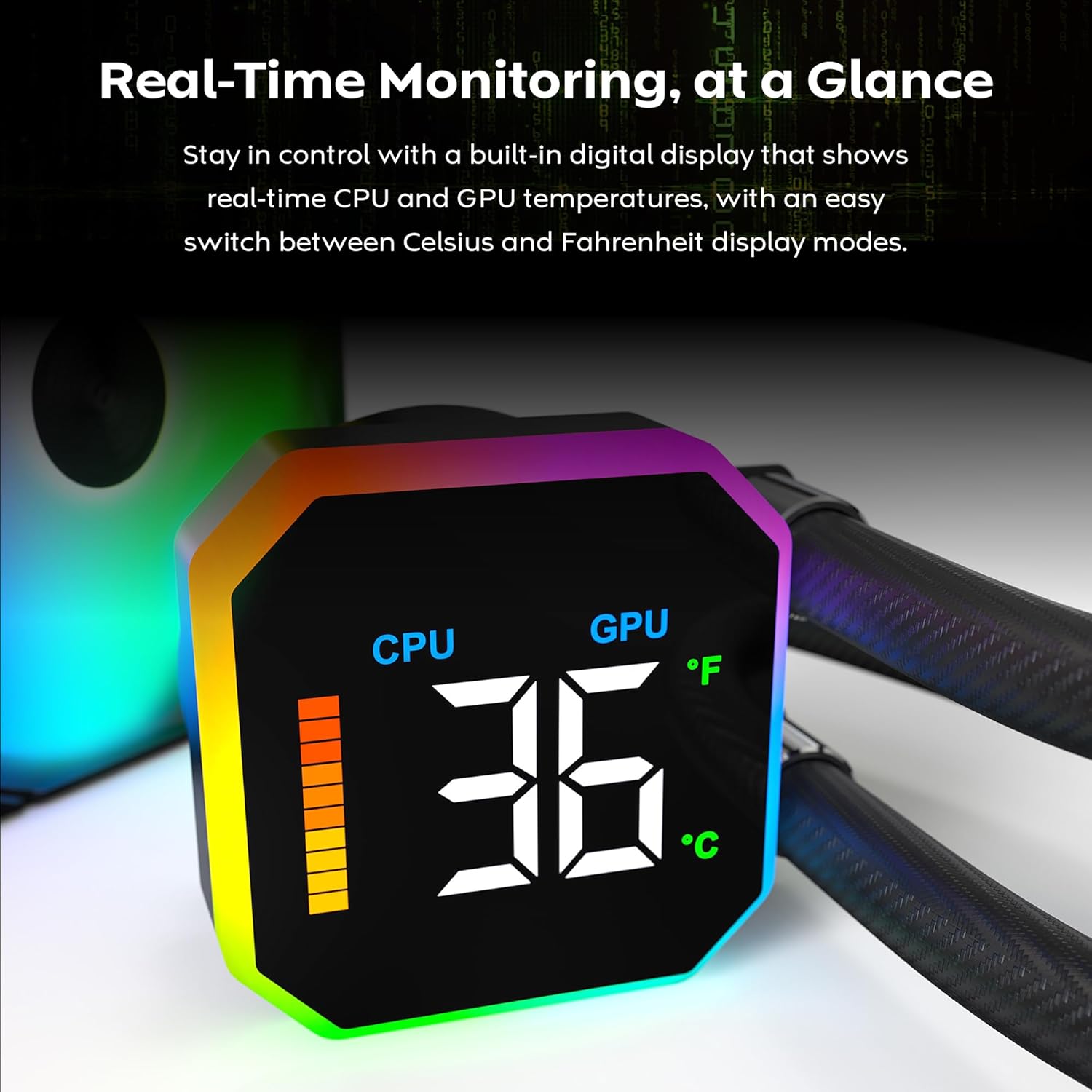
Image: The digital display on the pump head showing real-time CPU temperature and a temperature bar graph.

תמונה: תקריב view of the digital display, clearly showing the CPU temperature reading.
5.2. החלפת יחידת טמפרטורה
The display allows for quick switching between Celsius (°C) and Fahrenheit (°F) temperature units. Refer to the software interface for this setting.

Image: The software interface demonstrating the options to switch between CPU/GPU temperature display and Celsius/Fahrenheit units.
5.3. Fan Performance
The E28 performance fans operate up to 2200 RPM, providing strong airflow and static pressure for efficient heat dissipation. Fan speeds are typically controlled via PWM signals from the motherboard or dedicated fan controller.

Image: Details of the E28 ARGB Performance Fan, highlighting its fan speed, static pressure, and airflow capabilities.

Image: A visual representation of the fan's operational speed range (800-2200 RPM) and its 28mm thickness.
6. תחזוקה
תחזוקה שוטפת מסייעת להבטיח ביצועים אופטימליים ואורך חיים של מצנן הנוזלים שלך.
- ניקוי אבק: יש לנקות מעת לעת אבק מצנפות הרדיאטור ולהבי המאוורר באמצעות אוויר דחוס. יש לוודא שהמאווררים אינם מסתובבים במהלך הניקוי כדי למנוע נזק.
- בדיקה חזותית: Regularly check the tubing for any signs of kinks, leaks, or damage. Inspect the pump block for secure mounting.
- משחה תרמית: The cooler comes with pre-applied thermal paste. If you need to remount the cold plate, clean off the old thermal paste from both the CPU and cold plate, and apply a new layer of high-quality thermal paste.
7. פתרון תקלות
If you encounter issues with your MONTECH HyperFlow Digital 240, refer to the following common troubleshooting steps:
- No Display/Incorrect Temperature Readings:
- Ensure the USB 2.0 cable from the pump is securely connected to a motherboard header.
- Verify that the MONTECH software is correctly installed and running.
- Check for any software updates for the cooler.
- High CPU/GPU Temperatures:
- Confirm that the pump is running (you may feel a slight vibration or hear a low hum).
- Check that the fans are spinning correctly and are not obstructed.
- Ensure the cold plate is making proper contact with the CPU. Re-seat the cooler if necessary, applying new thermal paste.
- Verify that the radiator is free of dust and has adequate airflow.
- רעש מאוורר מוגזם:
- Check if any cables are interfering with the fan blades.
- Ensure fans are securely mounted and not vibrating against the case.
- Adjust fan curves in your motherboard's BIOS or fan control software to reduce speeds at lower temperatures.
- תאורת ARGB לא עובדת:
- Ensure all ARGB cables are correctly connected to the motherboard's ARGB header or a dedicated controller.
- Check your motherboard's ARGB software or dedicated controller software for lighting settings.
8. אחריות ותמיכה
The MONTECH HyperFlow Digital 240 CPU Liquid Cooler comes with a אחריות לשנה מתאריך הרכישה. אחריות זו מכסה פגמים בחומרים ובעבודה בשימוש רגיל.
For technical support, warranty claims, or further assistance, please visit the official Montech webאתר או צרו קשר עם מחלקת שירות הלקוחות שלהם. ניתן גם לבקר ב Montech Store on Amazon לקבלת מידע על המוצר ומשאבי תמיכה.
9. סרטון מוצר רשמי
סרטון: סרטון רשמי של מוצרasing the features and functionality of the MONTECH HyperFlow Digital Liquid AIO CPU Cooler. This video demonstrates the real-time temperature display, fan performance, and overall design.