
1. הקדמה
This manual provides detailed instructions for the operation and maintenance of your Tiksounds P150 Smart Watch. Please read this manual thoroughly before using the device to ensure proper function and to maximize its capabilities. Keep this manual for future reference.
2. תכולת החבילה
ודא שכל הפריטים נמצאים בחבילה:
- Tiksounds P150 Smart Watch
- כבל טעינה
- מדריך למשתמש (מסמך זה)

3. המוצר נגמרview
3.1 תכונות עיקריות
- שיחות Bluetooth והתראות הודעות: Make and answer calls directly from the watch. Receive instant notifications for messages and app alerts.
- מסך מגע HD בגודל 1.83 אינץ': Features a high-definition display with customizable watch faces.
- חיי סוללה מורחבים: Equipped with a 1000mAh battery, offering up to 20 days of typical usage and 85 days of standby time on a 3.5-hour charge.
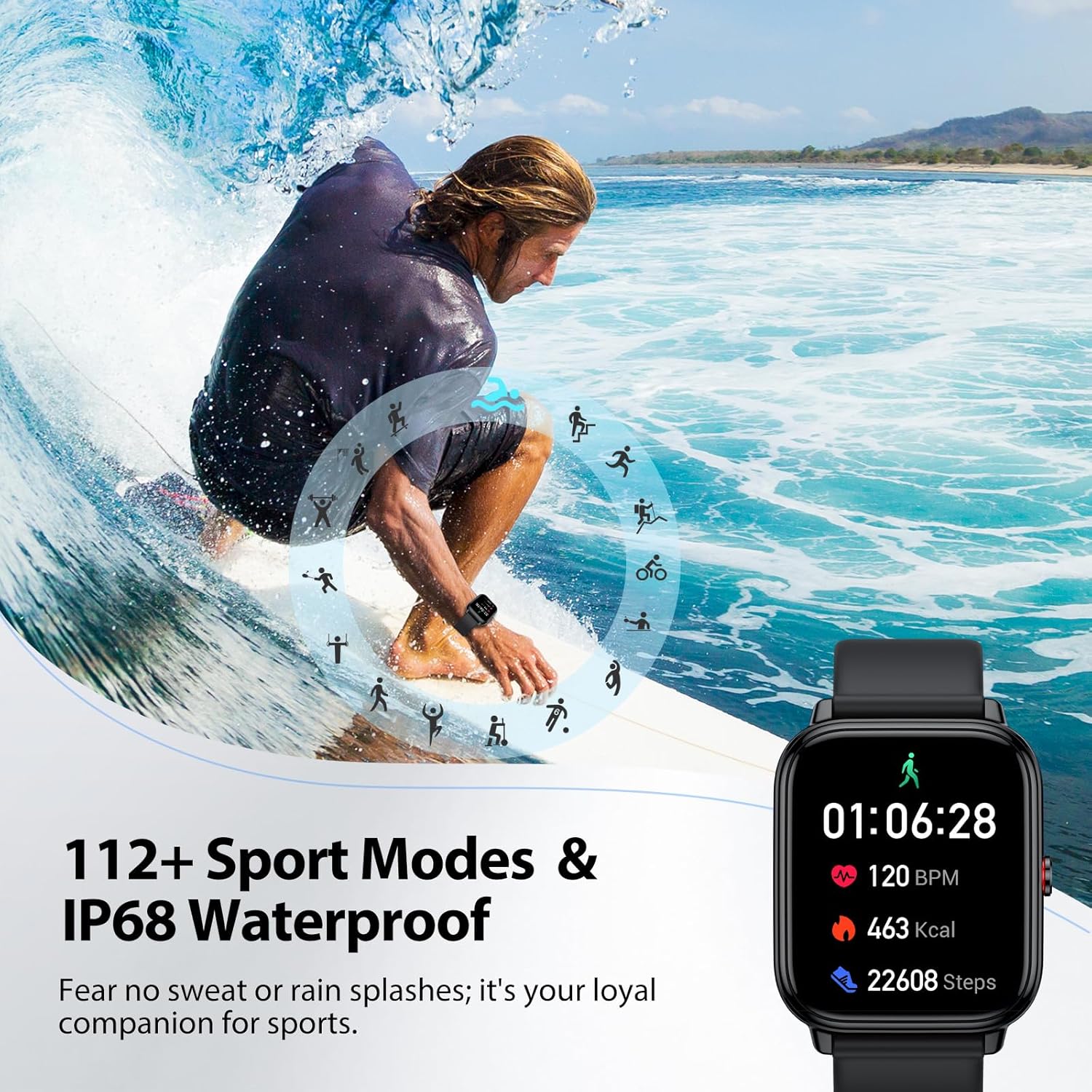
- 112+ מצבי ספורט: Tracks various indoor and outdoor activities including running, cycling, and soccer.
- 24/7 Health Tracking: Monitors stress, heart rate, blood oxygen, and sleep quality.
- IP68 עמיד למים: Resistant to sweat, rain, and handwashing.
- רב פונקציונליות: Includes alarm, stopwatch, timer, phone locator, camera control, music control, weather display, and more.
3.2 מידות מכשיר
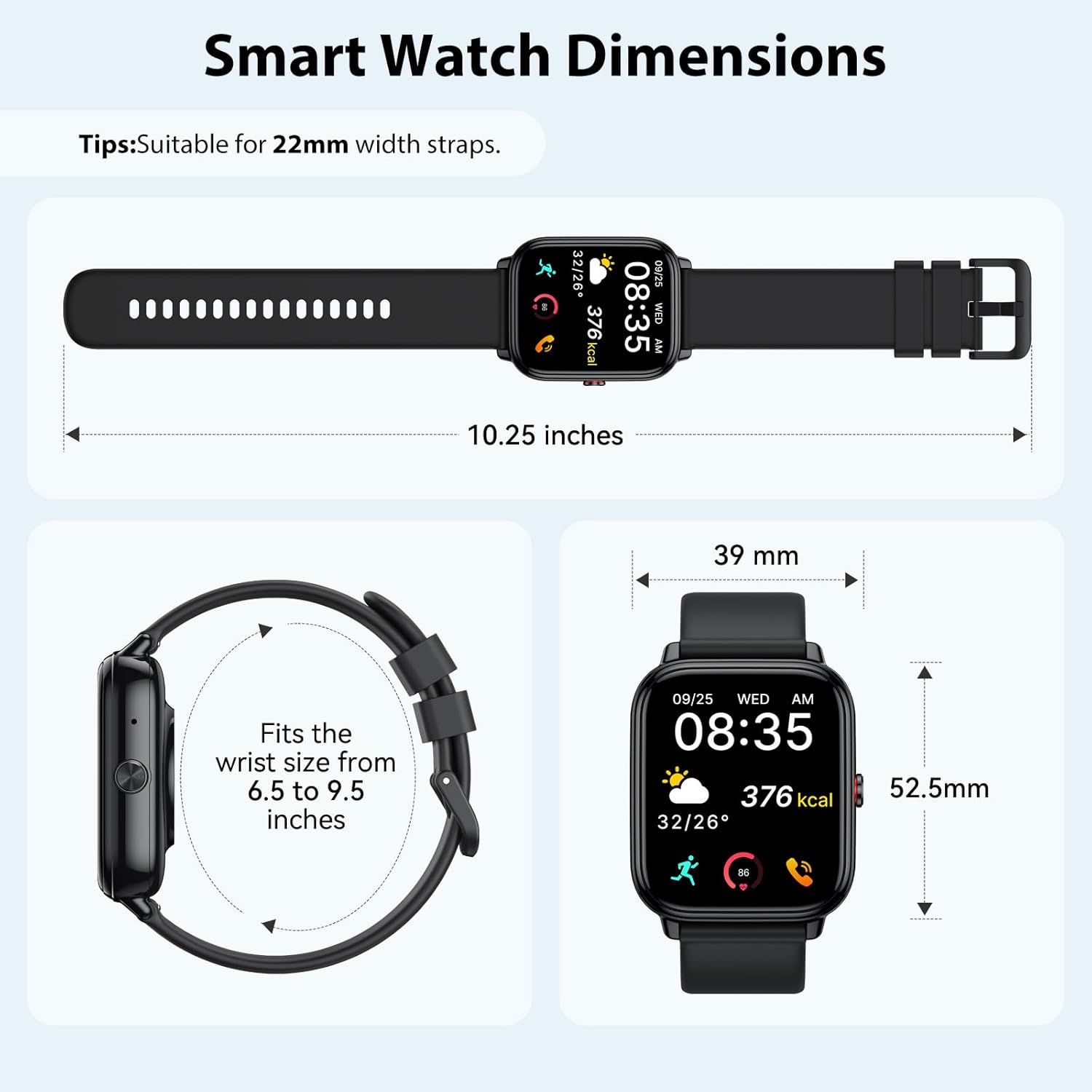
4. התקנה
4.1 טעינת המכשיר
Before initial use, fully charge your smart watch. Connect the magnetic charging cable to the charging contacts on the back of the watch and plug the USB end into a power adapter (not included) or a computer USB port. A full charge takes approximately 3.5 hours.


4.2 התקנה וצימוד של אפליקציה
The Tiksounds P150 Smart Watch is compatible with smartphones running Bluetooth 4.0, Android 7.0, iOS 9.0, or later versions. To connect your watch to your smartphone, follow these steps:
- הורד את האפליקציה: Scan the QR code below or search for "FitCloudPro" in your smartphone's app store to download and install the application.
- אפשר Bluetooth: ודא שה-Bluetooth מופעל בטלפון החכם שלך.
- צמד מכשיר: Open the "FitCloudPro" app, navigate to the device section, and tap to add a new device. Select "P150" from the list of available devices.
- אשר את ההתאמה: The watch will send a Bluetooth request. Confirm the pairing on both your watch and smartphone.
- הפעל התראות: Within the "FitCloudPro" app settings, enable call and message alerts to receive notifications on your smartwatch.

5. הוראות הפעלה
5.1 שיחות Bluetooth והתראות הודעות
Once paired with your smartphone, the P150 Smart Watch allows you to manage calls and receive notifications directly on your wrist.
- ביצוע שיחות: Use the watch's dial pad or contact list to initiate calls.
- מענה לשיחות: Incoming calls will display on the watch screen. Tap the green icon to answer.
- התראות הודעה: All notifications from enabled apps (e.g., SMS, WhatsApp, Facebook) will be pushed to your watch with customizable vibration alerts.


5.2 תצוגה ופגניות שעון
The 1.83-inch HD touchscreen offers a clear and responsive interface. You can personalize your watch with over 200 pre-installed watch faces or create custom designs using your own photos via the FitCloudPro app.


5.3 מצבי ספורט
The P150 Smart Watch supports over 112 professional sports modes. It accurately tracks key metrics such as steps, distance, calories burned, and workout duration to help analyze performance and optimize training plans.

5.4 מעקב בריאות
The built-in optical sensor continuously monitors your stress levels, heart rate, blood oxygen, and sleep quality. The dedicated app provides long-term health trends and personalized insights.
- ניטור קצב הלב: מספק נתוני קצב לב בזמן אמת.
- ניטור חמצן בדם: מודד את רמות רוויון החמצן בדם.
- מעקב שינה: Analyzes sleep patterns, including deep sleep and light sleep duration.
- ניטור מתח: Helps track and manage stress levels throughout the day.

5.5 פונקציות אחרות
The P150 Smart Watch offers a range of additional practical features:
- אַזעָקָה
- סטוֹפֶּר
- שָׁעוֹן עֶצֶר
- איתור טלפון
- בקרת מצלמה
- בקרת מוזיקה
- תצוגת מזג אוויר
- אימון נשימה
- מעקב אחר בריאות האישה
- הודעה בישיבה


וידאו: נגמרview of the Tiksounds P150 Smart Watch features, including long battery life, magnetic charging, various app functions, Bluetooth calling, 112+ sports modes, sleep tracking, 24/7 activity tracking, and customizable watch faces.
6. תחזוקה
- ניקוי: Regularly clean the watch screen and strap with a soft, dry cloth. For stubborn dirt, use a slightly damp בד ולייבש היטב.
- עמידות במים: The watch is IP68 waterproof, suitable for handwashing, rain, and daily sweating. Avoid hot water, saunas, or diving, as steam and high temperatures can compromise the seal.
- טְעִינָה: השתמשו רק בכבל הטעינה המצורף. ודאו שמגעי הטעינה נקיים ויבשים לפני הטעינה.
- אִחסוּן: יש לאחסן את השעון במקום קריר ויבש כאשר אינו בשימוש. יש להימנע מטמפרטורות קיצוניות.

7. פתרון תקלות
| בְּעָיָה | פתרון אפשרי |
|---|---|
| השעון לא נדלק | ודא שהשעון טעון במלואו. חבר את השעון לכבל הטעינה למשך 30 דקות לפחות. |
| לא ניתן להתאים לסמארטפון | 1. ודא ש-Bluetooth מופעל בטלפון שלך. 2. ודאו שהשעון נמצא בטווח Bluetooth. 3. Restart both the watch and the phone. 4. Check if the "FitCloudPro" app has necessary permissions. |
| לא התקבלו התראות | 1. Verify that notifications are enabled in the "FitCloudPro" app settings. 2. Check phone's notification settings for the app. 3. ודאו שהשעון מחובר באמצעות בלוטות'. |
| נתוני בריאות לא מדויקים | ודאו שהשעון צמוד לפרק כף היד, לא צמוד מדי או רפוי מדי. נקו את החיישן בגב השעון. |
| חיי סוללה קצרים | Reduce screen brightness, disable unnecessary notifications, or use power-saving mode. Ensure the watch is fully charged. |
8. מפרטים
- גודל מסך: 1.83 אינץ'
- קיבולת סוללה: 1000 מיליamp שעות
- טכנולוגיית קישוריות: בלוטות'
- תקן תקשורת אלחוטית: בלוטות'
- מַעֲרֶכֶת הַפעָלָה: אנדרואיד Wear 1.0 (תואם לאנדרואיד 7.0+ / iOS 9.0+)
- קיבולת אחסון זיכרון: 1 ג'יגה-בייט
- עמידות במים: IP68
- משקל פריט: 0.09 גרם
- יַצרָן: טיקסאונדים
9. אחריות ותמיכה
For warranty information, technical support, or customer service inquiries, please refer to the official Tiksounds webבאתר או צרו קשר ישירות עם תמיכת הלקוחות שלהם. פרטים בדרך כלל ניתן למצוא על אריזת המוצר או על ידי היצרן webאֲתַר.