1. הקדמה
Thank you for choosing the PEICHENG PC-01 Wireless Bluetooth Earphones. These earphones are designed to provide a high-quality audio experience with advanced Bluetooth 6.0 technology, a comfortable over-ear hook design, and a portable charging case. This manual provides detailed instructions for setup, operation, and maintenance to ensure optimal performance and longevity of your device.
2. מה בקופסה
- PEICHENG PC-01 Wireless Bluetooth Earphones (Left and Right)
- נרתיק טעינה
- מדריך למשתמש (מסמך זה)
3. המוצר נגמרview
The PEICHENG PC-01 earphones feature an ergonomic over-ear hook design for a secure and comfortable fit, making them suitable for various activities. They utilize BlueSignal 6.0 technology for stable wireless connections and deliver High-Resolution Audio with deep bass.
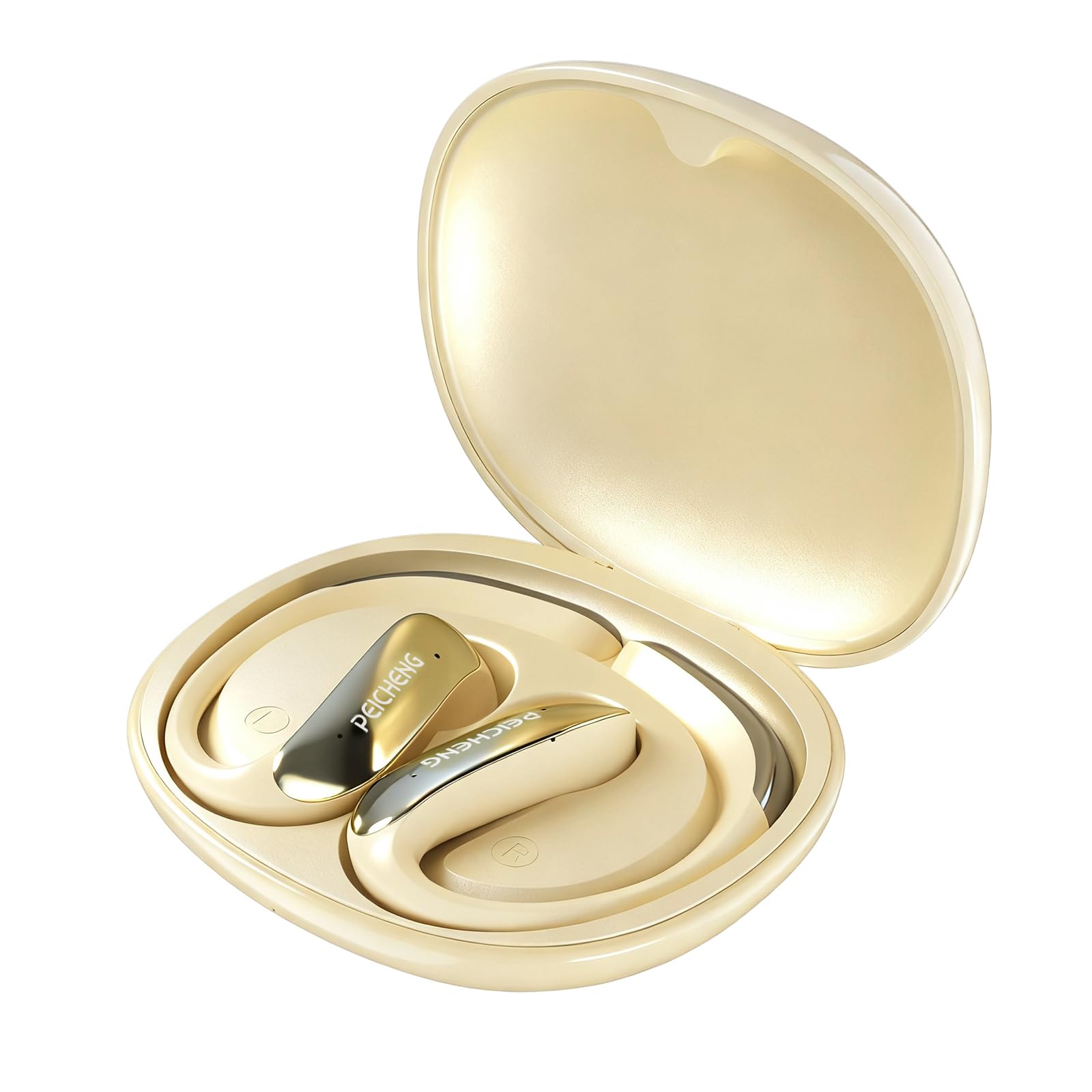
Figure 3.1: PEICHENG PC-01 Wireless Bluetooth Earphones and Charging Case.
תכונות עיקריות:
- BlueSignal 6.0 Technology: Ensures stable, faster, and efficient wireless connections with low latency.
- אודיו ברזולוציה גבוהה: Delivers immersive sound with deep, powerful bass.
- Over-Ear Hook Design: Provides a secure and comfortable fit for extended wear.
- בנייה קלה: Enhances comfort and reduces ear fatigue.
- Self-contained Space Audio: Creates an immersive sound experience.
- נקה שיחה: Integrated microphones ensure sharp and intelligible conversations.
- מקרה טעינה נייד: 300mAh capacity for all-day power.

איור 3.2: מעלview of PEICHENG Wireless Earbuds features.

Figure 3.3: Internal driver design for immersive sound.

Figure 3.4: Compact and portable charging case.
4. התקנה
4.1 טעינת האוזניות והמארז
Before first use, fully charge the earphones and charging case. The charging case has a 300mAh battery capacity, providing multiple charges for the earphones.
- הניחו את האוזניות במארז הטעינה, וודאו שהן ממוקמות כראוי.
- Connect a USB Type-C charging cable to the charging port on the case and plug the other end into a compatible USB power source.
- נוריות החיווי על המארז יציגו את מצב הטעינה. טעינה מלאה אורכת בדרך כלל כשעתיים.
4.2 זיווג בלוטות '
The PEICHENG PC-01 earphones use BlueSignal 6.0 technology for efficient pairing with various devices.
- ודאו שהאוזניות טעונות ומונחות במארז הטעינה.
- Open the charging case. The earphones will automatically enter pairing mode, indicated by a flashing LED light (specific color/pattern not provided, assume standard).
- On your device (smartphone, tablet, laptop, smartwatch, TV), go to the Bluetooth settings.
- חפש available devices and select "PEICHENG PC-01" from the list.
- Once connected, the LED indicator on the earphones will typically stop flashing or change to a solid light.
- האוזניות יתחברו מחדש אוטומטית למכשיר האחרון שצומד לאחר הוצאתן מהמארז, אם Bluetooth מופעל במכשיר.

Figure 4.1: BlueSignal 6.0 connectivity with various devices.
5. הוראות הפעלה
The PEICHENG PC-01 earphones feature touch controls for managing audio playback and calls.
5.1 פקדי מגע
The touch-sensitive area on each earphone allows for various functions. Specific gestures and their corresponding actions are detailed below:
- הפעל/השהה: נגיעה אחת על כל אחת מהאוזניות.
- הרצועה הבאה: הקש פעמיים על האוזניה הימנית.
- רצועה קודמת: הקש פעמיים על האוזניה השמאלית.
- מענה/סיום שיחה: נגיעה אחת על כל אחת מהאוזניות במהלך שיחה נכנסת.
- דחה שיחה: לחץ והחזק את האחת מהאוזניות במהלך שיחה נכנסת.
- הפעל את Assistant Voice: הקש שלוש פעמים על כל אחת מהאוזניות (אם המכשיר שלך תומך בכך).
Note: Volume control is managed directly from your connected device.
5.2 פונקציונליות שיחות
The integrated microphones ensure clear communication during calls.
- When a call comes in, tap either earphone once to answer.
- To end an active call, tap either earphone once.
- To reject an incoming call, press and hold either earphone.

Figure 5.1: Earbud in use for clear calling.
5.3 מצבי שמע
The earphones feature Self-contained Space Audio, designed to provide an immersive listening experience by creating a sense of isolated sound.

Figure 5.2: Self-contained Space Audio feature.
6. תחזוקה
תחזוקה נכונה מבטיחה את אורך החיים והביצועים של האוזניות שלכם.
- ניקוי: Use a soft, dry cloth to clean the earphones and charging case. Avoid using abrasive materials or harsh chemicals.
- אִחסוּן: כאשר אינן בשימוש, אחסנו את האוזניות בנרתיק הטעינה שלהן כדי להגן עליהן מפני אבק ונזק.
- חשיפה למים: The earphones are not specified as waterproof. Avoid exposure to water or excessive moisture.
- טֶמפֶּרָטוּרָה: אין לחשוף את האוזניות או את המארז לטמפרטורות קיצוניות (חמות או קור).
7. פתרון תקלות
If you encounter issues with your PEICHENG PC-01 earphones, refer to the following common solutions:
| בְּעָיָה | פִּתָרוֹן |
|---|---|
| האוזניות לא מתחברות |
|
| אין קול או עוצמת קול נמוכה |
|
| אוזניות לא נטענות |
|
| Touch controls unresponsive or delayed |
|
8. מפרטים
| תכונה | פְּרָט |
|---|---|
| שם הדגם | PC-01 |
| מותג | PEICHENG |
| טכנולוגיית קישוריות | אלחוטי, Bluetooth |
| גרסת בלוטות' | 6.0 (BlueSignal 6.0) |
| מיקום אוזניים | מעל אוזן |
| גורם צורה | מעל אוזן |
| סוג מנהל התקן שמע | מנהל התקן דינמי |
| עַכָּבָּה | 15 אוהם |
| בקרת רעש | אַף לֹא אֶחָד |
| תכונה מיוחדת | Self-contained Space Audio |
| שיטת בקרה | לָגַעַת |
| חיי סוללה (אוזניות) | 5 שעות |
| מארז טעינה קיבולת סוללה | 300mAh |
| זמן טעינה | בערך 2 שעות |
| ממשק חומרה | USB סוג C |
| מכשירים תואמים | Smartphones, Notebooks, Tablets, TVs, Smartwatches |
| חוֹמֶר | פלסטיק, סיליקון |
| מידות המוצר | 3.2 x 2.8 x 1.4 אינץ' |
| משקל פריט | 5 אונקיות |
| UPC | 607606229639 |
9. סרטון מוצר רשמי
סרטון 9.1: אוברview of the PEICHENG PC-01 Wireless Bluetooth Earphones, showcasing their design, features, and charging capabilities.
10. אחריות ותמיכה
For warranty information or technical support, please refer to the documentation included with your purchase or contact PEICHENG customer service through the retailer where the product was purchased. Keep your proof of purchase for warranty claims.