
1. הקדמה
Thank you for choosing the WOSPORTS Golf Range Finder H-116 and Golf Cart Phone Holder. This manual provides detailed instructions for the proper setup, operation, and maintenance of your new devices. Please read this manual thoroughly before use to ensure optimal performance and longevity of your products.
2. מידע בטיחות
- Do not look directly into the sun or any bright light source through the rangefinder, as this may cause permanent eye damage.
- Keep the devices away from extreme temperatures, moisture, and direct sunlight.
- אל תנסה לפרק או לתקן את המכשירים בעצמך. צור קשר עם תמיכת הלקוחות לקבלת סיוע.
- הרחק מהישג ידם של ילדים.
- Ensure the phone holder is securely attached to the golf cart and the phone is firmly seated before moving the cart.
3. תכולת החבילה
אנא בדקו את החבילה עבור הפריטים הבאים:
- WOSPORTS Golf Range Finder H-116
- WOSPORTS Golf Cart Phone Holder
- Carrying Case for Range Finder
- מטלית לניקוי
- מדריך למשתמש
- USB Charging Cable (for Range Finder, if applicable)
4. המוצר נגמרview
4.1 WOSPORTS Golf Range Finder H-116
The WOSPORTS H-116 Golf Range Finder is designed to provide accurate distance measurements on the golf course. Key features include:
- שיפוע פעיל/כבוי: Provides compensated distance for uphill/downhill shots. Can be switched off for tournament play.
- הר מגנטי: Integrated magnet for easy attachment to golf cart frames.
- הגדלה פי 6: בָּרוּר viewירי למטרות עד 1200 יארד.
- מצב סריקה: Continuously measures distances to multiple targets.
- נעילת דגל עם רטט: מאשר רכישת מטרה באמצעות רטט קצר.
- H/V Distance & Angle Measure: Displays horizontal/vertical distance and angle.

תמונה: מעלview of the WOSPORTS Golf Range Finder H-116, highlighting its main features such as slope on/off, magnetic mount, 6x magnification, scan mode, flag lock with vibration, H/V distance, and angle measure.
4.2 WOSPORTS Golf Cart Phone Holder
The WOSPORTS Golf Cart Phone Holder provides a secure and convenient way to mount your smartphone on a golf cart. It features:
- אחיזה מגנטית חזקה: Utilizes N54 magnets for a firm grip on your phone.
- Extra-Wide Magnetic Plate: Ensures broad contact for enhanced stability.
- מתכוונן Viewזווית ing: Allows for optimal screen positioning.

Image: The WOSPORTS Golf Cart Phone Holder securely holding a smartphone displaying a golf course map, demonstrating its strong magnetic hold.
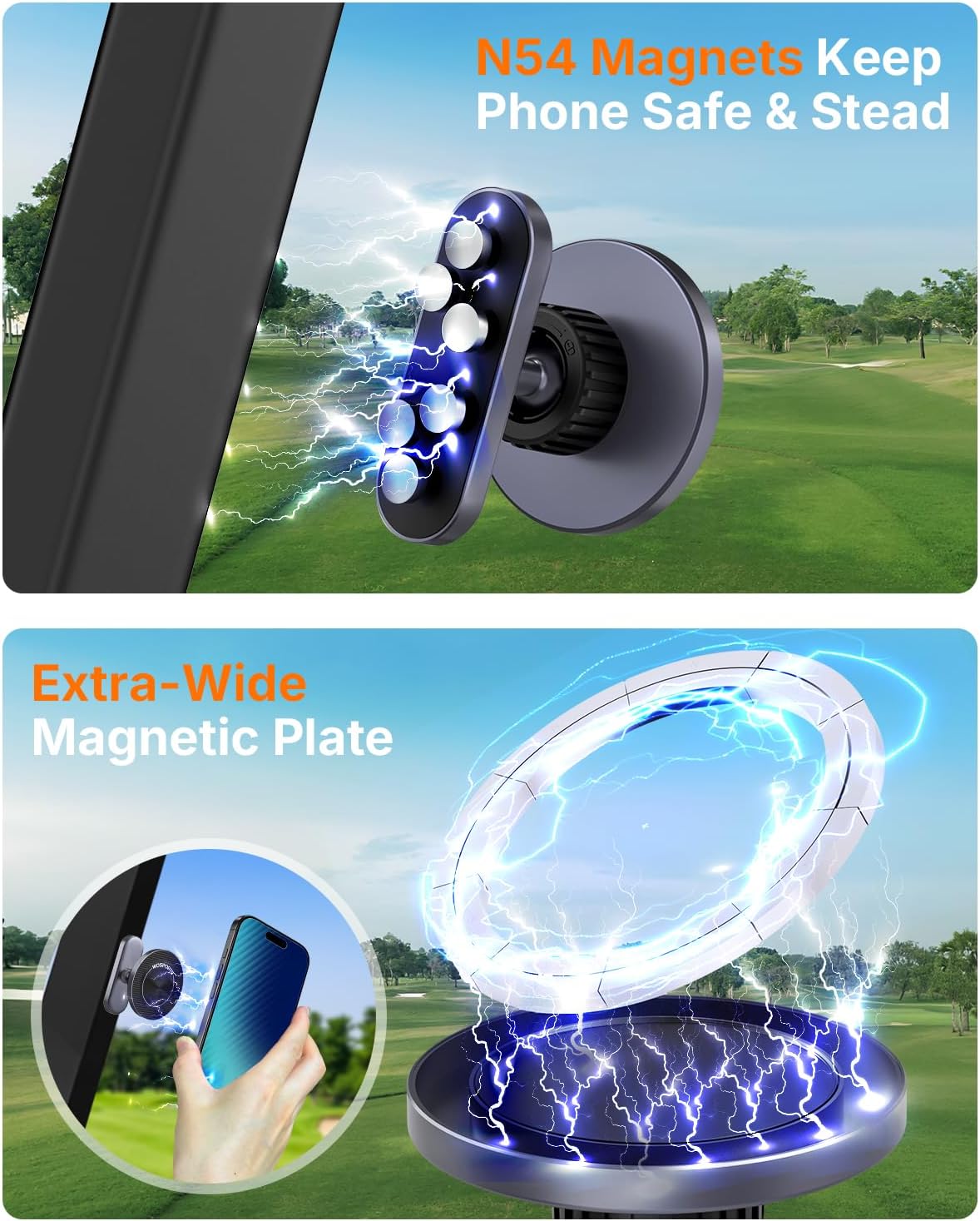
תמונה: מפורט view of the N54 magnets and the extra-wide magnetic plate, illustrating the robust design of the phone holder for secure attachment.
5. התקנה
5.1 Range Finder H-116
- התקנת סוללה: Open the battery compartment (typically located on the side or bottom). Insert a CR2 3V battery, ensuring correct polarity. Close the compartment securely.
- הפעלה: לחץ פעם אחת על כפתור ההפעלה/כיבוי כדי להפעיל את הצג.
- Attaching to Golf Cart: The rangefinder features a strong integrated magnet. Simply place the side of the rangefinder with the magnet against a metal surface on your golf cart (e.g., the cart frame or steering column) to secure it.

Image: The WOSPORTS Range Finder H-116 shown magnetically attached to the frame of a golf cart, demonstrating its secure and convenient mounting.
5.2 Golf Cart Phone Holder
- Mounting to Cart: The phone holder typically attaches to the golf cart's windshield frame or other suitable bar using its adjustable clamp. הדק את ה- clamp בחוזקה כדי למנוע תנועה.
- מצרף טלפון: Ensure your phone has a magnetic-compatible case or attach the provided metal plate to your phone or phone case. Align your phone with the magnetic surface of the holder until it snaps securely into place.
6. הוראות הפעלה
6.1 Using the Range Finder H-116
- מדידת מרחק: Look through the eyepiece. Aim the reticle at your target. Press the Power/Fire button once. The distance will be displayed in the viewמוֹצֵא.
- פיצוי שיפוע: The H-116 features a physical slope switch. Slide the switch to the 'ON' position to activate slope compensation, which calculates the adjusted distance based on elevation changes. Slide to 'OFF' for tournament legal play.

Image: The WOSPORTS Range Finder H-116 illustrating how slope compensation works and showing the physical slope switch in the 'Slope Off' position.
- נעילת דגל עם רטט: When targeting a flagstick, slowly pan the rangefinder across the flag. The device will vibrate briefly once the flag is locked, and the distance will be displayed.
- מצב סריקה: Press and hold the Power/Fire button to activate scan mode. Pan the rangefinder across multiple targets to get continuous distance readings. Release the button to exit scan mode.
- Switching Units (Yards/Meters): While the device is on, press and hold the Mode button (usually located near the Power/Fire button) to switch between yards (Y) and meters (M).
6.2 Using the Golf Cart Phone Holder
- Securing Your Phone: Once the holder is mounted, simply place your magnetic-compatible phone onto the holder. The strong N54 magnets will hold it firmly.
- מתכוונן Viewזווית ing: The phone holder typically allows for rotation and tilt. Adjust your phone to the desired viewing angle for easy access to golf apps, GPS, or for recording your swing.

Image: A smartphone securely held by the golf cart phone holder, positioned to record a golfer's swing, demonstrating its hands-free functionality.
7. תחזוקה
- ניקוי: Use the provided cleaning cloth to gently wipe the lenses of the rangefinder. For the body of both devices, use a soft, damp בַּד. אין להשתמש בחומרי ניקוי שוחקים או ממסים.
- אִחסוּן: When not in use, store the rangefinder in its protective carrying case. Store both devices in a cool, dry place away from direct sunlight.
- סוֹלְלָה: If the rangefinder will not be used for an extended period, remove the battery to prevent leakage.
8. פתרון תקלות
| בְּעָיָה | סיבה אפשרית | פִּתָרוֹן |
|---|---|---|
| Rangefinder does not power on. | סוללה חלשה או מתה; התקנה שגויה של הסוללה. | Replace battery or ensure it is inserted with correct polarity. |
| קריאות מרחק לא מדויקות. | חסימת עדשה; כיוון לא יציב; תנאי מזג אוויר קיצוניים. | Clean lenses; ensure stable aim; re-measure in clear conditions. |
| נעילת הדגל לא עובדת. | Target too far or too small; unstable aiming. | Ensure flag is within range; hold steady; try scan mode. |
| Phone not holding securely. | Phone case not magnetic-compatible; metal plate not attached. | Use a magnetic-compatible case or attach the provided metal plate to your phone/case. |
9. מפרטים
9.1 WOSPORTS Golf Range Finder H-116
- טווח מדידה: 5-1200 יארד
- הַגדָלָה: 6x
- דִיוּק: ±1 יארד
- פיצוי שיפוע: Yes, with On/Off switch
- נעילת דגל: Yes, with Vibration
- מצב סריקה: כֵּן
- יחידות: מטרים/מטרים
- סוג סוללה: CR2 3V (לא כלול)
- הר מגנטי: Integrated strong magnet
9.2 WOSPORTS Golf Cart Phone Holder
- סוג מגנט: מגנטים חזקים N54
- הַרכָּבָה: Clamp-style for golf cart bars
- תְאִימוּת: Universal for smartphones with magnetic-compatible cases or metal plates.
10. אחריות ותמיכה
WOSPORTS products are backed by a limited warranty. For specific warranty details, please refer to the warranty card included with your product or visit the official WOSPORTS website. If you encounter any issues or have questions regarding your WOSPORTS Golf Range Finder H-116 or Golf Cart Phone Holder, please contact WOSPORTS customer support through the retailer where you purchased the product or via the contact information provided on the official WOSPORTS webאֲתַר.
WOSPORTS Official Webאֲתַר: Visit the WOSPORTS Store on Amazon