
מָבוֹא
This manual provides detailed instructions for the installation, operation, and maintenance of the ASUS B760M-AYW WiFi D4 II microATX motherboard. Please read this manual thoroughly before installing or using the product to ensure correct setup and optimal performance.
מידע בטיחות
- יש לנתק תמיד את כבל החשמל משקע הקיר לפני נגיעה ברכיבים פנימיים כלשהם.
- Wear an anti-static wrist strap or frequently touch a grounded object to prevent electrostatic discharge (ESD) damage to components.
- יש להחזיק את הרכיבים בקצוותיהם כדי להימנע ממגע עם חלקים רגישים.
- ודא אוורור נאות בתוך מארז המחשב שלך כדי למנוע התחממות יתר.
הגדרה
1. התקנת מעבד
The motherboard supports Intel LGA 1700 socket processors. Carefully align the CPU with the socket, ensuring the triangular mark on the CPU matches the mark on the socket. Lower the CPU gently into the socket, then close the load plate and secure the retention lever.
תמונה: מלמעלה למטה view of the ASUS B760M-AYW WiFi D4 II motherboard, highlighting the LGA 1700 CPU socket.
2. התקנת זיכרון (RAM)
This motherboard features two DDR4 DIMM slots. For optimal performance, install memory modules in a dual-channel configuration. Open the clips on both ends of the DIMM slot, align the memory module with the slot key, and press down firmly until the clips snap into place.
3. התקנת אחסון (M.2 ו-SATA)
The motherboard includes two M.2 slots for NVMe SSDs and four SATA 6 Gbps ports for traditional hard drives or SSDs.
- SSD M.2: Insert the M.2 SSD into the slot at a 30-degree angle, then push it down and secure it with the provided M.2 screw package.
- כונני SATA: Connect SATA data cables from your storage drives to the SATA ports on the motherboard. Connect power cables from your power supply to the drives.

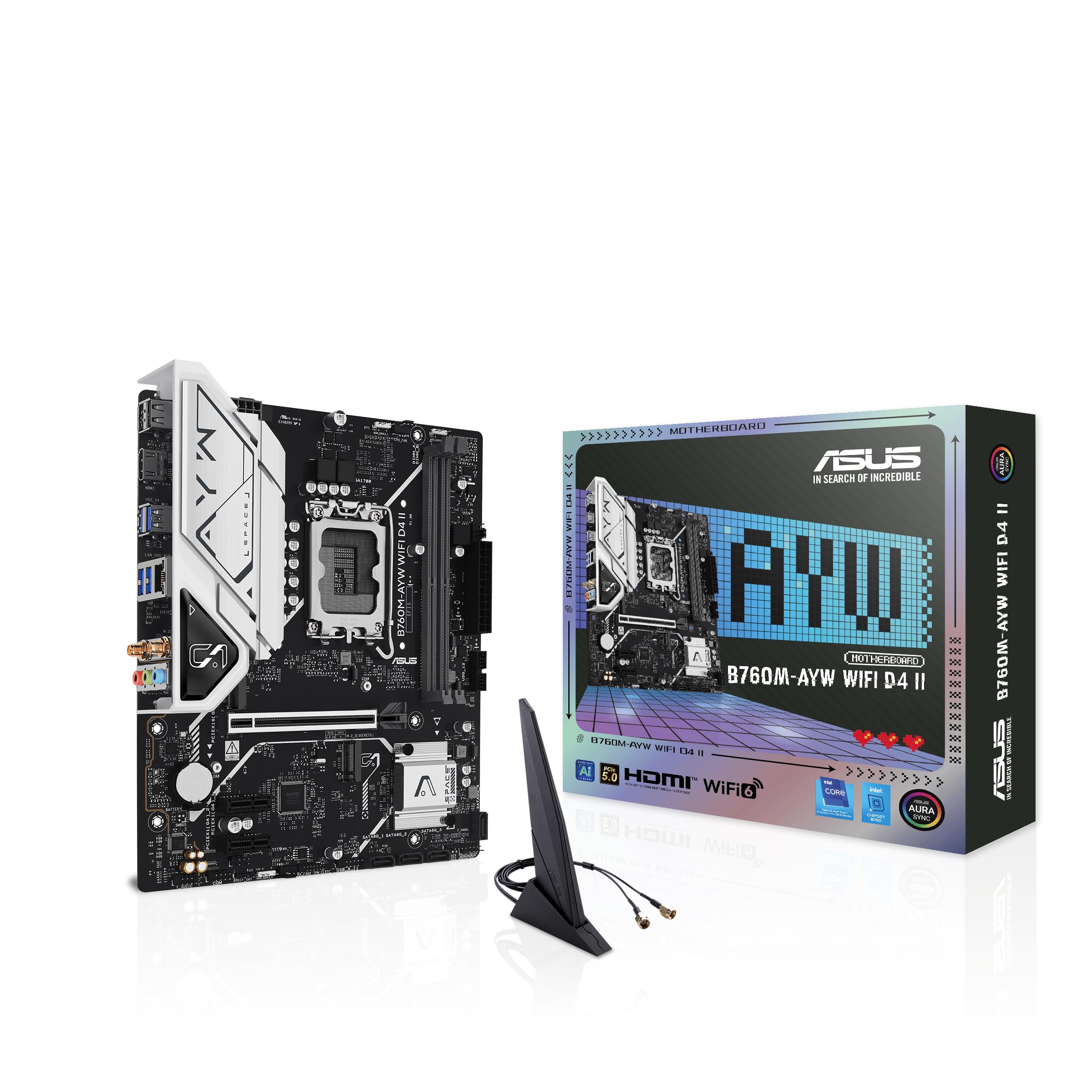
Image: The ASUS B760M-AYW WiFi D4 II motherboard shown with its retail box, Wi-Fi antenna, SATA cables, and M.2 screw packages.
4. התקנת כרטיס הרחבה (PCIe)
The motherboard features one PCIe 5.0 x16 slot for graphics cards and additional PCIe 4.0 x1 slots for other expansion cards. Insert the card firmly into the desired slot until it clicks into place and secure it with a case screw.
5. חיבורי חשמל
חבר את מחבר החשמל ATX בן 24 הפינים ואת מחבר החשמל של המעבד בן 8 הפינים מספק הכוח שלך ליציאות המתאימות בלוח האם.
6. חיבורי לוח קדמי
Connect your PC case's front panel cables (USB 5Gbps, audio, power switch, reset switch, power LED, HDD LED) to the corresponding headers on the motherboard. Refer to the motherboard layout for exact header locations.
7. Rear I/O Connections
Connect your peripherals to the rear I/O ports. These include HDMI, USB 5Gbps Type-A, Realtek 2.5Gb Ethernet, and audio jacks.
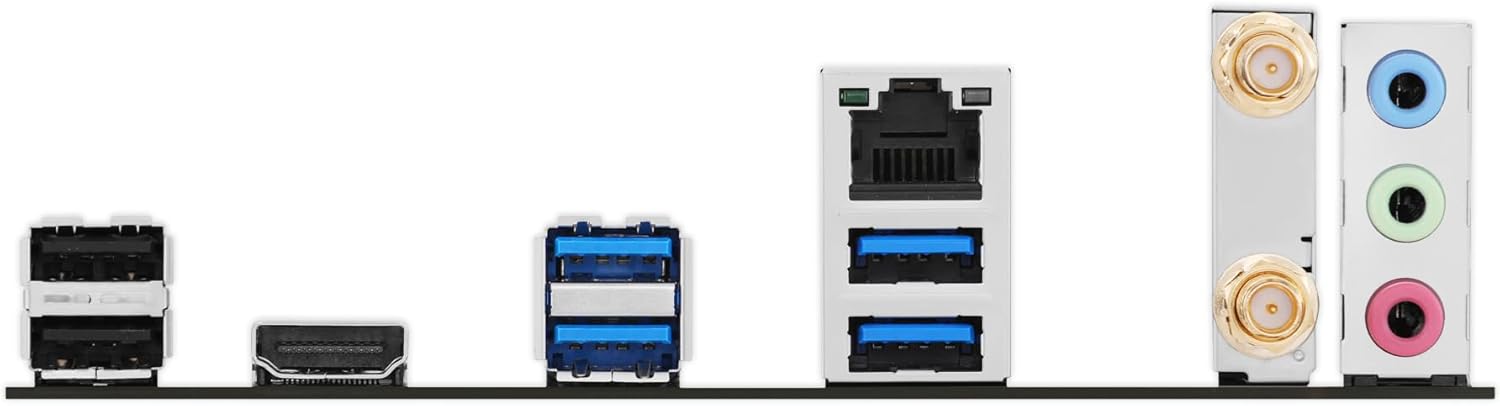
תמונה: מפורט view of the rear input/output panel of the ASUS B760M-AYW WiFi D4 II motherboard, showing USB ports, Ethernet, and audio jacks.
8. התקנת אנטנת Wi-Fi
Screw the included Wi-Fi antenna onto the two antenna connectors on the rear I/O panel. Position the antenna for optimal signal reception.
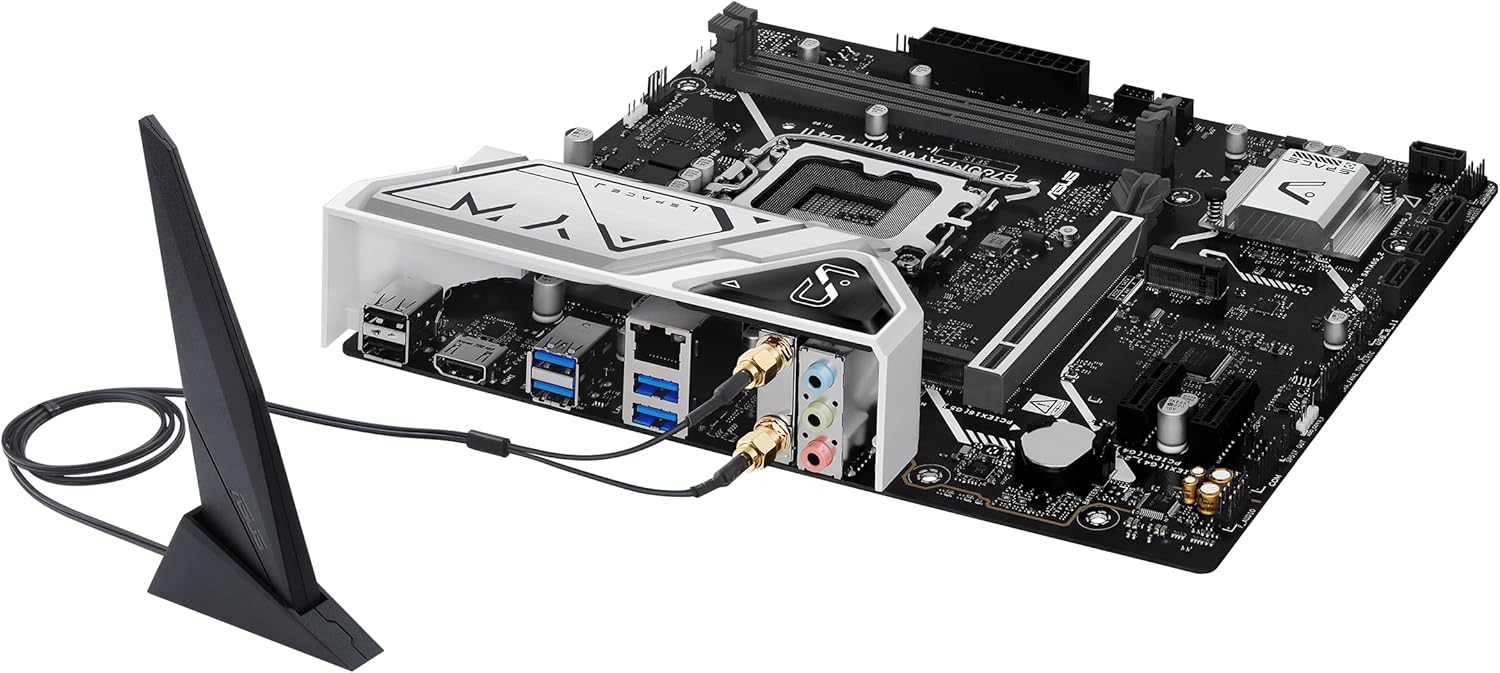
Image: The ASUS B760M-AYW WiFi D4 II motherboard with its external Wi-Fi antenna connected to the rear I/O ports.
פועל
1. תצורת BIOS/UEFI
כדי לגשת לכלי השירות להגדרת BIOS/UEFI, לחצו על לִמְחוֹק key during the Power-On Self-Test (POST). Here you can configure boot order, enable XMP for memory, adjust fan speeds, and manage other system settings.
2. התקנת דרייבר
After installing your operating system, install the necessary drivers for the motherboard's components. These include chipset drivers, LAN drivers, Wi-Fi drivers, and audio drivers. Drivers can be found on the ASUS support webאתר עבור דגם לוח האם הספציפי שלך.
3. כלי עזר לתוכנה
ASUS provides several utilities to enhance your system experience:
- סנכרון הילה: For controlling RGB lighting on compatible components.
- מאוורר אקספרט 2+: לבקרת מאווררים מתקדמת ואופטימיזציה של קירור המערכת.
- ארגז נשק: A centralized software suite for system monitoring, driver updates, and utility management.
תַחזוּקָה
1. עדכוני BIOS
בדוק מעת לעת את התמיכה של ASUS website for BIOS updates. BIOS updates can improve system stability, add support for new hardware, or fix bugs. Use the ASUS EZ Flash utility within the BIOS to perform updates, following the instructions carefully.
2. עדכוני מנהלי התקנים
Keep your drivers updated to ensure optimal performance and compatibility. Regularly check the ASUS support website for the latest drivers for your motherboard.
3. ניקיון
To maintain optimal performance and longevity, regularly clean dust from your PC case and motherboard components. Use compressed air to remove dust from heatsinks, fans, and slots. Ensure the system is powered off and unplugged before cleaning.
פתרון בעיות
1. Q-LED Core Indicators
The motherboard features Q-LED Core indicators that light up to indicate the status of key components during POST. These LEDs can help diagnose issues:
- נורית LED של המעבד: Indicates CPU initialization status.
- נורית DRAM: Indicates memory detection status.
- נורית LED של VGA: Indicates graphics card detection status.
- נורית אתחול: Indicates boot device detection status.
If an LED remains lit, it suggests an issue with the corresponding component.
2. בעיות נפוצות
- אין כוח: Check all power connections (24-pin ATX, 8-pin CPU, GPU power). Ensure the power supply is switched on.
- אין תצוגה: Verify the graphics card is properly seated and connected to power. Ensure the monitor cable is connected to the graphics card, not the motherboard (unless using integrated graphics).
- חוסר יציבות מערכתית: Check memory seating, run memory diagnostic tools, ensure CPU cooler is properly installed, and verify BIOS settings.
- לא זוהה ציוד היקפי: Ensure the device is properly connected and its drivers are installed. Try a different port if available.
מפרטים
| תכונה | מִפרָט |
|---|---|
| מותג | ASUS |
| שם הדגם | B760M-AYW WIFI D4 II |
| שקע מעבד | LGA 1700 |
| מעבדים תואמים | Intel Core 14th, 13th, 12th Gen, Pentium Gold, Celeron Processors |
| סוג ערכת שבבים | אינטל B760 |
| טכנולוגיית זיכרון RAM | DDR4 |
| חריצי זיכרון זמינים | 2 |
| קיבולת אחסון זיכרון מקסימלית | 96 ג'יגה-בייט |
| ממשק כרטיס מסך | PCI Express 5.0 x16 |
| Total M.2 Slots | 2 |
| Total SATA Ports | 4 |
| אתרנט | אתרנט של ריאלטק בגודל 2.5 ג'יגה-בייט |
| Wi-Fi | Wi-Fi 6 |
| יציאות HDMI | 1 |
| USB קדמי | USB 5Gbps support |
| USB אחורי | USB 5Gbps Type-A |
| גורם צורה | microATX |
| מידות פריט (L x W x H) | אורך 9.6 אינץ', רוחב 8.3 אינץ', גובה 1.4 אינץ' |
מידע על אחריות
The ASUS B760M-AYW WiFi D4 II motherboard comes with a 3-year limited warranty. For detailed terms and conditions, please refer to the warranty card included with your product or visit the official ASUS support webאֲתַר.
תְמִיכָה
לתמיכה טכנית, הורדות מנהלי התקנים, עדכוני BIOS ומידע נוסף על המוצר, אנא בקרו באתר התמיכה הרשמי של ASUS webאֲתַר:
You can also find FAQs and troubleshooting guides on the support portal.