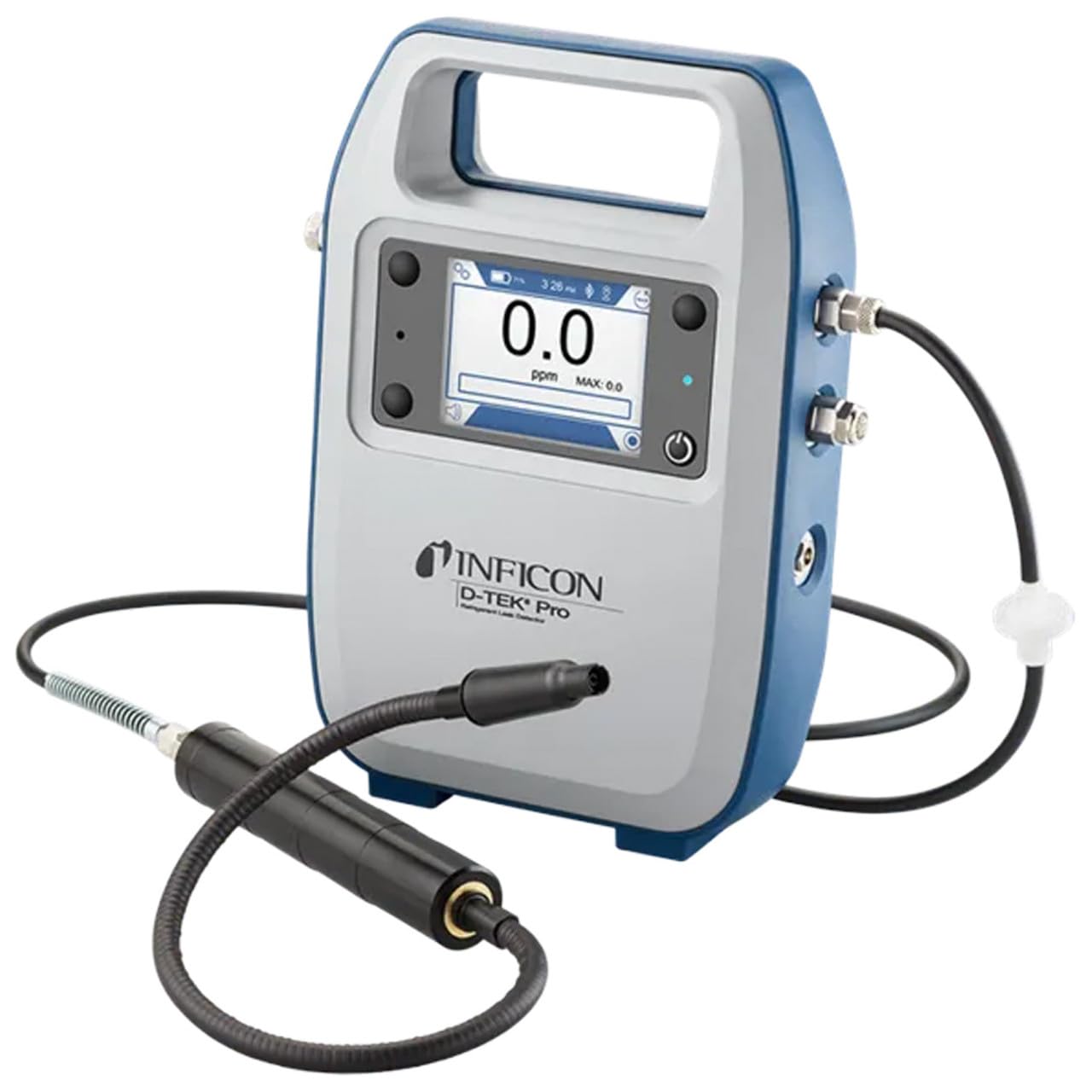
Inficon D-TEK Pro Refrigerant Leak Detector User Manual
דגם: 508-202-G1
1. הקדמה
The Inficon D-TEK Pro Refrigerant Leak Detector is designed for precise and rapid detection of refrigerant leaks. This device offers high sensitivity and an all-in-one Pro Mode for efficient leak identification. This manual provides essential information for the proper setup, operation, and maintenance of your D-TEK Pro.
2. מידע בטיחות
יש להקפיד תמיד על אמצעי הזהירות הבאים כדי למנוע פגיעה ונזק למכשיר:
קרא את כל ההוראות לפני הפעלת המכשיר.
השתמש במכשיר רק כמתואר במדריך זה.
אין לחשוף את המכשיר לטמפרטורות קיצוניות או לחות.
יש לוודא אוורור נאות בעת עבודה עם נוזלי קירור.
יש ללבוש ציוד מגן אישי (PPE) מתאים כגון כפפות ומגן עיניים.
Do not attempt to service the device beyond what is described in the maintenance section. Refer all other servicing to qualified personnel.
3. מה בקופסה
ודא שכל הפריטים נמצאים בעת הוצאת האריזה:
(1) D-TEK Pro Refrigerant Leak Detector
(1) Soft case with shoulder strap
(1) Spare filters
(1) Phone holder
(1) כבל טעינה
4. התקנה
4.1 טעינת המכשיר
The D-TEK Pro is powered by a rechargeable battery. Before first use, fully charge the device.
Connect the provided charging cable to the charging port on the D-TEK Pro.
Plug the other end of the charging cable into a suitable power source.
The charging indicator on the device will illuminate. Allow sufficient time for a full charge.
4.2 חיבור מחזיק הטלפון
The included phone holder allows for convenient mobile device integration.
Locate the attachment point for the phone holder on the D-TEK Pro.
Securely attach the phone holder according to its design.
Place your mobile device into the holder, ensuring it is stable.
5. הוראות הפעלה
5.1 הפעלה/כיבוי
כדי להפעיל, לחץ והחזק את לחצן ההפעלה עד שהתצוגה תידלק.
כדי לכבות, לחץ והחזק את לחצן ההפעלה עד שהמכשיר יכבה.
5.2 Using Pro Mode for Leak Detection
The D-TEK Pro features an all-in-one Pro Mode that combines cloud hunting and pinpointing capabilities, allowing for efficient leak location.
Ensure the device is powered on and in Pro Mode (refer to the display for mode indication).
Move the sensor probe slowly around suspected leak areas. The device's superior airflow allows for detection from a greater distance.
The D-TEK Pro will indicate the presence of refrigerants with high sensitivity, detecting down to 0.1 ppm.
Follow the increasing readings to pinpoint the exact leak source.
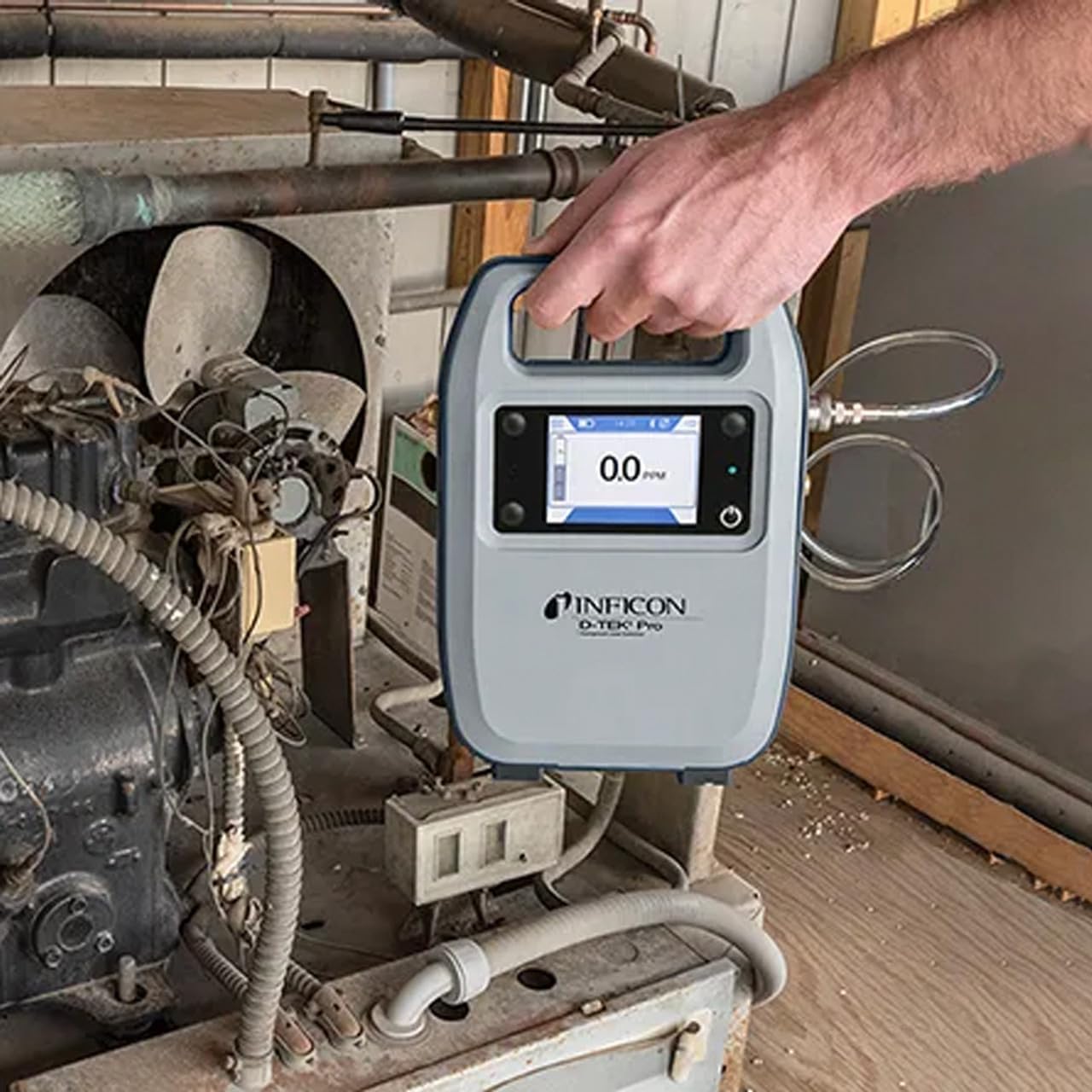
Figure 1: The Inficon D-TEK Pro being used to inspect a refrigeration unit. The display shows a 0.0 ppm reading, indicating no refrigerant detected at the current location. The device is held by a user's hand, demonstrating its portability and ease of use in an industrial setting.
5.3 תאימות נוזל קירור
The D-TEK Pro is designed to detect a wide range of refrigerants, including:
CFC (כלורופלואורוקרבון)
HCFCs (הידרוכלורופלואורופחמנים)
HFC (הידרופלואורופחמנים)
HFOs (הידרופלואורואולפינים)
Blends including A2Ls
5.4 שילוב אפליקציות מובייל
Download the D-TEK Pro mobile app to enhance your leak detection workflow.
Customer Reports: Generate detailed reports with photos and ppm tracking.
מעקב GPS: Confirm job location with integrated GPS functionality.
Figure 2: The Inficon D-TEK Pro connected to a smartphone, showcasing the mobile application's interface. This setup allows users to view real-time leak detection data, generate reports, and utilize GPS tracking for job site verification.
6. תחזוקה
6.1 טיפול וניקוי כללי
To ensure optimal performance and longevity of your D-TEK Pro:
נגב את המכשיר עם רך, דamp בַּד. אין להשתמש בחומרי ניקוי שוחקים או ממסים.
Keep the sensor probe clean and free from debris.
Store the device in its soft case when not in use to protect it from dust and physical damage.
6.2 החלפת מסנן
The D-TEK Pro is designed for low maintenance, requiring no purging and no charcoal filters. However, spare filters are provided for specific applications or if the existing filter becomes visibly soiled or damaged.
Locate the filter housing on the device.
הסר בזהירות את המסנן הישן.
Insert a new spare filter, ensuring it is seated correctly.
7. פתרון תקלות
This section addresses common issues you might encounter with your D-TEK Pro.
בְּעָיָה
סיבה אפשרית
פִּתָרוֹן
המכשיר לא נדלק.
סוללה חלשה או ריקה.
טען את המכשיר באמצעות כבל הטעינה המצורף.
קריאות לא מדויקות או לא עקביות.
Sensor probe is dirty or damaged; environmental interference.
Clean the sensor probe. Ensure proper environmental conditions. If issue persists, contact support.
אפליקציית מובייל לא מתחברת.
Bluetooth issue; app not updated.
Ensure Bluetooth is enabled on both devices. Update the D-TEK Pro app to the latest version.
8. מפרטים
תכונה
פְּרָט
מספר דגם
508-202-G1
משקל פריט
3 פאונד
מידות חבילה
15 x 12 x 4 אינץ'
סוג תצוגה
LCD, LED
מקור כוח
סוללה נטענת
רְגִישׁוּת
רזולוציה של 0.1 עמודים לדקה
Detected Refrigerants
CFCs, HCFCs, HFCs, HFOs, and blends including A2Ls
9. מידע על אחריות
The Inficon D-TEK Pro Refrigerant Leak Detector comes with a אחריות לשנה from the date of purchase. This warranty covers defects in materials and workmanship under normal use. For warranty claims or detailed terms and conditions, please refer to the official Inficon webאתר או צור קשר עם תמיכת הלקוחות.
10. תמיכת לקוחות
For technical assistance, troubleshooting not covered in this manual, or general inquiries, please contact Inficon customer support.
מידע ליצירת קשר: Refer to the Inficon official website for direct contact details (phone, email).
Ask a question about this manual
Ask about setup, troubleshooting, compatibility, parts, safety, or missing instructions. Manuals+ will review the question and use this page’s manual context to help answer it.