
1. הקדמה
This manual provides detailed instructions for the proper use and maintenance of your BOBLOV KJ26 2K Body Camera. Please read this manual thoroughly before operating the device to ensure optimal performance and longevity.
2. תכולת החבילה
ודא שכל הפריטים המפורטים להלן כלולים בחבילה שלך:
- KJ26 Body Camera
- 360° Rotatable Long Clip
- 360° Rotatable Short Clip
- Two Rechargeable Batteries (2000mAh each)
- תחנת עגינה לטעינה
- כבל USB-C
- מדריך למשתמש (מסמך זה)
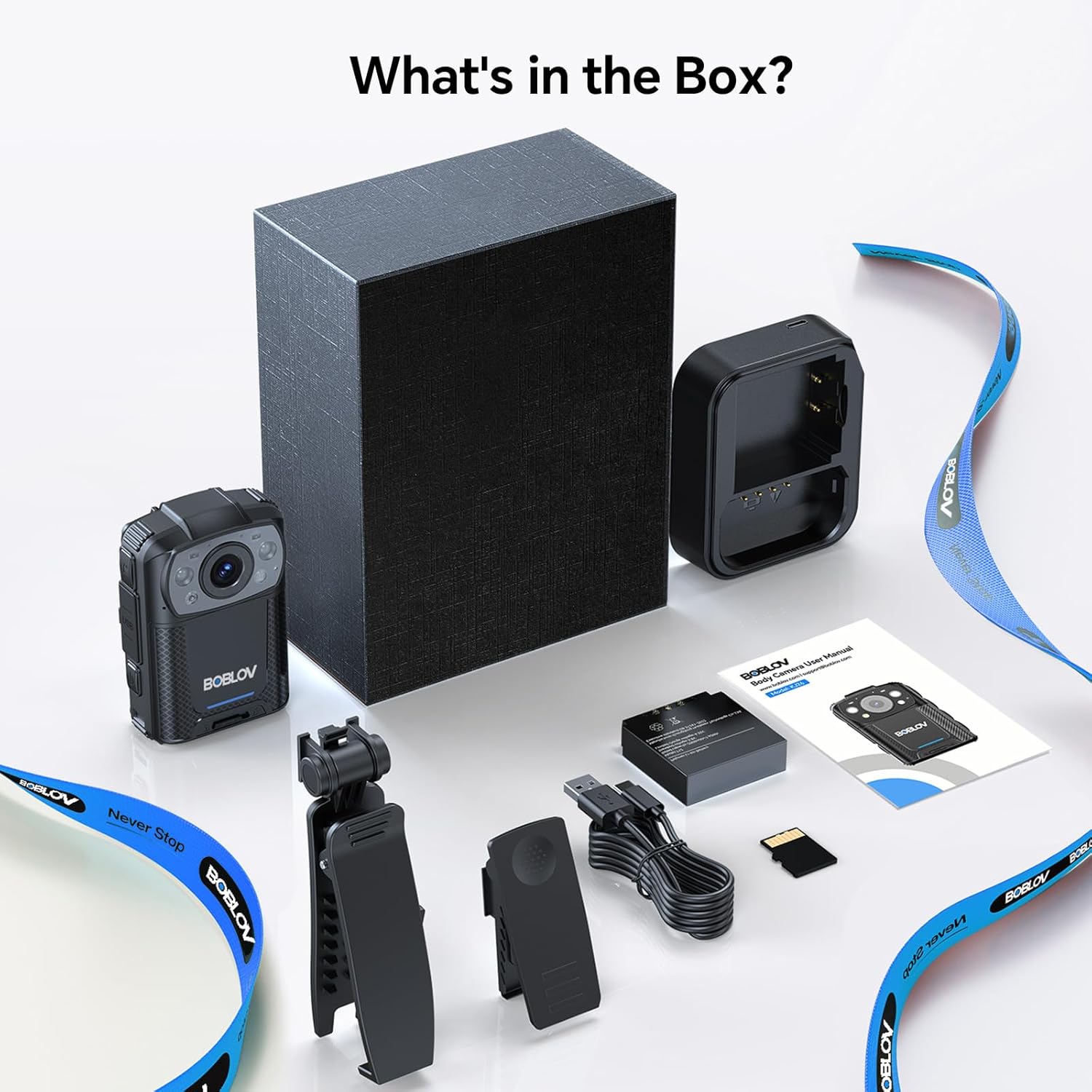
Image: All components included in the BOBLOV KJ26 Body Camera package.

תמונה: ייצוג חזותי של תוכן החבילה.
Video: Official unboxing video for the BOBLOV KJ26 body camera, demonstrating the contents of the package and initial setup.
3. התקנה
3.1. התקנה וטעינה של הסוללה
The KJ26 body camera comes with two 2000mAh rechargeable batteries. Ensure batteries are fully charged before first use.
- Insert a battery into the designated battery compartment on the camera.
- Place the camera onto the charging dock.
- Connect the USB-C cable to the charging dock and a power source.
- נורית חיווי הטעינה תציג את מצב הטעינה.
- To swap batteries, remove the current battery and insert a fresh one.

Image: BOBLOV KJ26 body camera highlighting its dual battery system for extended recording.

Image: Swappable batteries for continuous recording.
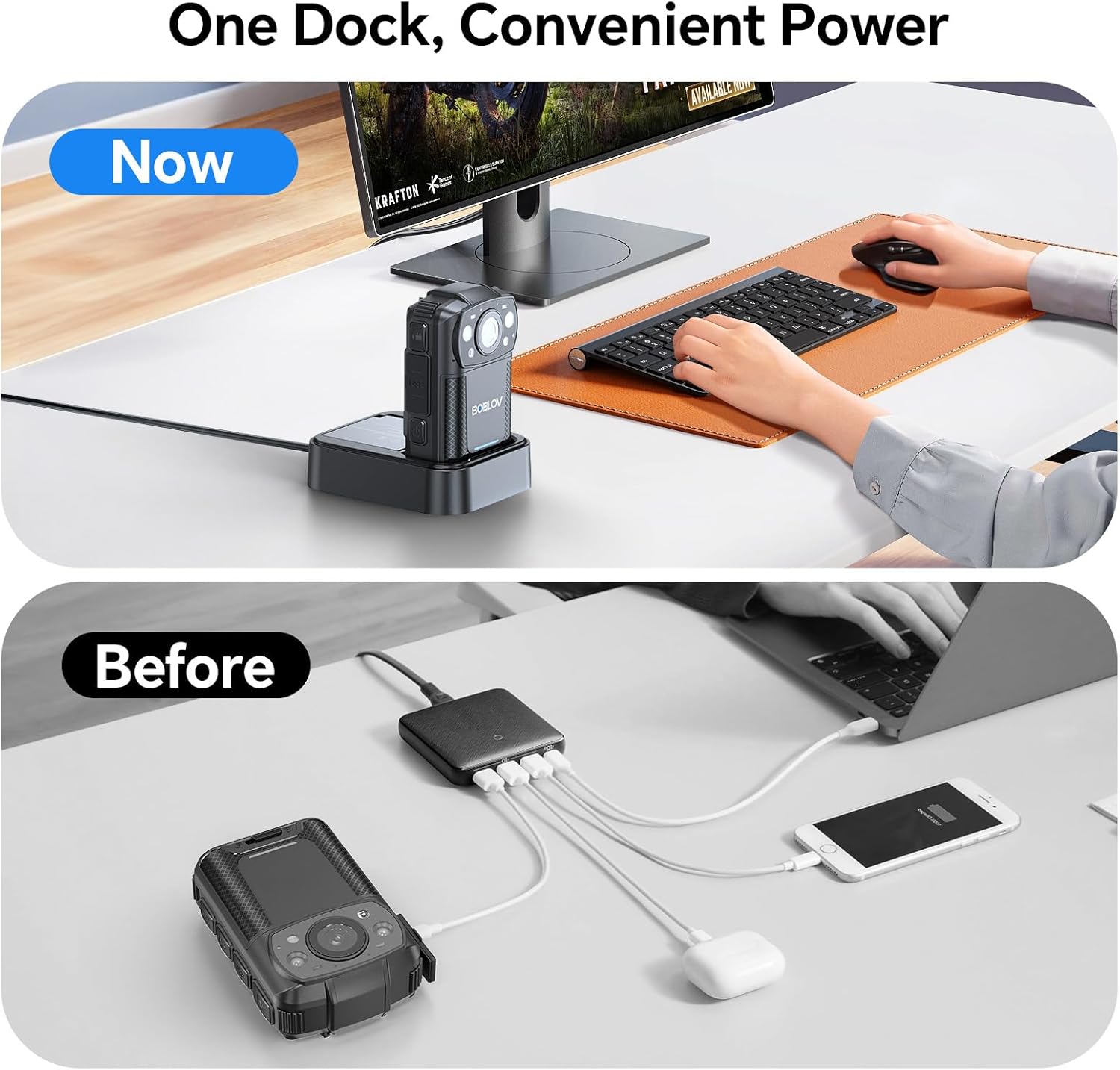
Image: The camera charging in its dedicated dock.
3.2. התקנת כרטיס זיכרון
The camera supports external Micro SD cards for storage expansion. The device comes with a 256GB card installed.
- אתר את חריץ כרטיס ה-Micro SD במצלמה.
- Gently insert the Micro SD card until it clicks into place.
- כדי להוציא, לחץ את הכרטיס פנימה עד שייקפץ החוצה.

Image: The camera supports easy memory card swapping for expanded storage.
3.3. Attaching Clips
Two rotatable clips (long and short) are provided for flexible mounting options.
- Select the appropriate clip (long or short) for your intended use.
- Attach the clip to the back of the camera by sliding it into the designated slot until it locks securely.
- The clip can rotate 360° for optimal positioning.

תמונה: דוגמהamples of flexible mounting with different clip lengths.
4. הוראות הפעלה
4.1. הפעלה/כיבוי
- כדי להפעיל: לחץ והחזק את לחצן ההפעלה עד שהמסך יידלק.
- לכיבוי: לחץ והחזק את לחצן ההפעלה עד שהמכשיר יכבה.
4.2. הקלטת וידאו
The camera records video in 2K, 1080P, or 720P resolution with audio, saving files in MOV format.
- To start recording: Press the Record button. A red indicator light or on-screen icon will confirm recording is active.
- To stop recording: Press the Record button again.
- הקלטת לולאה: The camera supports loop recording, overwriting the oldest files כאשר כרטיס הזיכרון מלא.
- Adjustable Video Length: Video segments can be set to 5, 10 (default), 15, or 20 minutes.

Image: The compact design of the wearable body camera.

Image: Continuous recording with adjustable video segment lengths.
4.3. לכידת תמונה
The camera can also capture still images.
- To take a photo: Press the Photo button.
4.4. ראיית לילה
The KJ26 features infrared LEDs for clear recording in low-light conditions.
- Night vision activates automatically in dark environments.

Image: Night vision capability for reliable surveillance in low light.

Image: Capturing details even in low light conditions.
4.5. תכונות מיוחדות
- זיהוי תנועה: The camera can be set to start recording automatically when motion is detected.
- מצב מצלמת דאש: The device can function as a dash camera, suitable for vehicle use.

Image: The camera mounted in a vehicle, demonstrating dash camera mode.
5. תחזוקה
5.1. ניקיון
- השתמש במטלית רכה ויבשה כדי לנקות את גוף המצלמה.
- עבור העדשה, השתמשו במטלית ותמיסה מיוחדות לניקוי עדשות כדי למנוע שריטות.
- אין להשתמש בכימיקלים קשים או בחומרים שוחקים.
5.2. טיפול בסוללה
- אחסן סוללות במקום קריר ויבש כאשר אינן בשימוש.
- הימנעו מפריקת סוללות באופן מלא לעתים קרובות כדי להאריך את חייהן.
- אם מאחסנים את הסוללות לתקופות ממושכות, יש לטעון אותן עד לכ-50%.
5.3. אחסון
- Store the camera in a protective case to prevent damage from impacts or dust.
- הרחק את המכשיר מטמפרטורות קיצוניות ומאור שמש ישיר.
6. פתרון תקלות
| בְּעָיָה | סיבה אפשרית | פִּתָרוֹן |
|---|---|---|
| המצלמה לא נדלקת. | הסוללה התרוקנה או לא מותקנת כראוי. | Ensure battery is charged and correctly inserted. Try swapping with the second battery. |
| לא ניתן להקליט וידאו. | Memory card is full, corrupted, or not inserted. | Check memory card status. Format the card (this will erase all data). Replace the card if necessary. |
| איכות וידאו ירודה בלילה. | Night vision not active or insufficient ambient light. | Ensure night vision is enabled (if manual setting is available) or that there is some minimal light for the IR sensors to function. |
| המצלמה קופאת או מאבדת את התגובות. | תקלה בתוכנה או שגיאה זמנית. | Press and hold the Power button for 10-15 seconds to force a restart. If issue persists, contact support. |
7. מפרטים
| תכונה | פְּרָט |
|---|---|
| מותג | בובלב |
| מספר דגם | KJ26 |
| רזולוציית לכידת וידאו | 2K, 1080P, 720P |
| טכנולוגיית חיישן צילום | CMOS |
| סוג זיכרון פלאש | מיקרו SD |
| גודל מותקן של זיכרון פלאש | 256 ג'יגה-בייט |
| פורמט לכידת וידאו | MOV |
| פורמט שמע נתמך | AAC, MP3 |
| גודל מסך | 2 אינץ' |
| טכנולוגיית קישוריות | USB |
| תכונות מיוחדות | Audio Recording, Dash Camera Mode, Loop Recording, Motion Detection, Night Vision |
| רמת עמידות במים | לא עמיד במים |
| חיי סוללה ממוצעים | 8 hours (with two batteries) |
| מספר סוללות | 2 (כלול) |
| מצבי צילום | Video Recording, Photo Capture |
| יחס גובה-רוחב תמונה | 16:9 |
| מכשירים תואמים | מחשב נייד, מחשב אישי |
8. מידע על אחריות
מצלמת הגוף BOBLOV KJ26 מגיעה עם אחריות לשנה from the date of purchase. This warranty covers manufacturing defects and malfunctions under normal use. Please retain your proof of purchase for warranty claims. For detailed warranty terms and conditions, please refer to the official BOBLOV webאתר או צור קשר עם תמיכת הלקוחות.
9. תמיכת לקוחות
For technical assistance, troubleshooting, or any inquiries regarding your BOBLOV KJ26 Body Camera, please contact BOBLOV customer support:
- רִשְׁמִי Webאֲתַר: בקר ב חנות בובלוב באמזון לקבלת מידע על המוצר ומשאבי תמיכה.
- דוא"ל/טלפון: Refer to the contact information provided on the official BOBLOV webבאתר או באריזת המוצר שלך.