
1. הקדמה
The MOONDROP Dawn PRO 2 is a high-performance portable Digital-to-Analog Converter (DAC) and Headphone Ampחי יותר (AMP) designed to enhance your audio experience. It features advanced decoding capabilities and versatile connectivity for various devices.
תוכן החבילה
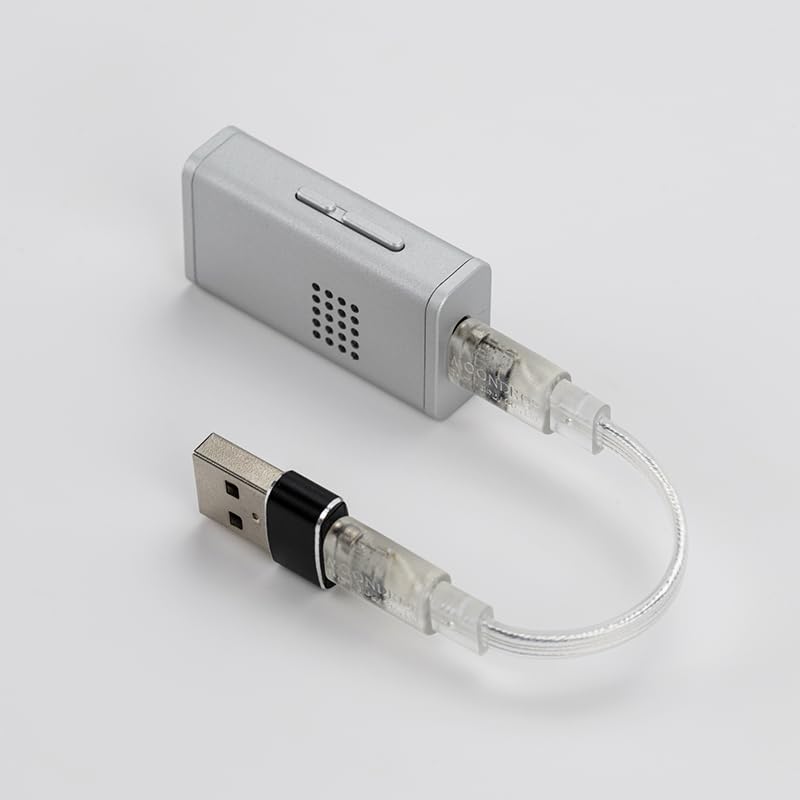
- MOONDROP Dawn PRO 2 Unit x 1
- כבל USB-C ל- USB-C x 1
- מתאם USB-A ל-USB-C x 1
- מדריך למשתמש x 1
- Brand Card x 1
2. התקנה
Follow these steps to set up your Dawn PRO 2 for optimal performance.
מתחבר למכשיר
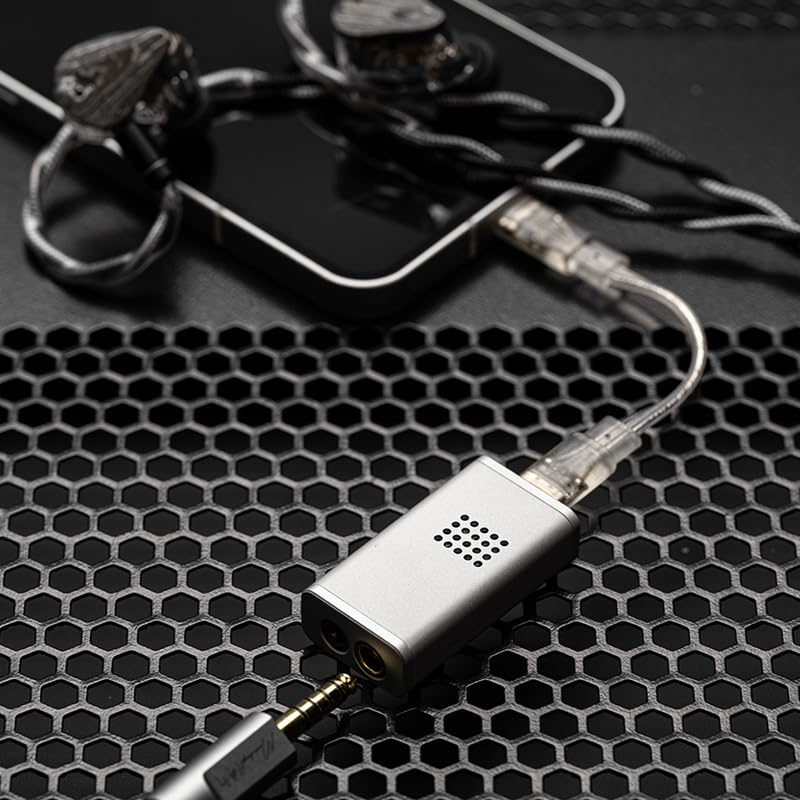
- Identify Host Device Port: Determine if your computer, smartphone, or laptop has a USB-C or USB-A port.
- Select Cable/Adapter:
- For USB-C ports, use the provided USB-C to USB-C cable.
- For USB-A ports, connect the USB-C to USB-C cable to the Dawn PRO 2, then attach the USB-A to USB-C adapter to the other end of the cable.
- Connect Dawn PRO 2: Plug the appropriate cable/adapter into your host device.
- חבר אוזניות: Plug your headphones into either the 3.5mm single-ended or 4.4mm balanced jack on the Dawn PRO 2.

3. הוראות הפעלה
בקרת עוצמת הקול
The Dawn PRO 2 features a 100-level smooth volume control. This allows for precise adjustment of the output volume independently from your smartphone or host device, minimizing signal compression and providing a consistent listening experience.
Online Interactive DSP (Digital Signal Processing)
The Dawn PRO 2 incorporates a 2nd generation online interactive DSP, allowing users to customize and troubleshoot audio parameters. This functionality is accessible via the updated MOONDROP app or a webממשק מבוסס.
Web Tuning Interface
For a more professional and precise tuning experience, the web-based tuning interface offers advanced adjustments for parameters such as filter type, frequency point, gain, and Q value. A compact headphone frequency response database is available for reference.
- Ensure you are using Microsoft Edge (version 135.0 or later) or Google Chrome (version 131.0 or later) to access the tune tool.

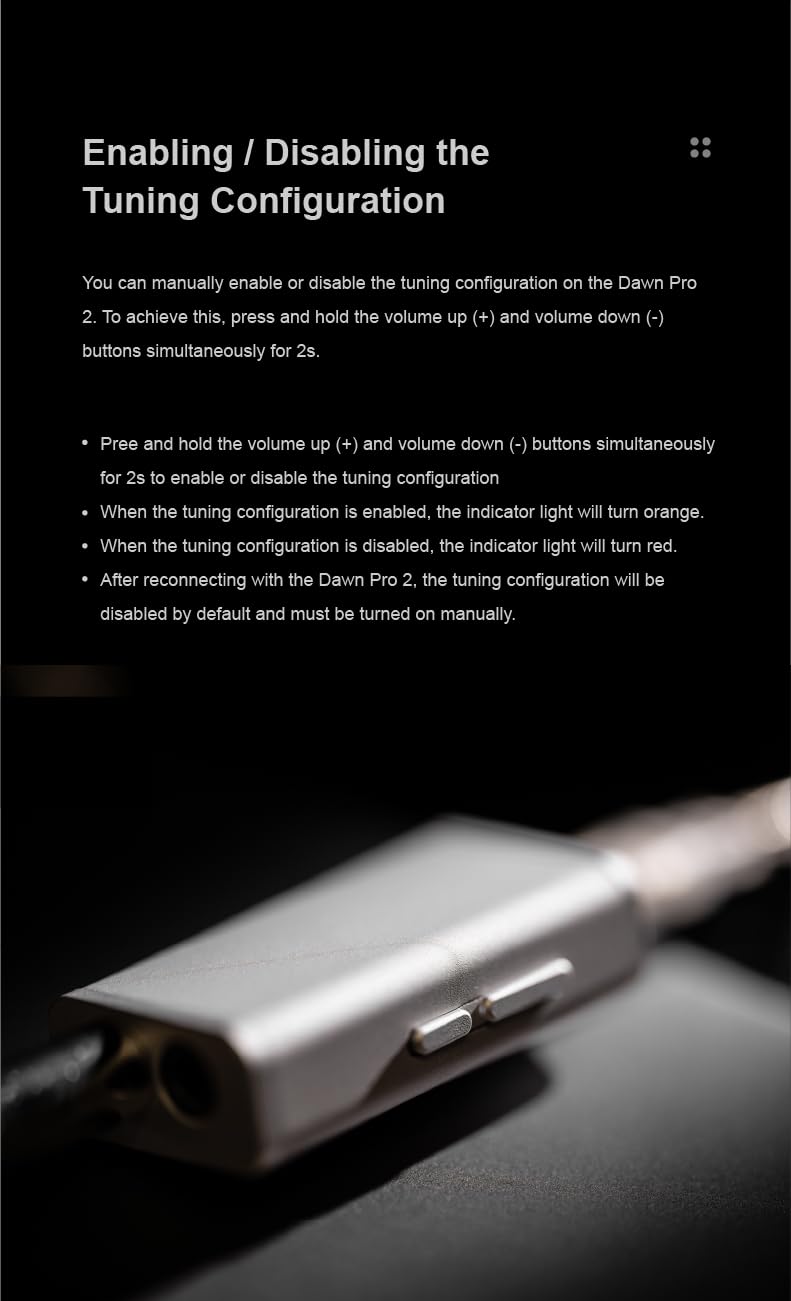
Enabling/Disabling Tuning Configuration
You can manually enable or disable the tuning configuration directly on the Dawn PRO 2 unit.
- To enable or disable, press and hold the volume up (+) and volume down (-) buttons simultaneously for 2 seconds.
- When the tuning configuration is enabled, the indicator light will turn orange.
- When the tuning configuration is disabled, the indicator light will turn red.
- After reconnecting the Dawn PRO 2, the tuning configuration will be disabled by default and must be turned on manually.
4. תחזוקה
Proper maintenance ensures the longevity and performance of your Dawn PRO 2.
- ניקוי: Use a soft, dry cloth to wipe the aluminum alloy housing. Avoid using abrasive cleaners or solvents.
- אִחסוּן: יש לאחסן את המכשיר במקום קריר ויבש, הרחק מאור שמש ישיר וטמפרטורות קיצוניות.
- טיפול בכבלים: Handle the USB-C cables and adapter gently to prevent damage to connectors.
- פיזור חום: The aluminum alloy housing is designed for efficient heat dissipation. Ensure the device is not covered during operation to allow proper airflow.
5. פתרון תקלות
If you encounter issues with your Dawn PRO 2, refer to the following common solutions.
- אין פלט קול:
- Ensure the Dawn PRO 2 is securely connected to your host device.
- Verify that your headphones are fully plugged into the correct jack (3.5mm or 4.4mm).
- Check the volume levels on both the Dawn PRO 2 and your host device.
- Confirm that the correct audio output device (Dawn PRO 2) is selected in your operating system's sound settings.
- אודיו מעוות:
- Reduce the volume on both the Dawn PRO 2 and your host device.
- Test with different headphones or audio fileכדי לבודד את הבעיה.
- Ensure the cables are not damaged or loose.
- Tuning Configuration Not Active:
- Remember that the tuning configuration resets to disabled upon reconnection. Manually enable it by holding volume (+) and (-) for 2 seconds.
- Check the indicator light (orange for enabled, red for disabled).
- התקן לא מזוהה:
- Try connecting the Dawn PRO 2 to a different USB port or a different host device.
- הפעל מחדש את מכשיר המארח שלך.
- ודא שמנהלי ההתקנים של מערכת ההפעלה שלך מעודכנים.
6. מפרטים
Detailed technical specifications for the MOONDROP Dawn PRO 2.
| תכונה | מִפרָט |
|---|---|
| שם המוצר | DAWN PRO 2 Portable DAC/AMP |
| שקעי אוזניות | 3.5mm Single-Ended / 4.4mm Balanced |
| שבבי DAC | לוג'יק כפול של Cirrus CS43198 |
| Dynamic Range (Awt) | 132dB@1kHz |
| THD+N | 0.00014%@1kHz |
| Output Magnitude | 4.1Vrms@0dBFS |
| כוח פלט | 124 + 124 mW@16Ω (THD+N<1%) |
| Max Supply Voltage | 4.1V |
| Min Supply Voltage | 4V (DC) |
| מספר ערוצים | 2 |
| סוג הרכבה | בודד |
| הַתאָמָה | FCC |
| מספר דגם | DAWN PRO 2 |

7. אחריות ותמיכה
For warranty information and technical support, please refer to the official MOONDROP webאתר או צור קשר עם הספק המורשה שלך. שמור את הוכחת הרכישה שלך לצורך תביעות אחריות.