
1. הקדמה
תודה על הרכישהasing the FUNYET FY3 Mini PC. This compact and powerful desktop computer is designed for various applications, from office tasks to 4K media consumption. Featuring an Intel Alder Lake-N95 processor, 16GB DDR4 RAM, and a 512GB SSD, it offers efficient performance in a small form factor. Please read this manual thoroughly to ensure proper setup, operation, and maintenance of your device.
2. תכולת החבילה
ודא שכל הפריטים נמצאים בחבילה שלך:
- מחשב מיני FUNYET FY3
- מתאם חשמל (מטען)
- מדריך למשתמש (מסמך זה)
3. המוצר נגמרview
The FUNYET FY3 Mini PC is a compact computing solution with robust features. Below is an overview of its key components and interfaces.

Image 3.1: FUNYET FY3 Mini PC Overview. This image displays the FUNYET FY3 Mini PC from a top-front angle, highlighting its compact size and key specifications such as the Intel Alder Lake N95 processor, up to 32GB RAM support, triple-screen setup capability, built-in fan cooling, Wi-Fi 5 and Bluetooth 4.2 connectivity, 3.4 GHz Max Turbo Frequency, 4 Cores, 4 Threads, and 4800 MHz Intel UHD Graphics.
3.1 מעבד וביצועים
The Mini PC is powered by an Intel Alder Lake-N95 processor, offering a maximum turbo frequency of 3.40 GHz and 6 MB Smart Cache. This ensures smooth multitasking and efficient operation for various applications.

Image 3.2: Intel Alder Lake N95 Processor. תמונה זו מספקת תמונה מפורטת view of the Intel Alder Lake N95 processor, illustrating its architecture and highlighting key specifications such as 3.4 GHz Max Turbo Frequency, 4800 MHz maximum memory speed, 10nm TSMC 10nm FinFET process, and 15W TDP power consumption.
3.2 זיכרון ואחסון
The FY3 Mini PC comes with זיכרון RAM של 16GB DDR4 וכן א SSD 512GB M.2 עֲבוּר ample storage and fast data access. The device supports RAM expansion up to 32GB and features an additional M.2 slot (2280) supporting PCIe 4.0 and SATA 3.0 for storage upgrades.

Image 3.3: Memory and Storage Expansion. This image illustrates the internal components, specifically an M.2 NVMe SSD and a SO-DIMM DDR4 RAM module, indicating that the system supports up to 32GB RAM and features an M.2 interface (2280) for storage, supporting PCIe 4.0 and SATA 3.0.
3.3 יציאות וקישוריות
The Mini PC offers a variety of ports for connecting peripherals and displays:
- פאנל קדמי: Power button, Earphone jack, 1x Type-C port (full-function: charge, data, output), 2x USB 3.2 ports.
- לוח אחורי: DC power input, 2x USB 3.0 ports, 2x USB 2.0 ports, 2x RJ45 Gigabit Ethernet ports, 1x HDMI port, 1x DisplayPort (DP1.4).

Image 3.4: Rich Interfaces. This image shows the front and rear panels of the FY3 Mini PC, detailing the available ports. The front includes the power button, earphone jack, Type-C, and USB 3.2 ports. The rear includes DC power, USB 3.2, HDMI 2.0, DP1.4, and RJ45 ports.
For network connectivity, it supports Wi-Fi 5 ו בלוטות' 4.2 for wireless connections, in addition to the dual RJ45 Gigabit Ethernet ports for stable wired connections.

Image 3.5: RJ45 and Wireless Connectivity. This image highlights the side view of the Mini PC, emphasizing the two RJ45 Gigabit Ethernet interfaces and indicating support for Wi-Fi 5 and Bluetooth 4.2 for stable and low-latency network connections.
3.4 פלט תצוגה
The FY3 Mini PC supports triple screen output via 1x Type-C, 1x HDMI, and 1x DisplayPort, allowing for an expanded workspace and enhanced productivity. It supports רזולוציית 4K UHD, providing a high-quality visual experience.
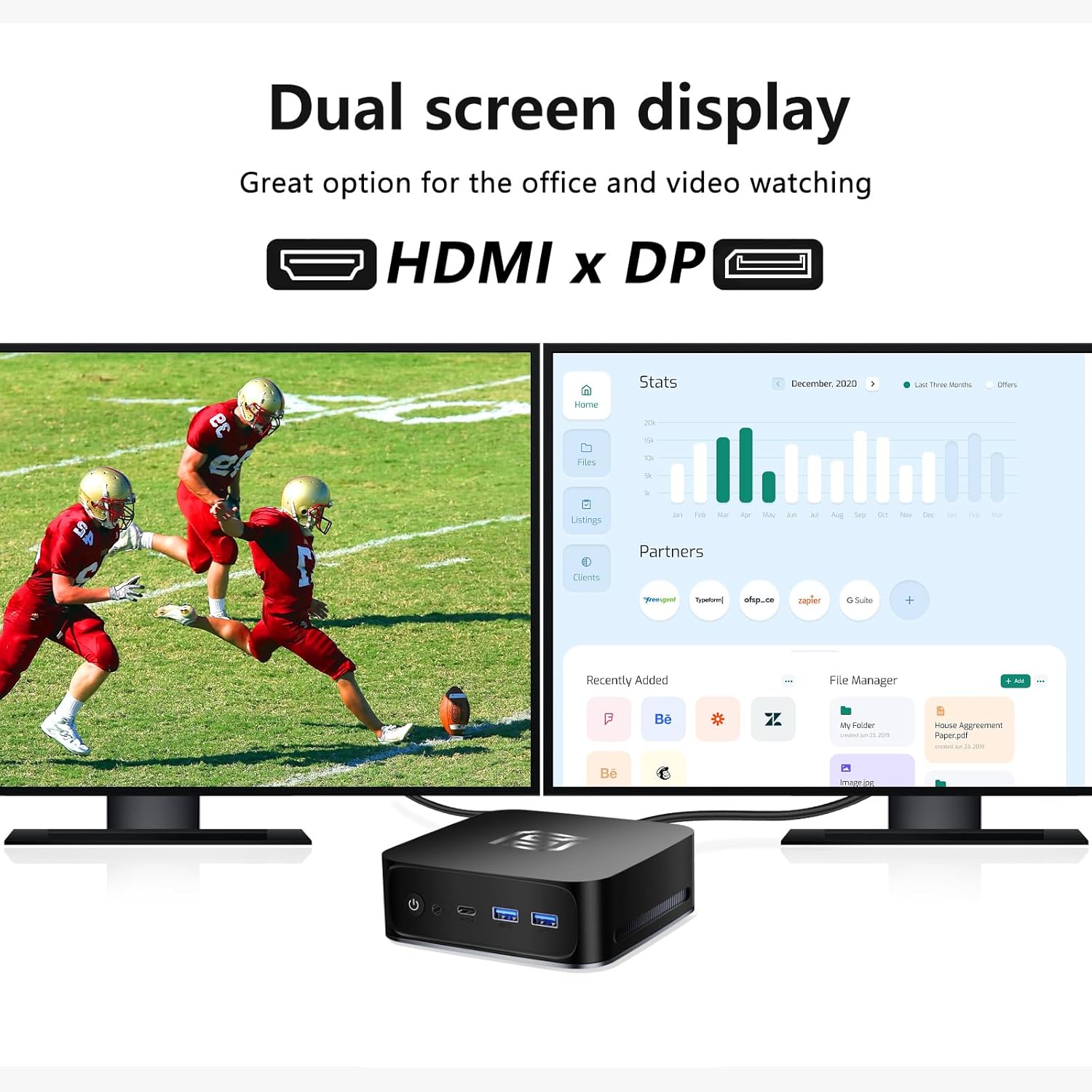
Image 3.6: Dual Screen Display. This image demonstrates the Mini PC connected to two external monitors via HDMI and DisplayPort, showcasing its capability for dual-screen display, which is ideal for office work and video viewing.
3.5 מערכת קירור
To maintain optimal performance, the device features an efficient cooling system with 8mm heat pipes וכן א מאוורר מובנה. This design ensures effective heat dissipation, allowing the CPU to operate at its maximum performance without thermal throttling.
4. מדריך התקנה
Follow these steps to set up your FUNYET FY3 Mini PC:
- חבר ציוד היקפי: Connect your monitor(s) to the HDMI, DisplayPort, or Type-C video output ports. Connect your keyboard and mouse to the available USB ports.
- חבר חשמל: Plug the power adapter into the DC power input port on the rear of the Mini PC, then plug the other end into a power outlet.
- אתחול ראשוני: Press the power button located on the front panel. The system will boot up, and you will see the operating system (Windows 11 Pro) loading on your connected display.
- חיבור רשת: For wired internet, connect an Ethernet cable to one of the RJ45 ports. For wireless internet, follow the on-screen instructions in Windows to connect to a Wi-Fi network.
5. הוראות הפעלה
5.1 הפעלה/כיבוי
- כדי להפעיל: לחץ על לחצן ההפעלה בחזית המכשיר.
- כדי לכבות: Click the Start menu in Windows, then select Power > Shut down. Alternatively, you can press and hold the power button for 5 seconds to force a shutdown (not recommended for regular use).
- לאתחל: לחץ על תפריט התחל ב-Windows, לאחר מכן בחר הפעלה > הפעלה מחדש.
5.2 התחברות לרשת
- חיבור קווי: Connect an Ethernet cable from your router/modem to one of the RJ45 ports on the Mini PC. The connection should be automatically established.
- חיבור אלחוטי: In Windows, click the Wi-Fi icon in the taskbar, select your desired network, enter the password, and click Connect.
5.3 שימוש בצגים מרובים
The Mini PC supports connecting up to three displays simultaneously. Connect your monitors to the HDMI, DisplayPort, and Type-C video output ports. Windows will automatically detect the displays. You can configure display settings (extend, duplicate, or show only on one screen) by right-clicking on the desktop and selecting "Display settings".
6. תחזוקה
6.1 ניקוי
Regularly clean the exterior of the Mini PC with a soft, dry cloth. For dust accumulation in the vents, use compressed air. Ensure the device is powered off and unplugged before cleaning.
6.2 עדכוני תוכנה
Keep your Windows operating system and drivers updated to ensure optimal performance and security. You can check for updates via Windows Settings > Update & Security > Windows Update.
6.3 הרחבת אחסון וזיכרון
The Mini PC allows for memory (RAM) and storage (SSD) upgrades. It has an SO-DIMM RAM slot supporting up to 32GB DDR4 RAM and an M.2 2280 slot compatible with PCIe 4.0 and SATA 3.0 SSDs. If you plan to upgrade, ensure you use compatible components and follow proper anti-static procedures. Consult a professional if you are unsure.
7. פתרון תקלות
אם נתקלת בבעיות עם המיני PC שלך, עיין בבעיות הנפוצות ובפתרונות הבאים:
- אין חשמל / המערכת לא מתחילה לפעול:
- ודא שמתאם החשמל מחובר היטב הן למחשב המיני והן לשקע חשמל תקין.
- ודא ששקע החשמל תקין על ידי חיבור מכשיר אחר.
- נסה מתאם חשמל אחר אם זמין ותואם.
- אין תצוגה על המסך:
- Check that the monitor is powered on and set to the correct input source (HDMI, DP, Type-C).
- Ensure the video cable is securely connected to both the Mini PC and the monitor.
- Try connecting to a different video port on the Mini PC or using a different cable/monitor if possible.
- אין חיבור אינטרנט:
- קווית: בדוק את חיבור כבל ה-Ethernet. ודא שהנתב/מודם שלך פועל כראוי.
- אַלחוּט: Verify Wi-Fi is enabled in Windows and you are connected to the correct network with the right password. Restart your router/modem.
- ביצועים איטיים:
- סגור יישומים מיותרים הפועלים ברקע.
- ודא ש-Windows ומנהלי ההתקנים מעודכנים.
- בדוק אם יש תוכנות זדוניות או וירוסים.
- שקול לשדרג זיכרון RAM או SSD אם בעיות הביצועים נמשכות במהלך משימות תובעניות.
8. מפרטים
| תכונה | פְּרָט |
|---|---|
| מותג | FUNYET |
| שם הדגם | FY3 |
| יצרן מעבד | אינטל |
| דגם מעבד | Alder Lake-N95 (up to 3.40 GHz) |
| גודל זיכרון RAM | 16 GB DDR4 |
| זיכרון RAM מקסימלי נתמך | 32 ג'יגה-בייט |
| אִחסוּן | 512 GB SSD M.2 |
| מעבד גרפי | אינטל UHD גרפיקה |
| ממשקי פלט וידאו | HDMI, DisplayPort, USB Type-C (full function) |
| רזולוציית מסך מקסימלית | 3840 x 2160 (4K UHD) |
| קישוריות | USB 3.2, USB 3.0, USB 2.0, RJ45 Gigabit Ethernet (x2), HDMI, DisplayPort, Type-C, Audio Jack, Wi-Fi 5, Bluetooth 4.2 |
| מידות | 13 x 13 x 4.3 ס"מ |
| צֶבַע | שָׁחוֹר |
| רכיבים כלולים | מתאם מתח |
9. אחריות ותמיכה
For warranty information and technical support, please refer to the documentation provided with your purchase or visit the official FUNYET website. If you encounter any issues not covered in this manual, please contact FUNYET customer service for assistance.
לעתים קרובות ניתן למצוא פרטי יצירת קשר עם התמיכה באתר היצרן webבאתר או דרך נקודת הרכישה שלך.