
1. הקדמה
Thank you for choosing the vebiliki F13 4K Mini Hidden Camera. This compact and powerful device is designed to provide reliable indoor surveillance with advanced features such as 4K UHD video, AI motion detection, enhanced night vision, and flexible storage options. This manual will guide you through the setup, operation, and maintenance of your new camera to ensure optimal performance and peace of mind.
2. מה בקופסה
- vebiliki F13 4K Mini Hidden Camera
- תושבת הרכבה עם דבק
- כבל טעינה USB-C
- מדריך הוראות

3. המוצר נגמרview & תכונות עיקריות
The vebiliki F13 is engineered for discreet and effective monitoring. Its small cube design allows for versatile placement, while its robust features ensure comprehensive coverage.
- וידאו 4K UHD: לוכד תמונות ברורות ומפורטותtage.
- עדשת זווית רחבה 140°: Provides broad room coverage.
- זיהוי תנועה של בינה מלאכותית: Sends instant alerts to your phone upon detecting movement.
- ראיית לילה משופרת: Automatic infrared night vision for clear monitoring in total darkness up to 16 feet.
- חיי סוללה ארוכים: Up to 100 days standby or 15-20 days continuous operation.
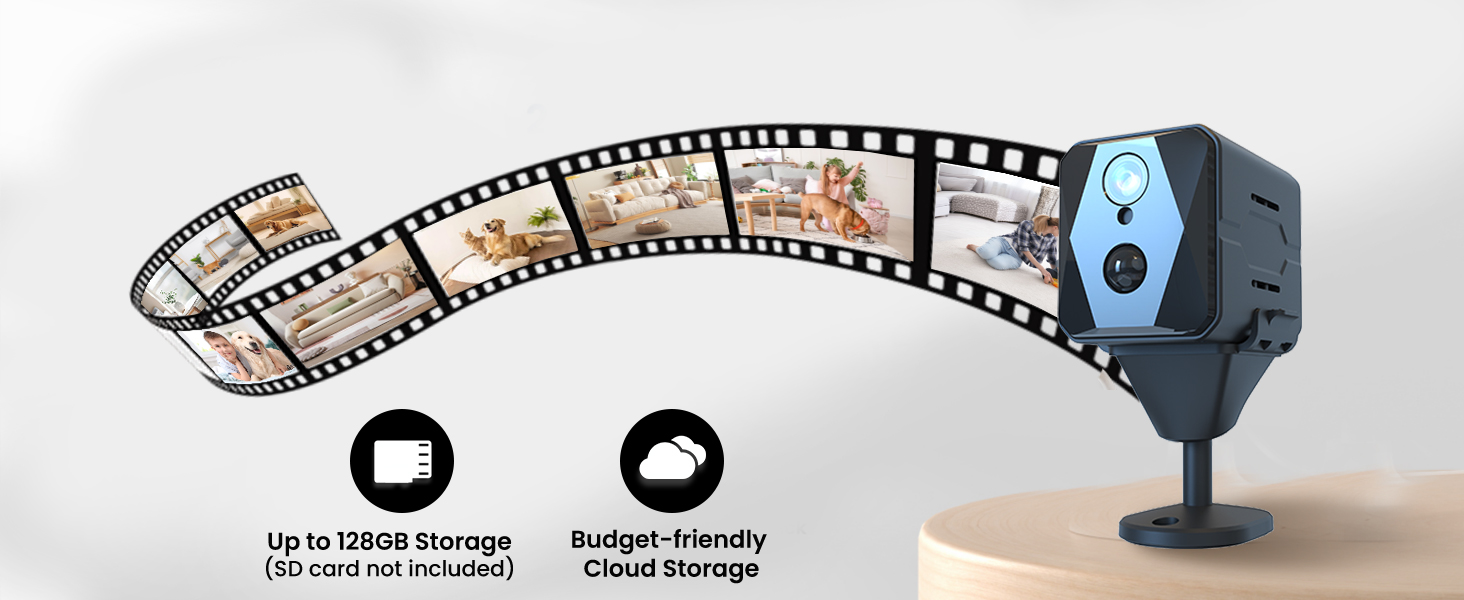
- אחסון גמיש: Supports encrypted cloud backup and local TF card storage (up to 128GB, card not included).
- קומפקטי ונייד: Easy to install and move without drawing attention.
- שיתוף משפחתי: מאפשר למשתמשים מרובים view the camera feed via the app.


4. הוראות התקנה
4.1 טעינת המצלמה
Before initial use, fully charge your vebiliki F13 camera using the provided USB-C charging cable. Connect the cable to the camera's USB-C port and a compatible USB power adapter (not included). The charging indicator light will show the charging status and turn off when fully charged.
4.2 הורדת אפליקציה ורישום חשבון
- Scan the QR code in the instruction manual or search for the recommended app (e.g., 'HIDVCAM' or 'UBox' as per manual) in your smartphone's app store (App Store for iOS, Google Play for Android).
- הורד והתקן את האפליקציה.
- Open the app and register for a new account using your email address. Follow the on-screen prompts to complete registration and verification.
4.3 התחברות ל-Wi-Fi
- Ensure your camera is powered on and within range of your 2.4GHz Wi-Fi network. (Note: The camera supports 2.4GHz Wi-Fi only).
- באפליקציה, הקישו על סמל ה-'+' כדי להוסיף מכשיר חדש.
- Select the option to add a device via Wi-Fi or Bluetooth network configuration.
- Follow the app's instructions to connect the camera to your home Wi-Fi network. This usually involves selecting your Wi-Fi network and entering the password.
- Once connected, you can name your device (e.g., 'Living Room', 'Nursery', 'Office').
5. הוראות הפעלה
5.1 בשידור חי View והקלטה
לאחר החיבור, פתחו את האפליקציה כדי לגשת לשידור הווידאו החי מהמצלמה שלכם. תוכלו view the feed in real-time, take screenshots, and manually record video clips directly from the app interface. The 4K UHD resolution ensures a clear picture.

5.2 זיהוי תנועה והתראות
The camera features advanced AI motion detection. When motion is detected, the camera will automatically begin recording and send an instant push notification to your smartphone. You can customize the sensitivity of the motion detection and review motion-triggered clips within the app.

5.3 ראיית לילה
The vebiliki F13 is equipped with enhanced infrared night vision, allowing it to capture clear footage even in complete darkness. The night vision mode activates automatically when ambient light is low, ensuring 24/7 monitoring capability.

6. הרכבה ומיקום
The compact design and included mounting bracket make installation simple and versatile. The camera can be placed on a flat surface, attached to a wall, or mounted on a shelf or ceiling.
- Use the adhesive backing on the mounting bracket to secure it to a clean, flat surface.
- The camera magnetically attaches to the bracket, allowing for easy adjustment of the viewזווית ing.
- For optimal performance, place the camera in a location that provides a clear view of the area you wish to monitor, ideally within 16 feet for effective motion detection and night vision.


7. ניהול סוללה
The vebiliki F13 camera is designed for extended use with its built-in rechargeable battery. It offers up to 100 days of standby time or 15-20 days of continuous operation on a full charge, depending on usage patterns and settings (e.g., frequency of motion detection). Regularly check the battery level via the app and recharge as needed to ensure uninterrupted surveillance.

8. אפשרויות אחסון
Your vebiliki F13 camera offers two secure options for storing your video footage:
- אחסון כרטיסי TF: Insert a TF (microSD) card (up to 128GB, not included) into the designated slot on the camera. Footage will be recorded locally onto the card, ensuring your video history is protected even without an internet connection.
- אחסון בענן: For added security and accessibility, you can subscribe to the encrypted cloud storage service through the app. This allows for remote access to your recordings and protects against data loss if the device is lost or damaged.
9. תכונות מתקדמות של האפליקציה
The companion app provides a range of features to enhance your surveillance experience:
- הגדרות הניתנות להתאמה אישית: Adjust motion detection sensitivity, recording schedules, and other monitoring options.
- שיתוף משפחתי: Easily share camera access with trusted family members, allowing multiple users to view השידור החי וההקלטות בו זמנית.
- שמע דו כיווני: (If applicable, check product for this feature) Communicate through the camera using the app.
10. מפרטים
| תכונה | פְּרָט |
|---|---|
| שם הדגם | F13 |
| רזולוציית לכידת וידאו | 4K |
| Viewזווית | 140 מעלות |
| טווח ראיית לילה | 16 רגל |
| טכנולוגיית קישוריות | אלחוטי (Wi-Fi 2.4GHz) |
| מקור כוח | מופעל על ידי סוללה (סוללת C אחת כלולה) |
| זיכרון פלאש נתמך גודל מקסימלי | 128 ג'יגה-בייט (כרטיס TF) |
| מידות פריט L x W x H | 2 x 1 x 1 אינץ' |
| משקל פריט | 7.4 אונקיות |
| חוֹמֶר | אקרילוניטריל בוטאדיאן סטירן (ABS) |
| שימוש בפנים/חוץ | מקורה |
11. פתרון תקלות
- המצלמה לא מתחברת ל-Wi-Fi: Ensure your Wi-Fi network is 2.4GHz. Check your Wi-Fi password for accuracy. Make sure the camera is within range of your router. Try resetting the camera and repeating the connection process.
- איכות וידאו ירודה: Check your Wi-Fi signal strength in the camera's location. Ensure the camera lens is clean.
- זיהוי תנועה לא עובד: Verify that motion detection is enabled in the app settings. Adjust the PIR sensitivity if needed.
- הסוללה מתרוקנת במהירות: שידור חי תכוף viewing, continuous recording, or high motion detection activity can reduce battery life. Adjust settings to power-saving modes if available.
- SD card issues: Ensure the TF card is correctly inserted and formatted within the app. Use a high-quality TF card (Class 10 or higher).
12. אחריות ותמיכה
For warranty information and technical support, please refer to the contact details provided in the included instruction manual or visit the official vebiliki webאֲתַר. שמור את קבלה הרכישה שלך לתביעות אחריות.