
מָבוֹא
Welcome to the QONBINK Smart Watch M91 user manual. This guide provides detailed instructions to help you set up, operate, and maintain your new smart watch. Please read this manual thoroughly before using the device to ensure proper functionality and a safe experience.
מה יש בקופסה
Upon opening your QONBINK Smart Watch M91 package, you should find the following items:
- Smart Watch (M91)
- מדריך למשתמש
- כבל טעינה

Image: Contents of the QONBINK M91 Smart Watch package.
המוצר נגמרview
The QONBINK Smart Watch M91 features a 1.85-inch HD display and is designed for both men and women. It offers a range of functionalities including Bluetooth calls, over 120 sport modes, 24/7 heart rate and sleep monitoring, and IP68 waterproofing. The watch is compatible with iOS 10.0+ and Android 4.4+ devices.

Image: The QONBINK M91 Smart Watch with its 1.85-inch HD display showing different watch faces.
הגדרה
1. הורדה והתקנה של האפליקציה
To utilize all features of your QONBINK Smart Watch M91, you need to download and install the Da Fit אפליקציה בטלפון החכם שלך.
- Scan the QR code provided in the watch's interface or the physical manual, or visit http://plus.crrepa.com/app-download/dafit to download the Da Fit app.
- Install the app on your iOS (10.0 or higher) or Android (4.4 or higher) smartphone.
2. צימוד עם הטלפון שלך
Follow these steps to pair your smart watch with your smartphone:
- ודא שה-Bluetooth של הטלפון שלך מופעל.
- Open the Da Fit app on your phone.
- In the app, navigate to the "Add Device" section and search for "M91".
- בחר "M91" מרשימת המכשירים הזמינים.
- אשר את בקשת צימוד ה-Bluetooth גם בטלפון וגם בשעון.
- Allow the smart watch to display notifications by granting the necessary permissions in your phone's settings.

Image: Visual guide for connecting the smart watch to a mobile phone.
הוראות הפעלה
ניווט בסיסי
The M91 Smart Watch features a full-touch screen for easy navigation.
- החלק למעלה/מטה: גלילה בין תפריטים והתראות.
- החלק שמאלה/ימינה: גישה לפונקציות מהירות או למסכים שונים.
- בֶּרֶז: בחר פריט או אשר פעולה.
- כפתור צד: לחץ כדי לחזור למסך הבית או להעיר את המכשיר.
שיחות והודעות Bluetooth
Once paired, the M91 Smart Watch allows you to manage calls and receive notifications directly on your wrist.
- מענה/דחיית שיחות: When a call comes in, you can answer or reject it directly from the watch using the built-in speaker and microphone.
- Viewing הודעות: קבלו ו view SMS and social media messages (e.g., Snapchat, Instagram) on your watch. Note: Replying to messages is not supported directly from the watch.
- Call Logs/Dial Pad: Access recent call logs or use the dial pad to initiate calls from your watch.

Image: Smart watch displaying Bluetooth call and message notifications.
עוזר קול חכם
The smart watch includes an intelligent voice assistant for hands-free control.
- Activate the voice assistant to perform commands such as checking the weather, making phone calls, playing music, setting alarms, or other voice commands.

Image: Smart watch with voice assistant and notification features.
התאמה אישית של פני שעונים
Personalize your watch with over 200 built-in watch face designs or upload your own images via the Da Fit app.

Image: Customizing watch faces on the M91 Smart Watch.
מצבי ספורט
The M91 Smart Watch offers over 120 sport modes to track your physical activities.
- Select your desired sport mode (e.g., walking, hiking, yoga, rock climbing, skateboarding, roller skating, equestrian sports, athletics, auto racing) from the watch menu.
- The watch will record real-time data such as calories burned, distance covered, and duration.
- Synchronize the data to the Da Fit app for detailed analysis and progress tracking.

Image: Smart watch showing various sport modes.

Image: Diverse range of sports modes available on the smart watch.
ניטור בריאות
The M91 Smart Watch is equipped with advanced sensors for 24/7 health monitoring.
- ניטור קצב הלב: Continuously tracks your heart rate throughout the day. Data is automatically synchronized to the Da Fit app for analysis.
- ניטור שינה: Monitors your sleep quality, including restful, light, and rapid eye movement (REM) sleep stages. Provides a sleep quality score and trends in the app.
- ניטור חמצן בדם: Provides real-time blood oxygen level measurements to help you understand your health status.
- מעקב אחר בריאות האישה: Features for tracking menstrual cycles and providing reminders.
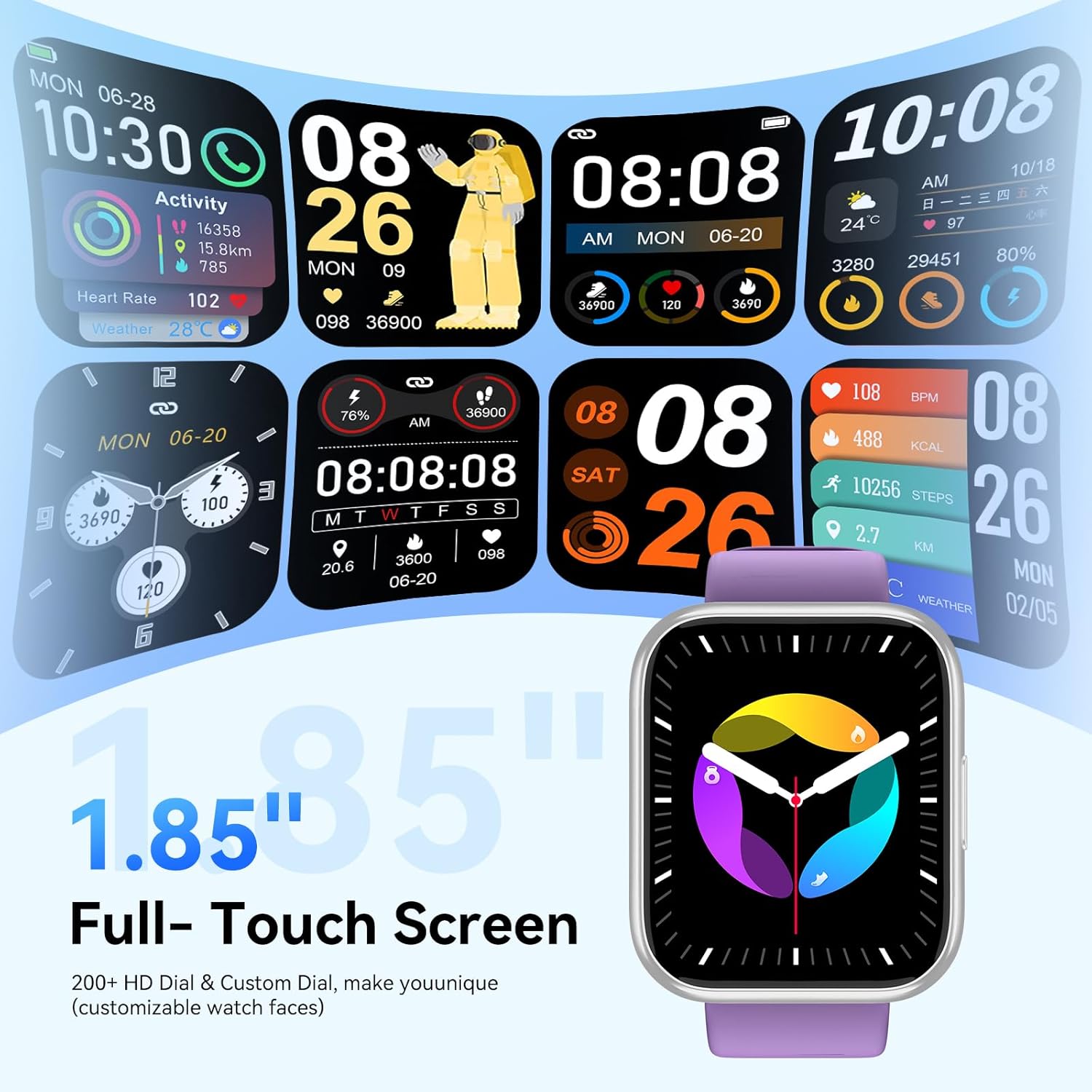
Image: Health monitoring features on the smart watch.

Image: Detailed heart rate monitoring display.

Image: Sleep monitoring interface.

Image: Blood oxygen monitoring display.

Image: Women's health tracking feature.
פונקציות אחרות
The M91 Smart Watch includes several other practical features:
- תחזית מזג האוויר: View daily weather updates.
- בקרת מצלמה: שלטו מרחוק במצלמת הטלפון שלכם.
- בקרת מוזיקה: הפעלה, השהיה, דילוג על רצועות והתאמת עוצמת הקול עבור מוזיקה המתנגנת בטלפון שלך.
- מצא טלפון: אתר את הטלפון החכם המשויך שלך על ידי גרום לו לצלצל.
- שעון מעורר: הגדר התראות ישירות מהשעון שלך.
- שעון עצר וטיימר: Utilize these tools for various activities.
- תזכורת בישיבה: קבל התראות כדי לזוז לאחר תקופות של חוסר פעילות.
- משחקים: Access simple games on the watch.
- מחשבון: פונקציית מחשבון בסיסית זמינה.

תמונה: מעלview of additional smart watch functions.
תַחזוּקָה
איטום (IP68)
The QONBINK M91 Smart Watch has an IP68 waterproof rating, meaning it is capable of withstanding immersion in water up to 1.5 meters for 30 minutes.
- It is rain-resistant, sweat-resistant, and oxidation-resistant.
- You can wear it during activities like swimming or surfing.
- חָשׁוּב: Avoid prolonged exposure to hot water, steam, or high-pressure water jets, as this may compromise the waterproof seal.

Image: Smart watch demonstrating IP68 waterproofing.
טְעִינָה
The watch is equipped with a 350 mAh battery.
- טעינה מלאה נמשכת בדרך כלל 1.5-2 שעות.
- Once fully charged, the battery can last for 5-7 days with typical use, and up to 25-30 days in standby mode.
- Use the provided charging cable to connect your watch to a USB power source.
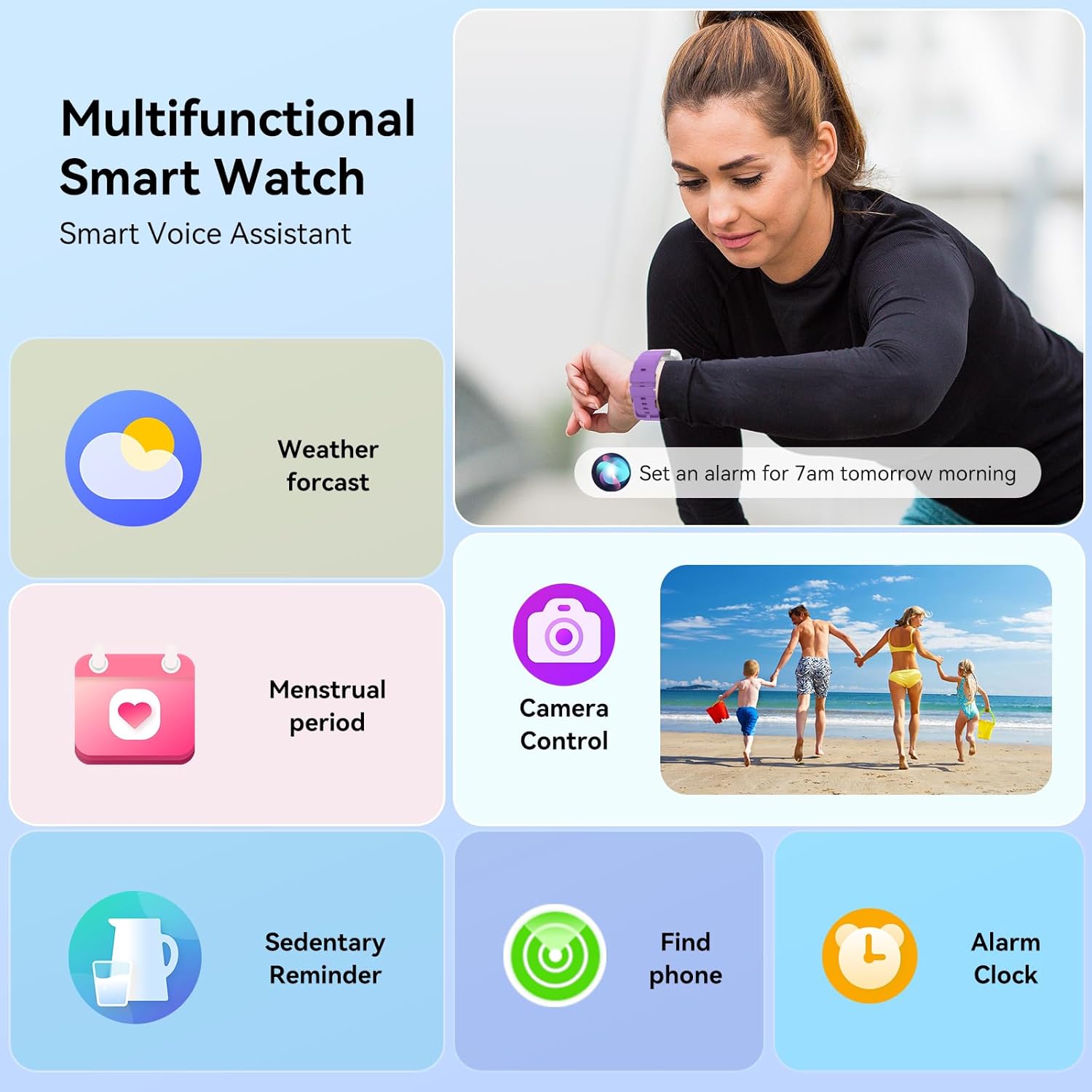
Image: Smart watch charging and battery life details.

תמונה: מידע על חיי סוללה וטעינה.
פתרון בעיות
If you encounter issues with your QONBINK Smart Watch M91, try the following troubleshooting steps:
- שעון לא נדלק: ודא שהשעון טעון במלואו. חבר אותו לכבל הטעינה ולמקור חשמל למשך 30 דקות לפחות.
- לא ניתן להתאים לטלפון:
- ודא שה-Bluetooth מופעל בטלפון שלך.
- ודא שהשעון נמצא בטווח קליטה של הטלפון שלך.
- הפעילו מחדש את הטלפון ואת השעון.
- Check if the Da Fit app has the necessary permissions enabled on your phone.
- Forget the device in your phone's Bluetooth settings and try pairing again through the Da Fit app.
- התראות שלא מופיעות:
- Verify that notification permissions are granted to the Da Fit app in your phone's settings.
- ודא שהשעון מחובר דרך בלוטות'.
- Check the notification settings within the Da Fit app to ensure desired apps are enabled.
- נתוני בריאות לא מדויקים:
- ודאו שהשעון צמוד לפרק כף היד, אך לא צמוד מדי.
- נקו את החיישן בגב השעון באופן קבוע.
- Avoid extreme movements during measurements.
- חיי סוללה קצרים:
- הפחת את בהירות המסך.
- Limit continuous heart rate monitoring or frequent use of GPS (if applicable via phone).
- כבה התראות מיותרות.
- ודא שהשעון טעון במלואו בכל פעם.
If these steps do not resolve your issue, please contact QONBINK customer support for further assistance.
מפרטים
| תכונה | פְּרָט |
|---|---|
| מספר דגם | M91 |
| גודל תצוגה | 1.85 אינץ' |
| קישוריות | בלוטות' 5.3 |
| קיבולת סוללה | 350 מיליאמפר/שעה (ליתיום פולימר) |
| חיי סוללה (שימוש אופייני) | 5-7 ימים |
| זמן המתנה | 25-30 ימים |
| זמן טעינה | 1.5-2 שעות |
| דירוג עמיד למים | IP68 |
| תאימות מערכת הפעלה | Android 4.4 +, iOS 10.0 + |
| ניטור בריאות | Heart Rate, Sleep, Blood Oxygen, Women's Health |
| מצבי ספורט | 120+ |
| תכונות מיוחדות | Bluetooth Call, Message Reminder, Voice Assistant, Custom Wallpaper, Activity Tracker, Stopwatch, Timer, Weather Display, Alarm Clock, Camera Control |
| משקל פריט | 3.52 אונקיות |
| מידות חבילה | 7.28 x 3.35 x 0.71 אינץ' |
אחריות ותמיכה
For warranty information or technical support, please refer to the contact details provided with your purchase or visit the official QONBINK webאתר. שמור את קבלת הרכישה כהוכחת קנייה לתביעות אחריות.