
מָבוֹא
The ASUS ROG Strix Helios II is an EATX mid-tower gaming PC case designed for high-performance builds. It features dual tempered glass panels, an aluminum diamond-grille front panel, and advanced cooling capabilities with four pre-installed fans. This manual provides essential information for setting up, operating, maintaining, and troubleshooting your PC case.
הגדרה
פריקה ובדיקה ראשונית
Carefully remove the PC case from its packaging. Inspect the case for any signs of damage during transit. Ensure all accessories listed in the packing list are present.
Tool-Free Side Panel Access
The ROG Strix Helios II features tool-less side panels for easy access to internal components. Simply unlatch the panels to open the case. This design simplifies installation and maintenance.
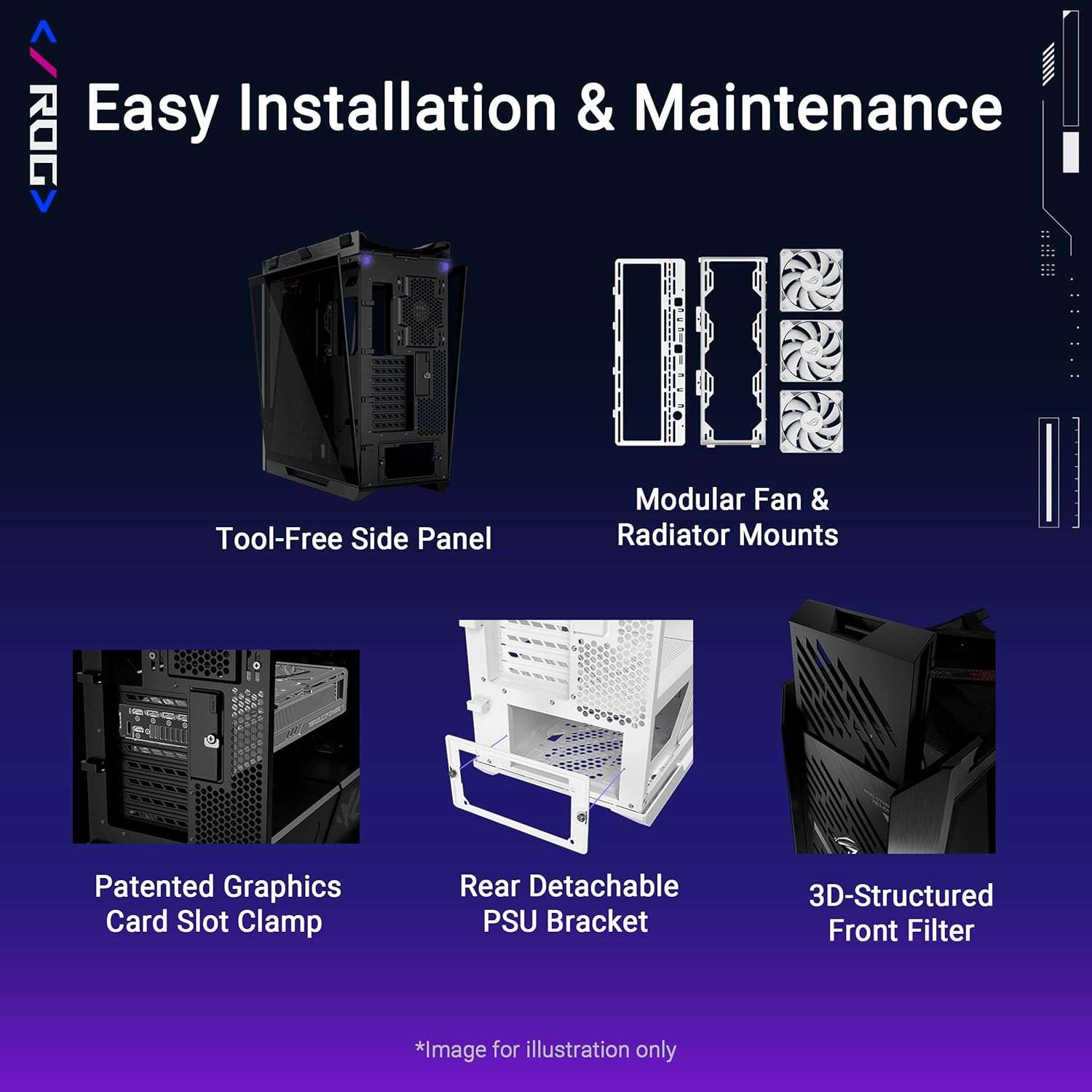
Figure 1: Easy Installation & Maintenance features, including tool-free side panel and detachable PSU bracket.
התקנת לוח אם
The case supports E-ATX (up to 12" x 10.9"), ATX, Micro-ATX, and Mini-ITX motherboards. Install your motherboard onto the standoffs provided. Ensure all screws are securely fastened.
התקנת ספק כוח
The case includes a rear detachable PSU bracket. Install your power supply (up to 220mm in length) into the bracket, then secure the bracket to the case. This design simplifies PSU installation and cable routing.
התקנת כרטיס מסך
The case supports graphics cards up to 450mm long. It features a patented graphics card slot clamp for secure horizontal installation. Vertical GPU mounting is also supported.

Figure 2: Graphics card installation options, including horizontal and vertical mounting.
ניהול כבלים
Utilize the multifunction cover with graphics card holders, PSU shroud, cable cover, and rear cable clips for effortless cable management. This ensures a tidy build and optimized airflow.

Figure 3: Dedicated features for organized cable routing.
Operating the PC Case
Advanced I/O Panel
The top I/O panel provides convenient access to connectivity and controls. It features two USB 20Gbps Type-C ports, four USB-A 3.0 ports, an ARGB-lighting control button, and a fan-speed PWM control button.
בקרת תאורה ARGB
Use the dedicated ARGB-lighting control button on the I/O panel to cycle through various lighting effects and colors for compatible components.
בקרת מהירות מאוורר
Adjust the fan speeds using the PWM control button on the I/O panel to balance cooling performance and noise levels.
Cooling and Thermal Performance
The ROG Strix Helios II is engineered for optimal thermal performance. It comes with four pre-installed 140 x 28mm performance fans that deliver high airflow while maintaining low noise levels.
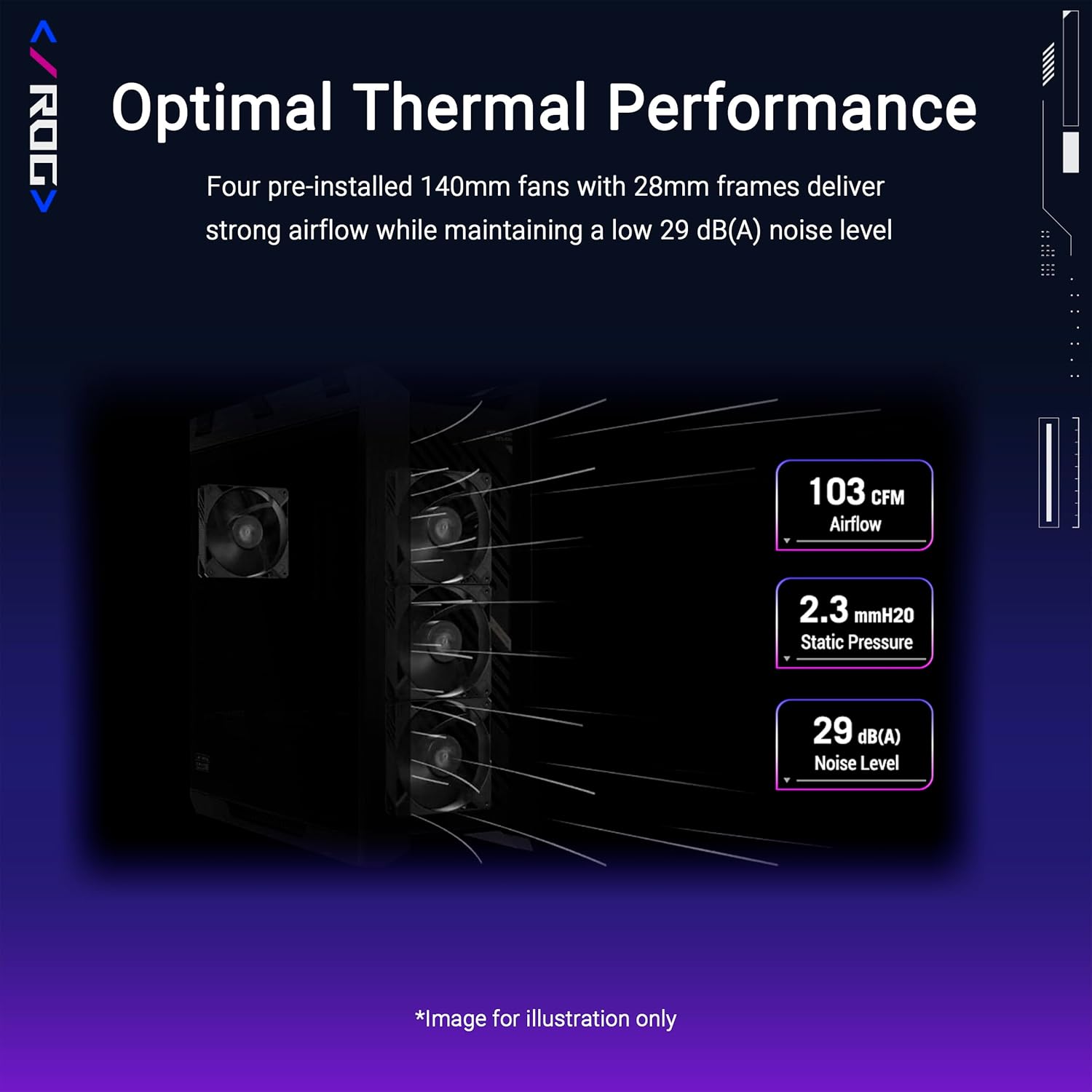
Figure 4: Airflow and noise level specifications for optimal thermal performance.
Fan and Radiator Capacity
The case supports up to 420mm radiators and 7 x 120mm fans, providing extensive cooling options for high-end components.

Figure 5: Detailed fan and radiator compatibility.
תַחזוּקָה
ניקוי מסנן אבק
The case features a 3D-structured filter on the front panel and removable dust covers to prevent dust buildup. Regularly clean these filters to maintain optimal airflow and component longevity. To clean, gently remove the filters and use compressed air or a soft brush to clear accumulated dust. Reinstall once clean and dry.
פתרון בעיות
סוגיות כלליות
If you encounter issues such as unexpected shutdowns, overheating, or component recognition problems, first ensure all power and data cables are securely connected. Verify that all fans are spinning correctly and dust filters are clean. Consult your component manuals for specific troubleshooting steps.
צור קשר עם התמיכה
For persistent issues, please refer to the ASUS support webאתר או צרו קשר עם שירות הלקוחות שלהם לקבלת סיוע נוסף.
מפרטים
| תכונה | פְּרָט |
|---|---|
| מותג | ASUS |
| שם הדגם | ROG STRIX HELIOS II GX601S BLACK |
| סוג מקרה | מגדל אמצע |
| תאימות לוח אם | E-ATX (up to 12" x 10.9"), ATX, Micro-ATX, Mini-ITX |
| חוֹמֶר | אלומיניום, זכוכית מחוסמת |
| משקל פריט | 39.7 פאונד |
| מידות המוצר (LxWxH) | 22.2 x 9.8 x 23.3 אינץ' |
| אורך GPU מקסימלי | 450 מ"מ |
| גובה מרבי של מצנן מעבד | 190 מ"מ |
| אורך PSU מרבי | 220 מ"מ |
| מאווררים מותקנים מראש | 4 x 140 x 28mm performance fans |
| תמיכת רדיאטור | עד 420 מ"מ |
| יציאות I/O | 2x USB 20Gbps Type-C, 4x USB-A 3.0, ARGB-lighting control, Fan-speed PWM control |
אחריות ותמיכה
מידע על אחריות
Please refer to the official ASUS website or your product's warranty card for detailed warranty terms and conditions. Keep your proof of purchase for warranty claims.
תמיכת לקוחות
For technical assistance, product inquiries, or service requests, visit the ASUS support website or contact their customer service. Support contact information can typically be found on the ASUS official webבאתר או באריזת המוצר.
תכונות נוספות
Ergonomic Case Straps
The ROG Strix Helios II features ergonomic and stylish X-shaped woven straps, designed to comfortably carry your prized build. These straps support up to 50kg.
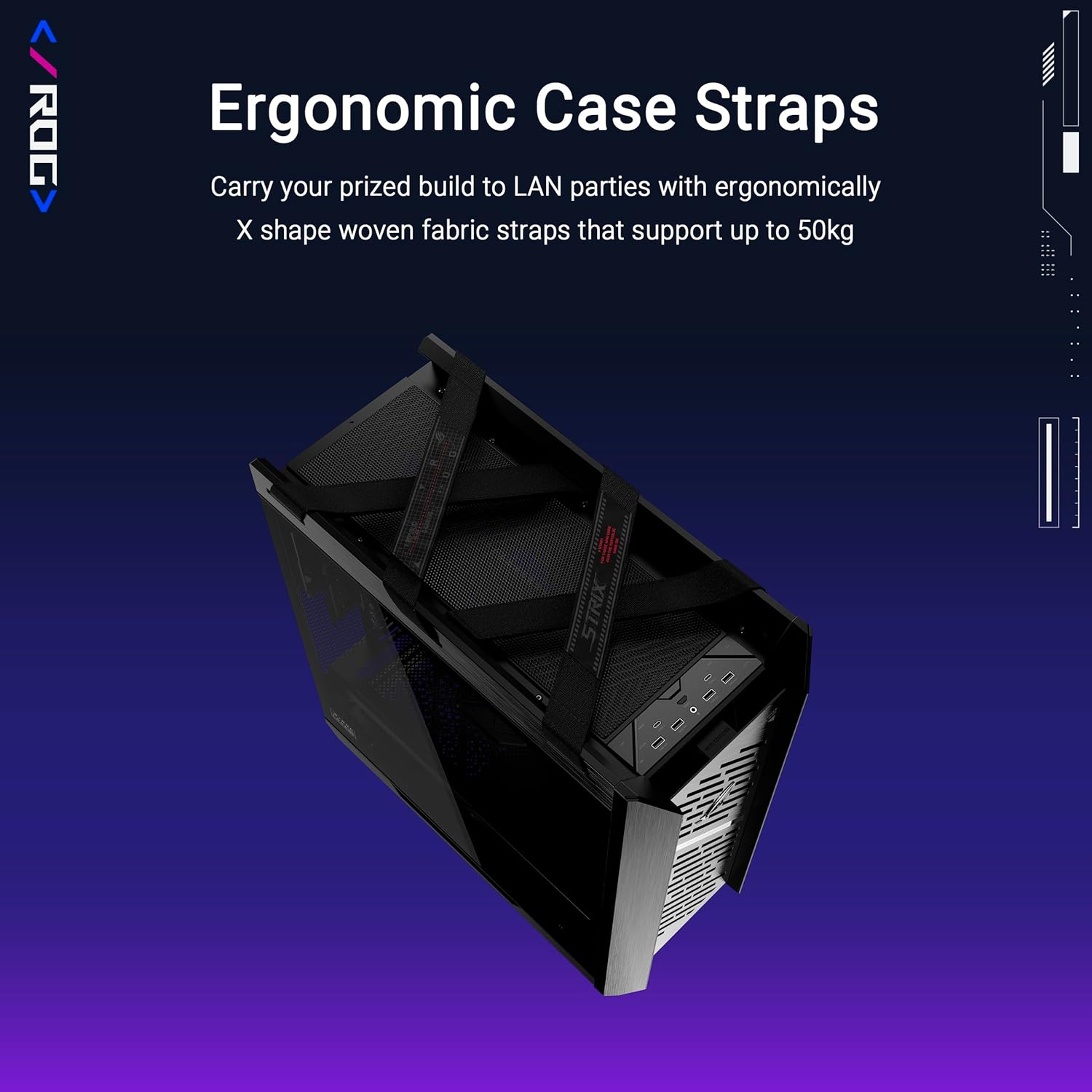
Figure 6: Case straps for convenient transport.
Premium Design & Aesthetics
The case boasts a premium design with an aluminum front panel featuring a diamond-grille design and a 3D-structured filter, enhancing both aesthetics and cooling efficiency.

Figure 7: Front panel design details.
סרטוני מוצר רשמיים
סרטון 1: אובר רשמיview of the ASUS ROG Strix Helios II computer case, showcasinהתכונות והעיצוב שלו.