
מָבוֹא
תודה על הרכישהasing the UPERFECT 23.8-inch 120Hz Portable Touch Monitor. This device is designed to enhance your productivity and entertainment experience with its large display, high refresh rate, and versatile connectivity. Please read this manual carefully before use to ensure proper operation and to maximize the monitor's potential.
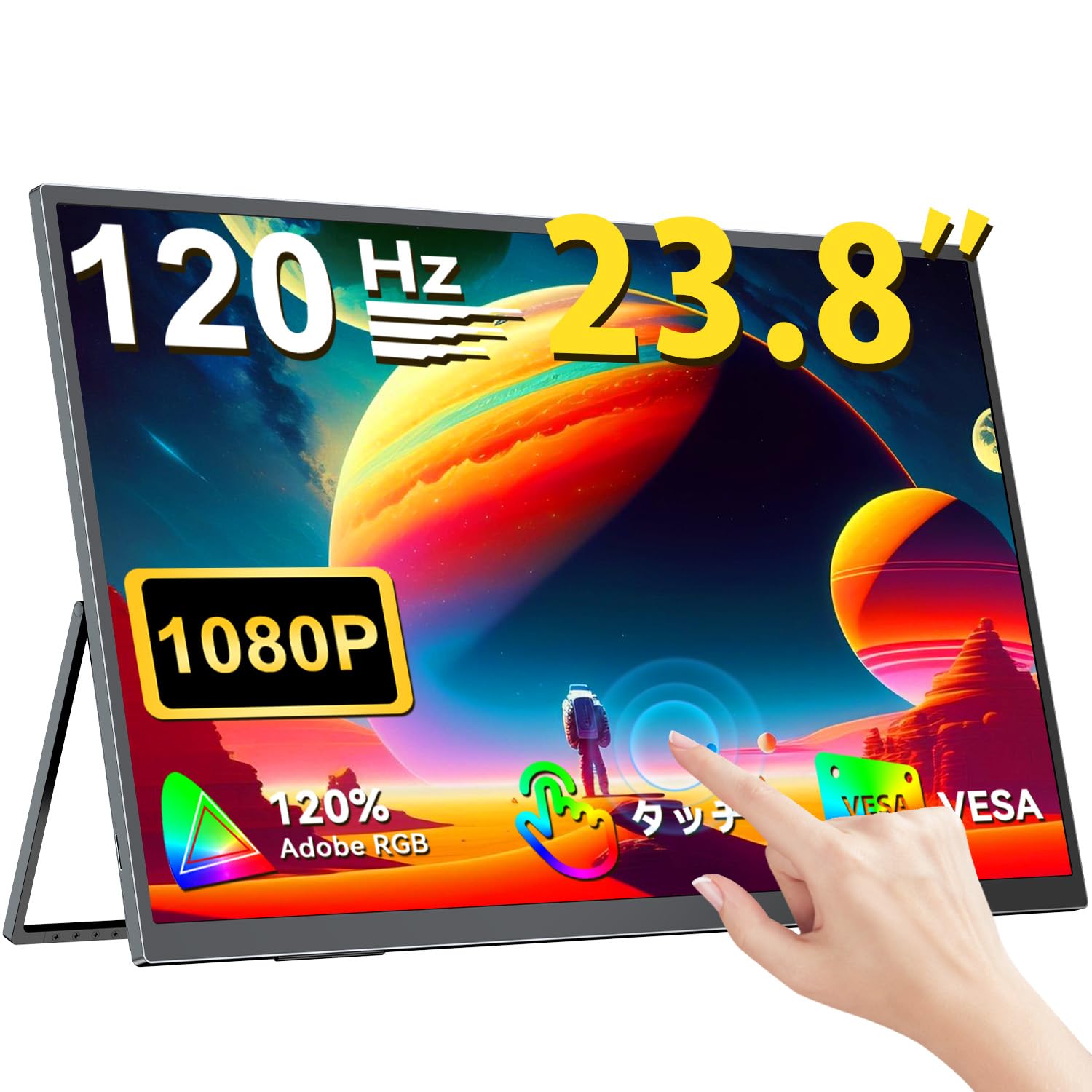
The UPERFECT 23.8-inch 120Hz Portable Touch Monitor.
מידע בטיחות
כדי למנוע נזק ולהבטיח פעולה בטוחה, יש להקפיד על אמצעי הזהירות הבאים:
- אין לחשוף את הצג לגשם, לחות או טמפרטורות קיצוניות.
- הימנע מהנחת חפצים כבדים על הצג.
- השתמש רק במתאם החשמל ובכבלים המסופקים.
- Do not attempt to disassemble or repair the monitor yourself. Contact customer support for assistance.
- ודא אוורור נאות סביב הצג כדי למנוע התחממות יתר.
- When adjusting the stand, ensure the monitor is stable to prevent tipping.

Recommended ergonomic viewing angles for comfortable use. Avoid upward viewing angles to prevent tipping and eye strain.
תוכן החבילה
ודא שכל הפריטים נמצאים בחבילה:
- UPERFECT 23.8-inch Portable Touch Monitor
- מתאם מתח
- USB Type-C Cable (Full-featured)
- כבל מיני HDMI ל- HDMI
- USB-A to USB-C Cable (for power/OTG)
- מדריך למשתמש
המוצר נגמרview
תכונות צג
- 23.8-inch IPS Panel: Large display with 178° wide viewזוויות.
- קצב רענון של 120 הרץ: Provides smooth visuals, ideal for gaming and fast-paced content.
- מגע מרובה של 10 נקודות: Intuitive interaction with supported devices.
- סולם צבעים של 120% sRGB: Delivers vibrant and accurate colors.
- מעמד משולב: Adjustable from 0° to 180° for flexible viewעמדות.
- תואם VESA Mount: Supports 75x75mm VESA standard for alternative mounting options.
- Non-Glare Screen: Reduces reflections for comfortable long-term use.
- רמקולים מובנים: עבור פלט אודיו.
יציאות וכפתורים

מֵעַלview של יציאות וכפתורי הבקרה של הצג.
- שקע אוזניות: פלט שמע 3.5 מ"מ.
- לחצן תפריט: גישה לתפריט התצוגה על המסך (OSD).
- כפתורי פלוס/מינוס: Navigate OSD menu, adjust volume/brightness.
- מחוון חשמל: מראה מצב כוח.
- לחצן הפעלה/החזרה: Powers the monitor on/off, or returns to previous OSD menu.
- יציאות מסוג C (x2): Full-featured USB-C for power, video, and touch signal.
- יציאת מיני HDMI: קלט וידאו.
- יציאת מיקרו USB-B OTG: For connecting peripherals like mouse or keyboard.
הגדרה
מתחבר למכשירים
The monitor supports various devices including laptops, desktops, smartphones, and gaming consoles (PS4, PS5, Xbox, Nintendo Switch).

The monitor can be connected to various devices using a single Type-C cable for power and display, provided the device supports DP Alt Mode.
- חיבור USB Type-C: Connect a full-featured USB Type-C cable from your device (laptop, smartphone, Switch) to one of the monitor's Type-C ports. If your device supports DP Alt Mode, a single cable can transmit video, audio, touch, and power. If your device does not support DP Alt Mode, or for stable power delivery, connect the included power adapter to the other Type-C port.
- חיבור מיני HDMI: Connect a Mini HDMI to HDMI cable from your device (PC, game console) to the monitor's Mini HDMI port. For power, connect the included power adapter to one of the monitor's Type-C ports.
- נמל OTG: Use the Micro USB-B OTG port to connect a mouse or keyboard for enhanced control, especially when using the monitor with a smartphone in desktop mode.
הערה חשובה:
- For optimal performance, especially when increasing contrast, brightness, or color saturation, always connect the monitor to an external power source using the provided power adapter.
- If your device's USB-C port does not support DP Alt Mode, a Type-C cable alone cannot transmit video. Refer to your device's specifications for compatibility.
Stand Adjustment and VESA Mounting

The monitor features a smart integrated stand for flexible positioning and VESA compatibility for arm mounts.
- מעמד משולב: The monitor features a durable aluminum alloy integrated stand. Adjust the viewing angle freely within a 0° to 180° range. The base includes anti-slip rubber pads for stability.
- הרכבה VESA: The monitor is compatible with VESA 75x75mm mounts (M4*4mm screw holes). This allows for attachment to monitor arms or wall brackets for a customized setup.
הוראות הפעלה
הפעלה/כיבוי
Press the Power/Return button to turn the monitor on or off.
תפריט תצוגה על המסך (OSD).
Press the Menu button to access the OSD menu. Use the Plus/Minus buttons to navigate and adjust settings such as brightness, contrast, color temperature, and input source.
גע בפונקציונליות

The monitor supports 10-point multi-touch gestures for intuitive control. For MacBook connections, 2-point gestures (pinch zoom/rotate) are supported.
The monitor supports 10-point multi-touch for Windows and Android devices. For MacBook connections, 2-point gestures (pinch zoom/rotate) are fully supported. This allows for direct interaction with the screen for tasks like sketching, document navigation, and presentations.
מצבי תצוגה

Easily switch between horizontal (landscape) and vertical (portrait) display modes to suit your content and workflow. Portrait mode settings are configured on your PC.
The monitor supports various display modes to suit your needs:
- מצב מורחב: Extend your PC desktop across both screens for increased workspace.
- מצב שכפול: Mirror your PC screen for presentations or shared viewing.
- מצב דיוקן: Rotate the monitor vertically for document review or coding. (Settings for portrait mode are typically configured on the connected PC).
תכונות משחק

The monitor supports FreeSync technology to eliminate screen tearing and stuttering during gaming.
- קצב רענון של 120 הרץ: Experience smoother gameplay and action sequences compared to standard 60Hz displays.
- תמיכת FreeSync: Compatible with FreeSync technology to reduce screen tearing and stuttering, providing a more fluid gaming experience.
- זמן תגובה מהיר: Enjoy a quick response time of 1ms, minimizing motion blur.
תַחזוּקָה
Follow these guidelines to maintain your monitor:
- ניקוי המסך: נגבו בעדינות את המסך בעזרת מטלית רכה ונטולת סיבים. במקרה של סימנים עקשניים, נגבו קלותampשטפו את המטלית במים או בתמיסת ניקוי מסך. אין לרסס נוזל ישירות על המסך.
- ניקוי ה-Casing: השתמשו במטלית רכה ויבשה לניקוי הצגasinז. הימנעו מחומרי ניקוי שוחקים או ממסים.
- אִחסוּן: כאשר הצג אינו בשימוש למשך תקופות ממושכות, יש לאחסן אותו במקום קריר ויבש, הרחק מאור שמש ישיר וטמפרטורות קיצוניות.
- עמידות לטביעות אצבע: The screen features an anti-fingerprint coating to help maintain cleanliness in business environments.
פתרון בעיות
אם נתקלת בבעיות, עיין בבעיות הנפוצות ובפתרונות הבאות:
| בְּעָיָה | סיבה אפשרית | פִּתָרוֹן |
|---|---|---|
| אין תצוגה/אין אות | Incorrect input source selected; Cable not connected properly; Device not outputting signal; Insufficient power. | Check cable connections; Select correct input source via OSD; Ensure device is powered on and configured to output to external display; Connect external power adapter to monitor. |
| פונקציית המגע לא עובדת | USB-C cable not full-featured; Device does not support touch output; Driver issue (Windows); Cable connection issue. | Ensure a full-featured USB-C cable is used; Verify device compatibility with touch output; Reconnect USB-C cable; For Windows, ensure touch drivers are installed (usually automatic). |
| Screen flickering/Unstable image | Cable issue; Graphics card issue; Refresh rate mismatch; Insufficient power. | Try a different cable; Update graphics drivers; Adjust refresh rate in device settings; Ensure external power is connected. |
| אין שמע מרמקולי המוניטור | עוצמת קול נמוכה מדי; מושתק; פלט שמע שגוי נבחר במכשיר. | Adjust monitor volume via OSD; Check device's audio output settings. |
| Monitor keeps restarting | כוח לא מספיק. | Ensure the monitor is connected to the provided power adapter for stable power delivery. |
מפרטים
| תכונה | מִפרָט |
|---|---|
| מותג | מושלם |
| מספר דגם | M238T02 |
| גודל מסך | 23.8 אינץ' |
| הַחְלָטָה | רזולוציית FHD 1080p (1920x1080) |
| יחס גובה-רוחב | 16:9 |
| סוג פאנל | IPS LCD |
| משטח המסך | ללא סנוור |
| יחס ניגודיות | 1000:1 |
| קצב רענון | 120 הרץ |
| זמן תגובה | 1 אלפיות השנייה |
| Viewזווית | 178 מעלות |
| צבע Gamut ערך | 120% sRGB |
| קישוריות | 2x USB Type-C (Full-featured), 1x Mini HDMI, 1x Micro USB-B (OTG), 1x 3.5mm Audio Jack |
| תאימות VESA | 75x75 מ"מ (ברגים M4*4 מ"מ) |
| מידות (D x B x H) | 1.7 x 54.5 x 32.7 ס"מ |
| סנכרון אדפטיבי | FreeSync |
אחריות ותמיכה
UPERFECT provides comprehensive support for your product:
- אחריות יצרן: מוצר זה מגיע עם אחריות יצרן למשך 2 שנים.
- אחריות שביעות רצון תוך 90 יום: If you are not completely satisfied within 90 days, a full refund is available.
- תמיכה ייעודית: Contact our dedicated support team for any questions or issues.
- Free Accessory Replacement: Genuine cables and adapters are provided free of charge for life.
- מוסמך PSE: The product is PSE certified, ensuring safety standards.
For any inquiries or if you encounter an initial defect within the warranty period, please contact us through your order history. We are committed to providing the best possible assistance.