
1. הקדמה
Thank you for choosing the xinwld H9 Wireless Earbuds. These earbuds are designed to provide a high-quality audio experience with advanced features for active lifestyles. This manual provides detailed instructions for setup, operation, maintenance, and troubleshooting to ensure optimal performance and longevity of your device.
2. מה בקופסה
- xinwld H9 Wireless Earbuds (Left and Right)
- נרתיק טעינה
- כבל טעינה USB-C
- קצוות סיליקון לאוזניים (מידות S/M/L)
- מדריך למשתמש
3. המוצר נגמרview
The xinwld H9 Wireless Earbuds feature Bluetooth 5.4 technology for stable connectivity and low latency. They are equipped with Environmental Noise Cancelling (ENC) microphones for clear calls and a 14.2mm dynamic driver for immersive sound. The ergonomic design with earhooks ensures a secure fit, and IP7 waterproofing provides protection against sweat and rain.
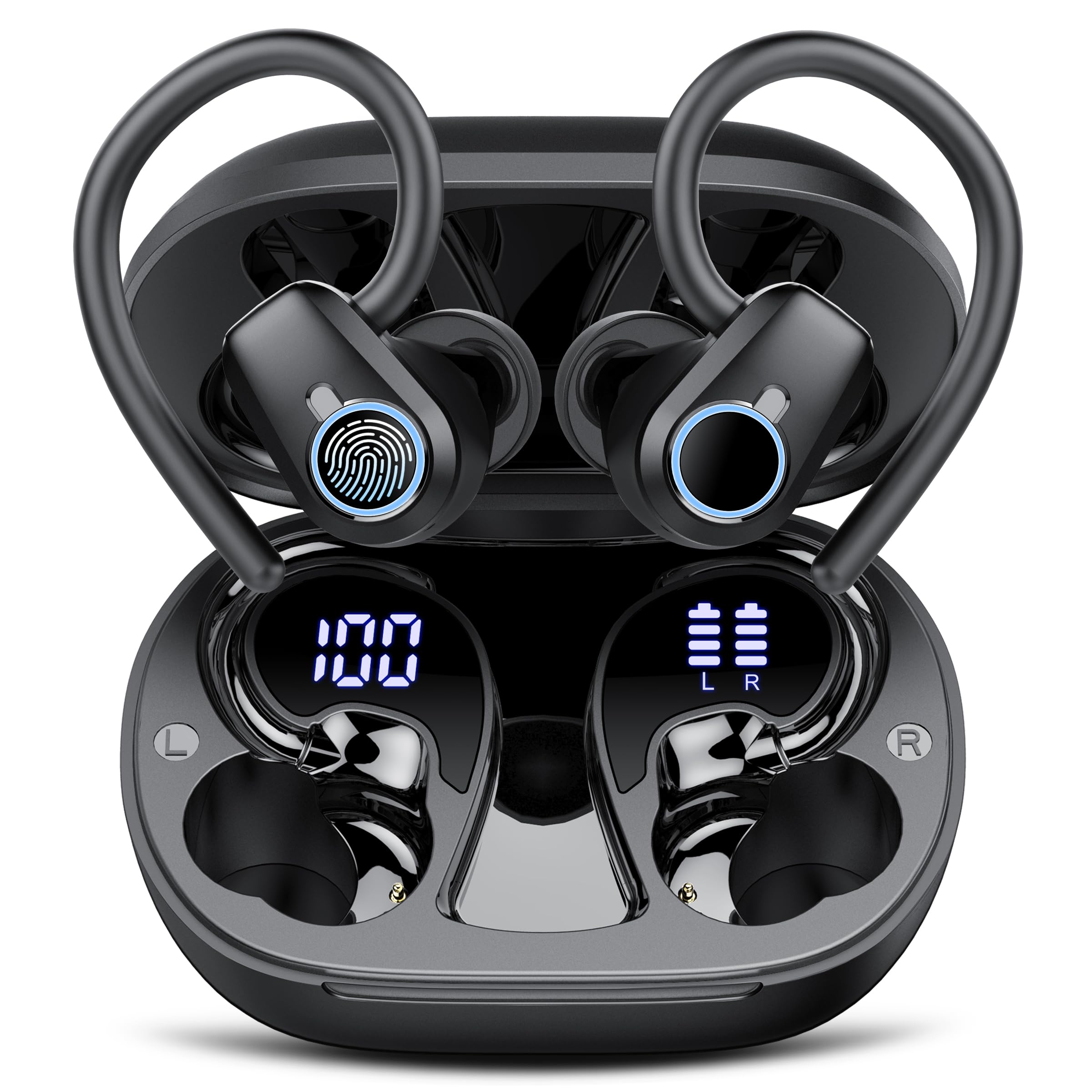
Image: xinwld H9 Wireless Earbuds and their charging case, showcasinהעיצוב השחור והחלקלק.
4. התקנה
4.1 טעינה ראשונית
Before first use, fully charge the earbuds and the charging case. Connect the provided USB-C cable to the charging port on the case and to a compatible USB power source. The dual LED display on the charging case will indicate the battery levels of both the case and the individual earbuds.

תמונה: מארז הטעינה עם האוזניות בפנים, המציג את אחוזי הסוללהtages for the case and each earbud on its LED screen.
4.2 בחירת והתאמה של קצה האוזניים
Select the ear tips (S/M/L) that provide the most comfortable and secure fit for your ears. The ergonomic design with 45° TPU elastic ear hooks ensures stability, especially during physical activity. Gently place the earbud into your ear canal and adjust the ear hook over your ear until it feels secure.

Image: Diagram illustrating the ergonomic design of the earbuds with earhooks and showing the three included sizes (S, M, L) of silicone ear tips.
5. הוראות הפעלה
5.1 הפעלה/כיבוי
האוזניות נדלקות אוטומטית עם הוצאתן ממארז הטעינה וכבות עם החזרתן למארז וסגירת המכסה.
5.2 זיווג בלוטות '
The earbuds feature one-step pairing. Open the charging case, and the earbuds will automatically enter pairing mode. On your device (smartphone, tablet, laptop), enable Bluetooth and select "xinwld H9" from the list of available devices. Once connected, the earbuds will automatically reconnect to the last paired device when removed from the case.

Image: A visual representation of the one-step pairing process, showing the open charging case with earbuds and a smartphone displaying Bluetooth connection options.
5.3 בקרות מגע חכמות
The earbuds are equipped with highly sensitive smart touch controls:
- הפעל/השהה מוזיקה: הקשה אחת על אחת האוזניות.
- התאם את עוצמת הקול: Tap and hold the right earbud to increase volume, tap and hold the left earbud to decrease volume.
- מענה/סיום שיחה: הקשה אחת על אחת האוזניות.
- דחה שיחה: הקש פעמיים על אחת האוזניות.
- הרצועה הבאה: הקש פעמיים על האוזניה הימנית.
- רצועה קודמת: הקש פעמיים על האוזניה השמאלית.
- הפעל את Assistant Voice: הקש שלוש פעמים על כל אחת מהאוזניות.
5.4 Environmental Noise Cancelling (ENC)
The 4-microphone array with advanced ENC technology effectively filters out background noise during calls, providing clear voice transmission comparable to face-to-face conversations.
דירוג עמידות למים IP7 5.5
The earbuds are IP7 waterproof, protecting them from sweat and rain splashes. This makes them suitable for sports and outdoor activities. Avoid submerging the earbuds in water for extended periods.

Image: The xinwld H9 earbuds shown with water droplets, illustrating their IP7 waterproof capability against rain and sweat.
6. תחזוקה
- ניקוי: יש לנקות באופן קבוע את האוזניות ואת מארז הטעינה בעזרת מטלית רכה, יבשה ונטולת סיבים. אין להשתמש בכימיקלים חזקים או בחומרים שוחקים.
- עצות אוזניים: הסירו ונקו את קצוות הסיליקון של האוזניים מעת לעת בעזרת סבון עדין ומים. ודאו שהם יבשים לחלוטין לפני חיבורם מחדש.
- אִחסוּן: יש לאחסן את האוזניות במארז הטעינה שלהן כאשר אינן בשימוש כדי להגן עליהן ולשמור עליהן טעונות. יש להימנע מטמפרטורות קיצוניות.
- יציאת טעינה: שמרו על יציאת הטעינה USB-C נקייה מאבק ולכלוך.
7. פתרון תקלות
| לְהַנפִּיק | פתרון אפשרי |
|---|---|
| אוזניות לא מתאימות | Ensure earbuds are charged. Place them back in the case, close the lid, then open to re-enter pairing mode. Forget the device on your phone's Bluetooth settings and try pairing again. |
| אין צליל מאוזניה אחת | Check battery level of both earbuds. Try resetting the earbuds (refer to specific reset instructions if available, otherwise re-pair). |
| מארז טעינה לא נטען | ודא שכבל ה-USB-C מחובר היטב למארז ולמקור החשמל. נסה כבל או מתאם חשמל אחר. |
| איכות סאונד ירודה | Ensure ear tips provide a good seal. Clean earbuds to remove any debris blocking the speaker. Move closer to your paired device to avoid interference. |
| האוזניות נופלות בקלות | Try different sizes of silicone ear tips. Adjust the ear hooks for a more secure fit. |
8. מפרטים
- מותג: xinwld
- מספר דגם: H9
- טכנולוגיית קישוריות: אלחוטי (בלוטות' 5.4)
- טווח Bluetooth: 15 מטר
- מיקום אוזניים: בתוך האוזן עם ווים לאוזניים
- בקרת רעש: ביטול רעש סביבתי (ENC)
- סוג מנהל התקן שמע: דרייבר דינמי (14.2 מ"מ)
- טווח תדרים: 18Hz-25kHz
- חיי סוללה (אוזניות): עד 8 שעות (השמעה רציפה)
- זמן משחק כולל (עם מארז טעינה): עד 50 שעות
- זמן טעינת סוללה: 2 hours (for case and earbuds)
- רמת עמידות במים: IP7 עמיד למים
- מכשירים תואמים: Smartphones, Tablets, Laptops, Gaming Consoles, Desktops (Android 4.4+, iOS 8.0+, Bluetooth 4.0+)
- חוֹמֶר: סיליקון (קצוות אוזניים)

Image: Diagram illustrating Bluetooth technology, highlighting stable signal transmission and a 15-meter range.

תמונה: פיצוץ view diagram of the earbud's internal components, emphasizing the 14.2mm dynamic driver for Hi-Fi stereo sound and bass performance.
9. אחריות ותמיכה
The product comes with a manufacturer's warranty. For specific warranty details, please refer to the documentation included with your purchase or contact xinwld customer support. For technical assistance or further inquiries, please visit the official xinwld webאתר או צור קשר עם צוות שירות הלקוחות שלהם.
תמיכה מקוונת: Visit the xinwld Store on Amazon