
1. הקדמה
Thank you for choosing the Inkbird ITH-13-B Temperature Hygrometer Monitor. This device provides accurate real-time temperature and humidity readings, offering smart monitoring capabilities via Bluetooth and a dedicated mobile application. It is designed for various indoor environments such as nurseries, greenhouses, wine cellars, and living spaces.

The Inkbird ITH-13-B monitor is suitable for a variety of applications, including monitoring conditions in homes, reptile terrariums, incubators, wine cellars, for musical instruments, and for storing herbs.
2. תכונות מוצר
- High-Precision Swiss-made Sensirion Sensors: Provides temperature readings accurate to ±0.2°C (±0.36°F) and humidity readings within ±2%. Data is sampled every 3 seconds for real-time monitoring.
- Revolutionary Bluetooth 5.0 Technology: Offers a stable connection up to 230 feet (70 meters) without obstructions.
- אחסון וייצוא נתונים: Stores up to 300 days of offline temperature and humidity data. Users can access and export up to 2 years of historical data via the mobile application.
- חיי סוללה ארוכים במיוחד: Operates for over 8 months with the included 2 AA batteries.
- Compact Design with Large Display: Features a clear LCD screen and offers two installation options: desktop placement and wall hanging.
- בקרת אפליקציה חכמה: Allows users to set parameters for VPD and dew point, receive instant notifications for temperature and humidity shifts, and access detailed data history.

פְּנִימִי view of the Inkbird ITH-13-B, showcasing the Swiss-made Sensirion sensors responsible for its high accuracy.
3. תכולת החבילה
- 1 x Inkbird ITH-13-B Temperature Hygrometer Monitor
- 2 x סוללות AA
- 1 x מדריך למשתמש
4. המכשיר נגמרview
The Inkbird ITH-13-B is a compact, white rectangular device featuring a clear LCD screen that displays temperature and humidity. It includes a button on the top for unit switching and a foldable stand/hook on the back for versatile placement.

The Inkbird ITH-13-B monitor with its clear LCD display showing current temperature and humidity.

The compact design of the Inkbird ITH-13-B allows for easy placement and clear readability.
5. התקנה
5.1 התקנת סוללה
- פתחו את מכסה תא הסוללה הממוקם בגב המכשיר.
- הכניסו את 2 סוללות ה-AA, תוך הקפדה על קוטביות נכונה (+/-).
- סגור היטב את מכסה תא הסוללות.
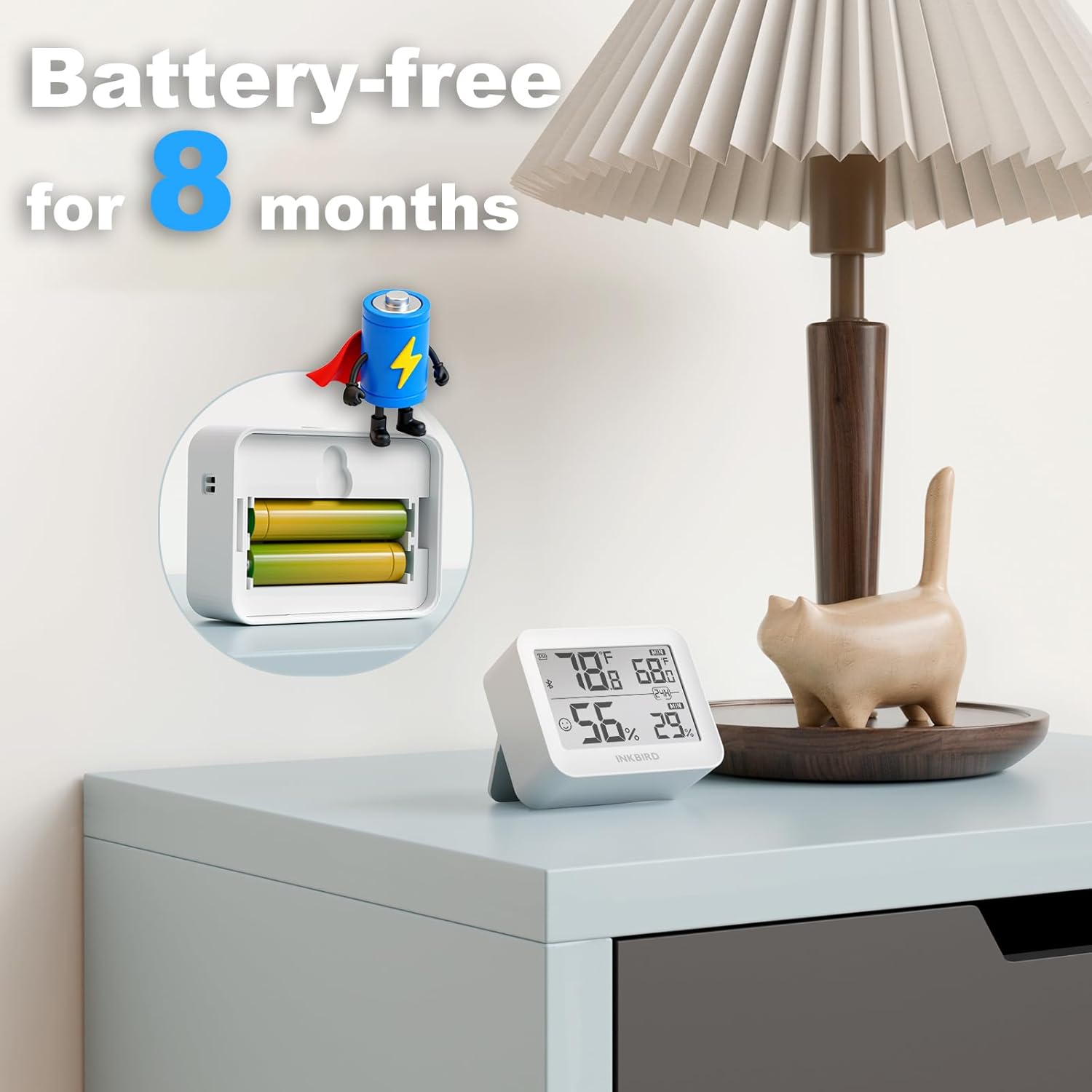
Illustration of battery installation, highlighting the long battery life of over 8 months.
5.2 הורדת אפליקציה וצימוד
- הורידו את אפליקציית "INKBIRD" מחנות האפליקציות (iOS) או מחנות גוגל פליי (אנדרואיד).
- הפעל Bluetooth בטלפון החכם שלך.
- Open the INKBIRD app and follow the on-screen instructions to add your device. The monitor should automatically connect via Bluetooth.
6. הוראות הפעלה
6.1 קריאות תצוגה
The LCD screen displays current temperature and humidity. It also shows maximum and minimum values recorded over a 24-hour period.
6.2 החלפת יחידות טמפרטורה
Press the button located on the top of the device to toggle between Celsius (°C) and Fahrenheit (°F).
6.3 פונקציות האפליקציה
- נתונים בזמן אמת: View live temperature and humidity readings on your smartphone.
- נתונים היסטוריים: Access and analyze up to 2 years of historical data, with offline storage for 300 days.
- Custom Comfort Levels: Set personalized temperature and humidity ranges within the app.
- התראות בזמן אמת: Receive instant notifications on your smartphone if temperature or humidity levels exceed your preset ranges.
- ייצוא נתונים: Export historical data for detailed analysis.
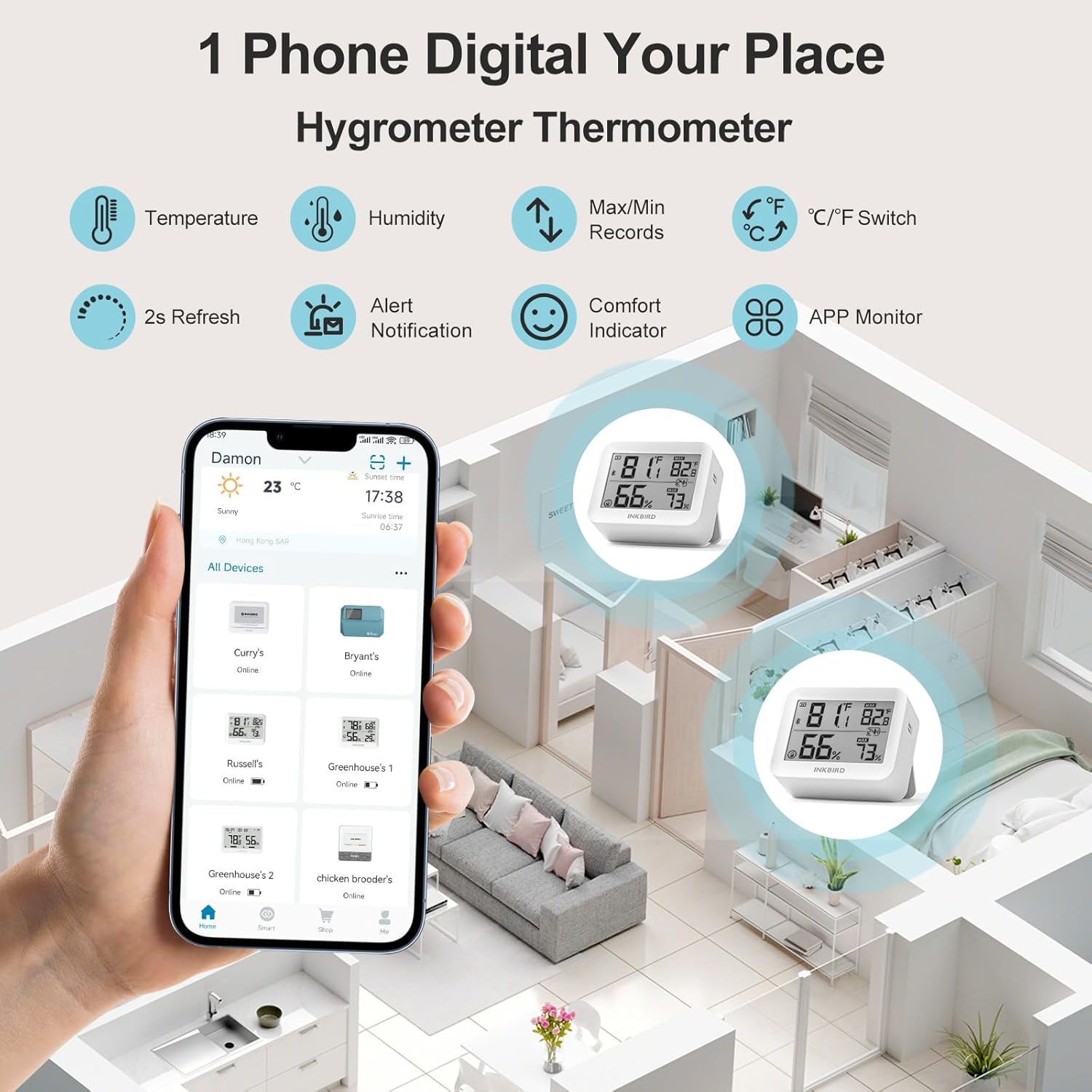
The Inkbird app allows remote monitoring of multiple devices, displaying real-time temperature and humidity.
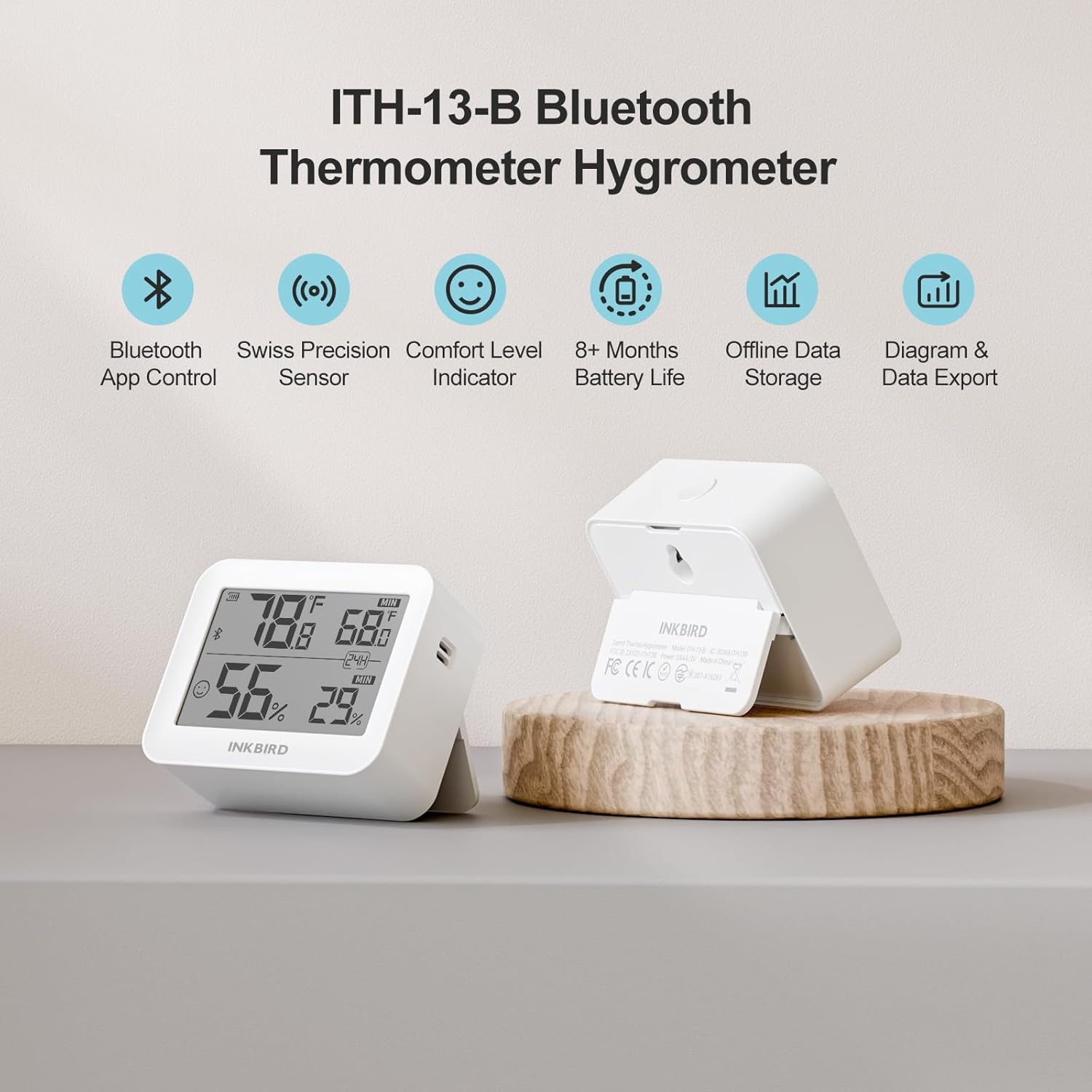
The device supports up to 300 days of offline data storage and 2 years of historical data export via the app.

The Air Comfort Level Indicator on the display and in the app helps you maintain optimal indoor air quality.
7. תחזוקה
7.1 החלפת סוללה
Replace the AA batteries when the low battery indicator appears on the device display or within the INKBIRD app to ensure continuous operation.
7.2 ניקוי
Wipe the device exterior with a soft, dry cloth. Do not use liquid cleaners, abrasive materials, or immerse the device in water.
8. פתרון תקלות
- אין תצוגה: בדוק אם הסוללות מותקנות כראוי ושהן טעונות מספיק. החלף סוללות במידת הצורך.
- קריאות לא מדויקות: Ensure the device is placed away from direct sunlight, heat sources, air conditioners, or extreme drafts. Allow the device to stabilize for at least 30 minutes after placement.
- בעיות קישוריות Bluetooth:
- ודא ש-Bluetooth מופעל בטלפון החכם שלך.
- Ensure the device is within the 230-foot (70-meter) Bluetooth range without significant physical obstructions.
- Restart the INKBIRD app or your smartphone.
- Attempt to re-pair the device within the INKBIRD app.
- App Not Receiving Data: Confirm a stable Bluetooth connection. Check that the INKBIRD app has all necessary permissions enabled on your smartphone.
9. מפרטים
| מותג | Inkbird |
| דֶגֶם | ITH-13-B |
| דיוק טמפרטורה | ±0.2°C (±0.36°F) |
| דיוק לחות | ±2% (לא מתעבה) |
| טווח טמפרטורה | -20°C עד 60°C (-4°F עד 140°F) |
| טווח לחות | 0%RH-99%RH |
| נתונים Sampלינג מרווח | כל 3 שניות |
| גרסת בלוטות' | 5.0 |
| טווח בלוטות' | Up to 230 feet (70 meters) without obstructions |
| סוג סוללה | 2 x סוללות AA |
| חיי סוללה | מעל 8 חודשים |
| אחסון נתונים לא מקוון | עד 300 ימים |
| Historical Data Storage (App) | עד 2 שנים |
10. מידע על אחריות
Inkbird products typically come with a standard manufacturer's warranty. For specific warranty terms, conditions, and duration, please refer to the official Inkbird webאתר או צרו קשר ישירות עם תמיכת הלקוחות שלהם. שמרו את קבלת הרכישה כהוכחת קנייה לתביעות אחריות.
11. תמיכה
For further assistance, technical support, or product inquiries, please visit the official Inkbird webאתר או צרו קשר עם צוות שירות הלקוחות שלהם באמצעות פרטי הקשר המופיעים באתר שלהם website or in the INKBIRD app.