
מָבוֹא
This manual provides essential information for the safe and efficient use of your ASUS ROG Strix G18 G814 Gaming Laptop. Please read this guide thoroughly before operating your device to ensure proper setup, operation, and maintenance.
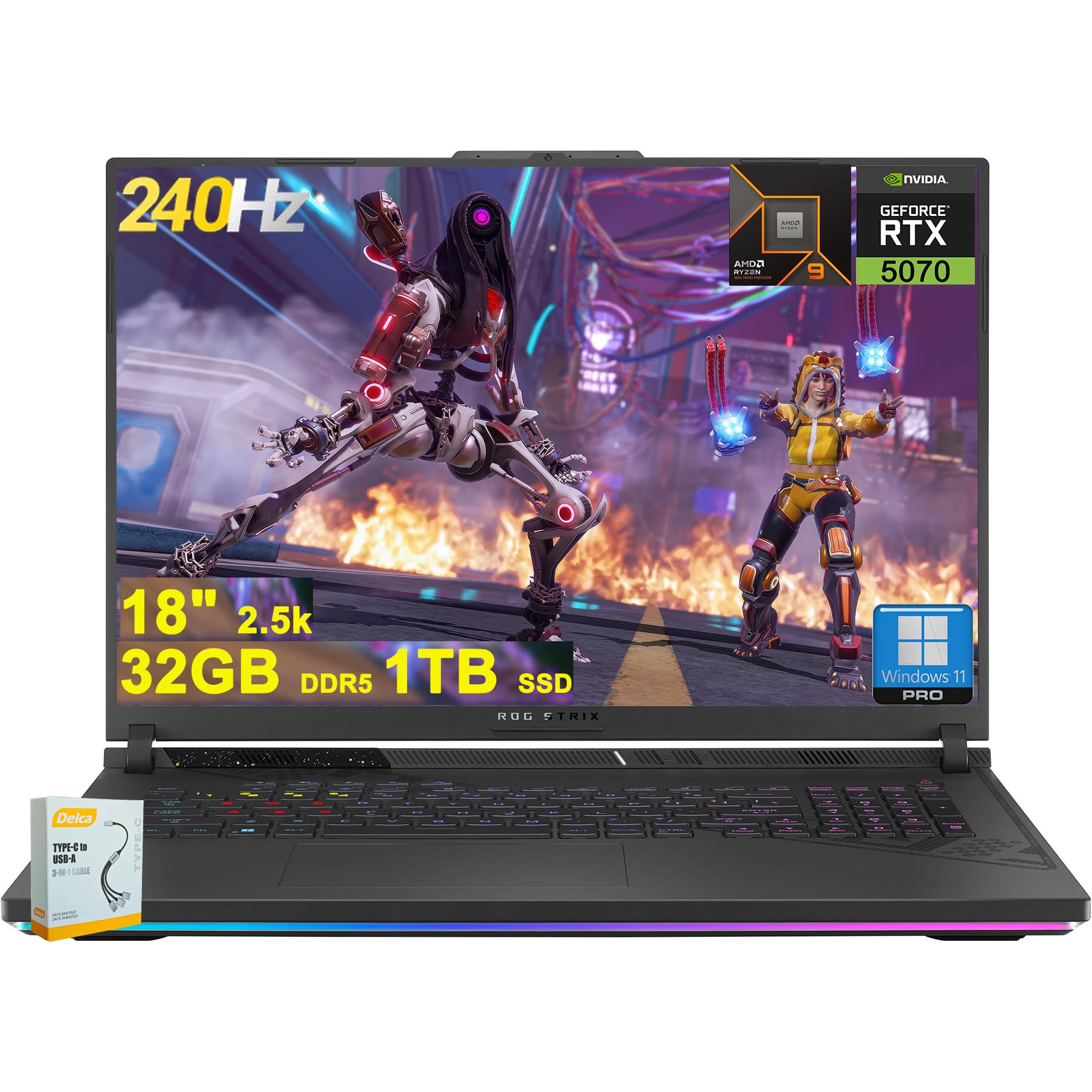
Figure 1: ASUS ROG Strix G18 G814 Gaming Laptop, front view with screen open.
מה יש בקופסה
ודא שכל הפריטים נמצאים ובמצב תקין בעת פתיחת הקופסה.
- מחשב נייד לגיימינג ASUS ROG Strix G18 G814
- מתאם מתח/מטען

Figure 2: Contents of the ASUS ROG Strix G18 G814 package, including the laptop and power adapter.
הגדרה
1. הפעלה ראשונית
- חבר את מתאם החשמל: חבר את ספק הכוח לשקע החשמל של המחשב הנייד ולאחר מכן לשקע בקיר.
- פתח את המחשב הנייד: פתח בזהירות את מכסה המחשב הנייד.
- הפעלה: לחץ על לחצן ההפעלה, הממוקם בדרך כלל על גבי לוח המקשים. המחשב הנייד יתחיל את רצף האתחול הראשוני שלו.
- פעל לפי ההוראות על המסך: Complete the Windows 11 setup process, including language selection, network connection, and user account creation.
2. חיבור ציוד היקפי
Connect external devices such as a mouse, keyboard, or external display to the available ports.

איור 3: צד view of the ASUS ROG Strix G18 G814, illustrating the various input/output ports including USB-A, USB-C, HDMI, and RJ45 Ethernet.
- USB-A 3.2: For standard USB devices like mice, keyboards, and external drives. (2 ports)
- Type USB 4: For high-speed data transfer, display output, and power delivery. (1 port)
- HDMI 2.1 FRL: לחיבור למסכים חיצוניים או טלוויזיות.
- RJ45 Ethernet: עבור חיבור רשת קווית.
- שקע משולב לאוזניות/מיקרופון: עבור קלט/פלט שמע.
הוראות הפעלה
ניהול חשמל
- הפעלה: לחץ על לחצן ההפעלה.
- כיבוי: Click the Start button, then Power, then Shut down.
- מצב שינה: Close the lid or select Sleep from the Power menu.
מקלדת ומשטח מגע
The laptop features a 4-zone RGB backlit keyboard and a precision touchpad for navigation.

איור 4: תקריב view of the ASUS ROG Strix G18 G814's 4-zone RGB backlit keyboard and touchpad.
- בקרת תאורה אחורית: Use the dedicated function keys (Fn + Fx) to adjust keyboard backlight brightness or effects.
- מחוות משטח מגע: עיין בהגדרות Windows עבור מחוות מגע מרובות הניתנות להתאמה אישית.
תצוגה וגרפיקה
Your laptop is equipped with an 18-inch 2560x1600 IPS display with a 240Hz refresh rate and 100% DCI-P3 color gamut, powered by an NVIDIA GeForce RTX 5070 8GB graphics card.

Figure 5: Visual representation of the 18-inch IPS display with 2560x1600 resolution and 240Hz refresh rate.

Figure 6: Image highlighting the NVIDIA GeForce RTX 5070 graphics card, emphasizing its role in visual performance.
מערכת שמע
Experience enhanced audio with Smart Amp technology, Dolby Atmos support, and AI Noise-canceling for clear communication.

Figure 7: Visual depicting the audio features, including Dolby Atmos and AI Noise-Canceling Microphone.
ביצועים ותוכנה
The laptop is powered by an AMD 16-core Ryzen 9 9955HX processor and runs on Windows 11 Pro. It includes 32GB DDR5 RAM and a 1TB SSD for fast performance and storage.

Figure 8: Image illustrating the AMD Ryzen 9 9955HX processor, highlighting its 16-core architecture.
- מַעֲרֶכֶת הַפעָלָה: Windows 11 Pro provides a secure and efficient computing environment.
- ארגז נשק: Update Armoury Crate software for optimal system management and performance tuning.
תַחזוּקָה
ניקוי המחשב הנייד
- מָסָך: השתמש קלות במטלית רכה נטולת מוך דampשטוף במים או בחומר לניקוי מסכים. הימנע מכימיקלים חזקים.
- מקלדת ושלדה: השתמשו במטלית רכה. עבור לכלוך עיקש, נגבו מעטamp cloth is acceptable. Ensure no liquid enters openings.
- פתחי אוורור: Periodically clean dust from the ventilation grilles using compressed air to maintain optimal cooling performance.
טיפול בסוללה
- הימנע מטמפרטורות קיצוניות.
- אין לפרוק את הסוללה לחלוטין לעתים קרובות.
- לאחסון לטווח ארוך, יש לטעון את הסוללה לכ-50-60%.
פתרון בעיות
| בְּעָיָה | פתרון אפשרי |
|---|---|
| המחשב הנייד לא נדלק. | ודא שמתאם החשמל מחובר היטב הן למחשב הנייד והן לשקע חשמל תקין. בדוק אם שקע החשמל תקין. |
| Screen remains black after power on. | Connect an external monitor to verify if the issue is with the laptop's display. Try pressing Fn + F6 (or the appropriate function key) to toggle display output. |
| ביצועים איטיים. | Close unnecessary applications. Check for background processes consuming high resources. Ensure drivers are updated, especially graphics drivers. Verify sufficient free storage space on the SSD. |
| בעיות חיבור Wi-Fi. | Restart the laptop and the wireless router. Check Wi-Fi settings in Windows. Ensure Wi-Fi drivers are up to date. |
| Long reboot time after BIOS updates. | This is normal behavior for some BIOS updates. Allow the system to complete the process, which may take several minutes. Do not interrupt the power. |
| Operating System discrepancy (e.g., Windows 11 Home instead of Pro). | Verify the installed OS version via System Information. If there is a discrepancy with the purchased specification, contact your retailer or ASUS support for clarification. |
מפרטים
| שם הדגם | ASUS ROG Strix G18 G814 |
| מעבד | AMD 16-core Ryzen 9 9955HX (3 GHz) |
| גרָפִיקָה | כרטיס מסך ייעודי של NVIDIA GeForce RTX 5070 בגודל 8 ג'יגה-בייט |
| לְהַצִיג | 18-inch IPS, 2560x1600 resolution, 240Hz refresh rate, 100% DCI-P3 |
| אַיִל | 32GB DDR5 SDRAM |
| אִחסוּן | כונן SSD (Solid State Drive) בנפח 1TB |
| מַעֲרֶכֶת הַפעָלָה | Windows 11 Pro |
| קישוריות אלחוטית | Wi-Fi 6E (802.11ax) |
| נמלים | 2x USB-A 3.2, 1x Type USB 4, 1x HDMI 2.1 FRL, 1x RJ45 Ethernet, Headphone/Mic Combo Jack |
| מִקלֶדֶת | מקלדת RGB עם 4 אזורים ועם תאורה אחורית |
| שֶׁמַע | לִכאוֹב Amp, Dolby Atmos, AI Noise-canceling |
| Webפִּקָה | מצלמת FHD |
| סוֹלְלָה | 90Wh |
| מידות (LxWxH) | 11.57 x 15.71 x 1.21 אינץ' |
| מִשׁקָל | 6.63 פאונד |
אחריות ותמיכה
For warranty information, technical support, or service inquiries, please refer to the official ASUS support webבאתר או צור קשר עם הקמעונאי שלך.
תמיכה של ASUS Webאֲתַר: https://www.asus.com/support/
Please have your product model number (ROG Strix G18 G814) and serial number ready when contacting support.