
1. המוצר נגמרview
The aMagisn Bluetooth Wireless Remote Control is designed for seamless control of various action cameras and smartphones. It offers extended range, long battery life, and a durable, splash-resistant design, making it suitable for diverse shooting environments.
תוכן החבילה
- שלט רחוק x 1
- כבל טעינה x 1
- Short Wrist Strap x 1
- Long Wrist Strap x 1
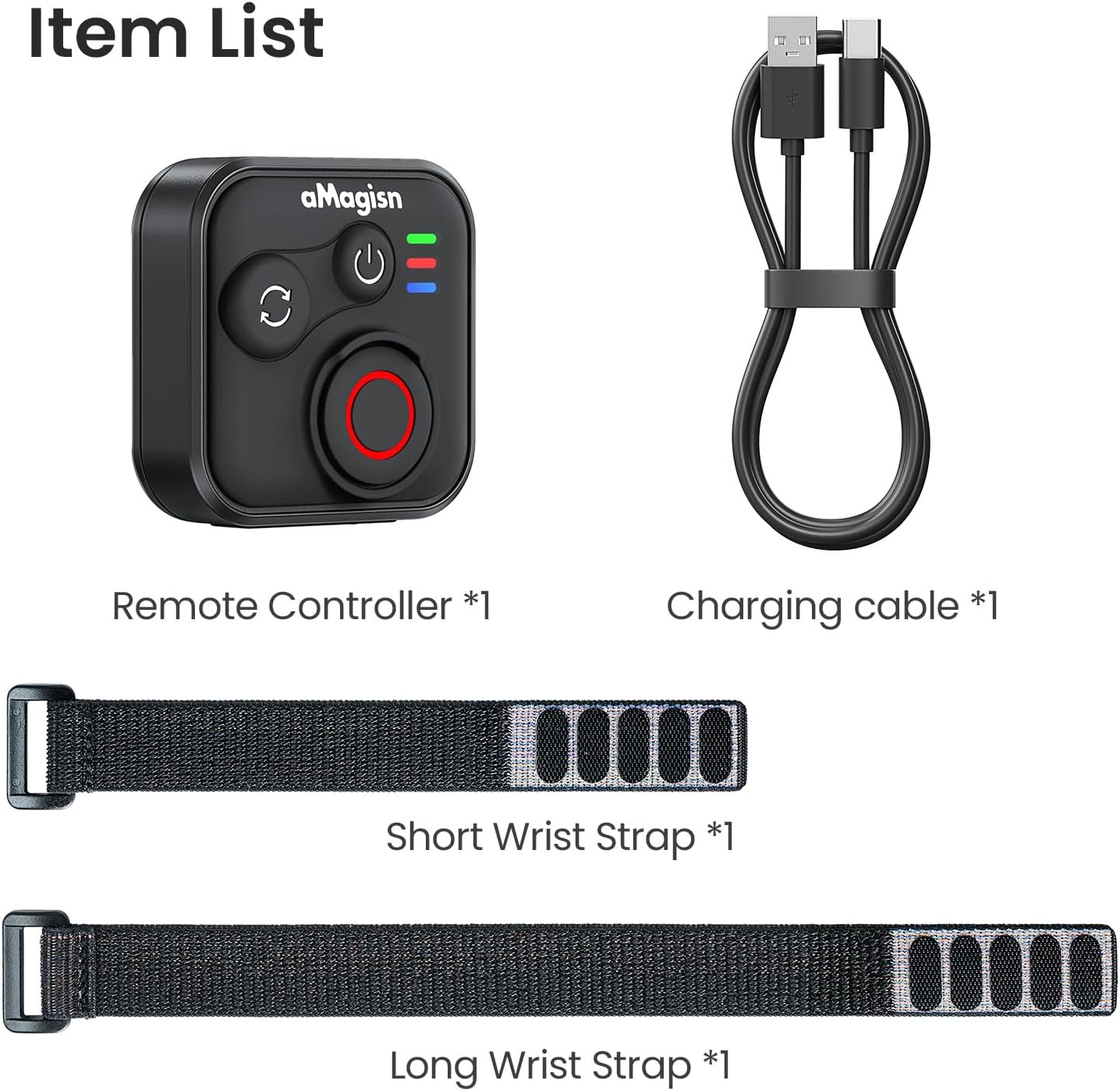
Image: Package contents including the remote, charging cable, and two wrist straps.
2. מפרטים
| מותג | aMagisn |
| שם המוצר | Sports Camera Bluetooth Remote Control |
| מכשירים תואמים | Insta360 series cameras, GoPro Hero series cameras, Android smartphones, iOS smartphones |
| חוֹמֶר | סיליקון ABS |
| מידות | 37.0 x 37.0 x 18.9 מ"מ |
| מִשׁקָל | 23 גרם |
| קיבולת סוללה | 3.7V / 120mAh ליתיום-יון |
| משך הטעינה | בערך שעתיים |
| כניסת טעינה | 5V/100mA |
| טווח מקסימלי | עד 76 מטרים (תלוי במכשיר) |

Image: Visual representation of the remote control's dimensions and key specifications.
3. התקנה
טעינת השלט הרחוק
Before first use, fully charge the remote control. Connect the provided charging cable to the USB-C port on the remote and to a standard USB power source. The charging indicator light will show the charging status.
התאמה עם מכשירים
The remote control supports pairing with Insta360 cameras, GoPro cameras, and iOS/Android smartphones.
- הפעלה: Briefly press the Power Button to turn on the remote.
- היכנסו למצב התאמה: If pairing with a new device, perform an Ultra-long press on the Mode Switch Button to force the remote to re-pair. The light indicator will show alternating blue, red, and green flashes.
- הפעלת בלוטות' במכשיר: On your camera or smartphone, enable Bluetooth and search for available devices.
- Select Remote: Select the aMagisn remote from the list of found devices to complete the pairing process.
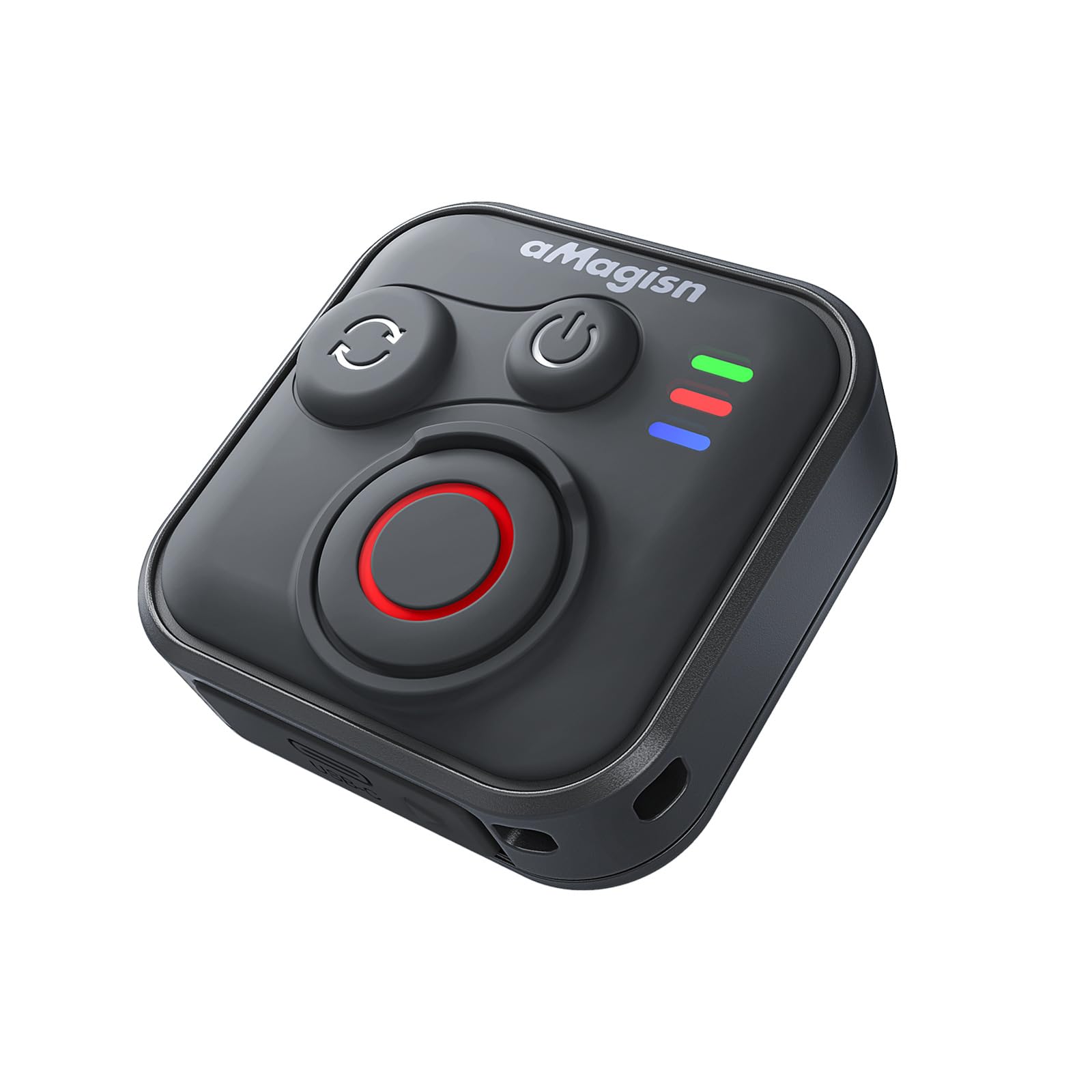
Image: The remote control demonstrating its Bluetooth 5.1 range, compatible with various devices.
4. הוראות הפעלה
פונקציות כפתור
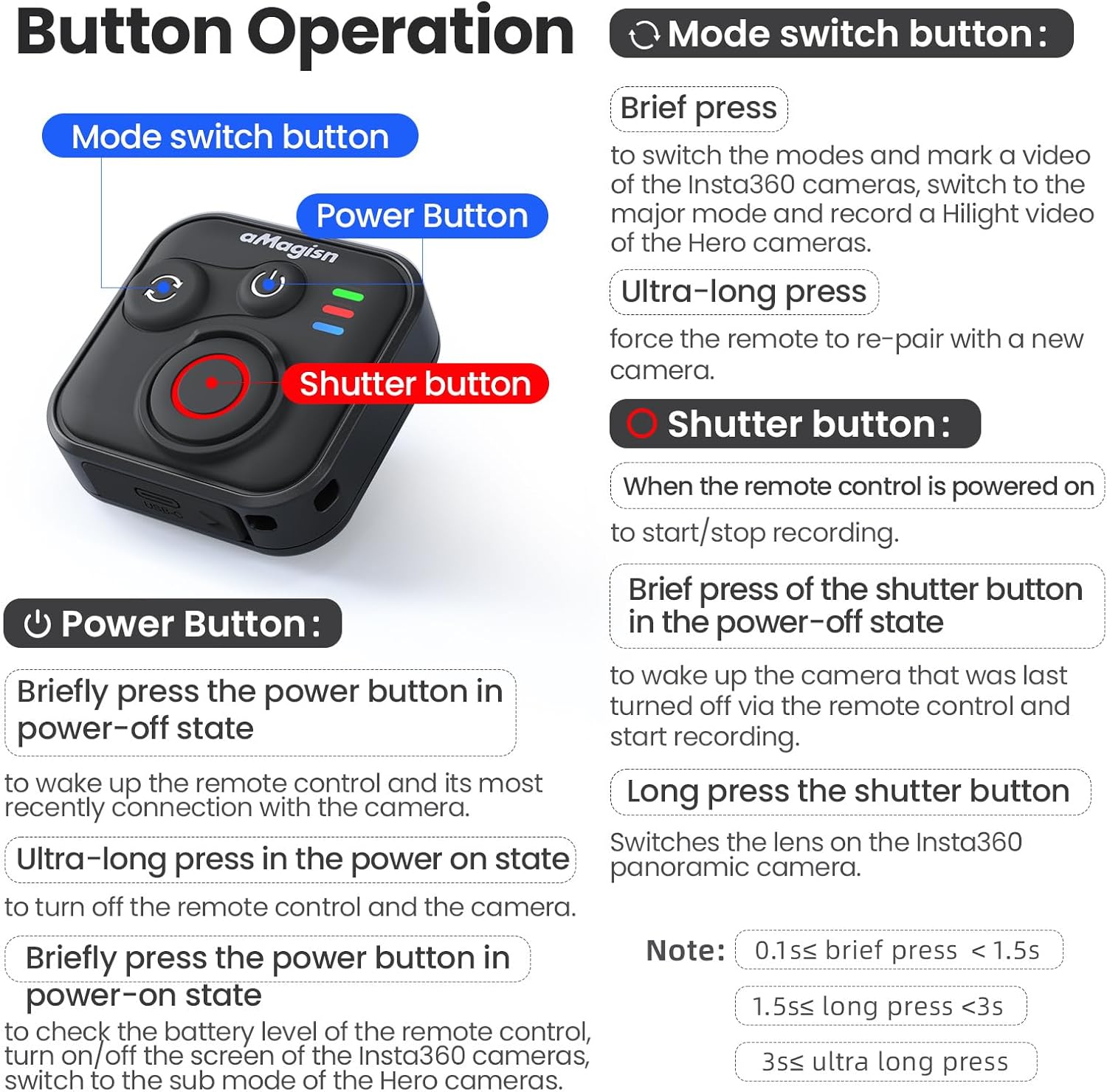
תמונה: מפורט מעלview of the remote control's buttons and their respective operations.
כפתור הפעלה
- Brief press (Power-off state): Wakes up the remote control and connects to the most recently paired device.
- Ultra-long press (Power-on state): Turns off the remote control and the connected camera.
- Brief press (Power-on state): Checks battery level, turns on/off the screen of Insta360 cameras, or switches to the sub-mode of Hero cameras.
לחצן החלפת מצב
- עיתונות קצרה: Switches between modes (e.g., Photo/Video) and marks a video highlight (for GoPro HiLight).
- Ultra-long press: Forces the remote to re-pair with a new camera.
כפתור תריס
- Press (Remote powered on): Starts or stops recording/capturing.
- Brief press (Power-off state): Wakes up the camera that was last turned off via the remote control and starts recording.
- לחיצה ארוכה: Switches the lens on Insta360 panoramic cameras.
Light Indicator Status

Image: Explanation of the remote control's LED light indicators for battery, connection, and pairing status.
Red and Green Light (Battery Status - Press Power Button)
- אור ירוק מוצק: רמת הסוללה נעה בין 10% ל-100%.
- אור ירוק מהבהב: רמת הסוללה נעה בין 0% ל-10%.
- אור אדום מהבהב: Battery level is at 0%.
Blue Light (Bluetooth Status)
- אור כחול מלא: Bluetooth מחובר.
- Blinking Blue Light (Power light off): Waiting to connect to the last connected device.
מצב טעינה
- אור אדום מוצק: Charging in progress, battery not yet full.
- אור ירוק מוצק: Charging in progress, battery is full.
New Device Pairing
- Alternating Blue, Red, and Green Light Flashes: Camera is waiting to pair with a new device.
5. Installation and Usage Scenarios
The remote control features a versatile design with four pass-through holes, allowing for both horizontal and vertical wrist strap attachment. This ensures secure mounting on wrists, handlebars, selfie sticks, or other accessories.

תמונה: דוגמהamples of how the remote control can be mounted horizontally or vertically using wrist straps, and various use cases like cycling, selfie sticks, and backpack clips.
עיצוב עמיד למים
The remote control features a waterproof build and a sealed USB port, making it resistant to splashes, rain, and suitable for use in wet conditions like surfing.
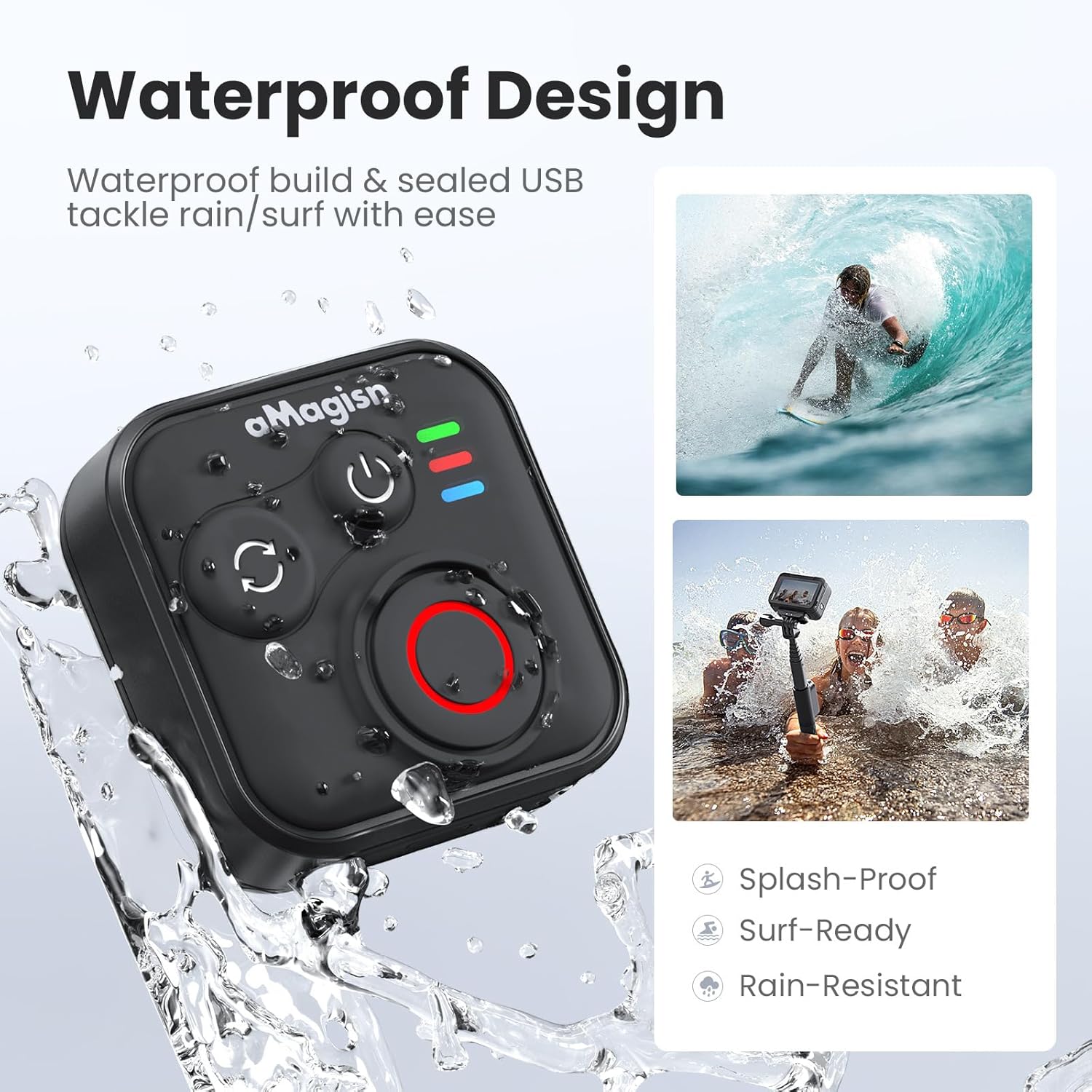
Image: The remote control demonstrating its waterproof capabilities, suitable for use in rain or near water.
6. תחזוקה
ניקוי
נגבו את השלט רחוק במטלית רכה ויבשה. במקרה של לכלוך עיקש, נגבו מעטamp ניתן להשתמש במטלית. אין להשתמש בכימיקלים חזקים או בחומרי ניקוי שוחקים.
אִחסוּן
Store the remote control in a cool, dry place away from direct sunlight and extreme temperatures. If storing for an extended period, ensure the battery is partially charged (around 50%) to prolong its lifespan.
חיי סוללה
The remote control offers up to 96 hours of continuous operation on a single charge, with a charging duration of approximately 3 hours.

Image: Visual representation of the remote control's impressive 96-hour battery life and 3-hour charging time.
7. פתרון תקלות
- השלט לא נדלק: Ensure the battery is charged. Connect to the charging cable and check the charging indicator light.
- לא ניתן להתאים למכשיר:
- Ensure Bluetooth is enabled on your camera/smartphone.
- Perform an Ultra-long press on the Mode Switch Button on the remote to force re-pairing.
- Ensure the remote is within the effective Bluetooth range of your device.
- Restart both the remote and your device.
- שלט רחוק לא שולט במצלמה:
- Verify that the remote is successfully paired (solid blue light).
- Check camera settings to ensure it supports external Bluetooth remote control.
- ודא שהקושחה של המצלמה מעודכנת.
- טווח פעולה קצר: Environmental factors (e.g., obstacles, interference) can affect Bluetooth range. Try operating in an open area.
8. אחריות ותמיכה
For warranty information or technical support, please refer to the contact details provided with your purchase or visit the official aMagisn webאתר. שמור את הוכחת הרכישה שלך לצורך תביעות אחריות.