
1. המוצר נגמרview
The PAXA Clipbuds 7 are open-ear wireless earbuds designed for comfort and situational awareness. They feature Bluetooth 5.4 connectivity, a dual LED battery display, touch controls, and IP45 water resistance.
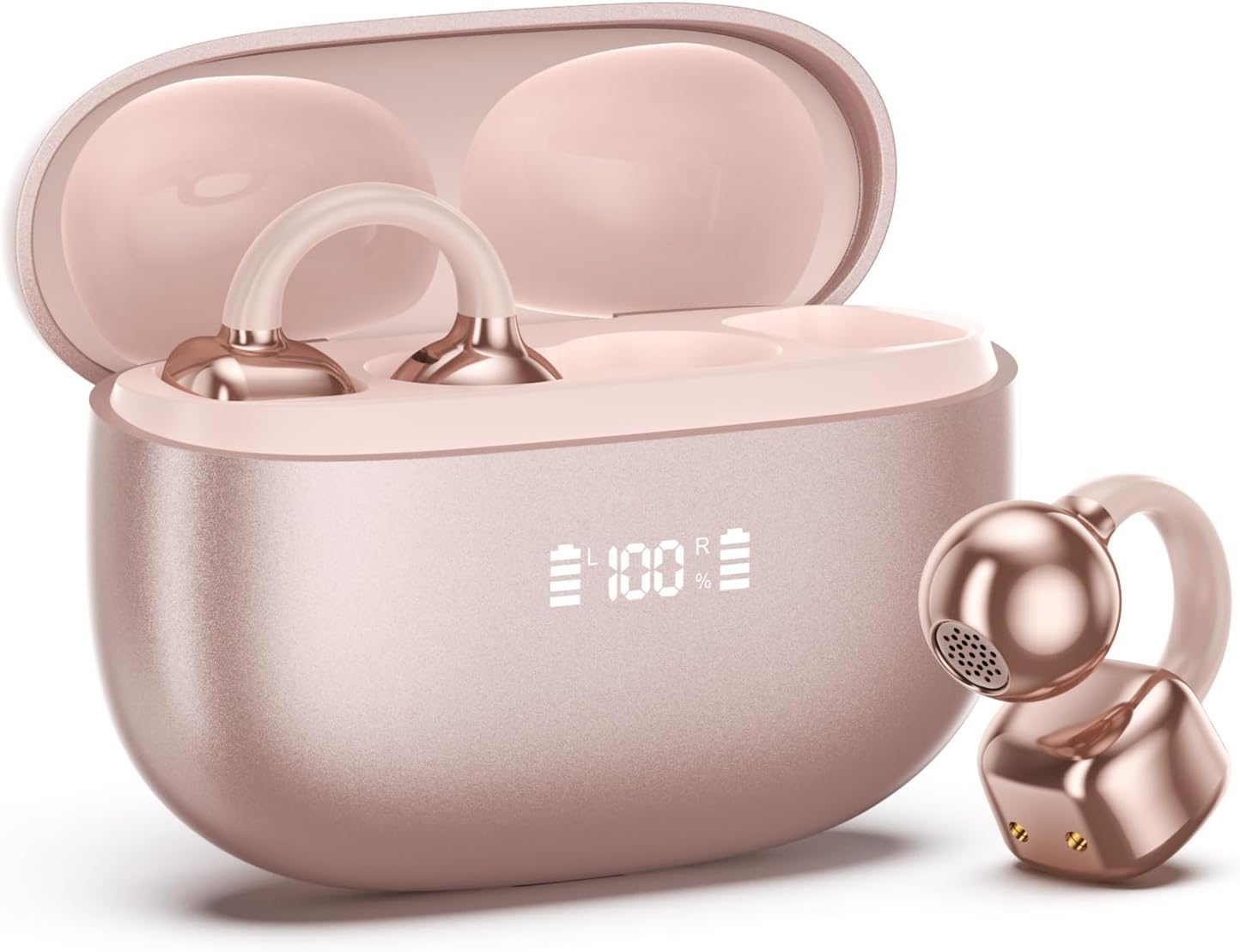
Image 1.1: PAXA Clipbuds 7 Rose Gold Earbuds and Charging Case. The earbuds are shown in their open charging case, which features an LED display indicating battery levels. One earbud is also shown outside the case.
תכונות עיקריות:
- Open-ear design for comfort and environmental awareness.
- בלוטות' 5.4 לחיבור אלחוטי יציב ויעיל.
- Dual LED display on charging case for battery status.
- Touch controls for music, calls, and voice assistant.
- Up to 44 hours total playtime with charging case.
- עמידות בפני אבק ומים IP45.
- Ultra-lightweight design (4.5g per earbud).
2. תכולת החבילה
ודא שכל הפריטים נמצאים בחבילה:
- Clip on Earbuds (1 pair)
- נרתיק טעינה אלחוטי (1)
- כבל טעינה (1)
- מדריך למשתמש (1)
3. הגדרה וצימוד
3.1 טעינה ראשונית
Before first use, fully charge the earbuds and the charging case. Connect the provided charging cable to the Type-C port on the charging case and a USB power source. The LED display on the case will indicate the charging status.
3.2 ענידת האוזניות
The Clipbuds 7 are designed to clip onto the thinnest part of your ear. Adjust the earbud tip to align with your ear canal for optimal sound and comfort.
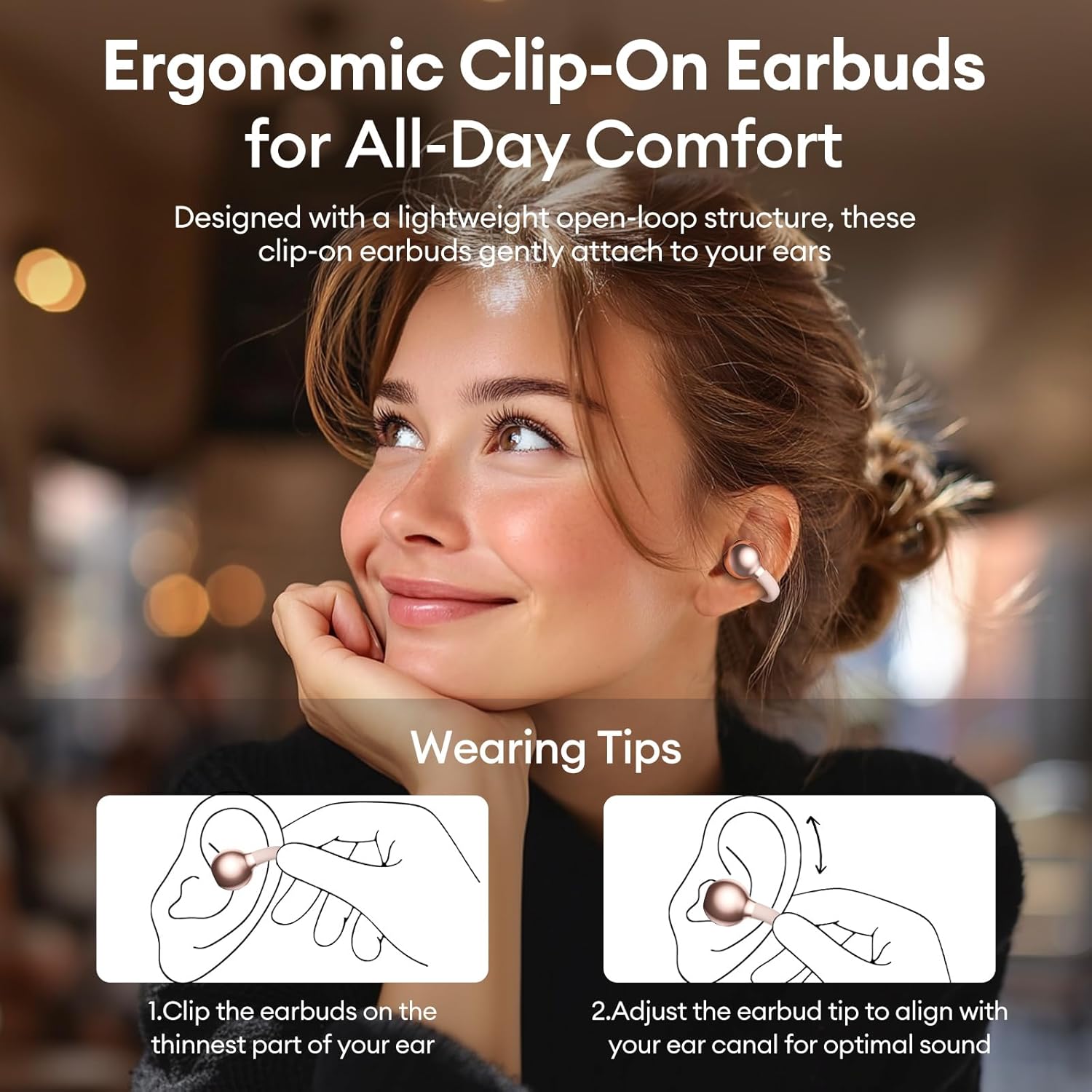
Image 3.2: Wearing instructions for PAXA Clipbuds 7. The diagram illustrates clipping the earbud onto the ear and adjusting for fit.
3.3 זיווג בלוטות '
- ודאו שהאוזניות טעונות ונמצאות בתוך מארז הטעינה.
- פתחו את מארז הטעינה. האוזניות ייכנסו אוטומטית למצב צימוד.
- במכשיר שלך (סמארטפון, טאבלט, מחשב נייד), עבור אל הגדרות Bluetooth.
- חפש "Clipbuds 7" in the list of available devices and select it to connect.
- לאחר החיבור, האוזניות יתחברו אוטומטית למכשיר שלך בעתיד לאחר הוצאתן מהמארז.
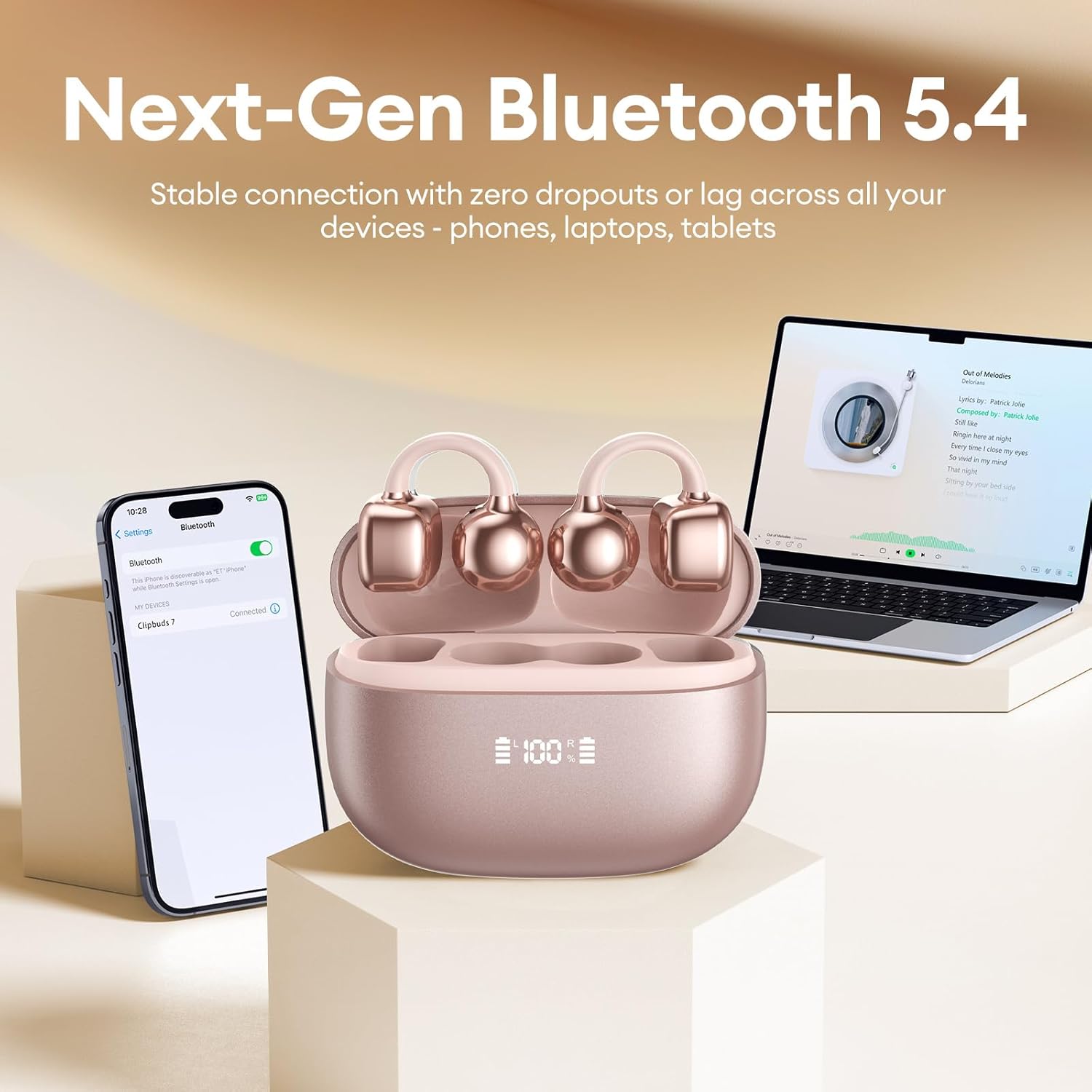
Image 3.3: PAXA Clipbuds 7 connected via Bluetooth to a smartphone and a laptop, demonstrating multi-device compatibility.
4. הוראות הפעלה
4.1 פקדי מגע
The Clipbuds 7 feature sensitive touch controls on each earbud. Refer to the following table for functions:

Image 4.1: Visual guide for PAXA Clipbuds 7 touch controls, showing actions for calls, music, and voice assistant.
| פוּנקצִיָה | פְּעוּלָה |
|---|---|
| מענה/סיום שיחה | Double-click either earbud |
| דחה שיחה | לחץ והחזק את אחת האוזניות למשך 2 שניות |
| הפעל/השהה | Double-click either earbud |
| השיר הקודם | Triple-click the left (L) earbud |
| השיר הבא | Triple-click the right (R) earbud |
| עוצמת קול + | Click the right (R) earbud |
| כרך - | Click the left (L) earbud |
| Voice Assistant (Siri, Google Assistant) | Hold both earbuds for 2 seconds |
4.2 LED Battery Display
The charging case features a dual LED display that shows the battery percentage of the case and each individual earbud (L and R).
4.3 Open-Ear Awareness
The open-ear design allows you to hear your audio while remaining aware of your surroundings. This feature is beneficial for activities like running, cycling, or commuting where situational awareness is important.

Image 4.3: Individuals using PAXA Clipbuds 7 during work, sports, and social gatherings, highlighting their versatility and open-ear design.
5. סוללה וטעינה
The Clipbuds 7 offer extended battery life for prolonged use.
- זמן משחק של אוזניות: עד 8 שעות בטעינה בודדת.
- זמן משחק כולל: עד 44 שעות עם מארז הטעינה.
- טעינה מהירה: 10 דקות טעינה מספקות כ-3 שעות של זמן נגינה.

Image 5.1: Illustration of the PAXA Clipbuds 7 charging case, highlighting the 44-hour total battery life and fast charging capability.
6. תחזוקה וטיפול
6.1 עמידות בפני מים ואבק
The Clipbuds 7 have an IP45 rating, making them resistant to dust and splashes of water. This means they can withstand sweat and light rain, making them suitable for workouts and outdoor activities. However, they are not designed for submersion in water.

Image 6.1: A person wearing PAXA Clipbuds 7 during light rain, illustrating the IP45 water resistance feature.
6.2 ניקוי
To maintain optimal performance and hygiene, regularly clean your earbuds and charging case with a soft, dry, lint-free cloth. Avoid using abrasive materials or harsh chemicals.
7. פתרון תקלות
If you encounter issues with your Clipbuds 7, try the following solutions:
- אין בעיות סאונד/קישוריות:
- ודאו שהאוזניות טעונות.
- ודא ש-Bluetooth מופעל במכשיר שלך.
- Forget "Clipbuds 7" from your device's Bluetooth list and re-pair.
- Ensure earbuds are within Bluetooth range (up to 50 feet).
- אוזניות לא נטענות:
- בדוק אם כבל הטעינה מחובר היטב הן למארז והן למקור החשמל.
- ודא שלמארז הטעינה עצמו יש חשמל.
- נקו את מגעי הטעינה הן באוזניות והן במארז.
- פקדי המגע לא מגיבים:
- ודא שהאצבעות שלך נקיות ויבשות.
- Restart the earbuds by placing them in the case and closing it, then reopening.
8. מפרטים
| תכונה | פְּרָט |
|---|---|
| שם הדגם | קליפבאדס 7 |
| מותג | PAXA |
| טכנולוגיית קישוריות | אלחוטי (Bluetooth) |
| גרסת בלוטות' | 5.4 |
| טווח בלוטות' | עד 50 רגל |
| מיקום אוזניים | אוזן פתוחה |
| סוג בקרה | בקרת מגע |
| חיי סוללה (טעינה בודדת) | 8 שעות |
| חיי סוללה כוללים (עם מארז) | 44 שעות |
| רמת עמידות במים | IP45 (Dust/Water Resistant) |
| בקרת רעש | Hybrid Noise Cancellation (ENC for calls) |
| חוֹמֶר | Silicone Rubber + Plastic |
| משקל פריט | 2.39 אונקיות |
| רכיבים כלולים | Clip on Earbuds, Wireless Charging Case, Charging Cable, User Manual |
9. אחריות ותמיכה
For warranty information and customer support, please refer to the contact details provided with your purchase or visit the official PAXA webאתר. שמור את הוכחת הרכישה שלך עבור כל תביעת אחריות.
10. סרטוני מוצר רשמיים
The following videos provide additional information and demonstrations of the PAXA Clipbuds 7.
PAXA Clipbuds7 Open Ear Clip On Earbuds with LED Display
Video 10.1: This video from PAXA Direct showcases the features of the Clipbuds 7, including the LED display and open-ear design. It demonstrates the product's appearance and some functionalities.
PAXA High-Street Jewelry Open Ear Clip On Earbuds
Video 10.2: This video from PAXA Direct highlights the aesthetic and design aspects of the Clipbuds 7, emphasizing their jewelry-like appearance and comfortable fit.