
1. הקדמה
This manual provides essential information for the proper setup, operation, and maintenance of your Veout 15.6-inch Portable Monitor. Please read these instructions thoroughly before using the product to ensure optimal performance and longevity.
2. תכולת החבילה
ודא שכל הפריטים המפורטים להלן נמצאים באריזת המוצר שלך:
- 1 x צג נייד
- 1 x כבל USB-A ל-USB-C
- 1 x כבל USB-C ל-USB-C
- 1 x כבל מיני HDMI ל-HDMI
- 1 x מדריך למשתמש

Figure 2.1: Included accessories with the portable monitor.
3. המוצר נגמרview
The Veout portable monitor features a 15.6-inch IPS display with a slim profile and integrated kickstand for versatile use.
3.1. מאפיינים פיזיים

איור 3.1: חזית view of the Veout 15.6-inch Portable Monitor.

איור 3.2: אחורי view highlighting connectivity ports.

איור 3.3: צד פרוfile demonstrating the monitor's thin design.
3.2. יציאות ובקרות
- Full-Function USB-C Ports: For video, audio, data, and power delivery with a single cable.
- יציאת מיני HDMI: For video and audio input. Requires external power via USB-C when used.
- שקע שמע 3.5 מ"מ: לחיבור אוזניות או רמקולים חיצוניים.
- Control Wheel/Buttons: Used for adjusting volume, brightness, and navigating the On-Screen Display (OSD) menu.
3.3. Integrated Kickstand
The monitor features a foldable kickstand for stable positioning at various viewזוויות.
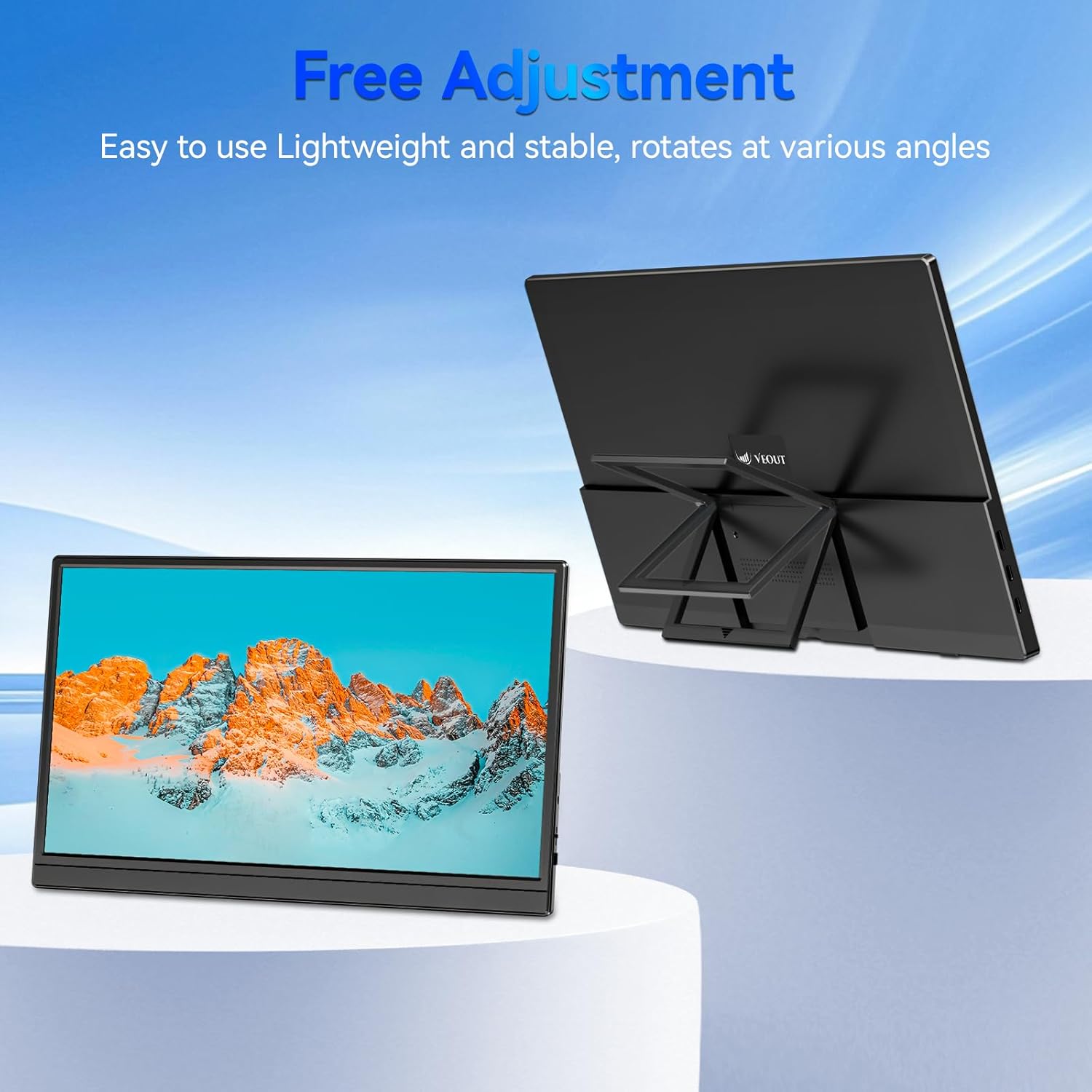
Figure 3.4: Monitor with kickstand for adjustable viewing.
4. התקנה
The Veout portable monitor supports plug-and-play functionality, requiring no driver installation for most devices.
4.1. חיבור למכשיר
- USB-C Connection (Single Cable):
- Connect one end of the USB-C to USB-C cable to a full-function USB-C port on your laptop, smartphone, or other compatible device.
- Connect the other end of the USB-C to USB-C cable to one of the full-function USB-C ports on the portable monitor.
- This connection provides video, audio, and power to the monitor.
- HDMI Connection (Requires Additional Power):
- Connect one end of the Mini-HDMI to HDMI cable to the Mini-HDMI port on the monitor.
- Connect the other end of the Mini-HDMI to HDMI cable to the HDMI port on your device.
- For power, connect the USB-A to USB-C cable or a USB-C to USB-C cable from your device's USB port or a power adapter (not included) to one of the monitor's USB-C ports.
4.2. Positioning the Monitor
Deploy the integrated kickstand to position the monitor on a flat surface. Adjust the angle for optimal viewing. The monitor can be used in both landscape and portrait orientations.

Figure 4.1: Monitor used in portrait mode for document viewing.
5. הוראות הפעלה
5.1. מצבי תצוגה
When connected to a computer, you can configure the display mode through your operating system's display settings:
- Copy Mode (Mirror Display): Duplicates your primary screen's content onto the portable monitor. Useful for presentations or sharing content.
- מצב מורחב: Extends your desktop across both screens, providing additional workspace for multitasking.
- מצב מסך שני בלבד: Displays content only on the portable monitor, with the primary device's screen turned off.
5.2. התאמת הגדרות
The monitor features an intuitive control mechanism for quick adjustments:
- התאמת בהירות: Scroll the control wheel up or down to instantly adjust screen brightness.
- התאמת עוצמת הקול: Scroll the control wheel up or down to instantly adjust speaker volume.
- תפריט OSD: Press the control wheel or designated button to access the On-Screen Display menu for advanced settings like color, contrast, and input source selection.
5.3. טכנולוגיית טיפוח עיניים
The monitor incorporates advanced eye-care technology designed to reduce blue light emission and screen flicker, promoting comfortable viewבמהלך שימוש ממושך.
6. תחזוקה
To maintain your monitor's performance and appearance, follow these guidelines:
- ניקוי המסך: נגבו בעדינות את המסך בעזרת מטלית רכה ונטולת סיבים. במקרה של סימנים עקשניים, נגבו קלותampשטפו את המטלית במים או בתמיסת ניקוי מסכים. הימנעו מכימיקלים חזקים או מחומרים שוחקים.
- ניקוי ה-Casing: השתמש במטלית רכה ויבשה כדי לנקות את הצג.asing.
- אִחסוּן: When not in use, store the monitor in a cool, dry place, preferably in its original packaging or a protective sleeve.
- הימנע מנוזלים: Do not expose the monitor to excessive moisture or spill liquids directly onto it.
7. פתרון תקלות
אם נתקלת בבעיות עם הצג שלך, עיין בבעיות הנפוצות ובפתרונות הבאים:
| בְּעָיָה | סיבה אפשרית | פִּתָרוֹן |
|---|---|---|
| אין תצוגה/הודעה "אין אות" | חיבור כבל שגוי, חשמל לא מספיק, מקור קלט שגוי. | Ensure cables are securely connected. If using HDMI, ensure a separate power source is connected to the monitor's USB-C port. Check your device's display settings to ensure the monitor is detected and enabled. Select the correct input source via the OSD menu. |
| מסך מהבהב | Loose cable connection, incompatible resolution/refresh rate, power fluctuations. | Reconnect cables. Adjust display resolution or refresh rate on your connected device. Ensure stable power supply. |
| אין צליל מרמקולי המוניטור | Monitor volume too low, incorrect audio output selected on device. | Increase monitor volume using the control wheel. On your connected device, ensure the portable monitor is selected as the audio output device. |
| המסך לא נדלק | No power supply, faulty cable. | Ensure the monitor is receiving power via a USB-C connection from a compatible device or power adapter. Try a different USB-C cable. |
8. מפרטים
| תכונה | פְּרָט |
|---|---|
| מספר דגם המוצר | Veout-15.6 |
| גודל מסך | 15.6 אינץ' |
| הַחְלָטָה | 1920 x 1080 פיקסלים (FHD 1080p) |
| יחס גובה-רוחב | 16:9 |
| סוג פאנל | IPS |
| משטח המסך | דָהוּי |
| מידות המוצר | 1.97 x 13.78 x 11.02 אינץ' |
| משקל פריט | 3.08 פאונד |
| קלט כרךtage | 5V |
| נוכחי מדורג | 3A |
| כוח פלט | 5.5W |
| יַצרָן | Guangdong Zhanwei electronic Technology Co., LTD |

Figure 8.1: Product information and certification details.
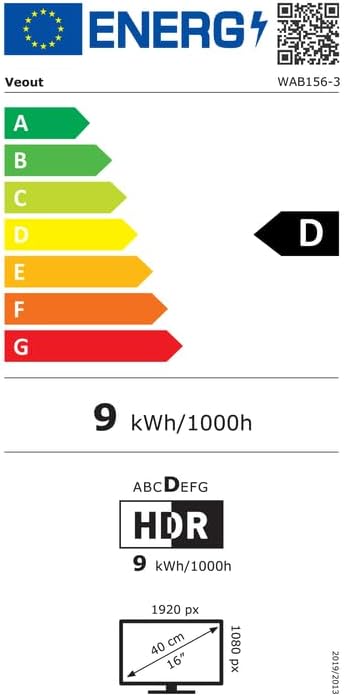
Figure 8.2: EU Energy Label for model WAB156-3. For more details, visit eprel.ec.europa.eu/qr/2209122.
9. אחריות ותמיכה
Your Veout Portable Monitor is backed by a 12-month warranty from the date of purchase. We are committed to providing customer service and support.
- תקופת אחריות: 12 חודשים
- מדיניות החזרות: אחריות להחזר הכסף של 30 יום
- שֵׁירוּת לָקוֹחוֹת: זמין 24 שעות

איור 9.1: מידע על אחריות ותמיכה.
For technical assistance or warranty claims, please contact Veout customer support at support@veout.com.