
ארזופה Z1C
מדריך למשתמש של צג נייד ARZOPA Z1C בגודל 16.1 אינץ'
Model: Z1C | Brand: ARZOPA
מָבוֹא
This manual provides essential information for setting up, operating, and maintaining your ARZOPA 16.1-inch Z1C Portable Monitor. Please read it thoroughly before use to ensure optimal performance and longevity of your device.
מה יש בקופסה
- 1 x צג נייד ARZOPA בגודל 16.1 אינץ'
- 1 x כבל USB-C ל-USB-C
- 1 x כבל מיני HDMI ל-HDMI
- מדריך למשתמש אחד (מסמך זה)

Figure 1: Included accessories with the ARZOPA Z1C Portable Monitor.
תכונות המוצר
- 16.1" FHD 1080P Display: Experience clear picture quality with 1920x1080 resolution and 100% sRGB color gamut for vibrant visuals.
- Dual-Orientation & Stable Kickstand: Easily switch between horizontal and vertical display modes. The integrated 80° adjustable kickstand provides stable support on various surfaces.
- תאימות אוניברסלית: Connects instantly to laptops, PCs, Macs, smartphones (with full-function USB-C), Xbox/PS5/Switch consoles, and more via USB-C or HDMI.
- עיצוב נייד במיוחד: Weighing just 1.7lbs with a 0.3-inch slim profile, the monitor is designed for easy transport in backpacks or briefcases.

Figure 2: The ARZOPA Z1C Portable Monitor showcasinיכולות התצוגה שלה.
הגדרה
1. פריקה ובדיקה ראשונית
Carefully remove all components from the packaging. Inspect the monitor and accessories for any signs of damage. Retain the packaging for future transport or storage.
2. התחברות למכשיר שלך
The ARZOPA Z1C supports multiple connection methods:
- USB-C (Full Function): Use the provided USB-C to USB-C cable to connect the monitor to a compatible laptop, smartphone, or tablet. This single cable can transmit both video signal and power.
- HDMI & USB-A: Use the provided Mini HDMI to HDMI cable for video signal and a USB-A to USB-C cable (not explicitly listed in "What's in the Box" but implied by "Rich Cables Boost Compatibility" image) for power if your device does not support full-function USB-C.

Figure 3: Connection options for the ARZOPA Z1C Portable Monitor.
Ensure your device's USB-C port supports video output (DisplayPort Alternate Mode) and power delivery for single-cable operation. If not, external power via USB-A is required.
Video 1: A user demonstrates connecting the ARZOPA portable monitor to a laptop via USB-C, highlighting its ease of use and slim design.
הוראות הפעלה
1. הפעלה/כיבוי
The monitor will typically power on automatically when connected to a powered device. To manually power on/off or access the On-Screen Display (OSD) menu, use the buttons located on the side of the monitor.

איור 4: מעלview של יציאות וכפתורי הבקרה של הצג.
2. מצבי תצוגה
Once connected, your operating system should detect the monitor. You can configure display modes (Duplicate, Extend, Second Screen Only) through your device's display settings.
- Horizontal/Vertical Orientation: The monitor supports both landscape and portrait modes. Adjust the physical orientation and then change the display settings on your connected device accordingly.
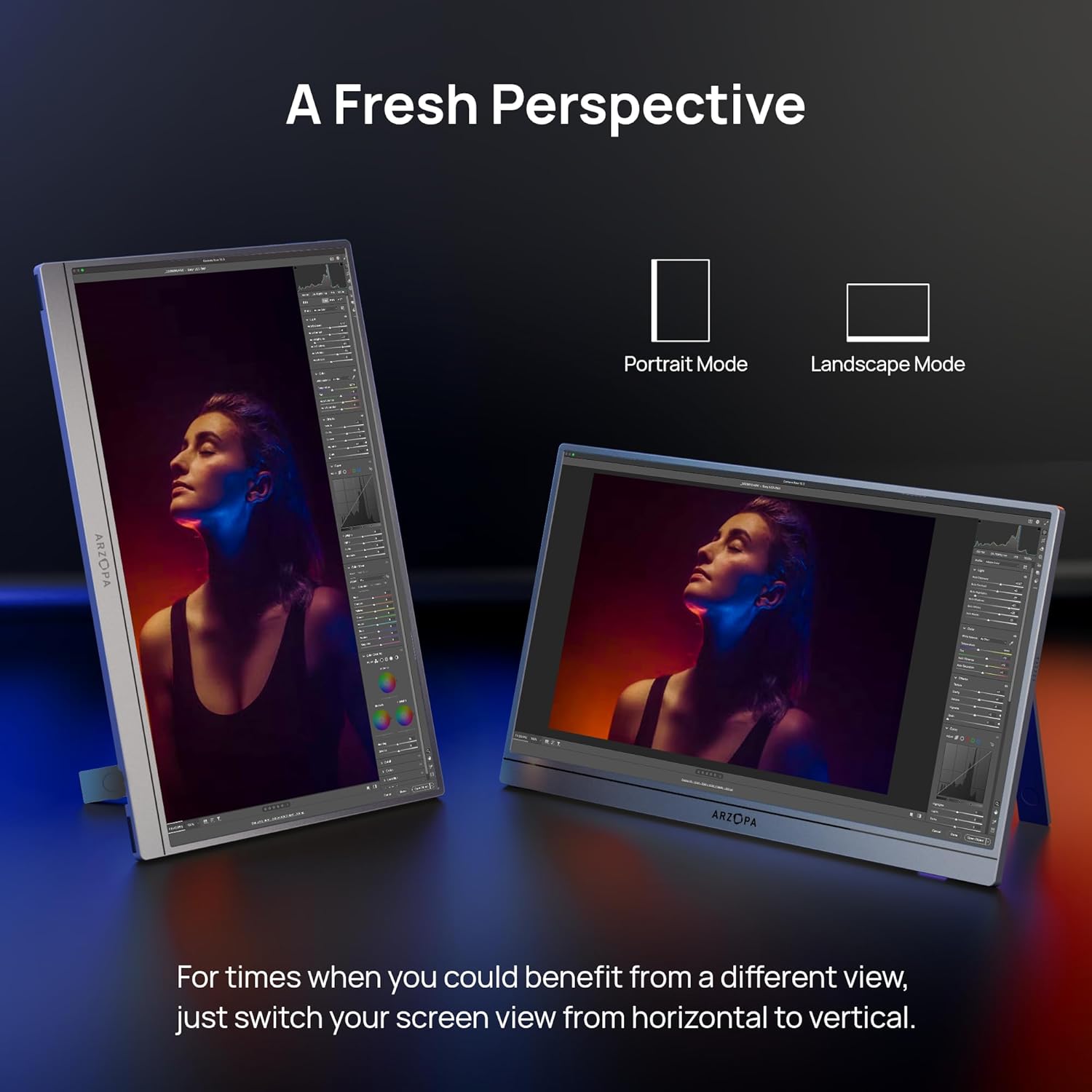
Figure 5: The ARZOPA Z1C monitor supports both portrait and landscape orientations.
3. תפריט תצוגה על המסך (OSD).
Use the OSD menu button and adjustment controls to fine-tune settings such as brightness, contrast, color temperature, input source, and more.
תַחזוּקָה
- ניקוי: Use a soft, lint-free cloth to gently wipe the screen and exterior. Avoid harsh chemicals or abrasive materials.
- אִחסוּן: When not in use, store the monitor in a cool, dry place, ideally in its original packaging or a protective sleeve to prevent scratches.
- טיפול: Avoid applying excessive pressure to the screen or dropping the device.
פתרון בעיות
- אין קליטה:
- ודא שהכבלים מחוברים היטב הן לצג והן להתקן המקור.
- Verify the input source selected on the monitor matches the connected port (e.g., USB-C, HDMI).
- בדוק אם יציאת ה-USB-C של המכשיר שלך תומכת בפלט וידאו.
- מסך מהבהב:
- Ensure the monitor is receiving sufficient power. If using a single USB-C cable, try connecting an additional power source to the monitor's second USB-C port or using a dedicated power adapter.
- Reduce screen brightness if flickering persists.
- אין צליל:
- בדוק את הגדרות עוצמת הקול של הצג בתפריט OSD.
- Verify your device's audio output is directed to the portable monitor.
מפרטים
| גודל מסך | 16.1 אינץ' |
| הַחְלָטָה | רזולוציית FHD 1080p (1920 x 1080 פיקסלים) |
| יחס גובה-רוחב | 16:9 |
| משטח המסך | דָהוּי |
| משקל פריט | 1.7 פאונד |
| מידות המוצר | 14.37 x 11.02 x 0.39 אינץ' |
| סך כל יציאות USB | 2 (USB-C) |
| כרך ידtage | 220 וולט (קלט) |
| יַצרָן | ארזופה |
| מספר דגם | Z1C |
אחריות ותמיכה
ARZOPA offers 24-month after-service support. For any inquiries or issues, please contact the dedicated customer support team. This ensures prompt responses and hassle-free solutions from purchase to long-term use.
תוכניות הגנה נוספות זמינות לרכישה:
- תוכנית הגנה לשנתיים
- תוכנית הגנה לשנתיים
- הגנה מלאה: תוכנית אחת מכסה את כל הרכישות הקודמות והעתידיות הזכאיות (חיוב חודשי)
Ask a question about this manual
Ask about setup, troubleshooting, compatibility, parts, safety, or missing instructions. Manuals+ will review the question and use this page’s manual context to help answer it.