
מָבוֹא
This manual provides detailed instructions for the operation and maintenance of your KEPLUG MX9 Sunrise Alarm Clock. Please read this manual thoroughly before use to ensure proper functionality and to maximize your experience with the device.
The KEPLUG MX9 is a multifunctional device designed to enhance your sleep and wake-up routine, featuring a sunrise simulation alarm, white noise sound machine, and a dimmable night light.
תוכן החבילה
- שעון מעורר זריחה KEPLUG MX9
- כבל חשמל
- מדריך למשתמש
הגדרה
חיבור חשמל
- Connect the provided power cable to the DC 5V input port on the back of the alarm clock.
- Plug the other end of the power cable into a standard USB wall adapter (included) or a compatible USB port.
- The device will power on and the time display will illuminate.
גיבוי סוללה (אופציונלי)
The device requires 2 AAA batteries (not included) for battery backup functionality. These batteries preserve your time settings in the event of a power outage but do not power the alarm clock for normal operation.
- אתר את תא הסוללה בתחתית המכשיר.
- הכניסו 2 סוללות AAA, תוך הקפדה על קוטביות נכונה (+/-).
- סגור היטב את מכסה תא הסוללות.

This image shows the front of the KEPLUG MX9 Sunrise Alarm Clock, highlighting its compact design and the digital time display. The device is white with control buttons located on the lower front panel.
סרטון 1: אוברview of the KEPLUG MX9 Sunrise Alarm Clock, demonstrating its physical features and initial setup steps, including power connection and battery installation.
הוראות הפעלה
הגדרת זמן
- לחץ והחזק את הגדרת זמן button (usually indicated by a clock icon) for 2 seconds to enter time setting mode.
- השתמש ב- + or - לחצו על הכפתורים כדי לכוון את השעה. הגדרת זמן לחצן שוב כדי לאשר.
- חזור על התהליך כדי להגדיר את הדקות.
- You may also select 12-hour or 24-hour format if available.
הגדרת אזעקה
- לחץ והחזק את אַזעָקָה button (bell icon) for 2 seconds to enter alarm setting mode.
- השתמש ב- + or - buttons to set the desired alarm time (hour and minute). Press the אַזעָקָה button to confirm each step.
- Select your preferred alarm sound from the available 6 options using the מוּסִיקָה button (note icon) or +/- כפתורים.
- Adjust the alarm volume (7 levels) using the + or - כפתורים.
- כדי להפעיל/לכבות את האזעקה, לחצו לחיצה קצרה על הלחצן אַזעָקָה כפתור. סמל אזעקה יופיע/ייעלם על הצג.
The snooze function allows for an additional 9 minutes of sleep. To activate snooze, press any button on the front panel when the alarm sounds. The alarm will sound again after 9 minutes.
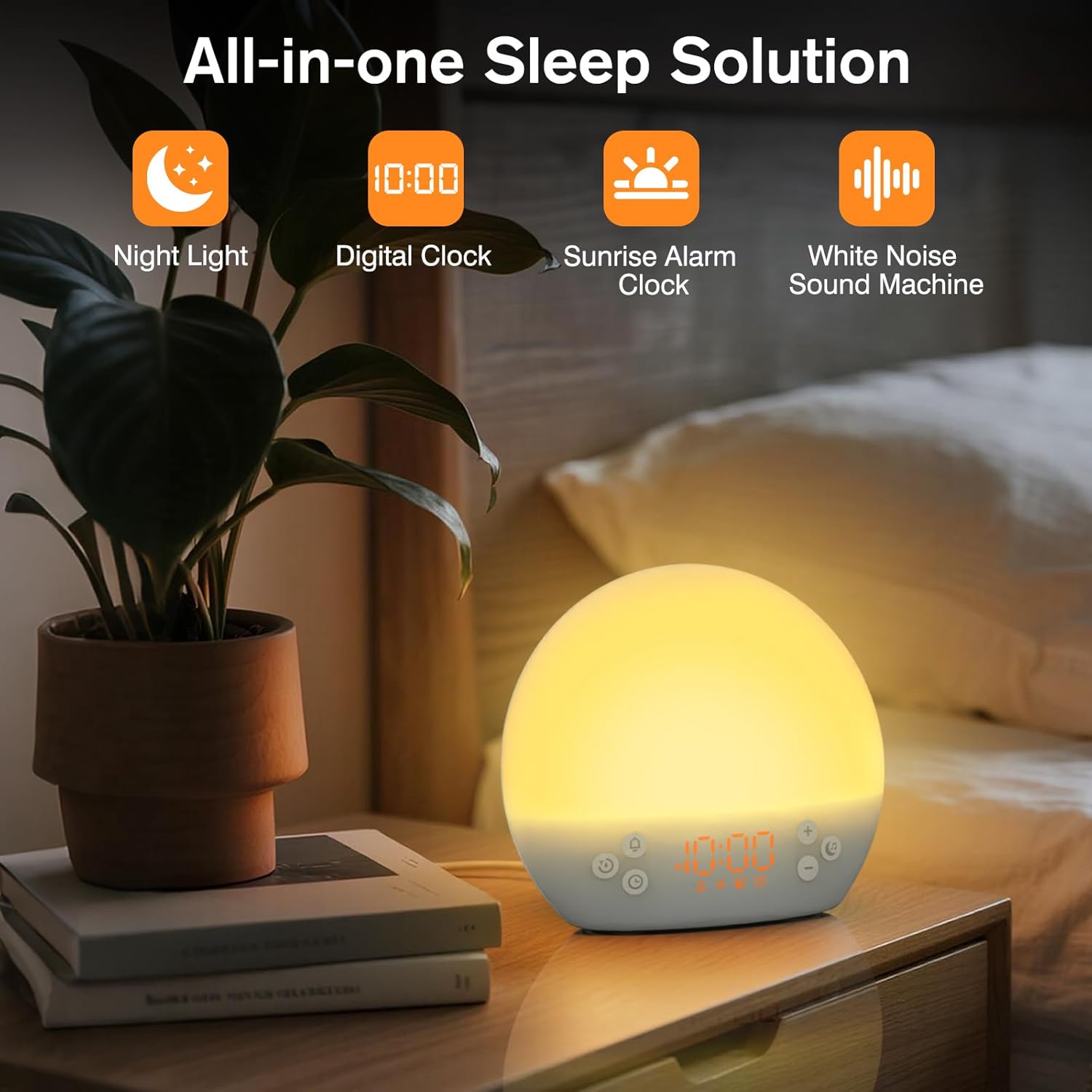
This image shows the KEPLUG MX9 alarm clock on a bedside table next to a plant, with its digital time display clearly visible. The clock emits a warm, soft light, indicating its function as a night light or ambient light source.
סימולציה של זריחה
The sunrise simulation feature gradually brightens the light before your set alarm time, mimicking a natural sunrise. This duration can be customized from 15 to 120 minutes.
- During alarm setting, you can adjust the sunrise duration.
- Choose from 3 wake-up modes: gentle light + sound, just the alarm, or sunrise light without sound.

This image illustrates the sunrise simulation feature of the KEPLUG MX9 alarm clock. It shows a person waking up gently as the clock's light gradually brightens, simulating a natural sunrise over a period of 15-120 minutes.
Video 2: This video demonstrates the sunrise simulation feature, showing how the light gradually brightens to gently wake the user.
מכונת קול רעש לבן
The device offers 30 soothing sounds to aid in relaxation and sleep. These include 10 white noises (white, pink, brown noises, fan sounds) and 20 nature sounds (rain, ocean waves, thunderstorms, birdsong, campfires, lullabies).
- הקש על מוּסִיקָה כפתור כדי לעבור בין הצלילים הזמינים.
- השתמש ב- + or - buttons to adjust the volume (15 levels).
- An optional sleep timer (30-120 minutes) can be set to automatically turn off sounds.

This image highlights the 30 soothing sounds available on the KEPLUG MX9, categorized into white noises and nature sounds, designed to create a tranquil environment for sleep.
Video 3: This video demonstrates the sound machine functionality, demonstrating the variety of white noise and nature sounds available.
Night Light & Dimmable Display
The alarm clock features 12-color night lights and adjustable brightness. It can be used as a bedside lamp, baby nursery light, or for creating romantic ambient lighting.
- לחץ קצר על אוֹר button (sun icon) to turn the light on/off or change colors.
- Use the dedicated light dimmer slider on the back of the device to adjust the light brightness.
- The LED clock display brightness can also be adjusted to your personal comfort level using the display dimmer slider.

This image displays the KEPLUG MX9 alarm clock functioning as a night light, showing a range of 12 solid colors and 4 RGB mood lights. It highlights the device's versatility in creating different ambient settings.
Video 4: This video demonstrates the 12-color night light feature, showing the various color options and how to adjust them.
Intelligent Sleep Timer
The sleep timer allows you to set the device to automatically and gradually turn off sounds and lights after a specified duration (15, 30, 60, or 120 minutes), ensuring an undisturbed night's rest.
- הקש על שָׁעוֹן עֶצֶר button (clock with arrow icon) to activate the sleep timer.
- Cycle through the available durations (15, 30, 60, 120 minutes) by repeatedly pressing the שָׁעוֹן עֶצֶר לַחְצָן.
- The timer will begin counting down and the light/sound will gradually fade before turning off.
תַחזוּקָה
ניקוי
- ודא שהמכשיר מנותק מהחשמל לפני הניקוי.
- נגב את המשטח עם מטלית רכה ויבשה.
- אין להשתמש בחומרי ניקוי שוחקים, ממסים או כימיקלים חזקים.
אִחסוּן
יש לאחסן את המכשיר במקום קריר ויבש, הרחק מאור שמש ישיר וטמפרטורות קיצוניות, כאשר אינו בשימוש למשך תקופות ממושכות.
פתרון בעיות
| בְּעָיָה | סיבה אפשרית | פִּתָרוֹן |
|---|---|---|
| המכשיר לא נדלק. | כבל החשמל לא מחובר או פגום. | Ensure the power cable is securely connected to both the device and a working power outlet. Try a different USB adapter or outlet. |
| האזעקה לא נשמעת. | האזעקה לא הופעלה או שעוצמת הקול נמוכה מדי. | Check if the alarm icon is displayed. If not, activate the alarm. Increase the alarm volume. |
| Time settings are lost after power outage. | No AAA batteries installed or batteries are depleted. | Install 2 new AAA batteries for backup. Remember, batteries only save settings, they do not power the clock for normal operation. |
| Light does not change color or brightness. | Incorrect button press or dimmer setting. | Short press the Light button to cycle colors. Use the light dimmer slider on the back to adjust brightness. |
מפרט מוצר
| תכונה | פְּרָט |
|---|---|
| שם הדגם | MX9 |
| מידות המוצר | 2.76" D x 6.38" W x 5.71" H |
| משקל פריט | 0.39 קילוגרם (13.7 אונקיות) |
| מקור כוח | חשמל חוטי (DC 5V) |
| גיבוי סוללה | 2 AAA batteries (not included) for time settings only |
| סוג אור | Wake Up Light, 12-color Night Light |
| אפשרויות סאונד | 30 Soothing Sounds (White Noise, Nature Sounds) |
| נשמע אזעקה | 6 צלילי טבע |
| משך נודניק | דקות 9 |
| טיימר שינה | 15, 30, 60, 120 דקות |
מידע בטיחות
- Do not use in the bath or near water.
- Follow all instructions to avoid injury or damage to the device.
- Use at safe volumes to protect hearing.
- הרחק מהישג ידם של ילדים וחיות מחמד.
אחריות ותמיכה
For warranty information or technical support, please refer to the product packaging or contact KEPLUG customer service directly. Keep your purchase receipt for warranty claims.
לסיוע נוסף, בקר ב- KEPLUG Store on Amazon.