
XINDADA HW S11
XINDADA HW S11 Smartwatch User Manual
Model: HW S11
1. הקדמה
The XINDADA HW S11 Smartwatch is a versatile device designed for communication, navigation, and activity tracking. Featuring a 2.02-inch HD display, Android 8.1 operating system, and a powerful quad-core processor, it supports independent calls, video calls, GPS positioning, and a wide range of applications.

תמונה 1.1: נגמרview of the HW S11 Smartwatch highlighting key features such as 4G video calls, GPS, music control, and access to popular apps.
2. מה בקופסה
אנא בדקו את תכולת החבילה בעת פתיחת הקופסה:
- XINDADA HW S11 Smartwatch
- Charging Cable (Magnetic Wireless)
- מדריך למשתמש
3. הגדרה ראשונית
3.1 טעינת השעון החכם
Before first use, fully charge your smartwatch. Connect the magnetic wireless charging cable to the charging points on the back of the watch and to a compatible USB power source. The watch has a 700 mAh battery.
3.2 התקנת כרטיס SIM
The HW S11 Smartwatch supports an independent SIM card for cellular connectivity. Locate the separate SIM card slot on the side of the watch. Carefully insert a Nano-SIM card into the slot, ensuring correct orientation.

Image 3.1: Detail of the smartwatch showing the 180° swivel camera and the dedicated SIM card slot for independent cellular connectivity.
3.3 הפעלה/כיבוי
- כדי להפעיל: לחץ והחזק את כפתור ההפעלה (בדרך כלל בצד) עד שהמסך יידלק.
- כדי לכבות: לחץ והחזק את לחצן ההפעלה, ולאחר מכן בחר 'כיבוי' על המסך.
3.4 תצורה ראשונית
Upon first power-on, follow the on-screen prompts to select your language, set the time and date, and connect to a Wi-Fi network if desired.
4. הוראות הפעלה
4.1 ניווט בממשק
The smartwatch features a 2.02-inch HD touchscreen. Swipe left, right, up, or down to access different menus, notifications, and quick settings. Tap to select items and press the side button to return to the home screen or go back.
4.2 ביצוע וקבלת שיחות
With a SIM card installed, you can make and receive calls directly from your smartwatch. Access the 'Phone' application, dial a number, or select a contact to initiate a call. Incoming calls will display on the screen, allowing you to answer or reject.
4.3 שיחות וידאו
The HW S11 supports HD video calls. Utilize the built-in 180° swivel telescopic camera for video communication. Ensure you have a stable internet connection (Wi-Fi or cellular data) and a compatible video calling application installed.
4.4 מיקום GPS
The smartwatch integrates GPS, Beidou, and LBS Wi-Fi for precise real-time positioning. This feature allows for tracking your location, recording historical trajectories, and indoor positioning in large public spaces like malls or airports.
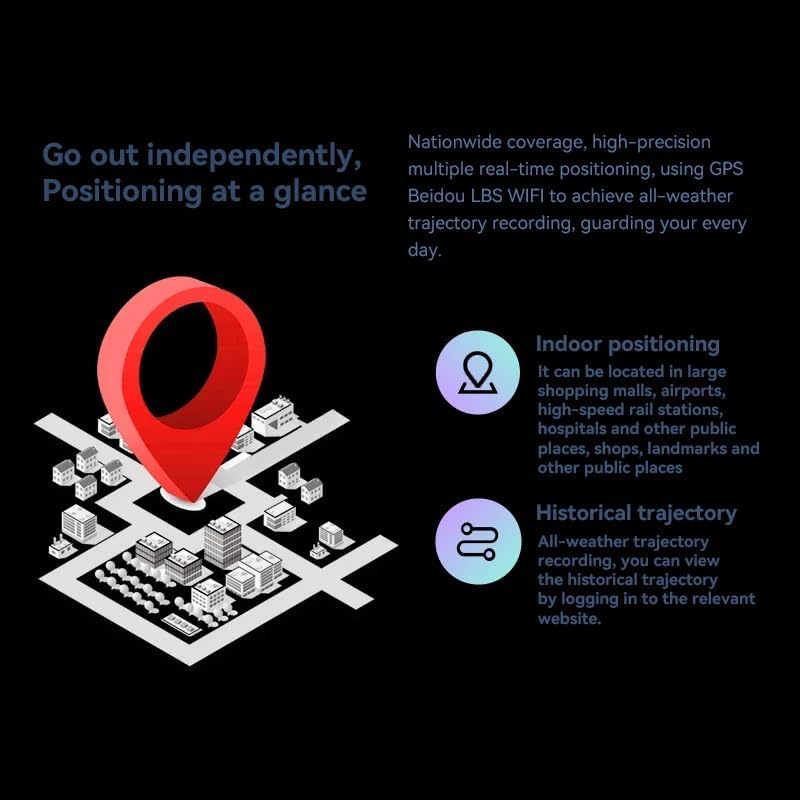
Image 4.1: Visual representation of the smartwatch's GPS and multi-location tracking features, including indoor and historical trajectory capabilities.
4.5 שימוש באפליקציה
Running on Android 8.1 with 2GB RAM and 16GB internal storage, the smartwatch allows you to download and use various applications from its integrated app store. Popular apps like WeChat, TikTok, YouTube, and games are supported.

תמונה 4.2: מוצג ממשק השעון החכםasing a selection of popular applications available for download and use.
4.6 בקרת מוזיקה
Control music playback on your connected smartphone or directly from the smartwatch if music files are stored on its internal memory. Access the music player app to play, pause, skip tracks, and adjust volume.
5. תחזוקה
- ניקוי: Wipe the watch screen and body with a soft, dry, lint-free cloth. Avoid using harsh chemicals or abrasive materials.
- עמידות במים: While the device may have some resistance, avoid submerging it in water or exposing it to high-pressure water streams.
- אִחסוּן: אחסן את השעון החכם במקום קריר ויבש כאשר אינו בשימוש.
- טיפול בסוללה: To prolong battery life, avoid extreme temperatures and do not allow the battery to fully discharge for extended periods.
6. פתרון תקלות
6.1 Watch Does Not Power On
- ודא שהשעון טעון במלואו. חבר אותו למטען למשך 30 דקות לפחות.
- נסה ללחוץ ולהחזיק את כפתור ההפעלה למשך 10-15 שניות כדי לאלץ הפעלה מחדש.
6.2 אות GPS חלש
- ודא שאתה נמצא באזור פתוח עם שדה נקי view של השמיים.
- Avoid areas with tall buildings or dense foliage that can obstruct the signal.
6.3 אפליקציות לא מורדות/עובדות
- Check your Wi-Fi or cellular data connection.
- Ensure there is sufficient storage space on the device (16GB internal memory).
- הפעל מחדש את השעון החכם.
6.4 מסך מגע לא מגיב
- נקו את המסך כדי להסיר לכלוך או לחות.
- הפעל מחדש את המכשיר. אם הבעיה נמשכת, צור קשר עם תמיכת הלקוחות.
7. מפרטים

תמונה 7.1: פנימי view highlighting the Android 8.1 operating system and the quad-core ASR8601 processor, ensuring smooth operation.
| תכונה | פְּרָט |
|---|---|
| דֶגֶם | HW S11 |
| מותג | שינדה |
| מַעֲרֶכֶת הַפעָלָה | אנדרואיד 8.1 |
| מעבד | Quad-core (ASR8601) |
| אַיִל | 2 ג'יגה-בייט |
| אחסון פנימי | 16 ג'יגה-בייט |
| גודל תצוגה | 2.02 אינץ' |
| סוג תצוגה | LCD |
| הַחְלָטָה | 320 x 390 פיקסלים |
| קיבולת סוללה | 700 מיליאמפר/שעה |
| קישוריות | Bluetooth, Wi-Fi, 4G (SIM card support) |
| GPS | Integrated GPS, Beidou, LBS |
| מַצלֵמָה | 180° Swivel Telescopic Camera |
| מידות | 5 x 5 x 5 ס"מ |
| מִשׁקָל | 100 גרם |
8. אחריות ותמיכה
למידע על אחריות ותמיכה טכנית, אנא עיין בתיעוד המצורף לרכישה שלך או פנה לספק שלך. שמור את הוכחת הרכישה שלך עבור כל תביעת אחריות.
Ask a question about this manual
Ask about setup, troubleshooting, compatibility, parts, safety, or missing instructions. Manuals+ will review the question and use this page’s manual context to help answer it.