1. הקדמה
The JIMIMAX JC261 is a 4G Live Video Dash Cam designed to provide advanced monitoring and security for your vehicle. Featuring ADAS (Advanced Driver Assistance System), built-in GPS tracking, SOS alerts, and 24-hour remote monitoring capabilities, this device enhances driving safety and vehicle management. This manual will guide you through the setup, operation, and maintenance of your JC261 dash cam.
2. תכולת החבילה
לפני ההתקנה, אנא ודא שכל הפריטים המפורטים להלן כלולים בחבילה שלך:
- JC261 Dash Cam
- IP67 Waterproof Rear Camera (0.5m cable)
- 10m Extension Cable for Rear Camera
- Bracket with 3M sticker
- Backup 3M sticker
- Card lock with screwdriver
- Relay (4pin, 12v)
- Relay Cable (4pin)
- לחצן אזעקה SOS
- כבל חשמל
- כלי התקנה

Figure 2.1: Contents of the JIMIMAX JC261 Dash Cam package.
3. המוצר נגמרview
The JC261 dash cam offers dual camera recording with a 1080P front camera and an optional 720P interior or rear camera. It integrates 4G connectivity for real-time video streaming and remote management via web ויישומים ניידים.

Figure 3.1: Dual Live Stream Video Dashcam capabilities.
תכונות מפתח כוללות:
- קישוריות 4G ו-WiFi: For live video streaming and remote access.
- מיקום GPS: Built-in GPS for accurate tracking.
- הנחיה קולית: For real-time alerts and notifications.
- ADAS: Advanced Driver Assistance System for enhanced safety.
- Timeline Playback: 180-day historical playback of routes, mileage, speed, and alert videos.
- Remote Listen-In: Ability to listen to conversations inside the vehicle.
- Talk to Driver: Two-way communication with the driver.
- Snapshot & Video Record: Capture images and record video remotely.

איור 3.2: מעלview of JC261 Dash Cam features.
4. התקנה
4.1 התקנת מכשיר
The JC261 dash cam is designed for windshield mounting. Ensure a clear line of sight for both the front camera and the optional rear/interior camera. Use the provided 3M stickers and bracket for secure attachment. Connect the power cable and the rear camera cable as instructed in the installation guide (not provided in this manual, refer to separate installation instructions).

Figure 4.1: JC261 Dash Cam and its components for installation.
4.2 הפעלת מכשיר
To activate the device, you have two options:
- Use the IoT card included in the package and purchase a subscription plan.
- Purchase a local SIM card and insert it into the device.
Ensure the SIM card is properly inserted and has an active data plan for 4G connectivity and remote features.
5. הוראות הפעלה
5.1 ניטור וידאו חי
Access live video streams from your dash cam at any time through the dedicated platform (APP + Web). The video feed includes a watermark with location, speed, date, and time. You can take screenshots or record driver behavior. The platform also allows you to listen to in-car conversations and use the microphone to speak with passengers.
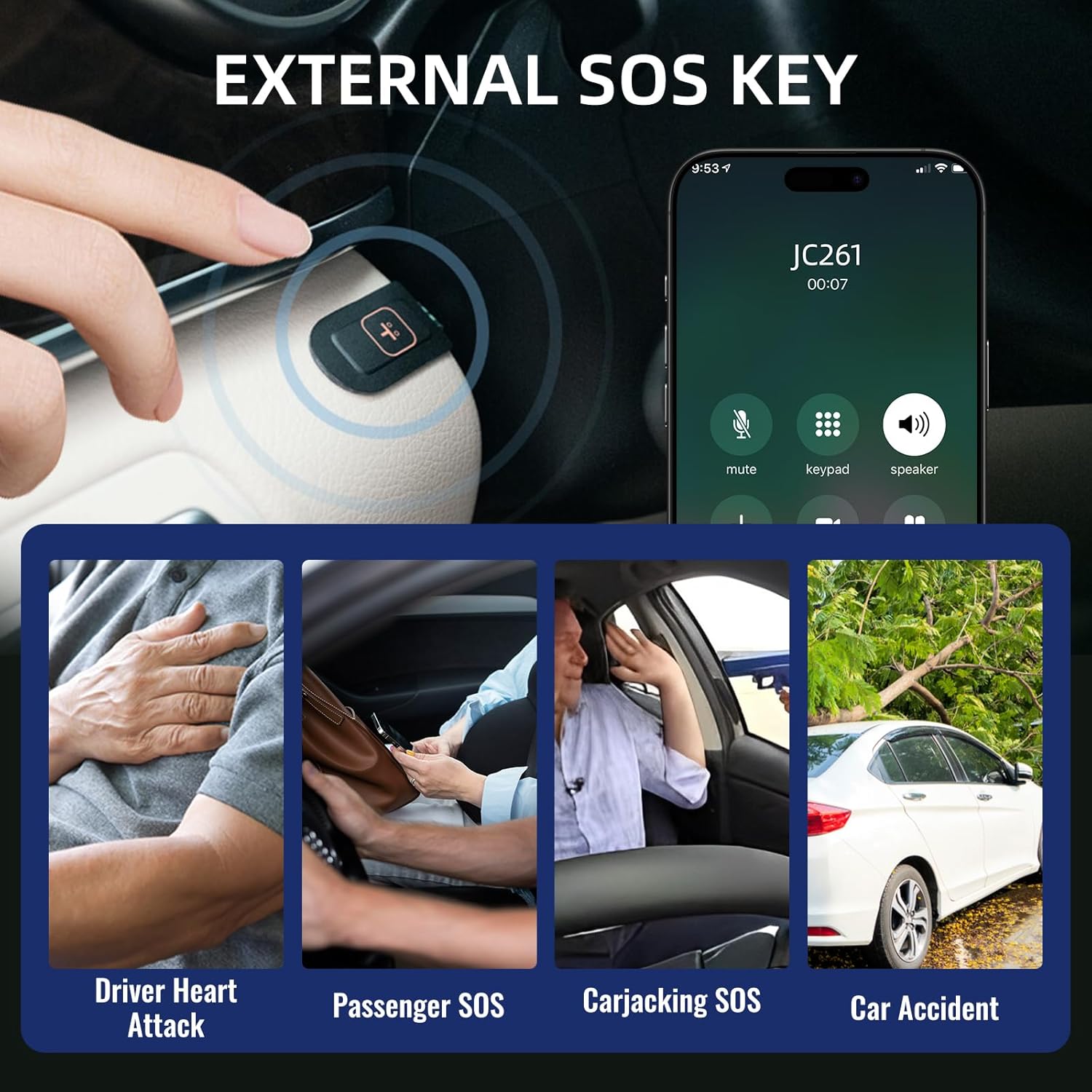
Figure 5.1: Remote monitoring and communication interface.
5.2 הקלטת לולאה
When the vehicle is moving, the dash cam continuously records video. Once the TF card storage is full, the system automatically overwrites the oldest video fileכדי להבטיח הקלטה רציפה.

Figure 5.2: Loop recording and cloud sync functionality.
5.3 Event Video Cloud Sync
In the event of an incident, the dash cam automatically uploads relevant video footage to the cloud platform. This ensures that critical event videos are saved and accessible without storage limits on the cloud platform.
5.4 השמעה היסטורית
The cloud platform (web and APP) stores device data for up to 180 days, including route, mileage, speed, and alert videos. There are no storage limits on the cloud platform for this historical data.

Figure 5.3: 180-day historical playback on JIMI Cloud.
6. תכונות מתקדמות
6.1 מערכת סיוע מתקדמת לנהג (ADAS)
The ADAS algorithm monitors driving conditions for potential incidents such as insufficient following distance, near collisions, and lane departure. Voice alerts are provided in real-time to warn the driver.

איור 6.1: דוגמהamples of ADAS driving behavior alerts.
6.2 24-Hour Monitoring and Multiple Alerts
Configure various alerts for events such as car vibration, collision, speeding, GEO Fence breaches, and SOS activations. The device will send alert notifications to your phone and upload a short video to the cloud platform when an alert is triggered.
6.3 SOS Alert Function
The external SOS key allows for immediate emergency alerts. In situations like a driver heart attack, passenger SOS, carjacking, or car accident, pressing the SOS button will trigger an alert to pre-set contacts.

Figure 6.2: External SOS key and its applications.
6.4 Remote Fuel Cut Off
For enhanced security, the device supports remote fuel/power cut-off functionality. This feature allows you to remotely stop the vehicle when its moving speed is reduced to 20 km/h or less. This command is typically password-protected and requires specific conditions to be met (e.g., device not positioning or exceeding 20km/h).

Figure 6.3: Remote fuel cut-off feature.
7. תחזוקה
To ensure the longevity and optimal performance of your JIMIMAX JC261 dash cam, follow these maintenance guidelines:
- ניקוי רגיל: Gently wipe the camera lenses and the device body with a soft, dry cloth to remove dust and smudges. Avoid abrasive cleaners.
- בדוק חיבורים: Periodically inspect all cables and connections to ensure they are secure and free from damage.
- עדכוני קושחה: Check the official JIMIMAX website or app for any available firmware updates. Keeping your device updated ensures access to the latest features and performance improvements.
- ניהול כרטיסי SD: If using a local SD card, format it regularly (e.g., once a month) to prevent data corruption and ensure smooth loop recording. Back up important footage לפני העיצוב.
- בקרת טמפרטורה: Avoid exposing the dash cam to extreme temperatures for extended periods, as this can affect battery life and electronic components.
8. פתרון תקלות
If you encounter issues with your JC261 dash cam, refer to the following common troubleshooting steps:
- המכשיר לא מופעל: ודא שכבל החשמל מחובר היטב הן למצלמת הרכב והן למקור החשמל של הרכב. בדוק את תיבת הנתיכים של הרכב במידת הצורך.
- No Live Video/Offline: Verify that the SIM card is correctly inserted and has an active data plan. Check 4G signal strength in your area. Restart the device and the application.
- GPS לא עוקב: ודא שלמצלמת הרכב יש תמונה ברורה view of the sky. GPS signals can be obstructed by tunnels, tall buildings, or dense foliage.
- בעיות הקלטה: Check if the TF card is inserted correctly and is not full. Format the TF card if necessary (back up data first). Ensure loop recording is enabled in settings.
- התראות ADAS אינן פועלות: Ensure the camera lens is clean and unobstructed. Calibrate ADAS settings if available in the app.
- Remote Features Unresponsive: Confirm stable 4G connectivity. Ensure the device is properly activated and linked to your account on the platform.
אם הבעיות נמשכות, צור קשר עם תמיכת הלקוחות לקבלת סיוע נוסף.
9. מפרטים
| תכונה | מִפרָט |
|---|---|
| שם הדגם | JC261 |
| מידות המוצר | 3.93 x 2.04 x 2.71 אינץ' |
| משקל פריט | 2.38 פאונד |
| טכנולוגיית קישוריות | Auxiliary, 4G, Wireless |
| תכונות מיוחדות | App Control, Automatic Incident Detection, Built-In GPS, Built-In Speaker, Loop Recording, ADAS, SOS Alert, Remote Fuel Cut Off |
| רזולוציית לכידת וידאו | 1080p (Front), 720p (Rear/Interior) |
| סוג הרכבה | השמשה הקדמית |
| שיטת בקרה | אפליקציה, שלט |
| צֶבַע | שָׁחוֹר |
| סוג שירות הרכב | Bus, Car, RV, Truck |
| יַצרָן | JIMIIOT |
| תאריך ראשון זמין | 18 ביוני 2025 |
10. אחריות ותמיכה
For warranty information, please refer to the documentation provided with your purchase or contact your retailer. For technical support, product inquiries, or assistance with any issues not covered in this manual, please visit the official JIMIMAX website or contact their customer service department. Details for contacting support are typically found on the product packaging or the manufacturer's webאֲתַר.