
boAt Airdopes Prime 412
boAt Airdopes Prime 412 TWS Earbuds User Manual
Model: Airdopes Prime 412
מָבוֹא
This manual provides detailed instructions for the safe and efficient use of your boAt Airdopes Prime 412 True Wireless Stereo (TWS) Earbuds. Please read this manual thoroughly before using the product to ensure optimal performance and longevity.
מה יש בקופסה
- TWS Earbuds (Left and Right)
- נרתיק טעינה
- Additional Earmuffs (S, M, L sizes)
- כבל טעינה USB
- מדריך למשתמש
המוצר נגמרview
The boAt Airdopes Prime 412 are True Wireless Stereo earbuds designed for an immersive audio experience. They feature 11mm dynamic drivers, AI-ENx™ Technology for clear calls, multipoint connectivity, and a dedicated gaming mode.

Image: The boAt Airdopes Prime 412 earbuds in their charging case, showcasing the Midnight Black color.
הגדרה
1. טעינת האוזניות והמארז
Before first use, fully charge the earbuds and the charging case. Connect the provided USB cable to the charging port on the case and a power source. The LED indicator on the case will show charging status.
- A full charge provides up to 50 hours of total playtime.
- ASAP Charge: 10 minutes of charging provides up to 240 minutes of playback.

Image: A visual representation of the earbuds' 50-hour playtime and ASAP Charge feature, showing a person enjoying music.
2. First-Time Pairing (Google Fast Pair)
- ודא שה-Bluetooth של הטלפון החכם שלך מופעל.
- פתח את נרתיק הטעינה עם האוזניות בפנים.
- A pop-up notification for Google Fast Pair will appear on your Android device.
- Tap "Connect" to pair the earbuds.
- You can personalize the pairing name and locate misplaced buds through this feature.

Image: The Google Fast Pair Service logo, indicating quick and easy pairing for Android devices.
3. צימוד ידני
- פתחו את מארז הטעינה. האוזניות ייכנסו למצב צימוד אוטומטי.
- On your device, go to Bluetooth settings and search for "Airdopes Prime 412".
- Select "Airdopes Prime 412" to connect.
4. קישוריות רב-נקודתית
The Airdopes Prime 412 supports connecting to two devices simultaneously. This allows seamless switching between audio sources, such as taking a call on your phone while listening to music on your laptop.

Image: Illustration of multipoint connectivity, showing the earbuds simultaneously connected to a smartphone (displaying a call) and a tablet (playing music).
5. boAt Hearables App Installation
For enhanced features and customization, download the boAt Hearables App. Scan the QR code or visit the provided link to download.

Image: A smartphone screen displaying the boAt Hearables App with a QR code for scanning and downloading the application. Link: https://l.ead.me/bdAX6k
הוראות הפעלה
1. הפעלה/כיבוי
- הפעלה: Open the charging case, or long-press the touch control on both earbuds for 3 seconds.
- כיבוי: Place the earbuds back into the charging case and close the lid, or long-press the touch control on both earbuds for 5 seconds.
2. גע בפקדים
The earbuds feature intuitive touch controls. Functions can be customized via the boAt Hearables App.
| פְּעוּלָה | פוּנקצִיָה |
|---|---|
| נגיעה אחת (אוזניה שמאל/ימין) | השמעה/השהיה של מוזיקה, מענה/סיום שיחה |
| הקש פעמיים (אוזניה ימנית) | המסלול הבא |
| הקש פעמיים (אוזניה שמאלית) | המסלול הקודם |
| Long Press 2 seconds (Left/Right Earbud) | הפעל את עוזר הקולי |
| לחיצה משולשת (אוזניה שמאל/ימין) | Toggle BEAST Mode (Gaming Mode) |
3. Calling Functions (AI-ENx™ Technology)
The Airdopes Prime 412 features 4 microphones with AI-ENx™ Technology for clear voice calls by reducing environmental noise.

תמונה: פיצוץ view diagram of an earbud highlighting the 4 microphones and AI-ENx™ Technology for enhanced call clarity.
4. Gaming Mode (BEAST Mode)
Activate BEAST Mode for a low-latency gaming experience (60ms). This reduces audio delay, providing a competitive edge in games.
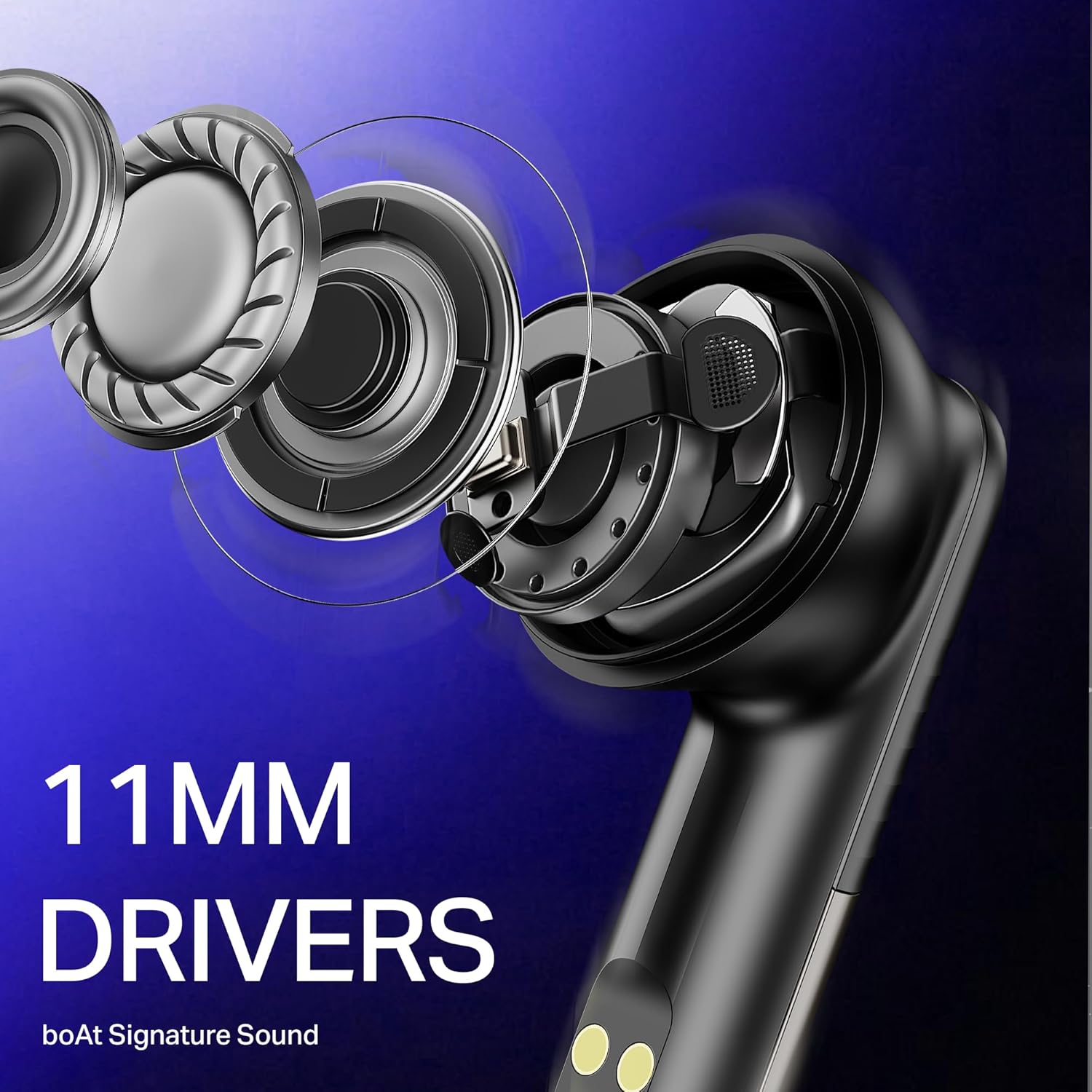
Image: The boAt Airdopes Prime 412 earbuds next to a smartphone displaying a first-person shooter game, emphasizing the low-latency BEAST Mode for gaming.
תַחזוּקָה
1. ניקיון
- נקו באופן קבוע את האוזניות ואת נרתיק הטעינה בעזרת מטלית רכה, יבשה ונטולת סיבים.
- הסירו את קצוות האוזניים ונקו אותם עם סבון עדין ומים, ולאחר מכן יבשו היטב לפני חיבורם מחדש.
- אין להשתמש בחומרי ניקוי שוחקים או ממסים.
2. אחסון
- אחסן את האוזניות בתיק הטעינה שלהן כאשר אינן בשימוש כדי להגן עליהן ולשמור עליהן טעונות.
- הימנע מאחסנה בטמפרטורות קיצוניות או לחות גבוהה.
3. עמידות למים (IPX5)
The Airdopes Prime 412 are IPX5 rated, meaning they are resistant to sweat and light splashes of water. They are not designed for submersion in water. Ensure earbuds are dry before placing them back in the charging case.
פתרון בעיות
| בְּעָיָה | פתרון אפשרי |
|---|---|
| אוזניות לא מתאימות | Ensure earbuds are charged. Turn off and on Bluetooth on your device. Forget "Airdopes Prime 412" from your device's Bluetooth list and try pairing again. |
| רק אוזניה אחת עובדת | Place both earbuds back in the case, close the lid, wait a few seconds, then open again. Ensure both earbuds are charged. |
| עוצמת קול נמוכה או איכות צליל ירודה | Adjust volume on your device. Ensure ear tips are correctly sized and sealed in your ear. Clean any debris from the earbud nozzles. |
| מארז טעינה לא נטען | בדוק את כבל ה-USB ואת מתאם החשמל. ודא שיציאת הטעינה נקייה וללא לכלוך. |
| Connectivity issues (disconnections) | Ensure your device is within the 10-meter Bluetooth range. Avoid obstacles between the earbuds and your device. Update the boAt Hearables App and earbud firmware if available. |
מפרטים
| תכונה | פְּרָט |
|---|---|
| שם הדגם | Airdopes Prime 412 |
| מספר דגם | PB0004 |
| גרסת בלוטות' | v5.4 |
| טווח בלוטות' | 10 מטר |
| סוג מנהל התקן שמע | מנהל התקן דינמי |
| גודל דרייבר | 11 מ"מ |
| מיקרופונים | 4 Mics with AI-ENx Technology |
| זמן משחק כולל | עד 50 שעות |
| טעינה בהקדם האפשרי | 10 דקות טעינה = 240 דקות נגינה |
| מצב משחק | BEAST Mode (60 ms low latency) |
| עמידות במים | IPX5 |
| שיטת בקרה | מגע, אפליקציה |
| מכשירים תואמים | Smartphones, Laptops, Tablets, Smart TVs |
| מִשׁקָל | 50 גרם |
| חוֹמֶר | פּלָסטִי |
אַחֲרָיוּת
The boAt Airdopes Prime 412 comes with a אחריות לשנה מתאריך הרכישה. אנא שמור את הוכחת הרכישה שלך לצורך תביעות אחריות. האחריות מכסה פגמי ייצור אך אינה מכסה נזק שנגרם כתוצאה משימוש לרעה, תאונות או שינויים לא מורשים.
תְמִיכָה
For further assistance, technical support, or warranty claims, please contact boAt customer service. You can find contact details on the official boAt website or through the boAt Hearables App.
Manufacturer: Imagine Marketing Limited
Unit no. 204 & 205, 2nd floor, D-wing & E-wing,Corporate Avenue, Andheri Ghatkopar Link Road,
Mumbai, Mumbai City, MH 400093 IN
Ask a question about this manual
Ask about setup, troubleshooting, compatibility, parts, safety, or missing instructions. Manuals+ will review the question and use this page’s manual context to help answer it.