מָבוֹא
The Xech Eon Max is a multi-functional device designed to serve as a digital alarm clock, Bluetooth speaker, and a comprehensive charging station. It features a retro design and integrates several modern functionalities including dual alarms, adjustable display brightness, multiple audio playback options, and wireless charging capabilities. This manual provides detailed instructions for setting up, operating, and maintaining your Xech Eon Max.

Image: The Xech Eon Max functions as a fast wireless charger, a wireless speaker, and a digital alarm clock. The image displays these three primary features in a collage format.
המוצר נגמרview
Familiarize yourself with the components and controls of your Xech Eon Max.

Image: Detailed diagrams illustrating the display panel, button functions, and various ports located on the back and side of the Xech Eon Max.
Display Panel (Front)
- מחוון AM: Lights up when time is AM.
- מחוון PM: Lights up when time is PM.
- BT Mode Indicator: Lights up when Bluetooth mode is active.
- מחוון מצב FM: Lights up when FM radio mode is active.
- TF Mode Indicator: Lights up when TF card playback mode is active.
- AUX Mode Indicator: Lights up when AUX input mode is active.
- Alarm Clock 1 Indicator: Lights up when Alarm 1 is set.
- Alarm Clock 2 Indicator: Lights up when Alarm 2 is set.
- HH:MM Display: Shows current time in hours and minutes.
- משטח טעינה אלחוטי: Area for wireless charging compatible devices.
- מדריך לחצנים: Refers to the control buttons below the display.
- אַנטֶנָה: Extendable antenna for FM radio reception.
- רמקול בלוטות': Integrated speaker for audio output.
כפתורי שליטה
- Volume Knob (A): Rotate to adjust volume. Press to confirm settings.
- SET / Brightness Button (B): Press to enter time/alarm setting mode. Long press to adjust display brightness.
- On/Off / Mode Button (C): Long press to power on/off. Short press to cycle through modes (Bluetooth, FM, TF, AUX).
- Next / FM Radio Button (D): Short press for next track/station. Long press to auto-scan FM stations.
- Previous / Bluetooth Pairing Button (E): Short press for previous track/station. Long press to enter Bluetooth pairing mode.
Back and Side Ports
- USB-C Charging Port (a): For connecting the power adapter to charge the device.
- USB-C Output Port (b): For charging external devices via USB-C cable.
- TF Card Slot (c): For inserting a TF (MicroSD) card for audio playback.
- AUX Port / Antenna Port (d): For connecting external audio devices via AUX cable or for external antenna.
- USB-A Output Port (e): For charging external devices via USB-A cable.
- Lanyard Slot (f): For attaching a lanyard.
הגדרה
1. הפעלה וטעינה ראשונית
- Connect the provided USB-C cable to the USB-C Charging Port (a) בגב המכשיר.
- Plug the other end of the USB-C cable into a power adapter (not included). For optimal performance, especially for fast wireless charging, use a 20W/18W (5V4A / 9V2A) adapter or higher.
- לחץ לחיצה ארוכה על On/Off / Mode Button (C) כדי להדליק את המכשיר.
2. הגדרת שעה ותאריך
- הקש על SET / Brightness Button (B) פעם אחת. ספרות השעות יתחילו להבהב.
- סובב את ה Volume Knob (A) כדי לכוון את השעה. לחץ על Volume Knob (A) כדי לאשר.
- The minute digits will start flashing. Rotate the Volume Knob (A) כדי לכוונן את הדקות. לחץ על Volume Knob (A) כדי לאשר.
- המשך בתהליך זה כדי להגדיר את השנה, החודש והיום.
- After setting the date, you can select 12-hour or 24-hour format. Rotate the Volume Knob (A) to choose and press to confirm.
3. הגדרת אזעקות
The Xech Eon Max supports two independent alarms.
- הקש על SET / Brightness Button (B) repeatedly until the Alarm 1 indicator (7) or Alarm 2 indicator (8) starts flashing.
- The hour digits for the selected alarm will flash. Rotate the Volume Knob (A) to set the hour and press to confirm.
- The minute digits will flash. Rotate the Volume Knob (A) כדי להגדיר את הדקות ולחץ על כדי לאשר.
- After setting the time, you can choose the alarm sound (if applicable) or enable/disable the alarm. Rotate the Volume Knob (A) to select and press to confirm.
- To activate or deactivate an alarm, ensure its respective indicator (7 or 8) is lit on the display.
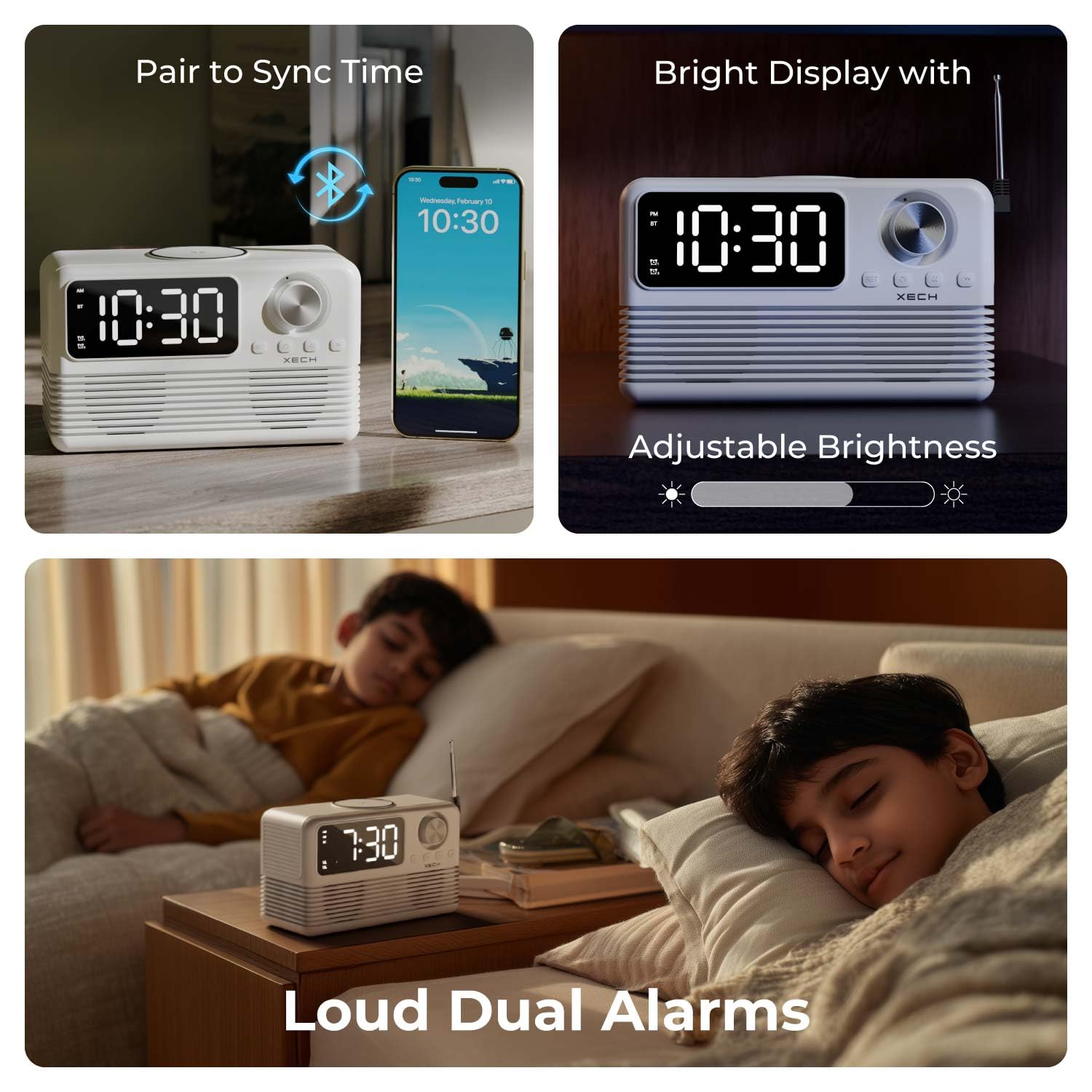
Image: The Xech Eon Max can sync time with a phone, features adjustable display brightness, and supports loud dual alarms for effective waking.
הוראות הפעלה
1. פונקציות שעון ושעון מעורר
- תצוגת זמן: The current time is shown on the HH:MM Display (9).
- פונקציית נודניק: When an alarm sounds, press any button (except the On/Off button) to activate snooze. The alarm will sound again after 5 minutes.
- התאמת בהירות התצוגה: לחץ לחיצה ארוכה על SET / Brightness Button (B) to cycle through different brightness levels for the display.
2. Audio Playback Functions
הקש על On/Off / Mode Button (C) to cycle through available audio modes: Bluetooth, FM Radio, TF Card, and AUX.
- מצב Bluetooth:
- בחר מצב Bluetooth באמצעות לחצן מצב (C). The BT Mode Indicator (3) will light up and flash, indicating pairing mode.
- On your mobile device, search for "Xech Eon Max" in the Bluetooth settings and pair.
- Once paired, the BT Mode Indicator (3) will stop flashing. You can now play audio wirelessly.
- השתמש ב- Previous / Bluetooth Pairing Button (E) ו Next / FM Radio Button (D) to skip tracks. Rotate the Volume Knob (A) כדי להתאים את עוצמת הקול.
- מצב רדיו FM:
- בחר מצב רדיו FM באמצעות לחצן מצב (C). The FM Mode Indicator (4) will light up.
- האריך את אנטנה (12) לקבלת קליטה טובה יותר.
- לחץ לחיצה ארוכה על Next / FM Radio Button (D) לסריקה אוטומטית ולשמירה של תחנות FM זמינות.
- לחץ קצר על Previous / Bluetooth Pairing Button (E) or Next / FM Radio Button (D) to navigate through saved stations.
- מצב כרטיס TF:
- הכנס כרטיס TF (MicroSD) עם אודיו files לתוך TF Card Slot (c).
- Select TF Card mode using the לחצן מצב (C). The TF Mode Indicator (5) will light up. Playback will begin automatically.
- השתמש ב- Previous / Bluetooth Pairing Button (E) ו Next / FM Radio Button (D) כדי לדלג על רצועות.
- מצב AUX:
- חברו התקן שמע חיצוני (למשל, נגן MP3, סמארטפון) ל AUX Port (d) באמצעות כבל שמע 3.5 מ"מ (לא כלול).
- בחר מצב AUX באמצעות לחצן מצב (C). The AUX Mode Indicator (6) will light up.
- Control playback from your external device. Volume can be adjusted using the Volume Knob (A).

Image: An exploded diagram of the Xech Eon Max speaker system, highlighting its internal components designed for powerful bass and dual dynamic drivers.
3. פונקציות טעינה

Image: The Xech Eon Max supports 15W fast wireless charging with auto device detection and can charge up to three devices simultaneously using its wireless pad, USB-A, and USB-C ports.
- טעינה אלחוטית:
- Place your Qi-enabled smartphone or other compatible device on the Wireless Charging Pad (10) on top of the Xech Eon Max.
- Ensure the device is centered on the pad for optimal charging. The display may show a charging indicator.
- Note: For 15W fast wireless charging, a 20W/18W (5V4A / 9V2A) power adapter or higher is required for the Xech Eon Max itself.
- Wired Charging (Multi-Device):
- חבר את המכשירים שלך ל- USB-A Output Port (e) or USB-C Output Port (b) on the back of the Xech Eon Max using appropriate charging cables.
- You can charge multiple devices simultaneously (e.g., one wirelessly, two via USB ports).
4. מיקרופון מובנה

Image: The Xech Eon Max features an infinity knob for control, a USB-C port for recharging its internal battery, and a built-in microphone for hands-free communication.
The Xech Eon Max includes a built-in microphone, allowing for hands-free calls when connected to a smartphone via Bluetooth. When a call comes in, you can answer/end it using the device's controls (refer to specific button functions in the Product Overview אם זמין).
תַחזוּקָה
- ניקוי: Use a soft, dry cloth to clean the surface of the device. Do not use abrasive cleaners or solvents.
- אִחסוּןיש לאחסן את המכשיר במקום קריר ויבש, הרחק מאור שמש ישיר וטמפרטורות קיצוניות.
- טיפול בסוללה: The device contains a Lithium Ion battery. For optimal battery life, avoid fully discharging the battery frequently and recharge it regularly.
- חשיפה למיםמכשיר זה אינו עמיד למים. יש להימנע מחשיפה למים או ללחות גבוהה.
פתרון בעיות
- המכשיר לא נדלק: Ensure the USB-C charging cable is securely connected to both the device and a working power adapter. Check if the power outlet is functional.
- Wireless charging is slow or not working: Ensure your device is Qi-enabled and correctly centered on the wireless charging pad. Verify that the Xech Eon Max is powered by a 20W/18W (5V4A / 9V2A) adapter or higher for fast wireless charging.
- קליטת רדיו FM גרועה: Fully extend the antenna (12) on the back of the device. Try repositioning the device for better signal.
- האזעקה לא נשמעת או שקטה מדי: Check if the alarm is activated (Alarm 1/2 indicator lit). Ensure the volume is not set to minimum.
- מכשיר בלוטות' לא מתחבר: Ensure the Xech Eon Max is in Bluetooth pairing mode (BT Mode Indicator flashing). Make sure your mobile device's Bluetooth is enabled and within range (typically 10 meters). Try restarting both devices.
- אין קול מהרמקול: Check the volume level on both the Xech Eon Max and the connected audio source. Ensure the correct mode (Bluetooth, FM, TF, AUX) is selected.
מפרטים
| תכונה | פְּרָט |
|---|---|
| מותג | Xech |
| מספר דגם | X-605 |
| סוג תצוגה | LED דיגיטלי |
| סִגְנוֹן | רטרו |
| מידות המוצר | 18W x 8.4H סנטימטרים |
| משקל פריט | 0.86 קילוגרם (860 גרם) |
| מקור כוח | Battery Powered (1 Lithium Ion battery included), Electrical (via USB-C) |
| טכנולוגיית קישוריות | Bluetooth 5.3, AUX, USB-C, TF Card |
| תכונות מיוחדות | Bluetooth, Charging Station (15W Wireless, USB-A, USB-C), LED Display, Large Display, Loud Dual Alarms, FM Radio, Built-in Mic |
| חוֹמֶר | אקרילוניטריל בוטאדיאן סטירן (ABS) |
| שימוש בפנים/חוץ | פנימי, חיצוני |
מידע על אחריות
The Xech Eon Max comes with a אחריות מוגבלת. For specific details regarding the warranty period, coverage, and terms and conditions, please refer to the warranty card included with your product packaging or visit the official Xech webאתר. שמור את קבלת הרכישה כהוכחת קנייה עבור כל תביעת אחריות.
תמיכת לקוחות
For further assistance, technical support, or inquiries regarding your Xech Eon Max, please contact the manufacturer:
יַצרָן: XECH Technologies Pvt Ltd
כְּתוֹבֶת: MIDC, Andheri East, Mumbai
Please visit the official Xech webאתר לקבלת פרטי הקשר ומשאבי התמיכה העדכניים ביותר.