
מָבוֹא
The Fender LTX-5 Footswitch is designed to provide intuitive control over Fender Mustang LTX 50 and 100 watt amplifiers. It offers direct access to presets and effects, enhancing the user's ability to shape their tone during performance or practice. This manual provides essential information for the proper setup, operation, and maintenance of your LTX-5 Footswitch.
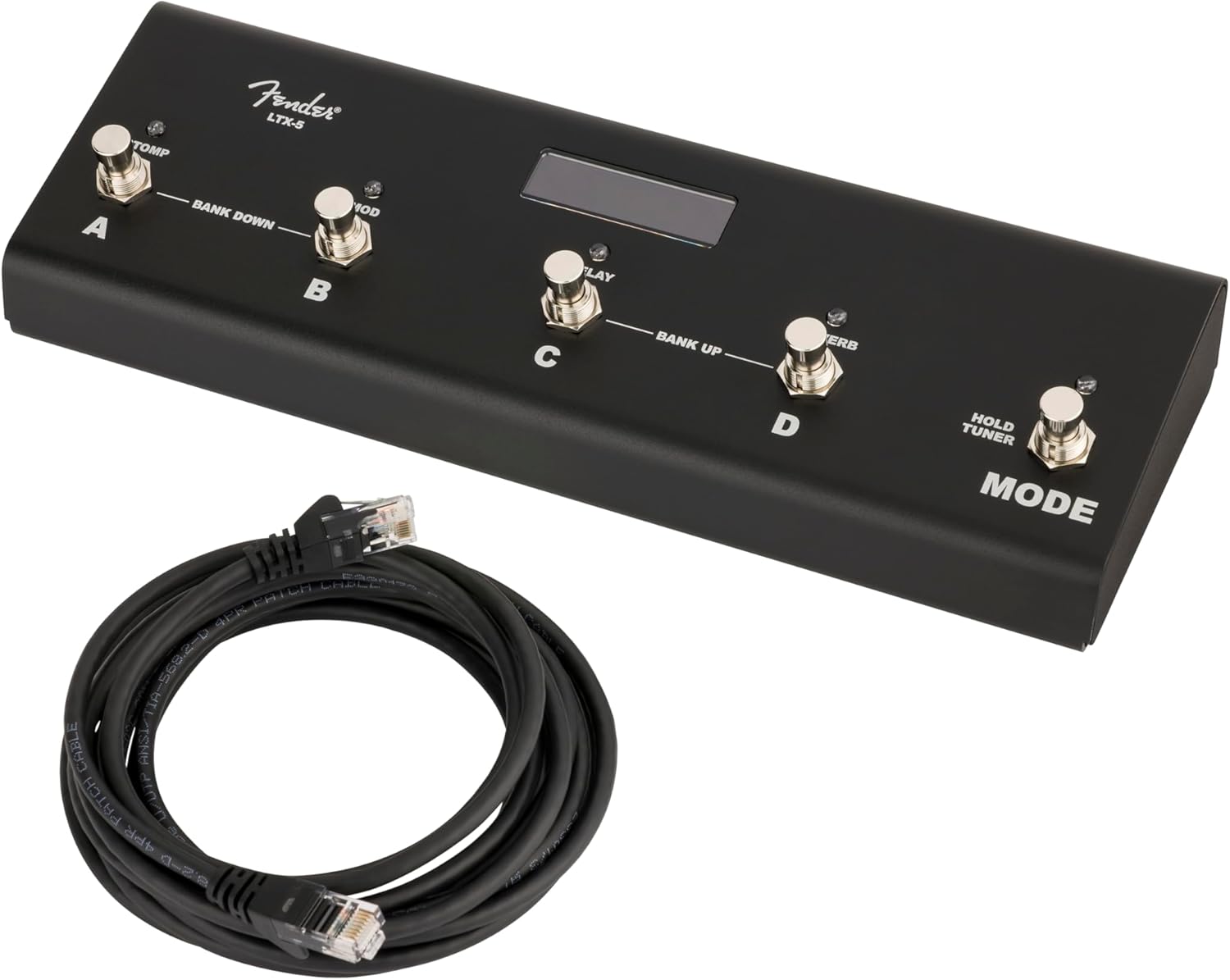
Image: The Fender LTX-5 Footswitch, showing its compact design and the included connection cable.
תוכן החבילה
ודא שכל הפריטים נמצאים בחבילה:
- LTX-5 Button Footswitch
- Connection Cable (RJ45 type)
הגדרה
חיבור מתג הרגליים
- Ensure your Fender Mustang LTX 50 or 100 watt ampהמתקן כבוי.
- Locate the footswitch input port on your amplifier. This is typically an RJ45 (Ethernet-style) port.
- Connect one end of the provided RJ45 cable to the footswitch input port on your ampחיים יותר.
- Connect the other end of the RJ45 cable to the input port on the side of the LTX-5 Footswitch.
- כוח על שלך amplifier. The footswitch should initialize and be ready for use.

תמונה: צד view of the LTX-5 Footswitch, highlighting the RJ45 connection port.
הוראות הפעלה
The LTX-5 Footswitch offers two primary modes of operation: Preset Mode and Effects Mode, along with an integrated tuner function.
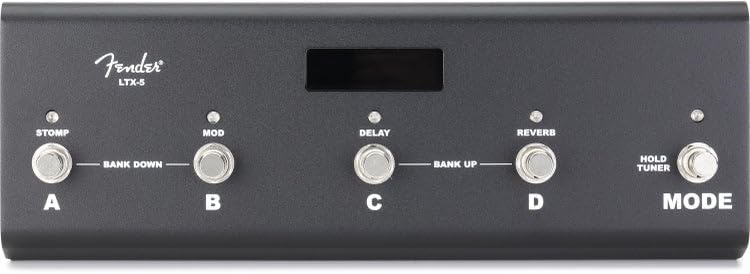
תמונה: למעלה view of the LTX-5 Footswitch, showing the labeled buttons (A, B, C, D, Mode) and the LED display.
מצב מוגדר מראש
- פוּנקצִיָה: Allows for instant recall of ampהגדרות קבועות מראש של ה-lifier.
- ניווט: Presets are organized in groups of four. Each of the four footswitches (A, B, C, D) corresponds to a specific preset within the active bank.
- סִימָן: Bicolor LEDs above each footswitch indicate the currently active preset.
- Bank Navigation: To move between banks of presets, simultaneously press the two leftmost switches (A and B) to move down four presets, or the two rightmost switches (C and D) to move up four presets.
מצב אפקטים
- פוּנקצִיָה: Provides control over individual effects within your amplifier's effect chain.
- לִשְׁלוֹט: Dedicated switches are assigned to Stomp, Modulation, Delay, and Reverb effects.
- אירוסין: Pressing the corresponding footswitch will engage or bypass the effect.
- סִימָן: Bicolor LEDs above each footswitch indicate the active status of each effect.
מתג מצב
- פוּנקצִיָה: Toggles between Preset Mode and Effects Mode.
- הפעלת טיונר: Briefly hold the Mode switch to activate the onboard chromatic tuner.
מצב טיונר
- הַפעָלָה: Briefly hold the Mode switch.
- לְהַצִיג: The LED display will show the closest note being played.
- Pitch Indication: The bicolor LEDs on the footswitches indicate whether the pitch is flat or sharp relative to the target note.
- יְצִיאָה: Step on any footswitch (A, B, C, D, or Mode) to exit Tuner Mode and return to the previous operating mode. The amplifier's signal is muted while in Tuner Mode.
נוריות פונקציה
- A series of five bicolor LEDs are located along the top of each footswitch, just below the display screen.
- These LEDs provide visual feedback on various functions and active states within both Preset and Effects Modes.
תַחזוּקָה
ניקיון וטיפול
- Disconnect the footswitch from the ampמחסנית לפני הניקוי.
- Use a soft, dry cloth to wipe down the exterior of the footswitch.
- Avoid using abrasive cleaners, solvents, or waxes, as these can damage the finish and electronic components.
- Do not expose the footswitch to excessive moisture or extreme temperatures.
פתרון בעיות
בעיות נפוצות ופתרונות
- Footswitch not responding: Ensure the RJ45 cable is securely connected to both the footswitch and the ampמפיץ. ודא את ampהמתקן מופעל ומתפקד כהלכה.
- Incorrect preset/effect changes: Confirm you are in the correct operating mode (Preset or Effects). Refer to the Operating Instructions for proper bank navigation and effect control.
- Tuner not activating: Ensure you are briefly holding the Mode switch, not just pressing it.
- נוריות LED אינן דולקות: Check all connections. If the issue persists, contact Fender support.
מפרטים
| תכונה | פְּרָט |
|---|---|
| מותג | פָּגוֹשׁ |
| שם הדגם | LTX-5 |
| מספר דגם | 0994073000 |
| UPC | 717669705084 |
| סוג הפקדים | footswitch |
| ממשק חומרה | RJ45 (for ampחיבור מגבר) |
| אפקטים של פלט שמע | Stomp, Modulation, Delay, Reverb |
| מידות פריט (L x W x H) | 24.1 x 21.6 x 2.8 inches (Note: These dimensions may refer to packaging) |
| יַצרָן | תאגיד כלי נגינה של פנדר |
מידע על אחריות
The Fender LTX-5 Footswitch comes with a אחריות מוגבלת לשנה. This warranty covers defects in materials and workmanship under normal use. For specific terms and conditions, please refer to the warranty documentation provided with your product or visit the official Fender webאֲתַר.
תְמִיכָה
For technical assistance, troubleshooting beyond this manual, or warranty claims, please contact Fender Musical Instruments Corporation customer support. You can find contact information and additional resources on the official Fender webאֲתַר: