
המוצר נגמרview
The ASTRO Gaming A20 Gen 2 Wireless Headset provides a high-quality audio experience for gaming across multiple platforms. Designed for comfort and performance, it features low-latency wireless connectivity and a convenient flip-to-mute microphone.
תכונות עיקריות:
- Next-Gen Compatibility: Seamlessly works with PlayStation 5, PlayStation 4, Windows, and Mac OS.
- Lag-Free Wireless Audio: 2.4GHz USB wireless transmitter ensures low-latency, high-quality sound.
- סוללה עמידה לאורך זמן: Up to 15 hours of wireless gaming on a single charge.
- מיקרופון היפוך להשתקה: Flexible boom mic with an intuitive flip-to-mute function for instant control.
- נוחות לאורך כל היום: Lightweight design with padded headband and ear cushions for extended wear.
מה יש בקופסה
- אוזניות אלחוטיות A20
- משדר USB
- כבל טעינה USB-C ל-USB-A
הוראות התקנה
Follow these steps to set up your ASTRO Gaming A20 Gen 2 Wireless Headset:
- טעינת האוזניות: Connect the headset to a power source using the provided USB-C to USB-A charging cable. Ensure the headset is fully charged before first use for optimal battery life.
- Connect the USB Transmitter: Plug the USB transmitter into an available USB port on your PlayStation console (PS5 or PS4) or your Windows/Mac computer. The transmitter facilitates the 2.4GHz wireless connection.
- הפעלה: Turn on your ASTRO Gaming A20 Gen 2 Wireless Headset. The headset should automatically pair with the USB transmitter. Refer to your device's audio settings to ensure the headset is selected as the input and output device.
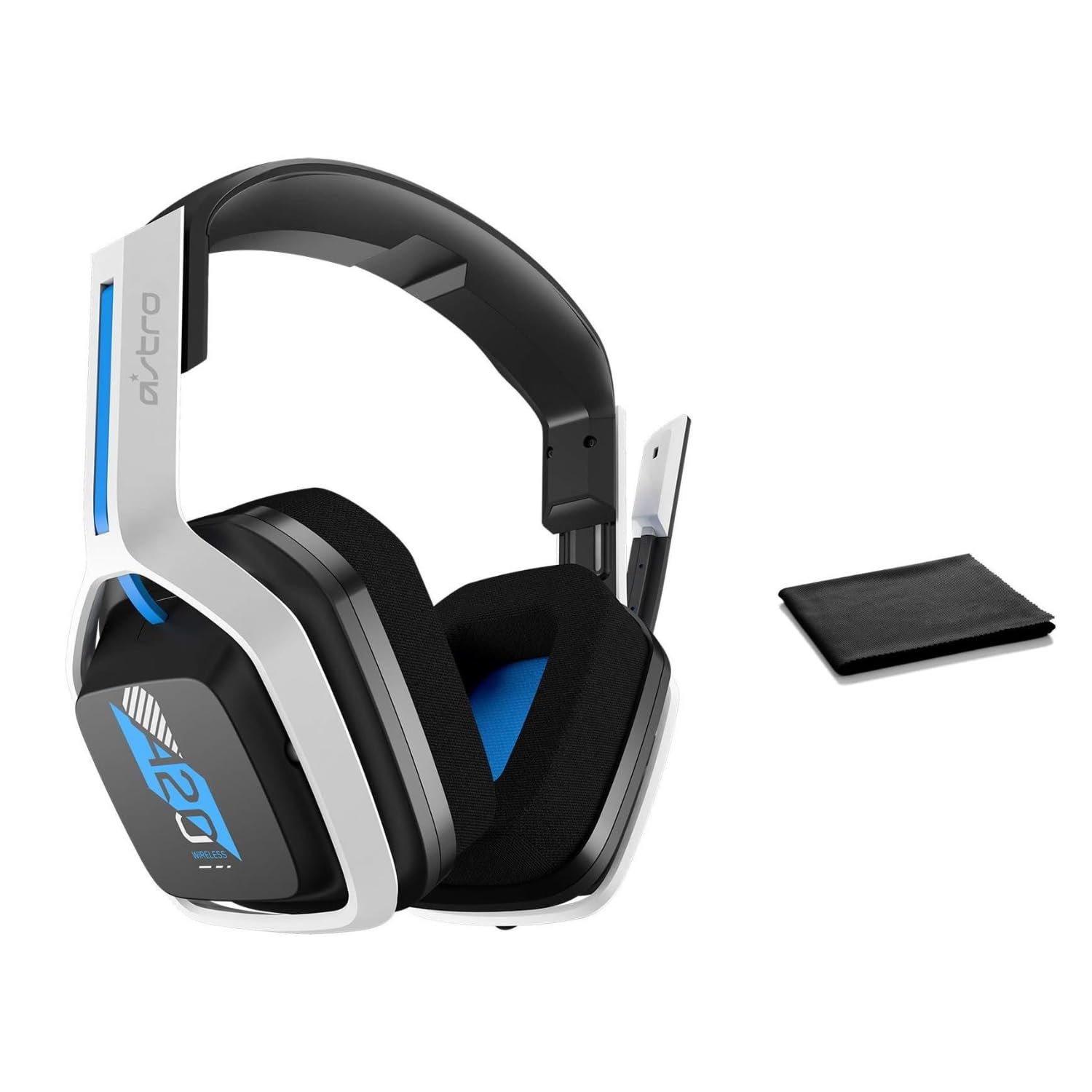
Image: The ASTRO Gaming A20 Gen 2 Wireless Headset, ready for use.
הוראות הפעלה
פונקציונליות מיקרופון
The headset features a flexible boom microphone with a flip-to-mute function. To mute your microphone, simply flip the boom arm upwards. To unmute and activate the microphone, flip the boom arm back down to its original position.
בקרת עוצמת הקול
Adjust the audio volume using the dedicated volume control located on the headset. Rotate the dial or press the buttons (depending on the specific model variant) to increase or decrease the sound output.
תַחזוּקָה
כדי להבטיח את אורך החיים והביצועים האופטימליים של האוזניות שלך:
- ניקוי: Use the included premium microfiber cloth to gently wipe down the headset and accessories. This helps keep your headset dust-free and smudge-free.
- אִחסוּן: יש לאחסן את האוזניות במקום נקי ויבש, הרחק מטמפרטורות קיצוניות ואור שמש ישיר, כאשר אינן בשימוש.
- טיפול בסוללה: For best battery health, avoid fully discharging the headset frequently. Charge it regularly.
פתרון בעיות
If you encounter issues with your ASTRO Gaming A20 Gen 2 Wireless Headset, consider the following:
- אין אודיו/מיקרופון לא עובד: Ensure the USB transmitter is securely plugged into your device and the headset is powered on and paired. Check your device's audio settings to confirm the headset is selected as the default input/output. For the microphone, ensure it is not in the 'flipped-up' (muted) position.
- בעיות חיבור: Try unplugging and re-plugging the USB transmitter. If issues persist, try connecting to a different USB port.
- סוללה לא נטענת: Verify the charging cable is properly connected to both the headset and the power source. Try a different USB port or power adapter.
- עדכון קושחה: Visit the official ASTRO Gaming support website for any available firmware updates for your headset, as these can resolve various performance issues.
מפרטים
| תכונה | פְּרָט |
|---|---|
| שם הדגם | 939-001876 |
| מותג | משחקי ASTRO |
| טכנולוגיית קישוריות | אַלחוּט |
| תקשורת אלחוטית | 2.4GHz אלחוטי |
| מכשירים תואמים | Mac OS, PlayStation 4, Playstation 5, Windows |
| חיי סוללה | 15 שעות |
| זמן טעינה | 15 שעות |
| מִיקרוֹפוֹן | היפוך כדי להשתיק |
| מיקום אוזניים | מעל אוזן |
| משקל פריט | 11.2 אונקיות (318 גרם) |
| חוֹמֶר | פּלָסטִי |
| רכיבים כלולים | A20 Wireless Headset, USB transmitter, USB-C to USB-A charging cable |
אחריות ותמיכה
For detailed warranty information and technical support, please refer to the official ASTRO Gaming webאתר או צרו קשר עם שירות הלקוחות שלהם. שמרו את הוכחת הרכישה שלכם לצורך תביעות אחריות.