
1. הקדמה
The ATTACK SHARK X11SE is a high-performance wireless gaming mouse designed for precision and comfort. It features a lightweight design, advanced sensor technology, and versatile connectivity options to enhance your gaming and productivity experience.

תמונה: מעלview of the ATTACK SHARK X11SE's key features including PAW3311 sensor, 63g lightweight design, 22000 DPI, HUANO switches, tri-mode switch, BK52820 chip, TTC encoders, and 65 hours of battery life.
תכונות עיקריות:
- PAW3311 Gaming Sensor: Equipped with the flagship PixArt PAW3311 sensor, offering up to 22,000 DPI with 6 adjustable levels, 400 IPS tracking speed, 35G acceleration, and a 1000Hz/1ms polling rate.
- Ultralight 63g Design: Weighing only 63 ± 3g, this mouse features a minimalist, full-casing design optimized for reduced weight without compromising build quality.
- קישוריות תלת-מצבית: Supports 2.4 GHz wireless, USB-C wired, and Bluetooth connections for versatile use across various devices.
- Durable Switches & Encoder: Features HUANO switches with a lifespan of 20 million clicks and an optimized TTC encoder for precise scroll wheel feedback.
- עיצוב ארגונומי: Dimensions (128 x 64 x 40 mm) suitable for medium to large hands, accommodating palm, claw, and fingertip grip styles for extended comfort.
- Dual Driver Support: תוֹאֵם Web Driver and proprietary ATTACK SHARK driver for advanced customization of buttons, DPI, polling rate, and macros.
2. התקנה
תכולת החבילה:
- עכבר גיימינג אלחוטי ATTACK SHARK X11SE
- כבל USB-C
- מקלט USB (2.4GHz)
- גריפ טייפ
- מדריך למשתמש
טעינת העכבר:
Connect the mouse to your computer using the provided USB-C cable. The mouse has a 300mAh battery, providing up to 65 hours of uninterrupted use on a full charge (2-3 hours charging time).

Image: The ATTACK SHARK X11SE mouse illustrating its efficient battery management, offering up to 65 hours of use from a 300mAh battery, fully charged in 2-3 hours.
מצבי קישוריות:
The X11SE mouse supports three connection modes: 2.4GHz Wireless, Bluetooth, and USB-C Wired.

Image: The ATTACK SHARK X11SE mouse highlighting its lightning-fast 2.4G wireless connection, wired mode via USB-C, and Bluetooth 5.2 capabilities.
- מצב אלחוטי 2.4GHz:
- אתר את מקלט ה-USB, שבדרך כלל מאוחסן בתא בחלק התחתון של העכבר.
- חבר את מקלט ה-USB ליציאת USB זמינה במחשב שלך.
- Turn on the mouse using the switch on the bottom. Select the 2.4G mode.
- העכבר אמור להתחבר אוטומטית.
- מצב Bluetooth:
- הפעל את העכבר ובחר את מצב Bluetooth באמצעות המתג בתחתית.
- Press and hold the Bluetooth toggle button (often located near the mode switch) for 3 seconds to enter pairing mode. The indicator light will flash.
- במחשב או במכשיר שלך, עבור אל הגדרות Bluetooth וחפש מכשירים חדשים.
- Select "ATTACK SHARK X11SE" from the list to pair.
- מצב חוטי USB-C:
- Connect the USB-C cable to the front port of the mouse and the other end to a USB port on your computer.
- העכבר יעבור אוטומטית למצב קווי ויתחיל להיטען.
3. תפעול
פונקציות כפתור:
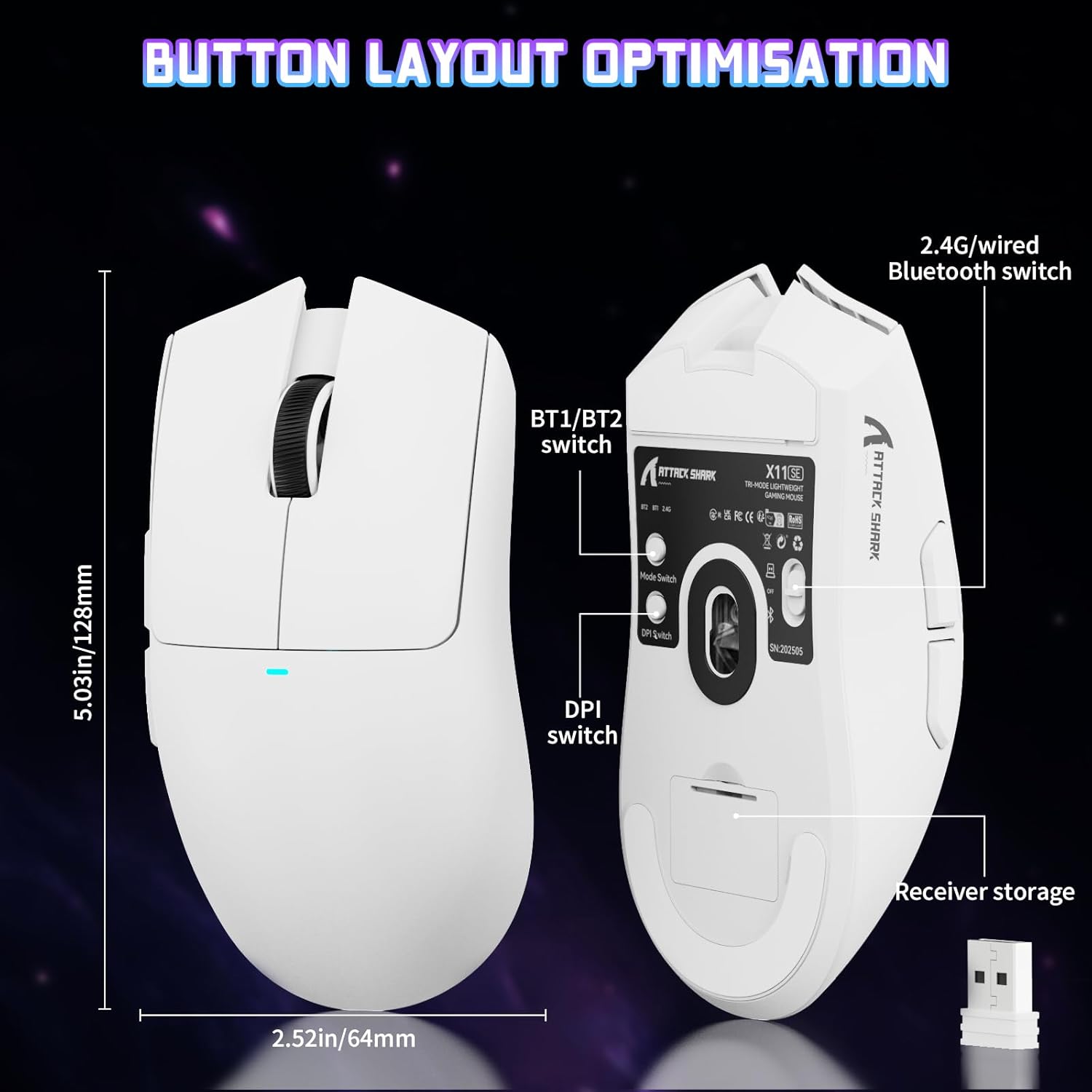
Image: The ATTACK SHARK X11SE mouse displaying its button layout, including the BT1/BT2 switch, DPI switch, and receiver storage, along with its dimensions (128mm length, 64mm width).
- לחיצה שמאלית: כפתור פעולה ראשי.
- מקש ימני: כפתור פעולה משני, בדרך כלל עבור תפריטי הקשר.
- גלגל גלילה: Scrolls up/down. Can also be pressed for a middle-click function.
- כפתורי צד (קדימה/אחורה): Used for navigation in web דפדפנים או פעולות בתוך המשחק.
- מתג DPI: Located on the underside of the mouse, this button cycles through preset DPI levels.
- מתג מצב: Located on the underside, this switch allows you to select between 2.4G wireless, Bluetooth, and Off modes.
התאמת DPI:
The X11SE features a PixArt PAW3311 sensor with up to 22,000 DPI. You can adjust the DPI sensitivity using the dedicated DPI switch on the bottom of the mouse. For more precise control and custom DPI levels, use the official software.
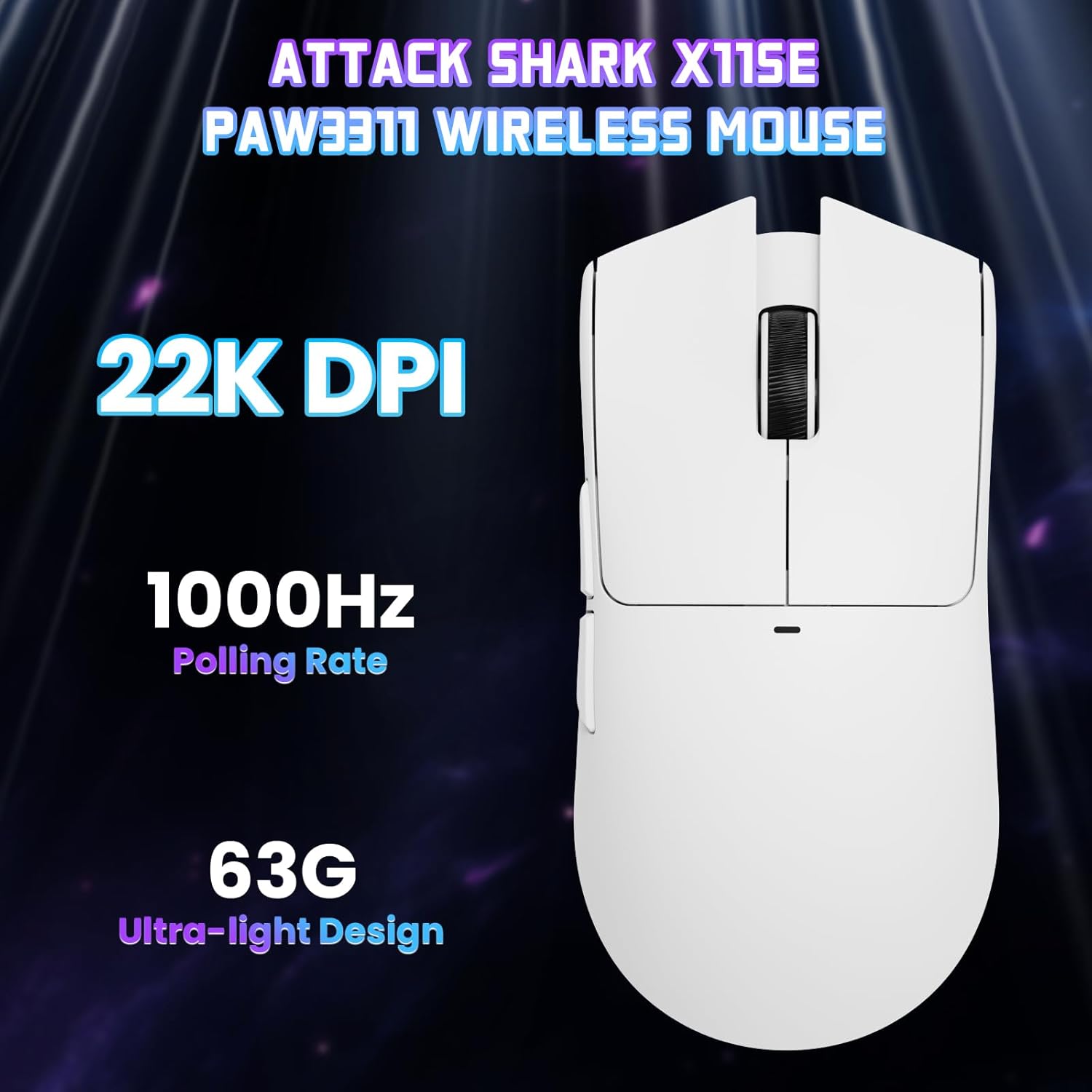
תמונה: מלמעלה למטה view of the ATTACK SHARK X11SE mouse, emphasizing its 22,000 DPI capability and 1000Hz polling rate for high-performance gaming.
4. התאמה אישית
The ATTACK SHARK X11SE mouse offers extensive customization options through its dedicated software. This allows you to personalize button assignments, DPI settings, polling rate, and create macros.
התקנת דרייבר:
The mouse supports two drivers:
- Web נֶהָג: גישה דרך http://szslxd-tech.com/#/
- ATTACK SHARK Proprietary Driver: הורד מ https://attackshark.com/pages/dirver-download
Download and install the preferred driver software on your Windows, macOS, or Linux system.
תכונות תוכנה:

Image: The ATTACK SHARK X11SE software interface, demonstrating options for mouse settings, DPI adjustments, parameter settings, macro editing, and personal profiles.
- תכנות כפתורים: הקצאה מחדש של פונקציות לכל אחד מ-5 הכפתורים.
- הגדרות DPI: Create custom DPI profiles and adjust sensitivity levels.
- שיעור סקרים: התאם את קצב הסקר לקבלת תגובה אופטימלית.
- עורך מאקרו: הקלט והקצה רצפי פקודות מורכבים לכפתור יחיד.
- מִקצוֹעָןfile הַנהָלָה: שמור ועבור בין מקצוענים שוניםfiles for various games or applications.
5. תחזוקה
ניקוי:
- השתמש במטלית רכה ויבשה כדי לנגב את פני השטח של העכבר.
- עבור לכלוך עיקש, מעט דחוףampשטפו את המטלית במים או בתמיסת ניקוי עדינה. הימנעו מכימיקלים חזקים.
- נקו את אזור החיישן האופטי בתחתית העכבר בעזרת מקלון צמר גפן כדי להבטיח מעקב מדויק.
טיפול בסוללה:
- הימנעו מפריקה מלאה של הסוללה לעתים קרובות כדי להאריך את חייה.
- יש לאחסן את העכבר במקום קריר ויבש כאשר אינו בשימוש למשך תקופות ממושכות.
6. פתרון תקלות
בעיות ופתרונות נפוצים:
- עכבר לא מגיב:
- ודא שהעכבר טעון.
- Check the mode switch on the bottom of the mouse to ensure it's in the correct mode (2.4G, BT, or Wired).
- For 2.4GHz mode, ensure the USB receiver is securely plugged in. Try a different USB port.
- For Bluetooth mode, ensure Bluetooth is enabled on your device and the mouse is paired correctly. Try re-pairing.
- For wired mode, ensure the USB-C cable is properly connected.
- DPI לא משתנה:
- Press the DPI switch on the bottom of the mouse.
- If using custom DPI settings, ensure the driver software is running and the correct profile הוא פעיל.
- השהיה או חיבור לסירוגין:
- Ensure the mouse is close to the USB receiver (for 2.4GHz) or your device (for Bluetooth).
- הימנעו מהפרעות ממכשירים אלחוטיים אחרים.
- ודא שסוללת העכבר טעונה כראוי.
- Update mouse drivers if available.
7. מפרטים
| תכונה | מִפרָט |
|---|---|
| מותג | לתקוף כריש |
| שם הדגם | X11SE |
| צֶבַע | לָבָן |
| טכנולוגיית קישוריות | 2.4 GHz Wireless/USB-C Wired/Bluetooth |
| תכונות מיוחדות | 63g ultralight, BK52820 Chip, TTC Encoder, Dual Driver |
| טכנולוגיית זיהוי תנועה | Optical (PixArt PAW3311) |
| מספר כפתורים | 5 |
| כיוון יד | אמבידקסטרואי |
| שימוש מומלץ במוצר | משחקי מחשב |
| מכשירים תואמים | Desktop Computer, MAC |
| מַעֲרֶכֶת הַפעָלָה | חלונות, macOS, לינוקס |
| מספר סוללות | פולימר ליתיום אחד (כלול) |
| מקור כוח | מופעל על סוללה |
| Maximum Mouse Sensitivity | 22000 DPI |
| לָנוּעַ | 300 סנטימטרים |
| סִגְנוֹן | ארגונומי |
| חוֹמֶר | פּלָסטִי |
| ארץ מוצא | סִין |
| רכיבים כלולים | USB-C Cable, Manual, Grip Tape |
| UPC | 752010613663 |
8. אחריות ותמיכה
מידע על אחריות:
The ATTACK SHARK X11SE Wireless Gaming Mouse comes with a six-month warranty from the date of purchase. Please retain your proof of purchase for warranty claims.
הורדות מנהלי התקנים:
For the latest drivers and software updates, please visit:
- Web נֶהָג: http://szslxd-tech.com/#/
- ATTACK SHARK Driver: https://attackshark.com/pages/dirver-download
Related Product Video:
סרטון: סרטון רשמי של מוכרasing the ATTACK SHARK X11 Mouse, demonstrating its features and functionality. While specifically for the X11, it provides relevant insights into the X11SE's design and operation.