
1. הקדמה
This manual provides essential information for the proper setup, operation, and maintenance of your Piegricdiat SF3000 Portable Handheld HD Gaming Set. Please read this manual thoroughly before using the device to ensure optimal performance and user safety. The SF3000 is a versatile handheld device designed for gaming, multimedia playback, and emergency charging.
2. המוצר נגמרview
The SF3000 features a compact design with a 4.5-inch IPS HD display, dual-core processor, and a 3000 mAh battery. It supports multiple emulators for a wide range of retro games and offers additional functionalities such as an e-book reader, video player, and emergency power bank.
2.1 רכיבי מכשיר

איור 1: חזית view of the SF3000 Handheld Gaming Set.
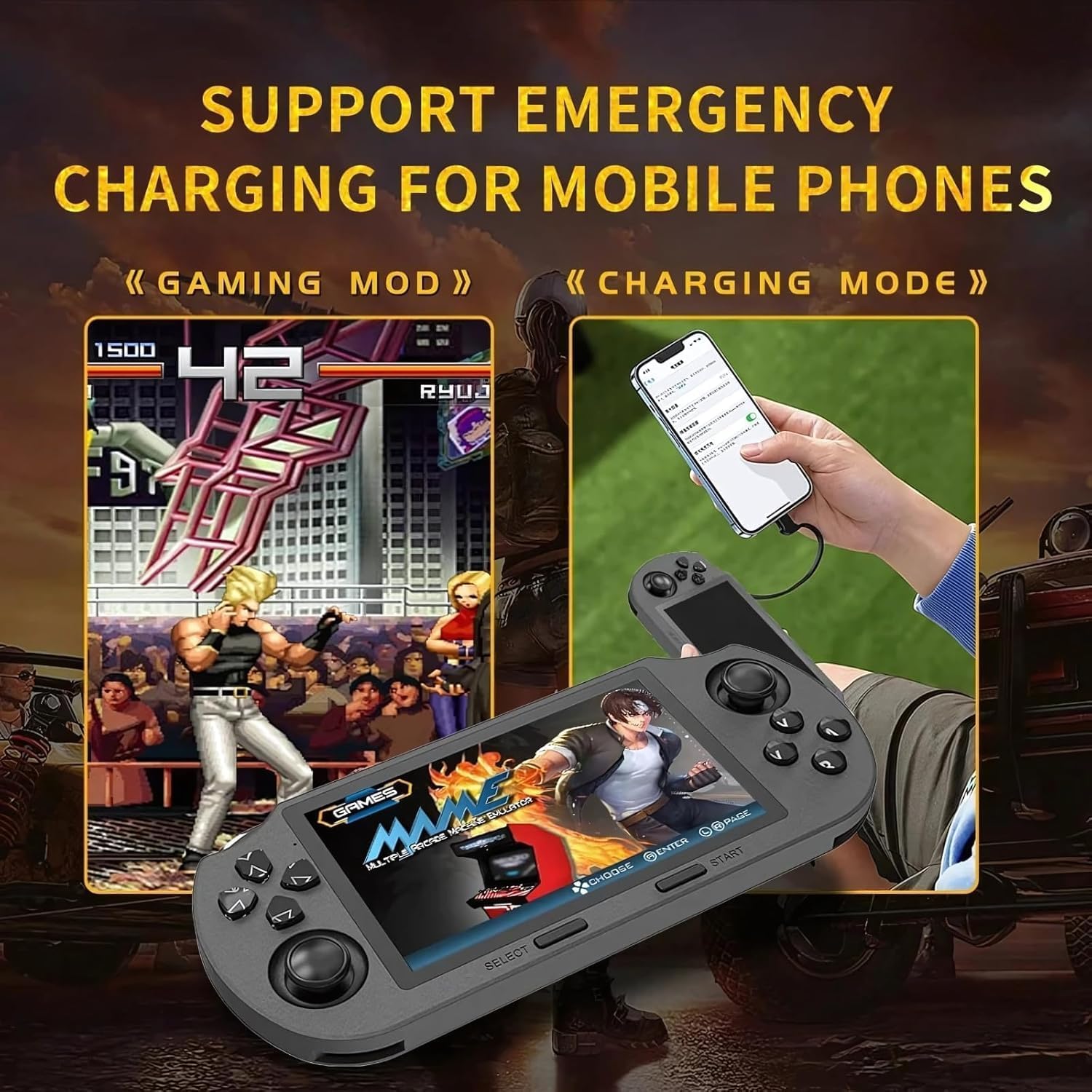
Figure 2: Labeled controls and ports on the SF3000.
- D-Pad: Directional input for navigation and gameplay.
- מקלות אנלוגיים: Two analog sticks for precise movement in games.
- Function Buttons (A, B, X, Y): Primary action buttons for gameplay.
- לחצן בחר: Used for menu selections and in-game functions.
- לחצן התחל: Used to start games and pause.
- Bumper Buttons (L, R): Located on the top edge for additional controls.
- לחצן הפעלה: להפעלה/כיבוי של המכשיר.
- חריץ כרטיס TF: For inserting the 64GB TF card containing games.
- סוג C נמל: לטעינה והעברת נתונים.
- שקע אוזניות: יציאת 3.5 מ"מ לפלט שמע.
- נפח +/-: Buttons to adjust audio volume.

איור 3: אחורה view of the SF3000, showing the integrated stand.
- מעמד משולב: ממוקם מאחור להפעלה ללא ידיים viewing.
- לחצני L2/R2: Additional shoulder buttons on the back for extended control.
3. התקנה
3.1 טעינה ראשונית
Before first use, fully charge the SF3000. Connect the included USB Type-C cable to the device's Type-C port and the other end to a compatible USB power adapter (not included) or a computer's USB port. The charging indicator will show the charging status. A full charge typically takes 3-4 hours.
3.2 הפעלה/כיבוי
- כדי להפעיל: Slide the 'ON' switch located on the top edge of the device. The screen will illuminate, displaying the welcome screen.
- כדי לכבות: Slide the 'OFF' switch. The device will shut down.
4. הוראות הפעלה
4.1 ניווט בתפריטים
Use the D-Pad or the left analog stick to navigate through the main menu and game lists. Press the 'A' button (or 'Enter' as indicated on-screen) to select an option or launch a game. Use the 'B' button (or 'Return') to go back to the previous menu.
4.2 משחקי משחקים
The SF3000 supports various emulators including MAME, PS1, FC, SFC, and GBC. To play a game:
- From the main menu, select the desired emulator (e.g., 'PlayStation', 'Family Computer').
- Browse the list of available games using the D-Pad or analog stick.
- Select a game by pressing the 'A' button. The game will begin to load.
- Once loaded, use the D-Pad, analog sticks, and function buttons (A, B, X, Y, L, R, L2, R2) for gameplay. Refer to the specific game's controls for detailed instructions.
- To exit a game or access in-game menus (if available), press the 'Start' button.
4.3 התאמת עוצמת הקול
Adjust the game volume using the Volume +/- buttons located on the top edge of the device.
5. תכונות מולטימדיה
Beyond gaming, the SF3000 offers additional multimedia functionalities:

Figure 4: Icons representing multimedia features including video playback, digital photo album, and e-book reading.
- קורא ספרים אלקטרוניים: Access and read e-books directly on the device.
- נַגָן וִידֵיאוֹ: הפעלת וידאו תואם files.
- Digital Photo Album: View תמונות מאוחסנות.
- מטען טלפון חירום: The device can function as an emergency power bank for mobile phones. Connect your mobile phone to the SF3000 using a compatible USB cable via the Type-C port.

Figure 5: The SF3000 being used to emergency charge a mobile phone.
6. תחזוקה
- ניקוי: השתמשו במטלית רכה ויבשה לניקוי המכשיר. הימנעו משימוש בחומרי ניקוי נוזליים או בחומרים שוחקים.
- אִחסוּן: יש לאחסן את המכשיר במקום קריר ויבש, הרחק מאור שמש ישיר וטמפרטורות קיצוניות.
- טיפול בסוללה: כדי להאריך את חיי הסוללה, הימנעו מפריקה מלאה של המכשיר לעתים קרובות. טען את המכשיר באופן קבוע, גם אם אינו בשימוש למשך פרקי זמן ממושכים.
7. פתרון תקלות
- המכשיר לא נדלק: Ensure the device is fully charged. Check the power switch position.
- משחקים שלא נטענים: Verify that the TF card is properly inserted. Some games may require specific emulator settings (not user-adjustable in this manual).
- בעיות מסך: If the screen is unresponsive or displays abnormalities, try restarting the device.
- בעיות טעינה: Ensure the Type-C cable and power adapter are functioning correctly.
8. מפרטים
| תכונה | מִפרָט |
|---|---|
| גודל מסך | 4.5 אינץ' |
| סוג תצוגה | IPS HD LCD |
| מעבד | כפול ליבה 1.2 GHz |
| קיבולת אחסון זיכרון | 64 ג'יגה-בייט (כרטיס TF) |
| קיבולת סוללה | 3000 מיליאמפר/שעה |
| זמן עבודה | 5-7 שעות |
| מקור כוח | מופעל על סוללה |
| מִמְשָׁק | סוג ג' |
| חוֹמֶר | פּלָסטִי |
| מידות המוצר | 7.4 x 3.6 x 3.6 אינץ' |
| Supported Emulators | MAME, PS1, FC, SFC, GBC (and more) |
9. מידע בטיחות
ילדים צריכים להשתמש במכשיר זה תחת השגחת מבוגר.
10. סרטוני מוצר רשמיים
SF3000 Portable Handheld HD Gaming Set Overview
סרטון זה מספק סקירה כלליתview of the SF3000 Portable Handheld HD Gaming Set, demonstrating its features and functionality. It highlights the device's design, screen quality, and game selection interface.