
eKids 115
eKids Dora Karaoke Microphone with Boombox Instruction Manual
Model: 115 | Brand: eKids
1. הקדמה
Welcome to the eKids Dora Karaoke Microphone with Boombox. This device is designed to provide an interactive and engaging musical experience. It features a wired microphone, built-in music, and Bluetooth connectivity for streaming audio from compatible devices. This manual provides essential information for setup, operation, maintenance, and troubleshooting to ensure optimal performance and enjoyment.
2. המוצר נגמרview
The eKids Dora Karaoke Microphone with Boombox is a portable audio device shaped like Dora's backpack, designed for children aged 3 and up. It combines a speaker with a wired microphone, allowing users to sing along to pre-loaded songs or music streamed via Bluetooth.
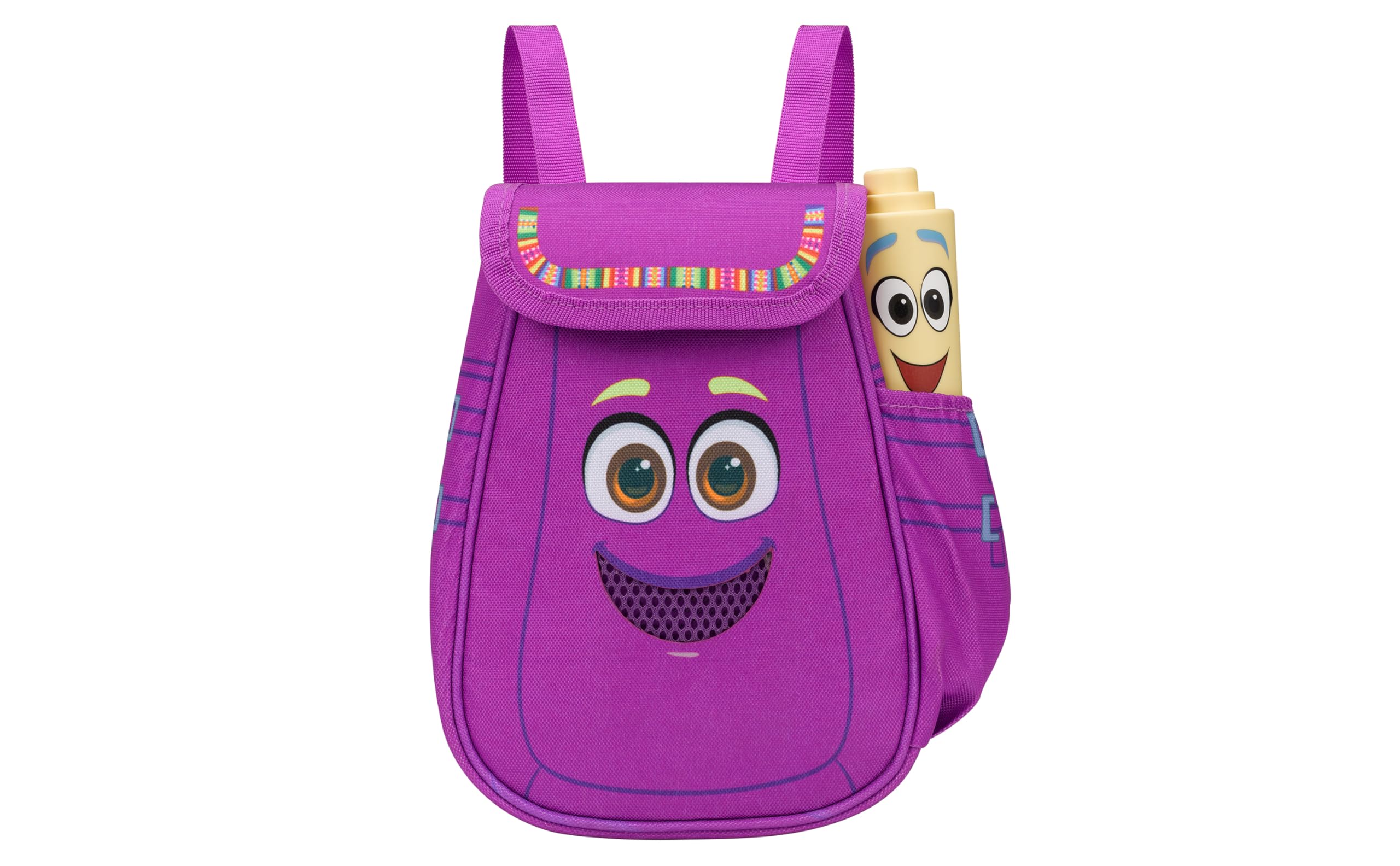
Figure 1: eKids Dora Karaoke Microphone with Boombox.
תכונות עיקריות:
- רמקול בלוטוס: Connects to any music device via Bluetooth to stream popular karaoke playlists and more. Lightweight and portable, this karaoke boombox is designed for kids aged 3 and up.
- מיקרופון קריוקי: Includes a wired microphone to amplify your voice for singing.
- Dora Backpack Design: Features cute and colorful graphics inspired by the popular Nickelodeon series.
- מוזיקה מובנית: Contains extended clips of the songs ‘Rainforest Ritmo’, ‘Cake’, and ‘Empanada’.
- הִטַלטְלוּת: Lightweight design with a built-in handle for easy transport.
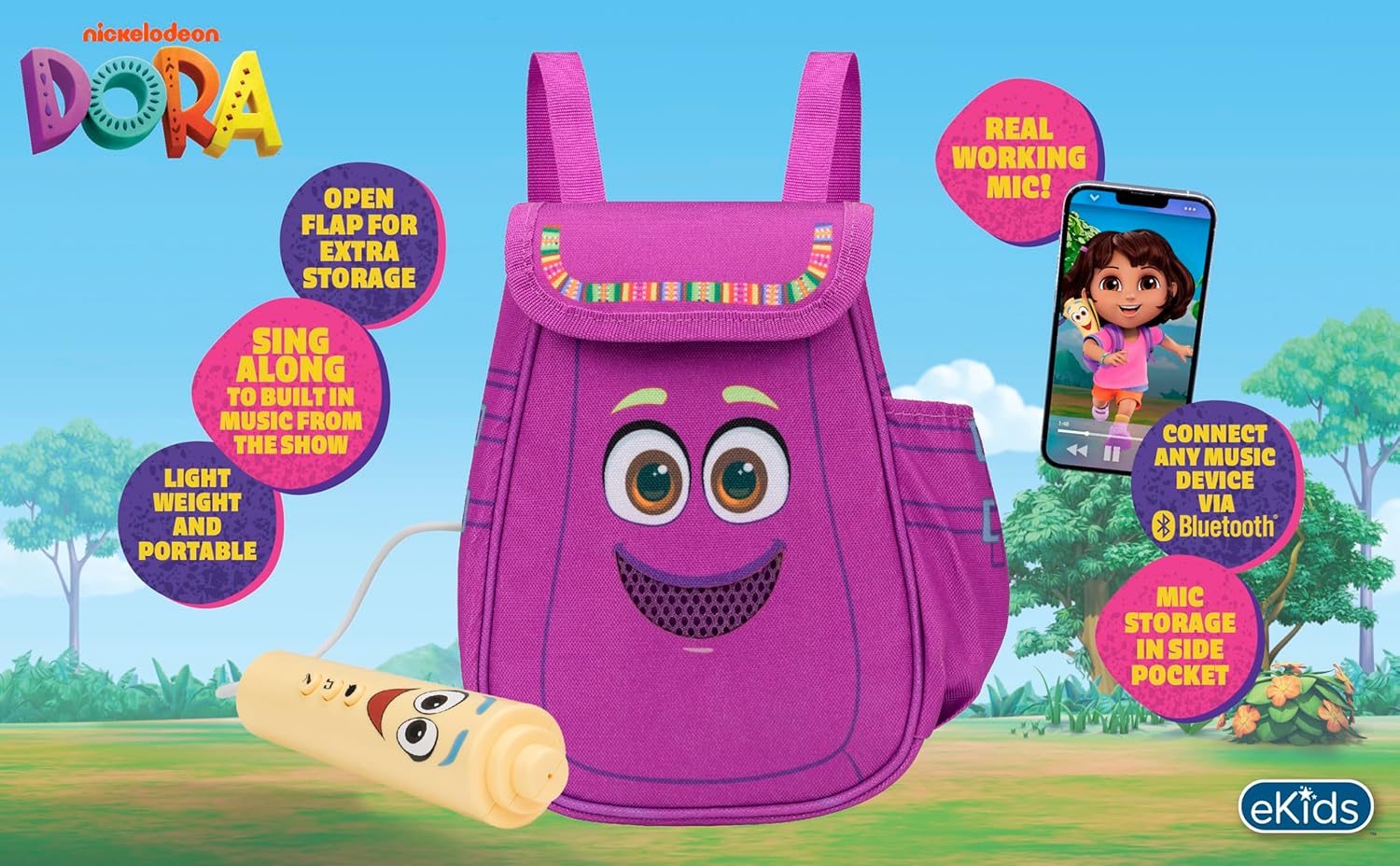
איור 2: תמונה חזותית מעלview of the product's key features.
3. תכולת החבילה
ודא שכל הפריטים נמצאים בעת פתיחת הקופסה:
- Dora Karaoke Microphone with Boombox (main unit)
- מיקרופון קווי
- מדריך הוראות (מסמך זה)
- 3 x 'AA' Batteries (included)

Figure 3: Product as packaged, showing the boombox and microphone.
4. התקנה
4.1 התקנת סוללה
- Locate the battery compartment on the back or bottom of the boombox unit.
- בעזרת מברג פיליפס (לא כלול), פתחו את מכסה תא הסוללה.
- Insert 3 'AA' batteries, ensuring correct polarity (+/-).
- החזר את מכסה תא הסוללות למקומו ואבטח אותו באמצעות הבורג.
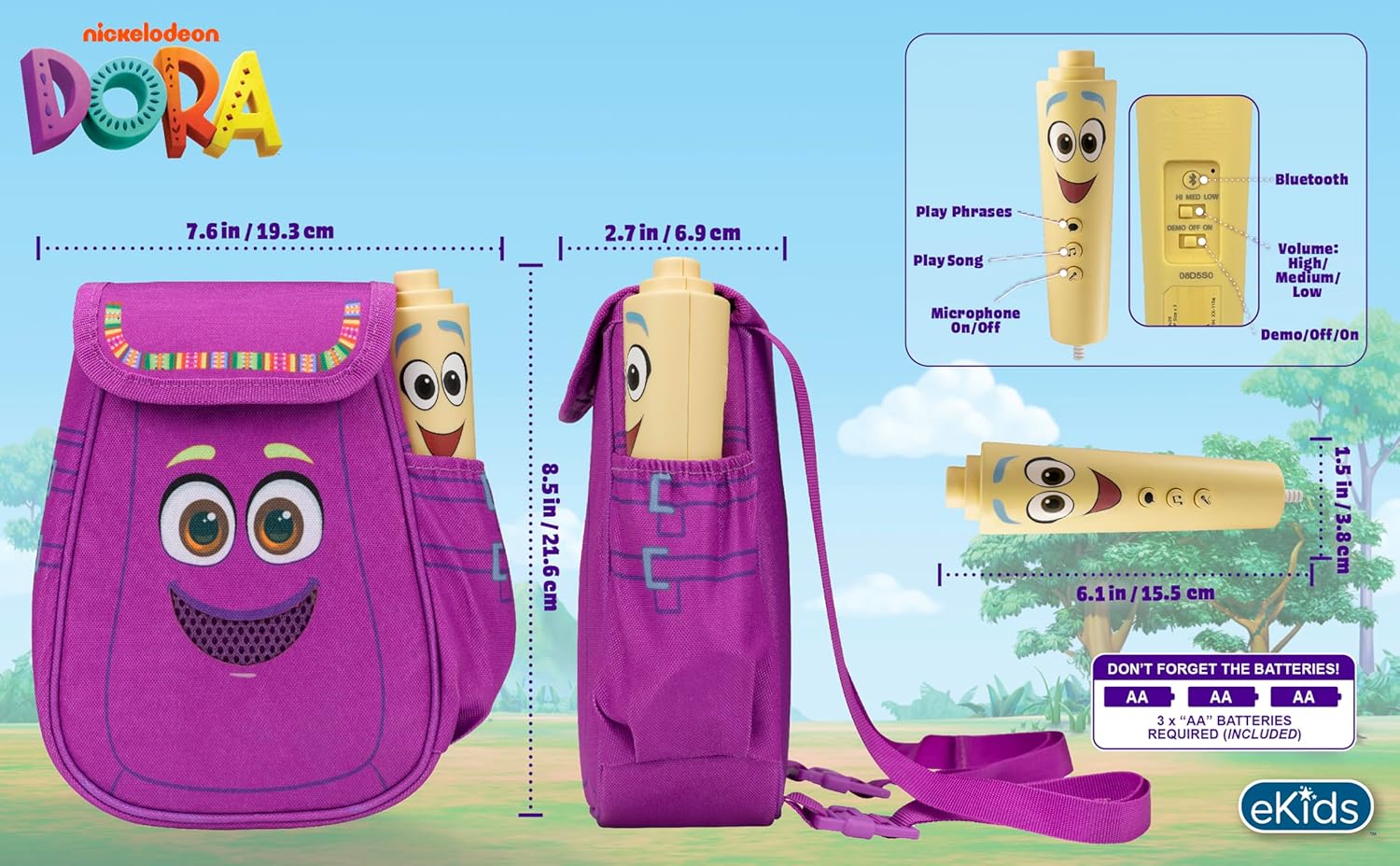
איור 4: אחורי view of the boombox, indicating battery compartment and control buttons.
4.2 חיבור מיקרופון
The wired microphone is typically pre-connected or plugs into a dedicated port on the boombox. Ensure the microphone cable is securely plugged in.
5. הוראות הפעלה
5.1 הפעלה/כיבוי
Locate the Power switch (often labeled ON/OFF or with a power symbol) on the unit. Slide it to the 'ON' position to power on the device. Slide it to 'OFF' to power off.
5.2 Playing Built-in Music
Press the designated 'Play Song' button (refer to Figure 4 for button layout) to cycle through the pre-loaded songs. The unit includes extended clips of 'Rainforest Ritmo', 'Cake', and 'Empanada'.
5.3 שימוש במיקרופון
To use the microphone, ensure the 'Microphone On/Off' switch (refer to Figure 4) is in the 'On' position. Speak or sing into the microphone to amplify your voice through the boombox speaker.
5.4 קישוריות בלוטות'
To stream music from an external device:
- ודא שהבוםבוקס דולק.
- Activate Bluetooth on your external music device (e.g., smartphone, tablet, computer).
- חפש available Bluetooth devices and select "eKids Dora" or a similar name.
- Once paired, you can stream audio from your device to the boombox.

Figure 5: Bluetooth connectivity allows streaming from various compatible devices.
5.5 בקרת עוצמת הקול
Adjust the volume using the 'Volume: High/Medium/Low' switch on the unit (refer to Figure 4).
5.6 מצב הדגמה
The unit may include a 'Demo/Off/On' switch (refer to Figure 4). Set it to 'Demo' for a brief demonstration of features, or 'On' for full functionality.
6. תחזוקה
- ניקוי: נגבו את היחידה בעזרת מטלית רכה ויבשה. אין להשתמש בחומרי ניקוי שוחקים או לטבול את היחידה במים.
- טיפול בסוללה: הוציאו את הסוללות אם לא נעשה שימוש ביחידה למשך תקופה ממושכת כדי למנוע דליפות.
- אִחסוּן: יש לאחסן את המכשיר במקום קריר ויבש, הרחק מאור שמש ישיר וטמפרטורות קיצוניות.
7. פתרון תקלות
| בְּעָיָה | פִּתָרוֹן |
|---|---|
| אין כוח | Check battery installation and ensure batteries are fresh. Confirm the power switch is in the 'ON' position. |
| אין קול מהרמקול | Increase the volume. Ensure the microphone is switched 'ON' if using it. If using Bluetooth, check device volume and connection. |
| המיקרופון לא עובד | Ensure the microphone is securely plugged in and its 'On/Off' switch is in the 'On' position. |
| בלוטות' לא מתחבר | Ensure the boombox is in Bluetooth pairing mode (if applicable, check manual for specific instructions). Turn off and on Bluetooth on your external device. Move devices closer together. |
8. מפרטים
- מותג: eKids
- שם הדגם: 115
- צֶבַע: דורה
- מקור כוח: Battery Powered (3 x 'AA' batteries)
- מספר דוברים: 1
- טכנולוגיית קישוריות: Bluetooth, 3.5mm audio jack (for wired microphone)
- משקל פריט: 0.52 קילוגרם
- מידות פריט (D x W x H): 10.63" D x 2.24" W x 8.17" H
- UPC: 092298961934
- יַצרָן: עיצובי ילדים
9. אחריות ותמיכה
מוצר זה מגיע עם א אחריות מוגבלת לשנה from the manufacturer, KIDdesigns. For warranty claims or technical support, please refer to the contact information provided with your purchase documentation or visit the eKids official webאֲתַר.
For additional product information or to explore other eKids products, visit the eKids Brand Store.
Ask a question about this manual
Ask about setup, troubleshooting, compatibility, parts, safety, or missing instructions. Manuals+ will review the question and use this page’s manual context to help answer it.