
1. המוצר נגמרview
The BIFYTON 1:18 Scale RC Truck (Model: YT6632) is an all-terrain remote control vehicle designed for both indoor and outdoor use. Featuring a durable PVC shell, LED lights, and a 2WD rear-wheel drive system, it offers an engaging driving experience. The truck is equipped with a powerful brushed motor and anti-skid tires, capable of reaching speeds up to 20KM/H. It comes with two rechargeable batteries for extended playtime and a 2.4GHz remote control for stable operation.

Image 1.1: The BIFYTON 1:18 Scale RC Truck, remote control, and included accessories.
2. תכולת החבילה
- 1 x BIFYTON 1:18 Scale RC Truck
- 1 x 2.4GHz Remote Controller
- 2 x 3.7V 1200mAh Rechargeable Batteries (for truck)
- 2 סוללות AA (לשלט רחוק)
- 1 x כבל טעינה USB
- 1 x מברג
- 2 x Body Lock Clips (spare)

תמונה 2.1: כל הפריטים הכלולים בחבילת המוצר.
3. מדריך התקנה
3.1. Charging the Truck Batteries
- Locate the two 3.7V 1200mAh rechargeable batteries and the USB charging cable.
- Connect one end of the USB charging cable to the battery.
- Plug the USB end of the cable into a compatible USB power adapter (not included) or a computer USB port.
- The indicator light on the USB cable will show the charging status (e.g., red for charging, green for fully charged).
- Charging typically takes 2-3 hours per battery. Each fully charged battery provides up to 30 minutes of playtime.
3.2. Installing Truck Batteries
- Using the provided screwdriver, carefully open the battery compartment cover located on the underside of the RC truck.
- Connect a fully charged 3.7V 1200mAh rechargeable battery to the truck's battery connector.
- Place the battery securely inside the compartment.
- סגור את מכסה תא הסוללות ואבטח אותו באמצעות הבורג.
3.3. התקנת סוללות שלט רחוק
- פתחו את תא הסוללות בגב שלט רחוק 2.4GHz.
- הכניסו את שתי סוללות ה-AA המצורפות, תוך הקפדה על קוטביות נכונה (+/-).
- סגור את מכסה תא הסוללות.

Image 3.1: Rechargeable batteries and USB charging cable.
4. הוראות הפעלה
4.1. הפעלה והתאמה
- Turn on the RC truck using the ON/OFF switch located on its underside.
- הפעל את השלט הרחוק באמצעות מתג ההפעלה/כיבוי שלו.
- The remote control and truck will automatically pair. An indicator light on the remote will confirm successful pairing.
4.2. פונקציות שלט רחוק
- לְהַפְעִיל: Pull the trigger to move forward, push it to move backward.
- הגה: Rotate the wheel left or right to steer the truck.
- כפתור מצב מהירות: Switch between Low Gear (slower speed for beginners) and High Gear (faster speed for experienced users).
- לחצן תאורה: Toggle the LED headlights and colorful body lights ON/OFF.
4.3. Directional Adjustment
If the truck does not drive in a straight line, use the directional adjustment knob located on the underside of the truck (near the front wheels) to fine-tune its steering alignment.
4.4. All-Terrain Driving
The BIFYTON RC Truck is designed for various terrains, including grass, mud, sand, and paved roads. Its anti-skid tires and independent shock absorbers provide a stable and smooth driving experience. The sturdy front bumper helps protect against minor collisions.

Image 4.1: The 2.4GHz remote control with labeled functions.
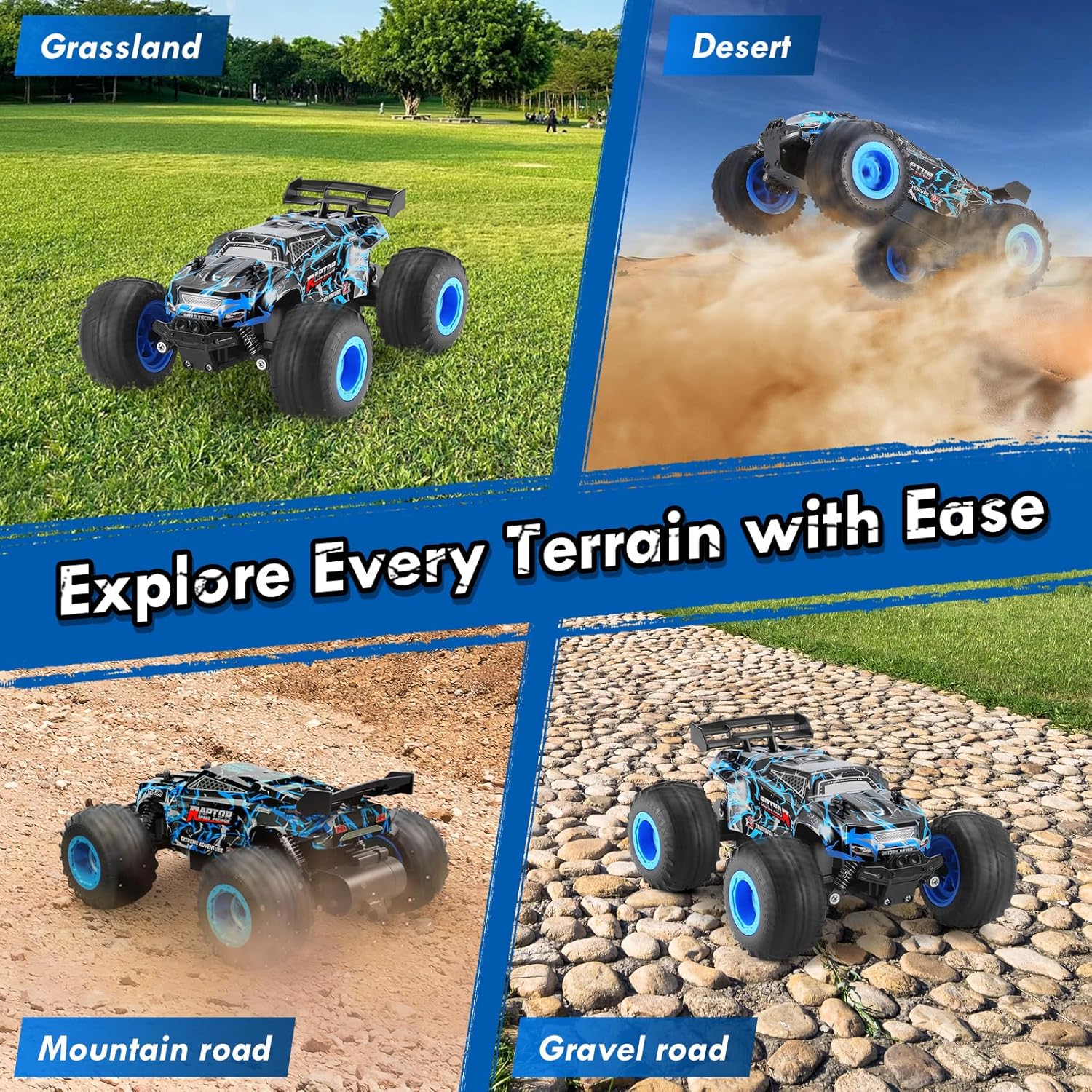
Image 4.2: The RC truck demonstrating its all-terrain capabilities.
5. תחזוקה
5.1. ניקיון
- After use, especially on dirty or dusty surfaces, gently wipe the truck with a soft, dry cloth to remove dirt and debris.
- Avoid using water or harsh chemicals, as this can damage electronic components.
- Clean the wheels and suspension components to ensure smooth operation.
5.2. טיפול ואחסון סוללה
- Always fully charge the rechargeable batteries before storage.
- Remove all batteries (truck and remote) if the product will not be used for an extended period.
- Store the truck and batteries in a cool, dry place away from direct sunlight and extreme temperatures.
5.3. בדיקה כללית
- Regularly check for any loose screws or damaged parts. Tighten screws as needed.
- Ensure the tires are free from embedded debris that could affect performance.
6. פתרון תקלות
- Truck not responding: Ensure both the truck and remote control are powered ON and batteries are fully charged and correctly installed. Re-pair the devices if necessary.
- Poor steering: Adjust the directional adjustment knob on the underside of the truck. Check for any obstructions in the steering mechanism.
- Reduced speed/power: The batteries may be low. Replace with a fully charged battery or recharge the current one.
- אורות לא עובדים: Press the Lighting button on the remote control. Ensure the truck's main power is on.
7. מפרטים
| תכונה | מִפרָט |
|---|---|
| מותג | BIFYTON |
| מספר דגם | YT6632 |
| סוּלָם | 1:18 |
| מערכת כונן | 2WD (Rear-Wheel Drive) |
| מהירות מקסימלית | 20 קמ"ש |
| תדר שליטה | 2.4GHz |
| טווח שליטה | עד 164 רגל |
| סוללה למשאית | 2 סוללות נטענות 3.7V 1200mAh |
| סוללה מרחוק | 2 x סוללות AA (כלולות) |
| Playtime per Battery | עד 30 דקות |
| זמן טעינה | 2-3 שעות לכל סוללה |
| חומר מעטפת | PVC עמיד |
| חומר שלדה | פלסטיק ABS עמיד |
| תכונות מיוחדות | LED Lights, Independent Shock Absorbers, Anti-skid Tires, Directional Adjuster |
| מידות המוצר | 8.26 x 6.69 x 3.94 אינץ' |
| משקל פריט | 14.4 אונקיות |
| גיל מומלץ | 8 - 10 שנים |
8. מידע בטיחות
- יש להרחיק ממקורות הצתה.
- אין להפעיל את המכשיר ליד מים או בתנאים רטובים כדי למנוע נזק חשמלי.
- מומלץ להשתמש בפיקוח של מבוגר, במיוחד עבור משתמשים צעירים יותר.
- Avoid operating in crowded areas or near people/animals to prevent accidents.
- אין לשנות את המוצר או את רכיביו.
9. אחריות ותמיכה
This product is covered by a standard return policy. For specific warranty details, returns, or technical support, please refer to your purchase documentation or contact the retailer directly. Ensure to keep your proof of purchase for any warranty claims.