
VETEK NPX108-2
VETEK 4K 64MP Camcorder User Manual
Model: NPX108-2
1. הקדמה
This manual provides instructions for the VETEK 4K 64MP Camcorder, model NPX108-2. This device is designed for high-quality video recording and photography, featuring 4K Ultra HD video resolution at 60 frames per second (FPS) and 64-megapixel image resolution. It includes an 18X digital zoom, a 4.0-inch 270-degree rotating touchscreen, and WiFi connectivity. The camcorder is equipped with an external microphone, a handheld stabilizer, and a 2.4G wireless remote control to enhance your recording experience.
תכולת החבילה:
- VETEK 4K 64MP Camcorder
- DV-108 Battery (4500mAh)
- כרטיס SD 64GB
- כבל USB
- 2.4G אלחוטי שלט רחוק
- מייצב כף יד
- מגן עדשה
- מיקרופון חיצוני
- אור מילוי LED
- מדריך למשתמש
- תיק למצלמה

2. רכיב מעלview
Familiarize yourself with the various parts and controls of your camcorder.

יציאות וממשקים:

בקרות:

3. הגדרה ראשונית
3.1 טעינת הסוללה
Insert the provided DV-108 battery into the camcorder. Connect the camcorder to a power source using the USB cable. The battery takes approximately 4-5 hours to fully charge and provides about 3 hours of continuous use.

3.2 הכנסת כרטיס ה-SD
Locate the SD card slot on the camcorder. Insert the provided 64GB SD card into the slot until it clicks into place. Ensure the card is inserted correctly to avoid damage.
3.3 חיבור אביזרים
- מיקרופון חיצוני: Attach the external microphone to the hot shoe mount on top of the camcorder and connect its cable to the MIC port.
- מייצב ידני: Secure the handheld stabilizer to the bottom tripod mount of the camcorder for improved stability during recording.
- מגן עדשה: Attach the lens hood to the front of the lens to protect it and reduce glare.
4. הוראות הפעלה
4.1 הפעלה/כיבוי
Press and hold the Power button to turn the camcorder on or off.
4.2 הקלטת וידאו וצילום תמונות
Use the Mode button to switch between video recording and photo capture modes. Press the Quick Video button to start/stop video recording or the Quick Photo button to take a picture.


4.3 זום דיגיטלי
The camcorder features an 18X digital zoom. Use the zoom controls (W/T buttons) on the camcorder or the handheld stabilizer to adjust the zoom level.

4.4 תפעול מסך מגע
The 4.0-inch 270-degree rotating touchscreen allows for easy navigation of menus, settings, and playback of recordings.
קישוריות WiFi 4.5
Connect the camcorder to your smartphone via WiFi using the XDV PRO app. This allows you to view recordings, control the camera remotely, and transfer files.


4.6 Webפונקציונליות מצלמת
Connect the camcorder to a computer using the USB cable and select "PC CAM" mode to use it as a webcam for video calls and streaming.


שלט רחוק 4.7 2.4G
The included 2.4G wireless remote control allows you to operate the camcorder from up to 65 feet away in any direction.

4.8 מיקרופון חיצוני
The external microphone utilizes X-Y Stereo Pickup Technology to effectively reduce background noise and improve audio quality. Adjust the sound sensitivity from -10dB to +20dB for optimal audio capture.

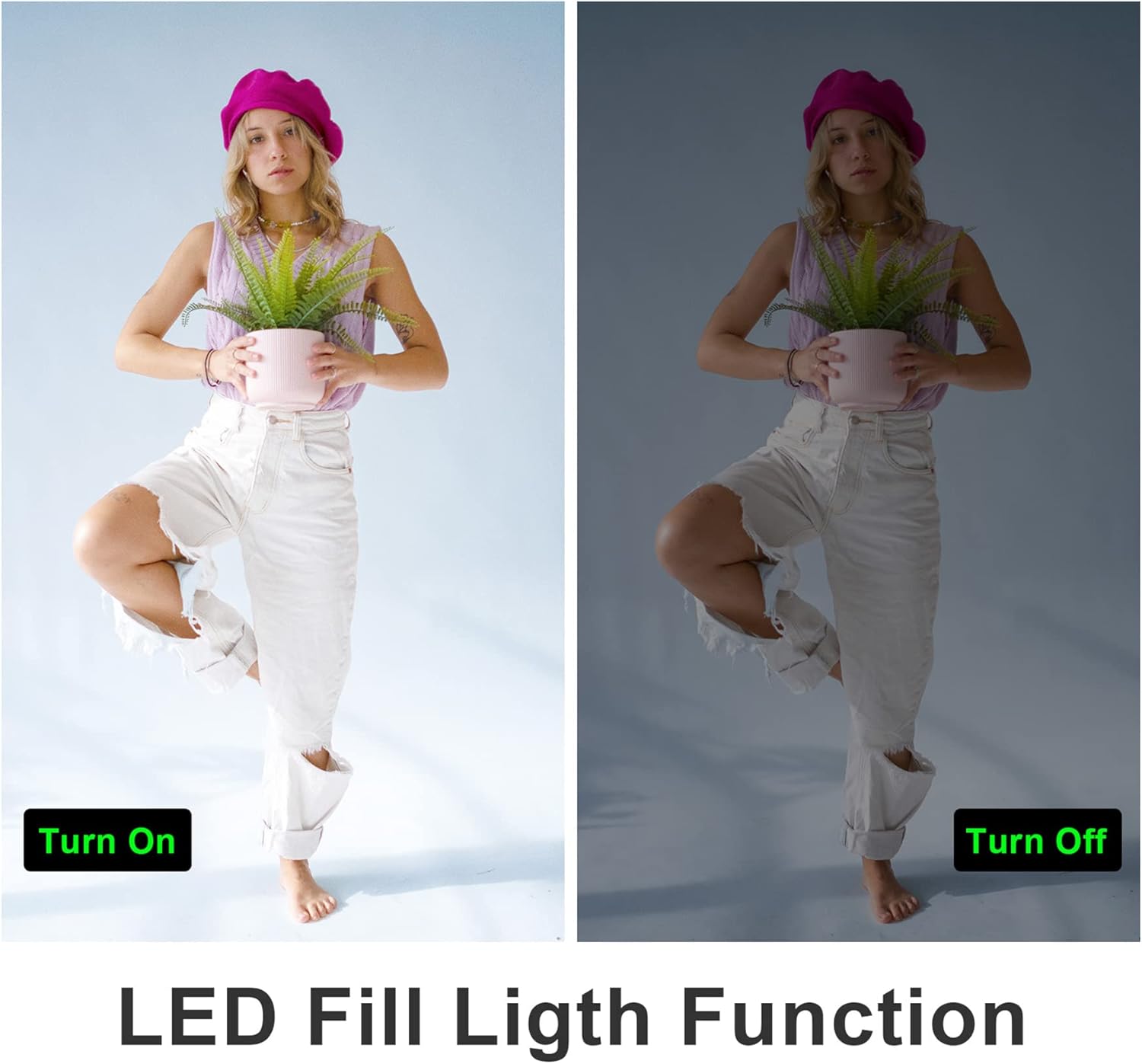
נורת מילוי LED 4.9
Activate the built-in LED fill light for improved illumination in low-light conditions.
4.10 Slow Motion and Time-Lapse
The camcorder supports slow-motion recording for capturing fast-moving objects and time-lapse recording for condensing long events into short videos.

4.11 פלט HDMI
Connect the camcorder to a TV or monitor using an HDMI cable (not included) to view ההקלטות שלך על מסך גדול יותר.

5. תחזוקה
5.1 טיפול בסוללה
- טען את הסוללה במלואה לפני השימוש הראשון.
- הימנע מחשיפת הסוללה לטמפרטורות קיצוניות.
- If not using the camcorder for an extended period, remove the battery.
5.2 ניקוי
- השתמש במטלית רכה ויבשה כדי לנקות את גוף מצלמת הווידאו.
- For the lens and touchscreen, use a specialized lens cleaning cloth and solution.
- אין להשתמש בחומרי ניקוי שוחקים או ממסים.
5.3 אחסון
Store the camcorder in a cool, dry place away from direct sunlight and dust. Use the provided camera bag for protection during transport.
6. פתרון תקלות
עיין בטיפים הבאים לבעיות נפוצות:
- אורך מוקד קבוע: This camera has a fixed focal length and does not support optical zoom. Zooming is digital.
- Autofocus Delay: Autofocus may require a 2-3 second delay buffer time to adjust.
- איכות וידאו: The quality of recorded video may not be as high as still photos, especially in challenging lighting conditions.
- טווח מיקרופון: The built-in microphone has a pickup distance of approximately 6.5 feet. The external microphone can extend this range to about 16.4 feet.
- המצלמה לא מופעלת: ודא שהסוללה טעונה במלואה ומוכנסת כהלכה.
- שגיאת כרטיס SD: Ensure the SD card is inserted correctly and is not full or corrupted. Try reformatting the card (this will erase all data).
- בעיות חיבור WiFi: Ensure the XDV PRO app is installed and the camcorder's WiFi is enabled. Check your smartphone's WiFi settings.

7. מפרטים
| תכונה | מִפרָט |
|---|---|
| מספר דגם | NPX108-2 |
| רזולוציית וידאו | 4K Ultra HD (3840x2160) @ 60FPS |
| רזולוציית תמונה | 64 מגה פיקסל |
| זום דיגיטלי | 18X |
| גודל מסך | 4.0-inch Touch Screen (270-degree rotation) |
| קישוריות | WiFi, USB, HDMI |
| קיבולת סוללה | 4500mAh פולימר ליתיום |
| חיי סוללה | Approx. 3 hours recording |
| אִחסוּן | SD Card (up to 64GB included) |
| תכונות מיוחדות | Anti-shake, Face Detection, Night Vision, Webcam Mode, Slow Motion, Time-Lapse, External MIC Support, LED Fill Light |
| מידות | 6.8 x 3.2 x 3.8 אינץ' |
| מִשׁקָל | 3.61 פאונד |
8. מידע על אחריות
VETEK products typically come with a standard manufacturer's warranty. Please refer to the warranty card included in your package or contact customer support for specific details regarding warranty coverage and duration.
9. תמיכת לקוחות
For further assistance, technical support, or inquiries regarding your VETEK 4K 64MP Camcorder, please visit the official VETEK webבאתר או צרו קשר עם מחלקת שירות הלקוחות שלהם. פרטי התקשרות ניתן למצוא בדרך כלל על אריזת המוצר או בחנות המקוונת של המותג.
Ask a question about this manual
Ask about setup, troubleshooting, compatibility, parts, safety, or missing instructions. Manuals+ will review the question and use this page’s manual context to help answer it.