
1. הקדמה
The EDIFIER MP330 is a portable Bluetooth speaker designed to deliver a high-quality audio experience with its retro aesthetic and advanced features. It supports Hi-Res audio and offers versatile connectivity options.

Image: The EDIFIER MP330 portable Bluetooth speaker, showcasing its brown finish and integrated leather handle.
2. תכולת החבילה
אנא סמן את התיבה עבור הפריטים הבאים:
- EDIFIER MP330 Speaker x 1
- כבל USB-C ל- USB-C x 1
- מדריך התחלה מהירה x 1
- Important Safety Information x 1

Image: A visual representation of the EDIFIER MP330 speaker and its included accessories: USB-C cable, quick start guide, and safety information.
3. המוצר נגמרview
3.1 בקרות ויציאות
The EDIFIER MP330 features intuitive controls and essential ports for various audio sources.
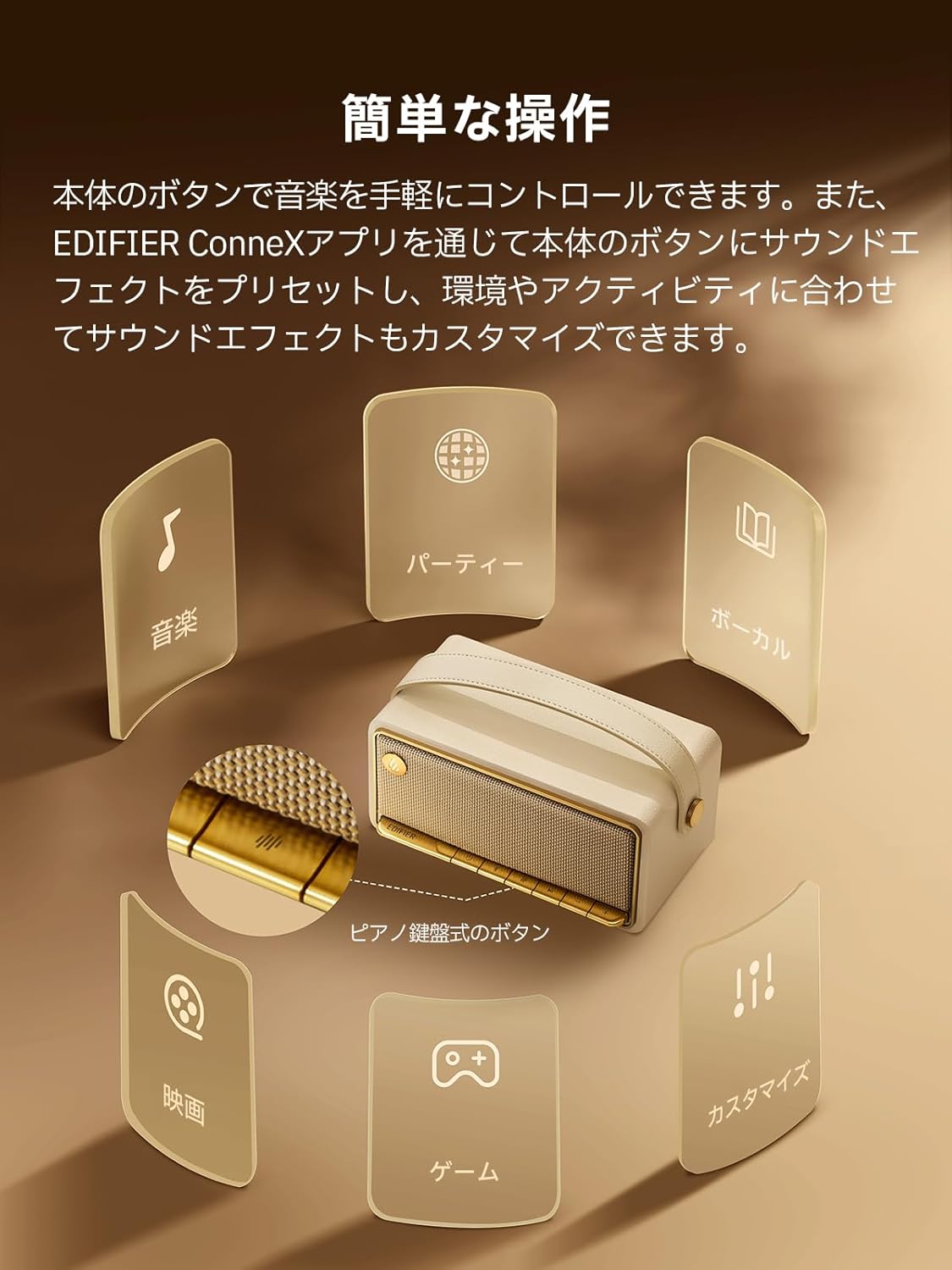
Image: A diagram illustrating the control buttons and indicator lights on the EDIFIER MP330 speaker, showing their functions for power, mode selection, playback, and volume.
- לחצן הפעלה: לחץ והחזק להפעלה/כיבוי.
- לחצן מצב: Short press to cycle through Bluetooth, USB-C, and microSD card input modes.
- לחצן הפעלה/השהה: לחיצה קצרה כדי להשמיע או להשהות את השמע.
- כפתור הגברת עוצמת הקול/הבאת הרצועה: לחיצה קצרה להגברת עוצמת הקול, לחיצה ארוכה לרצועה הבאה.
- כפתור הנמכת עוצמת הקול/הרצועה הקודמת: לחיצה קצרה להנמכת עוצמת הקול, לחיצה ארוכה לרצועה הקודמת.
- יציאת USB-C: לטעינה וכניסת שמע.
- חריץ לכרטיס microSD: להשמעת אודיו files directly from a microSD card.
4. התקנה
4.1 טעינת הרמקול
Before first use, fully charge the speaker using the provided USB-C cable and a compatible power adapter (not included). The indicator light will show charging status.
4.2 הפעלה/כיבוי
- כדי להפעיל: לחץ והחזק את לחצן ההפעלה עד שנורית החיווי נדלקת.
- כדי לכבות: לחץ והחזק את לחצן ההפעלה עד שנורית החיווי תכבה.
4.3 זיווג בלוטות '
כדי לחבר את המכשיר שלך באמצעות Bluetooth:
- Power on the MP330 speaker. The Bluetooth indicator will flash, indicating it is in pairing mode.
- במכשיר שלך (סמארטפון, טאבלט וכו'), הפעל את Bluetooth וחפש מכשירים זמינים.
- Select "EDIFIER MP330" from the list of devices.
- לאחר החיבור, מחוון ה-Bluetooth יישאר קבוע.
4.4 חיבור רב-נקודתי
The MP330 supports connecting to two Bluetooth devices simultaneously. After connecting the first device, put the speaker back into pairing mode and connect the second device. You can then switch between audio sources by pausing playback on one device and starting it on the other.

Image: Two mobile phones displaying music playback interfaces, indicating a multipoint Bluetooth connection to the EDIFIER MP330 speaker.
4.5 צימוד סטריאו (TWS)
For an enhanced stereo sound experience, you can pair two MP330 speakers together:
- Ensure both MP330 speakers are powered on and not connected to any Bluetooth device.
- On one speaker, press and hold the Bluetooth button until it enters TWS pairing mode (indicator light will flash a specific pattern).
- The two speakers will automatically connect to each other. One speaker will become the left channel and the other the right.
- לאחר הצימוד, חברו את המכשיר שלכם לרמקול הראשי באמצעות Bluetooth כמתואר בסעיף 4.3.

Image: Two EDIFIER MP330 speakers, one black and one ivory, positioned to illustrate stereo pairing, with a Bluetooth logo and arrows indicating connection.
5. הוראות הפעלה
5.1 Switching Input Modes
Short press the Mode button to switch between Bluetooth, USB-C, and microSD card input modes. The indicator light will change color to reflect the active mode.
5.2 USB-C Audio Playback
Connect the MP330 to your computer using the provided USB-C cable. The speaker will automatically switch to USB-C audio mode. Select "EDIFIER MP330" as the audio output device on your computer.

Image: A diagram showing the EDIFIER MP330 speaker connected to a computer via a USB-C cable, indicating USB-C audio playback.
5.3 microSD Card Playback
הכנס כרטיס microSD המכיל שמע files into the microSD card slot. The MP330 will automatically switch to microSD card mode and begin playback.

Image: A diagram illustrating how to insert a microSD card into the dedicated slot on the EDIFIER MP330 speaker.
5.4 Using the EDIFIER Connex App
Download the EDIFIER Connex app to unlock extended features and customize your listening experience. The app allows you to:
- החלף מקורות קלט.
- שליטה בהשמעה.
- Customize sound effects (equalizer presets or custom settings).
- Access the electronic user manual and other settings.

Image: Multiple smartphone screens displaying the EDIFIER Connex app interface, highlighting various control and customization options for the speaker.
6. תחזוקה
To ensure the longevity and optimal performance of your EDIFIER MP330 speaker, follow these maintenance guidelines:
- ניקוי: Use a soft, dry cloth to clean the speaker's surface. Avoid using abrasive cleaners, solvents, or strong chemicals, as they may damage the finish.
- אִחסוּן: יש לאחסן את הרמקול במקום קריר ויבש, הרחק מאור שמש ישיר, טמפרטורות קיצוניות ולחות גבוהה.
- חשיפה למים: The speaker is not waterproof. Avoid exposing it to water, rain, or excessive moisture.
- טיפול: טפלו ברמקול בזהירות. הימנעו מהפלתו או מחשיפתו לפגיעות חזקות.
- טיפול בסוללה: להשגת חיי סוללה אופטימליים, הימנעו מפריקה מלאה של הסוללה לעתים קרובות. אם מאחסנים אותה למשך זמן ממושך, טען את הסוללה לכ-50% כל כמה חודשים.
7. פתרון תקלות
If you encounter issues with your EDIFIER MP330 speaker, refer to the following common troubleshooting steps:
- אין כוח:
- ודא שהרמקול טעון במלואו.
- Check if the power button is pressed and held correctly to turn on the device.
- אין צליל:
- Verify the volume level on both the speaker and your connected device.
- Ensure the correct input mode (Bluetooth, USB-C, microSD) is selected.
- אם משתמשים ב-Bluetooth, ודאו שהרמקול מחובר ומקושר כראוי למכשיר שלכם.
- If using a microSD card, ensure the card is inserted correctly and contains playable audio files.
- בעיות התאמת Bluetooth:
- ודא שהרמקול נמצא במצב צימוד Bluetooth (נורית חיווי מהבהבת).
- השבת והפעל מחדש את Bluetooth במכשיר שלך.
- קרב את הרמקול למכשיר שלך והרחק ממקורות הפרעה פוטנציאליים.
- נסה לנתק את ההתאמה ולקשר מחדש את הרמקול מהגדרות ה-Bluetooth של המכשיר שלך.
- Stereo Pairing Not Working:
- Ensure both speakers are not connected to any other Bluetooth device before initiating TWS pairing.
- יש לפעול בקפידה אחר שלבי צימוד ה-TWS (סעיף 4.5).
- בעיות קישוריות לאפליקציה:
- Ensure Bluetooth is enabled and the speaker is connected to your device.
- Update the EDIFIER Connex app to the latest version.
- הפעל מחדש גם את הרמקול וגם את המכשיר שלך.
If the problem persists after trying these steps, please contact Edifier customer support for further assistance.
8. מפרטים
Detailed technical specifications for the EDIFIER MP330 speaker:

Image: A comparison chart highlighting key specifications of the EDIFIER MP330 and MP230 models, including output power, Bluetooth version, battery capacity, playback time, and Hi-Res audio support.
| תכונה | מִפרָט |
|---|---|
| שם הדגם | MP330 |
| סוג רמקול | רמקול נייד |
| חוֹמֶר | עץ (MDF) |
| צֶבַע | חוּם |
| כוח פלט | 40W RMS |
| גרסת בלוטות' | 6.0 |
| קיבולת סוללה | 4800mAh |
| זמן השמעה | עד 19 שעות (בנפח 50%) |
| תגובת תדר | 53Hz-40kHz |
| אודיו ברזולוציה גבוהה | Supported (up to 24bit/96kHz) |
| קישוריות | Bluetooth, USB-C, microSD card |
| מידות (ב x D x H) | 20.7 x 11.6 x 10.1 ס"מ |
| מִשׁקָל | 1.13 ק"ג |
| שיטת בקרה | אפליקציה, לחצן לחיצה |
| יחס אות לרעש (S/N) | 85 dB |

Image: A technical drawing showing the dimensions (width, depth, height) and weight of the EDIFIER MP330 speaker.
9. אחריות ותמיכה
For warranty information, please refer to the warranty card included in your product packaging or visit the official Edifier website. If you require technical support or have questions about your EDIFIER MP330 speaker, please contact Edifier customer service through their official channels.
אדיפייר רשמי Webאֲתַר: www.edifier.com