
1. נגמרview
The Roku Select Series HD TV provides a streamlined entertainment experience. This 32-inch 720p HD television integrates the Roku operating system for easy access to streaming content, live TV, and various applications. It features a voice remote for convenient control and includes technologies like Bluetooth Headphone Mode and Dolby Audio for enhanced sound.
תכונות מפתח
- Seamless Streaming: Fast Wi-Fi and quick app launches for immediate entertainment access.
- תוכן נרחב: Access to thousands of streaming apps, free movies, shows, and live TV channels.
- מסך בית הניתן להתאמה אישית: Organize apps and content for personalized viewing.
- עדכוני תוכנה אוטומטיים: Ensures access to the latest features and applications.
- שילוב בית חכם: Compatible with Roku Voice, Siri, Alexa, and Google Assistant for voice control. Supports Apple AirPlay for content sharing.
- Clear HD Picture: 720p HD resolution with Roku Smart Picture technology for optimized visuals.
- שלט קולי: Search, play, and control streaming with voice commands.
- אודיו משופר: Designed for clear speech and louder sound with Dolby Audio technology.
- Bluetooth Headphone Mode: Private listening with wireless headphones.

Image: Roku 32-inch Select Series HD Smart TV with included remote control.
2. מה בקופסה
ודא שכל הרכיבים קיימים לפני שתמשיך בהתקנה.
- Roku Select Series 32" HD TV
- Stands and screws
- Roku Voice Remote with batteries (2 AAA)
- כבל חשמל
- מדריך למשתמש (מסמך זה)

Image: Contents of the Roku Select Series TV packaging.
3. התקנה
3.1 פירוק
Carefully remove the TV and all accessories from the packaging. Retain the packaging for future transport or service needs.
3.2 חיבור המעמד
- הנח את הטלוויזיה כשמסך הטלוויזיה כלפי מטה על משטח רך ונקי כדי למנוע שריטות.
- יישר את מעמדי הטלוויזיה עם חורי הברגים בתחתית הטלוויזיה.
- אבטחו את המעמדים באמצעות הברגים המצורפים. ודאו שהם מהודקים היטב.
3.3 חיבור ציוד היקפי
חברו את המכשירים שלכם ליציאות המתאימות בגב הטלוויזיה.
- HDMI: Connect up to three HDMI devices (e.g., cable box, gaming console, Blu-ray player) to the HDMI ports.
- USB: Use the USB port for media playback or connecting compatible accessories.
- אופטי (S/PDIF): לחיבור למערכת שמע חיצונית.
- כבל חשמל: חבר את כבל החשמל לטלוויזיה ולאחר מכן לשקע בקיר.
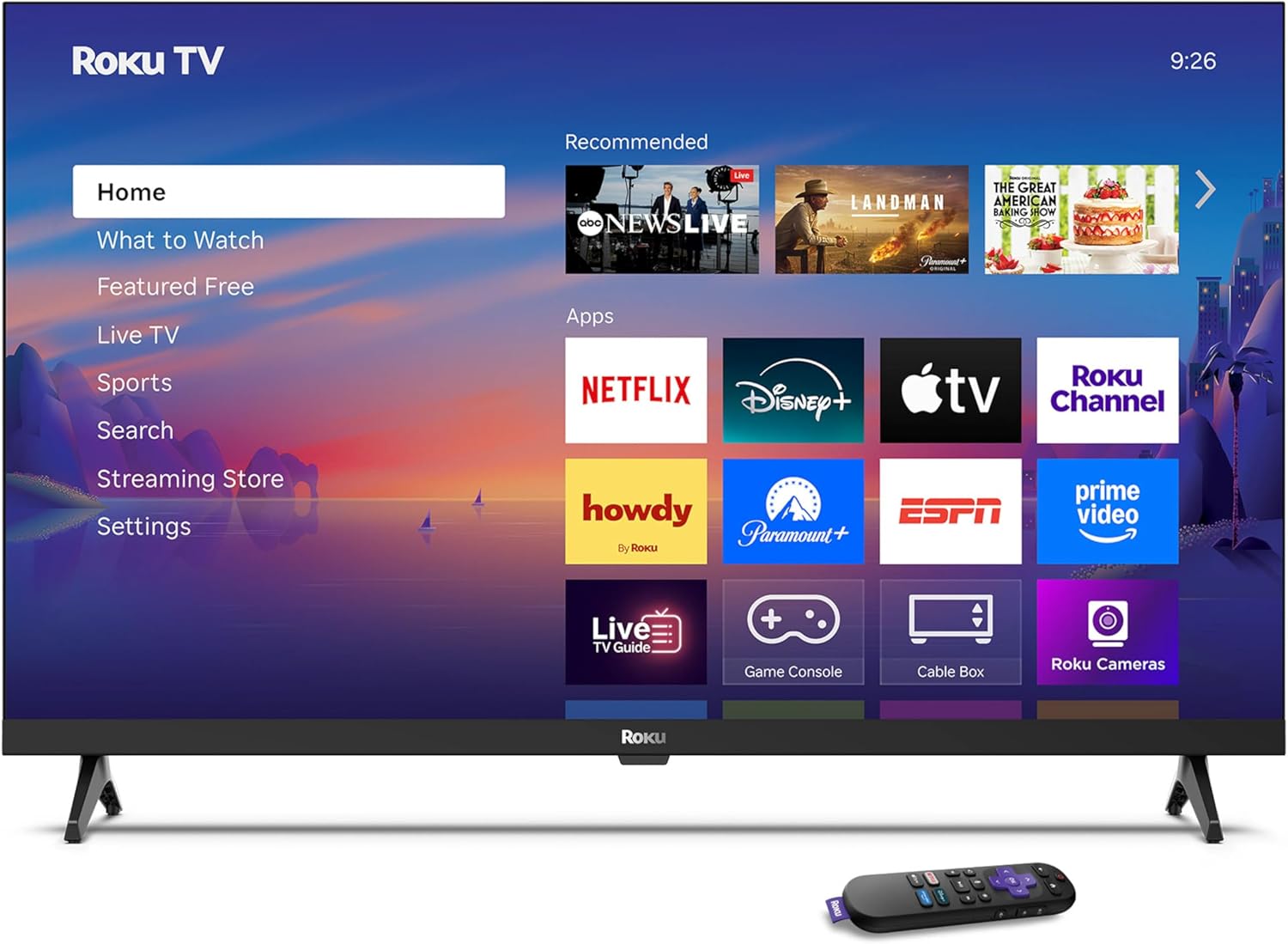
Image: Rear panel connections including HDMI, USB, and optical ports.
3.4 הפעלה ראשונית וחיבור רשת
- חברו את הטלוויזיה לחשמל ולחצו על כפתור ההפעלה בשלט או בטלוויזיה.
- פעל לפי ההוראות שעל המסך כדי לבחור את השפה שלך ולהתחבר לרשת ה-Wi-Fi שלך.
- Activate your Roku account or create a new one.
וידאו: אוברview of the Roku TV operating system, demonstrating its user interface and features. This video is provided by Roku, Inc.
4. הוראות הפעלה
4.1 שימוש בשלט הקולי
The Roku Voice Remote allows for intuitive control of your TV and streaming content.
- חיפוש קולי: Press and hold the voice button and speak your command to search for content, launch apps, or control playback.
- ניווט: השתמש בלוח הכיוון כדי לנווט בין תפריטים ולבחור פריטים.
- קיצורי דרך לאפליקציה: Dedicated buttons provide quick access to popular streaming services.

Image: Features of the Roku Voice Remote, highlighting voice control and shortcut buttons.
4.2 ניווט במסך הבית
The Roku Home Screen provides access to all your installed apps, inputs, and settings.
- בַּיִת: Returns you to the main home screen.
- מה לצפות: Discover recommended content.
- טלוויזיה בשידור חי: Access free live television channels.
- חנות סטרימינג: Browse and add new streaming channels.
- הגדרות: Adjust TV and system preferences.

Image: The Roku TV home screen interface.
4.3 כוונון הגדרות תמונה וקול
התאם אישית את שלך viewing and listening experience through the settings menu.
- מצב תמונה: Select from predefined modes like Standard, Vivid, Sports, or Movie. Roku Smart Picture automatically optimizes settings.
- מצב צליל: בחר סאונד פרוfiles or enable features like Night Mode for reduced volume fluctuations.
- Bluetooth Headphone Mode: Pair your wireless headphones for private audio.

Image: Picture mode settings on the Roku TV.

Image: Bluetooth Headphone Mode in use.

Image: Dolby Audio technology for clear sound.
5. תחזוקה
5.1 ניקוי המסך
כדי לנקות את מסך הטלוויזיה, נגבו אותו בעדינות בעזרת מטלית רכה, יבשה ונטולת סיבים. במקרה של סימנים עקשניים, נגבו קלותampשטפו את המטלית במים או בתמיסת ניקוי בטוחה למסכים. הימנעו משימוש בכימיקלים חזקים או בחומרים שוחקים.
5.2 עדכוני תוכנה
טלוויזיית Roku שלך מקבלת עדכוני תוכנה באופן אוטומטי כאשר היא מחוברת לאינטרנט. עדכונים אלה מספקים תכונות חדשות, שיפורי ביצועים ותיקוני באגים. ודא שהטלוויזיה שלך נשארת מחוברת לאינטרנט לקבלת ביצועים מיטביים.
6. פתרון תקלות
If you encounter issues with your Roku TV, refer to the following common solutions:
- אין כוח: ודא שכבל החשמל מחובר היטב הן לטלוויזיה והן לשקע חשמלי תקין. נסה שקע אחר.
- אין תמונה/קול: Verify that the correct input source is selected. Check all cable connections (HDMI, audio). Restart the TV by unplugging it for 30 seconds and plugging it back in.
- שלט לא עובד: Replace the AAA batteries in the remote. Ensure there are no obstructions between the remote and the TV. For voice remote issues, re-pair the remote if necessary (refer to Roku support for specific steps).
- בעיות חיבור לרשת: Restart your Wi-Fi router and modem. Go to the TV's settings menu, then Network, and try reconnecting to your Wi-Fi network.
- האפליקציה לא נטענת/קורסת: Try restarting the app. If the issue persists, remove the app from the home screen, restart the TV, and then re-add the app from the Streaming Store.
7. מפרטים
| תכונה | פְּרָט |
|---|---|
| גודל מסך | 32 אינץ' |
| טכנולוגיית תצוגה | LED |
| הַחְלָטָה | 720p |
| קצב רענון | 60 הרץ |
| תכונות מיוחדות | Bluetooth Headphone Mode, Dolby Audio, Voice Remote |
| טכנולוגיית קישוריות | בלוטות ', Wi-Fi |
| סך כל יציאות HDMI | 3 |
| סך כל יציאות USB | 1 |
| קלט שמע | HDMI |
| מַעֲרֶכֶת הַפעָלָה | Roku OS |
| סוג הרכבה | מתקן לשולחן, מתקן לקיר |
| תקן VESA להרכבה | 200 x 200 מ"מ |
| מידות המוצר (D x W x H) | 7" D x 28.3" W x 18.3" H |
| משקל פריט | 7.5 פאונד |
| מספר דגם | 32R2D5 |
| UPC | 829610008974 |
8. מידע על אחריות
8.1 אחריות מוגבלת
Roku warrants the hardware against defects in materials and workmanship under normal use for a period of one (1) year from the date of purchase ("Warranty Period"). If Roku determines that the device’s hardware is defective during the Warranty Period, Roku’s sole obligation, and your exclusive remedy, will be to either repair or replace the unit with either a new or rebuilt device, at its option. This warranty applies if the product is used in accordance with the provided documentation.
8.2 מדיניות החזרות
You may return a device for any reason:
- Within thirty (30) days from the date of purchase from Roku.
- Within the applicable return period if purchased from an authorized reseller or distributor.
Additional details regarding product returns can be found on the Roku support site.
9. תמיכה
For further assistance, troubleshooting guides, and frequently asked questions, please visit the official Roku support webאֲתַר: