
מָבוֹא
The ASUS TUF Gaming VG249QM5A is a 23.8-inch Full HD monitor designed for an enhanced gaming experience. It incorporates a 240Hz refresh rate and 0.3ms response time, alongside AMD FreeSync™ Premium and NVIDIA® G-SYNC® compatibility for smooth visuals. This monitor offers improved color performance, Gaming AI features, and convenient control via the DisplayWidget Center.
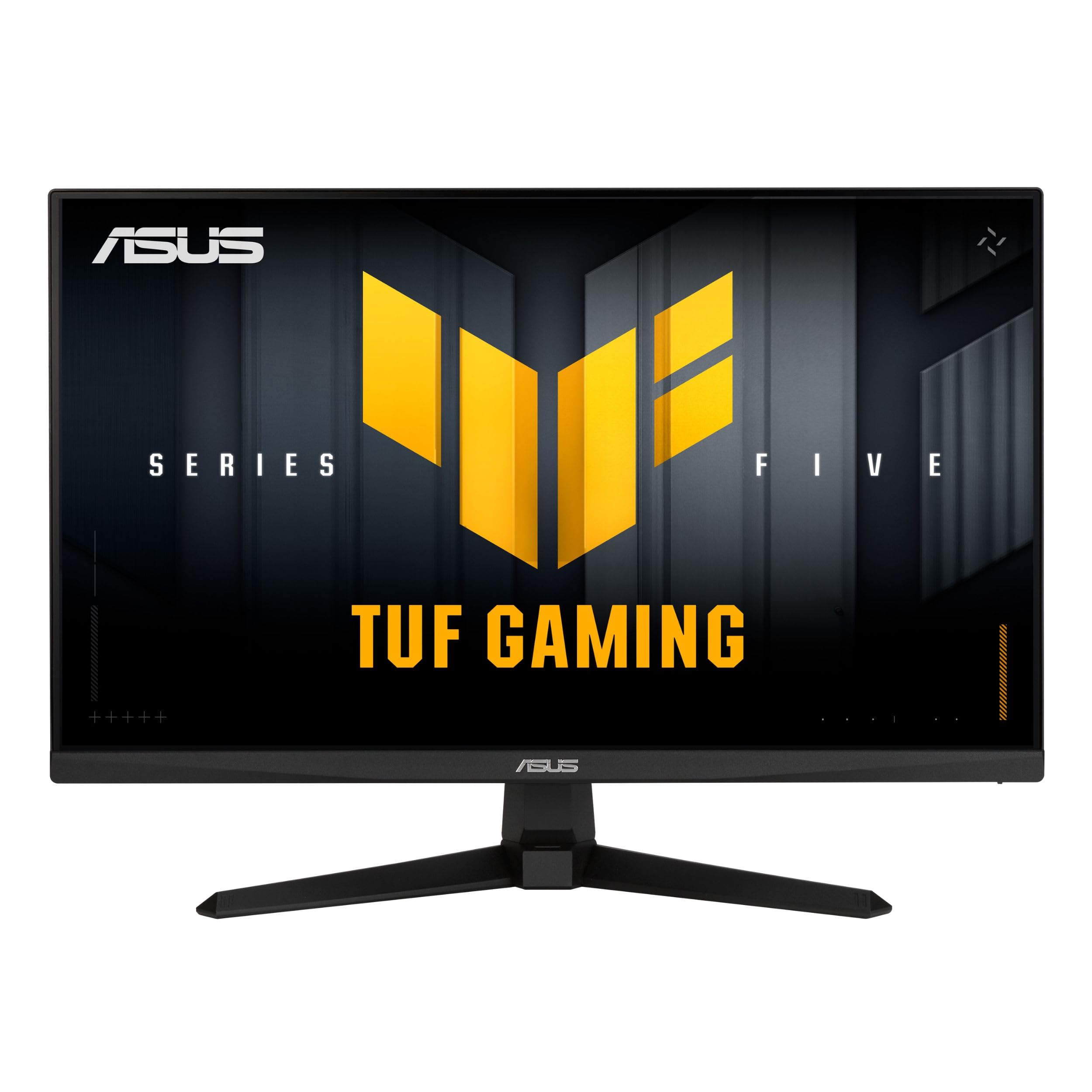
תמונה: חזית view of the ASUS TUF Gaming VG249QM5A monitor.
מה יש בקופסה
ודא שכל הפריטים הבאים נמצאים באריזת המוצר שלך:
- ASUS TUF Gaming VG249QM5A Monitor
- כבל DisplayPort
- מברג בצורת L
- כבל חשמל
- מדריך להתחלה מהירה
- תעודת אחריות
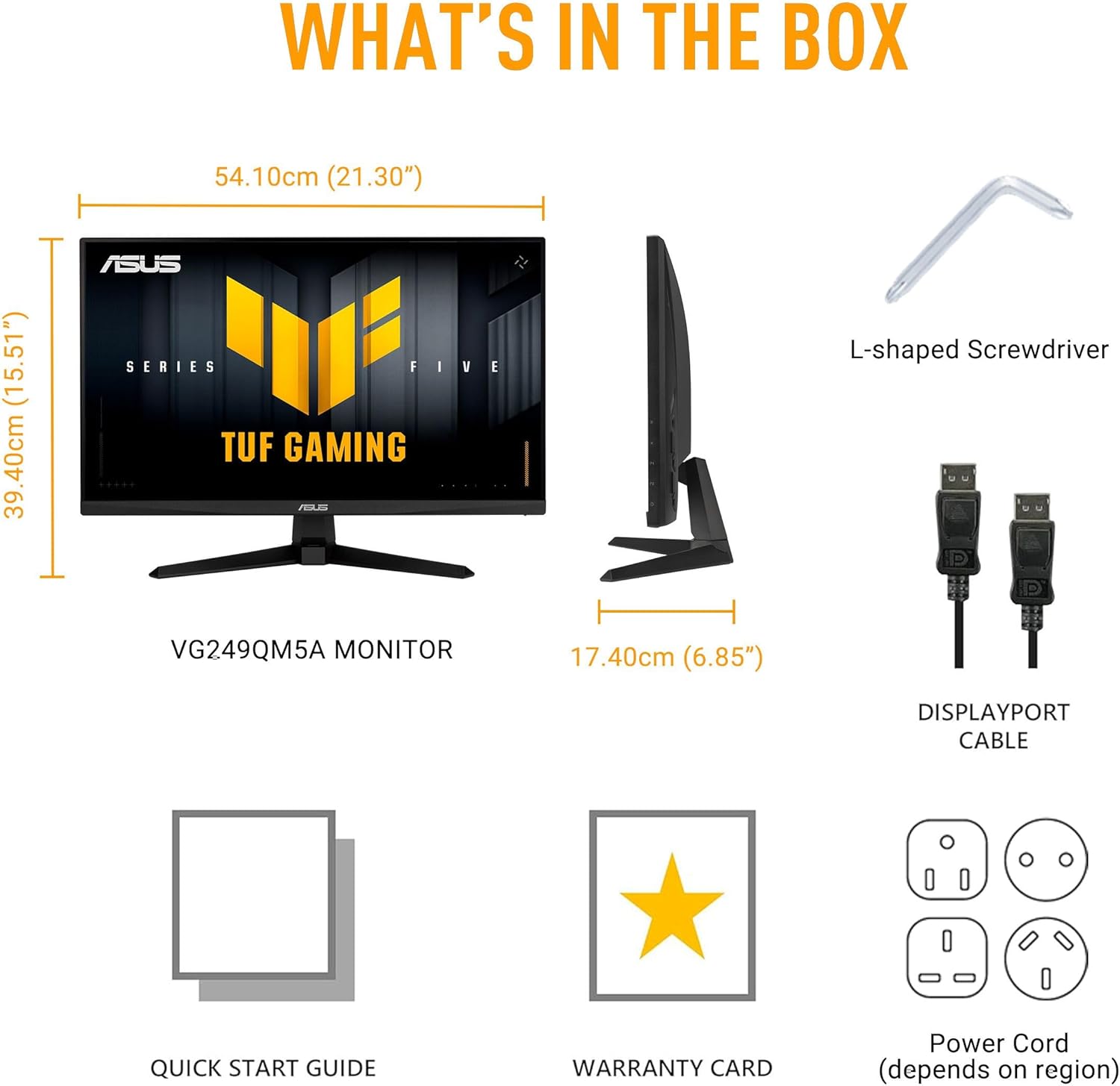
Image: Diagram showing the monitor, DisplayPort cable, L-shaped screwdriver, power cord, quick start guide, and warranty card included in the box.
הגדרה
1. מכלול הצג
Carefully remove the monitor and its components from the packaging. Attach the stand base to the stand neck, then secure the assembled stand to the back of the monitor panel. Ensure all connections are firm.
2. חיבור כבלים
חבר את הכבלים הדרושים לצג ולמחשב שלך:
- כבל חשמל: חבר קצה אחד של כבל החשמל לכניסת החשמל של הצג ואת הקצה השני לשקע חשמל.
- כבל DisplayPort: For optimal performance, connect the included DisplayPort cable from your computer's graphics card to the DisplayPort input on the monitor.
- כבלי HDMI: Alternatively, you can use HDMI cables to connect to the monitor's HDMI 2.0 ports.
- שקע אוזניות: Connect your headphones or external speakers to the earphone jack for audio output.

Image: The monitor connected to a desktop computer with various cables.

תמונה: תקריב view of the monitor's rear ports, including two HDMI 2.0 ports, one DisplayPort, and an earphone jack.
הפעלת הצג
תכונות ביצועים מרכזיות
- פאנל IPS מהיר: חוו צבעים עזים ומגוון רחב viewזוויות.
- קצב רענון של 240 הרץ: Provides extremely fluid visuals for fast-paced gaming.
- 0.3ms Response Time (min): Minimizes motion blur and ghosting for sharp images.
- G-SYNC Compatible & FreeSync Premium: Ensures tear-free and stutter-free gameplay by synchronizing the monitor's refresh rate with your GPU's frame rate.
- סנכרון טשטוש תנועה נמוך במיוחד (ELMB SYNC): Enables ELMB simultaneously with variable refresh rate technologies, further reducing ghosting and tearing.
- סולם צבעים של 99% sRGB: Delivers accurate and rich color reproduction.

Image: Infographic highlighting key upgrades including speed (0.3ms, 240Hz), fluidity (FreeSync Premium, G-SYNC, ELMB SYNC), Gaming AI, colors (99% sRGB), and simplicity (DisplayWidget Center).

תמונה: הצג מציגasing a high-speed gaming scene, emphasizing its fast IPS, Full HD, 0.3ms, and 240Hz capabilities.

Image: A visual comparison demonstrating improved game fluidity with Variable Refresh Rate (VRR) enabled, highlighting G-SYNC, FreeSync Premium, and ELMB SYNC.
Gaming AI Technology
The monitor includes TUF Gaming A.I. technology with AI-powered features to enhance your gaming experience:
- צלב דינמי: מספק צלב על המסך לשיפור דיוק הכיוון.
- בינה מלאכותית ויזואלית: אופטימיזציה של הגדרות חזותיות בהתבסס על תוכן המשחק.

Image: Demonstrations of Dynamic Crosshair (before and after) and AI Visual (before and after) features in gaming scenarios.
DisplayWidget Center
The DisplayWidget Center software allows for easy access to On-Screen Display (OSD) settings and monitor adjustments using your mouse. This provides a user-friendly interface for customizing various display parameters, managing firmware updates, and controlling multi-screen setups.

Image: A screenshot of the DisplayWidget Center interface, showing options for customizable settings, firmware update notifications, and multiscreen control.
Eye Care Features and Ergonomic Design
This monitor incorporates features designed to reduce eye strain during extended use and offers flexible positioning options:
- מסך נגד בוהק: Reduces reflections from ambient light, improving visibility.
- מסנן אור כחול: Adjustable levels to reduce harmful blue light emissions.
- טכנולוגיה ללא הבהוב: מבטל ריצוד מסך כדי למזער עייפות עיניים.
- עיצוב ארגונומי: The stand allows for tilt, swivel, pivot, and height adjustments to achieve a comfortable viewעמדה.
Video: An official ASUS video demonstrating the eye care features (anti-glare, blue light filter, flicker-free) and ergonomic design of ASUS monitors, including adjustable stand functionality.
תַחזוּקָה
כדי להבטיח את אורך החיים והביצועים המיטביים של הצג, יש לפעול לפי הנחיות התחזוקה הבאות:
- ניקוי המסך: נגבו בעדינות את המסך בעזרת מטלית רכה ונטולת סיבים. במקרה של סימנים עקשניים, נגבו קלותampשטפו את המטלית במים או בחומר מיוחד לניקוי מסכים. הימנעו מכימיקלים חזקים או מחומרים שוחקים.
- ניקוי ה-Casing: השתמשו במטלית רכה ויבשה לניקוי הצגasing.
- אוורור: ודא שפתחי האוורור של הצג נקיים ואינם חסומים כדי למנוע התחממות יתר.
- טיפול: הימנעו מהנחת חפצים כבדים על הצג או מהפעלת לחץ מוגזם עליו.
- כיבוי: כבה תמיד את הצג כאשר אינו בשימוש למשך פרקי זמן ממושכים.
פתרון בעיות
אם נתקלת בבעיות עם הצג שלך, עיין בשלבי פתרון הבעיות הנפוצים הבאים:
- אין תצוגה/כוח:
- בדוק אם כבל החשמל מחובר היטב גם לצג וגם לשקע החשמל.
- ודא שלחצן ההפעלה על הצג לחוץ.
- ודא ששקע החשמל תקין.
- אין קליטה:
- ודא שכבל הווידאו (DisplayPort או HDMI) מחובר היטב הן לצג והן לכרטיס המסך של המחשב.
- Ensure the correct input source is selected on the monitor (use the OSD menu).
- בדוק אם המחשב שלך דלוק ואינו במצב שינה.
- בעיות באיכות התמונה (טשטוש, מעוות, צבעים שגויים):
- התאם את הגדרות הרזולוציה וקצב הרענון במחשב שלך כך שיתאימו לרזולוציה המקורית של הצג (1920x1080) ולקצב הרענון הרצוי (עד 240 הרץ).
- Reset the monitor's display settings to factory defaults via the OSD menu.
- עדכן את מנהלי ההתקן של כרטיס המסך שלך.
- Check for physical damage to the video cable.
- מסך מהבהב:
- Ensure Flicker-Free technology is enabled (if applicable via OSD or DisplayWidget Center).
- בדוק אם יש הפרעות חיצוניות ממכשירים אלקטרוניים אחרים.
If the issue persists after attempting these steps, please contact ASUS customer support.
מפרטים
| תכונה | מִפרָט |
|---|---|
| מותג | ASUS |
| מספר דגם | VG249QM5A |
| גודל מסך | 24 אינץ' (23.8 אינץ') viewמְסוּגָל) |
| רזולוציית מסך | 1920 x 1080 פיקסלים (Full HD) |
| רזולוציית מסך מקסימלית | 1920 x 1080 פיקסלים |
| קצב רענון | 240 הרץ |
| זמן תגובה | 0.3ms (min) |
| סוג פאנל | IPS מהיר |
| סולם צבעים | 99% sRGB |
| טכנולוגיית סינכרון אדפטיבי | G-SYNC Compatible, FreeSync Premium |
| יחס גובה-רוחב | 16:9 |
| תיאור משטח המסך | דָהוּי |
| קישוריות | DisplayPort, HDMI 2.0 (x2), Earphone Jack |
| משקל פריט | 7.5 פאונד |
| מידות המוצר (LxWxH) | 6.9 x 21.3 x 15.5 אינץ' |
| צֶבַע | שָׁחוֹר |
אחריות ותמיכה
The ASUS TUF Gaming VG249QM5A monitor typically comes with a אחריות יצרן לשנה. Please refer to the included Warranty Card for specific terms, conditions, and registration details.
לתמיכה טכנית, הורדות מנהלי התקנים או סיוע נוסף, אנא בקרו באתר התמיכה הרשמי של ASUS webאֲתַר:
When contacting support, have your monitor's model number (VG249QM5A) and serial number readily available.