
ILEBYGO B0F83Q1HHT
ILEBYGO Mini Projector B0F83Q1HHT User Manual
Model: B0F83Q1HHT
1. הקדמה
Thank you for choosing the ILEBYGO Mini Projector B0F83Q1HHT. This portable projector is designed to provide a versatile entertainment experience with its Android 13 operating system, WiFi 6, Bluetooth 5.0, 1080P Full HD resolution with 4K support, 320 ANSI lumens brightness, 270-degree rotation, auto keystone correction, and autofocus. This manual provides essential information for setting up, operating, and maintaining your projector.
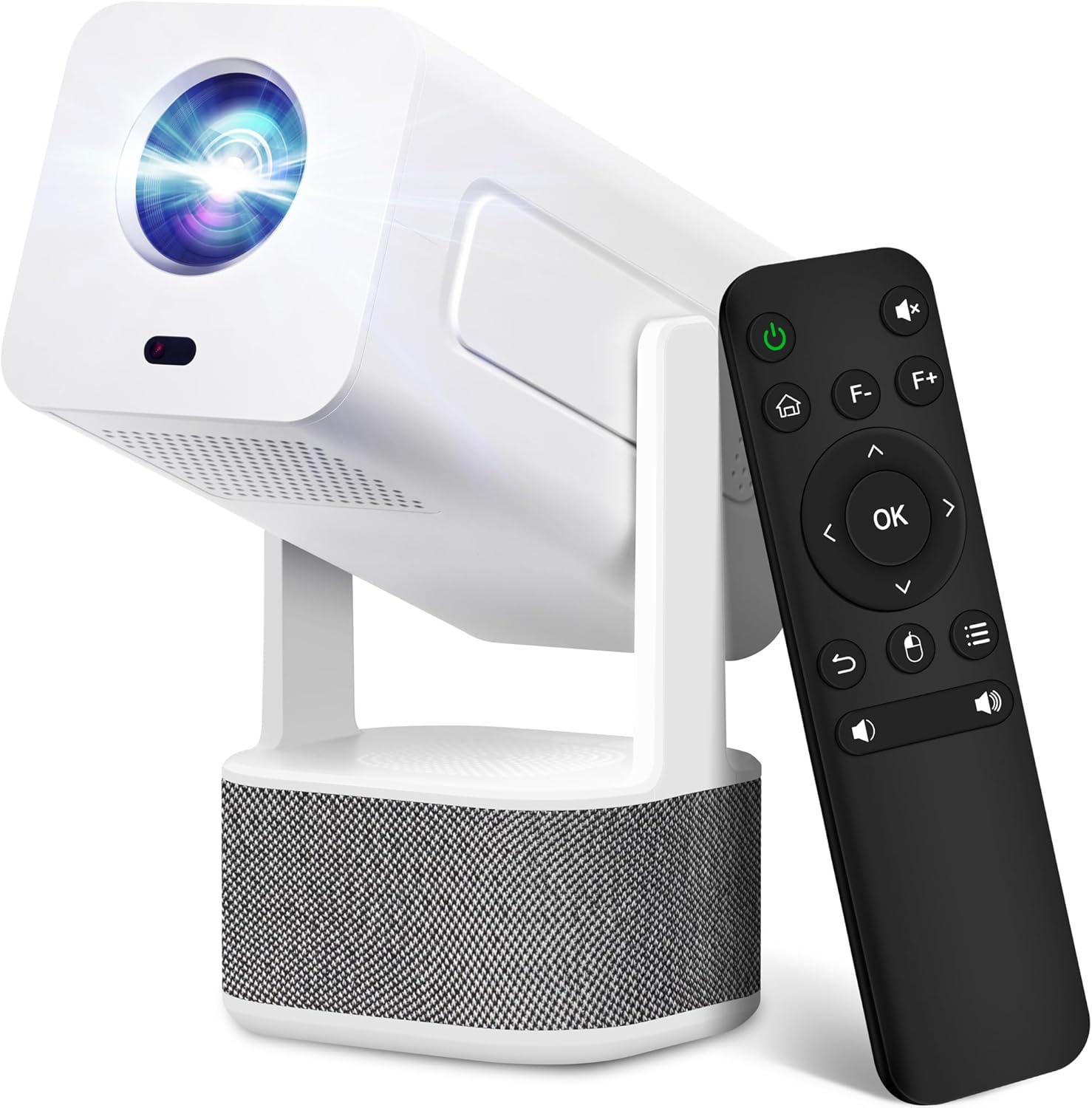
Image 1.1: ILEBYGO Mini Projector and Remote Control
The ILEBYGO Mini Projector B0F83Q1HHT offers a projection size ranging from 30 to 200 inches, making it suitable for various environments from small rooms to outdoor settings. Its dual 5W speakers deliver integrated audio, and multiple connectivity options ensure compatibility with a wide range of devices.
2. מה בקופסה
אנא בדוק את תוכן החבילה שלך. אם פריטים חסרים או פגומים, צור קשר עם תמיכת הלקוחות.
- 1x ILEBYGO Mini Projector
- 1x מדריך למשתמש
- 1x מתאם חשמל
- 1x שלט רחוק
3. מדריך התקנה
3.1. הפעלה
- חבר את מתאם החשמל ליציאת קלט DC במקרן.
- חבר את מתאם החשמל לשקע בקיר.
- לחץ על לחצן ההפעלה במקרן או בשלט הרחוק כדי להפעיל את המכשיר.

Image 3.1: Projector Connectivity Ports (DC, HDMI, USB, Audio)
3.2. Initial Placement and Adjustment
The projector features a 270-degree rotatable design, allowing flexible placement.
- הנח את המקרן על משטח יציב.
- Adjust the projector's angle to direct the image onto your desired projection surface (wall, screen, ceiling).
- The projector will automatically perform keystone correction and autofocus to optimize the image clarity and shape.
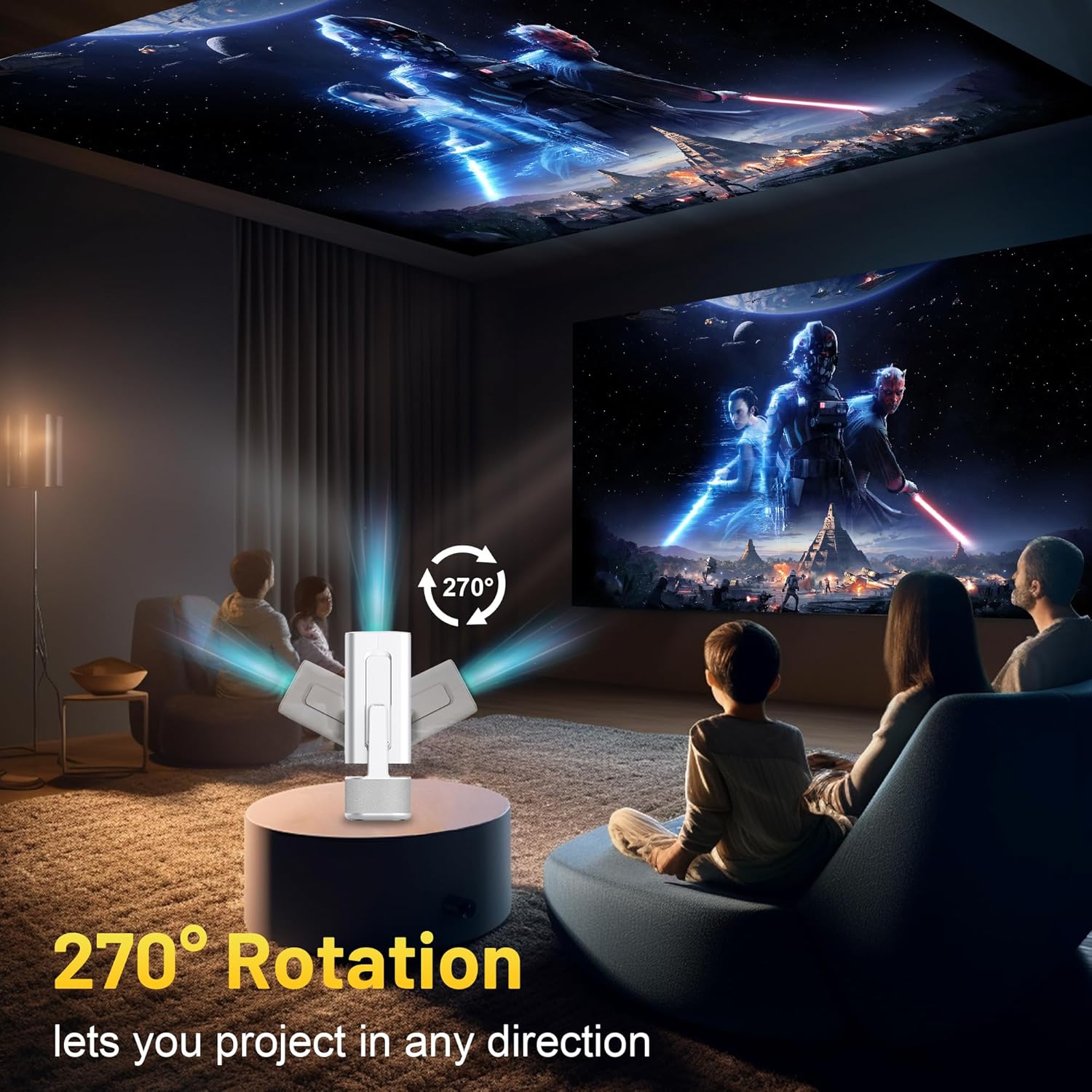
Image 3.2: 270-Degree Rotation Capability
3.3. חיבור רשת (WiFi)
To access online content and streaming services, connect the projector to a Wi-Fi network.
- ממסך הבית, נווט אל 'הגדרות'.
- בחר 'רשת ואינטרנט'.
- הפעל את ה-Wi-Fi ובחר את הרשת הרצויה מהרשימה.
- הזן את סיסמת ה-Wi-Fi אם תתבקש והתחבר.

Image 3.3: Dual Band WiFi 6 and Bluetooth 5.0
3.4. זיווג Bluetooth
Pair Bluetooth devices like external speakers or headphones for enhanced audio.
- ממסך הבית, נווט אל 'הגדרות'.
- בחר 'התקנים מחוברים' או 'בלוטות'.
- הפעל את בלוטות'.
- הכנס את מכשיר ה- Bluetooth למצב זיווג.
- Select your device from the list of available devices on the projector screen to pair.
4. הוראות הפעלה
4.1. ניווט
Use the included remote control to navigate the projector's interface. The directional buttons, 'OK' button, 'Back' button, and 'Home' button are primary controls.
4.2. App Usage (Android 13)
The projector runs on Android 13 and comes with pre-installed streaming applications.
- From the home screen, select the desired application (e.g., Netflix, YouTube, Prime Video).
- התחבר עם פרטי החשבון שלך במידת הצורך.
- Browse and play content as you would on any Android smart device.
- Additional apps can be downloaded from the Google Play Store.

Image 4.1: Built-in Android 13 System with Apps
4.3. שיקוף מסך/העברה
Mirror content from your smartphone, tablet, or computer wirelessly.
- ודא שהמקרן והמכשיר שלך מחוברים לאותה רשת Wi-Fi.
- On the projector, select the screen mirroring/casting application (e.g., Miracast, AirPlay).
- On your mobile device, enable screen mirroring or casting and select the projector from the list of available devices.
4.4. External Device Connection (HDMI, USB)
Connect external devices such as laptops, gaming consoles, or USB drives.
- HDMI: Connect an HDMI cable from your device to the HDMI port on the projector. Select the HDMI input source from the projector's input menu.
- USB: Insert a USB drive into the USB port. The projector's file manager will typically open automatically, allowing you to browse and play media files.

Image 4.2: Multi-Device Compatibility
4.5. התאמת תמונה
The projector features automatic adjustments for convenience.
- תיקון אבן מפתח אוטומטי: The projector automatically corrects vertical image distortion. If manual adjustment is needed, navigate to 'Settings' > 'Projection Settings' > 'Keystone Correction'.
- מיקוד אוטומטי: The image will automatically focus when the projector is moved or powered on. Manual focus adjustment can be found in 'Settings' > 'Projection Settings' > 'Focus'.
- זום: Adjust the projection size from 50% to 100% without moving the projector. This setting is typically found in 'Settings' > 'Projection Settings' > 'Zoom'.

Image 4.3: Auto Keystone Correction and Autofocus
5. תחזוקה
5.1. ניקיון
- עֲדָשָׁה: השתמשו במטלית רכה ונטולת סיבים המיועדת במיוחד לעדשות אופטיות. הימנעו מחומרים שוחקים או כימיקלים חזקים.
- חִיצוֹנִי: נגבו את החלק החיצוני של המקרן בעזרת מטלית רכה ויבשה. אין להשתמש בחומרי ניקוי נוזליים ישירות על המכשיר.
- אוורור: ודאו שפתחי האוורור נקיים מאבק ומחסימות כדי למנוע התחממות יתר.
5.2. אחסון
When not in use, store the projector in a cool, dry place away from direct sunlight and extreme temperatures. Use the original packaging or a protective case to prevent dust accumulation and physical damage.
6. פתרון תקלות
עיין בטבלה שלהלן לקבלת בעיות נפוצות ופתרונותיהן.
| לְהַנפִּיק | סיבה אפשרית | פִּתָרוֹן |
|---|---|---|
| אין כוח | Power cable not connected; Power outlet malfunction | ודא שכבל החשמל מחובר היטב. נסה שקע חשמל אחר. |
| אין תמונה | מקור קלט שגוי; המכשיר אינו מחובר; המקרן במצב המתנה | Select correct input source (HDMI, USB). Ensure external device is powered on and connected. Press power button to wake projector. |
| תמונה מטושטשת | Out of focus; Keystone not corrected | Allow autofocus to adjust. Manually adjust focus in settings if needed. Check keystone correction settings. |
| אין סאונד | Volume too low; Muted; External audio device not connected/paired | Increase volume. Unmute projector. Ensure Bluetooth audio device is paired and connected, or external speakers are properly connected via audio jack. |
| בעיות חיבור Wi-Fi | Incorrect password; Network interference; Router issues | אמת את סיסמת ה-Wi-Fi. קרב את המקרן לנתב. הפעל מחדש את הנתב. |
| כשל בצימוד בלוטות' | Device not in pairing mode; Interference; Device too far | Ensure Bluetooth device is in pairing mode. Keep devices close. Turn off other Bluetooth devices to reduce interference. |
7. מפרטים
| תכונה | פְּרָט |
|---|---|
| מותג | ILEBYGO |
| דֶגֶם | B0F83Q1HHT |
| רזולוציית תצוגה | 1920 x 1080 (Full HD), תמיכה ב-4K |
| בְּהִירוּת | 320 ANSI לומן |
| טכנולוגיית קישוריות | Bluetooth 5.0, HDMI, USB, Wi-Fi 6 (2.4G+5G) |
| מַעֲרֶכֶת הַפעָלָה | אנדרואיד 13 |
| תכונות מיוחדות | Auto Keystone Correction, Autofocus, 270° Rotation, Built-in Dual 5W Speakers |
| גודל הקרנה | 30 אינץ' - 200 אינץ' |
| יחס גובה-רוחב | 16:9 / 4:3 |
| משקל פריט | 2.72 פאונד |
| מידות חבילה | 13.54 x 5.39 x 5.2 אינץ' |
8. אחריות ותמיכה
The ILEBYGO Mini Projector B0F83Q1HHT comes with a standard manufacturer's warranty. Please refer to the warranty card included in your package for specific terms and conditions.
For technical support, troubleshooting assistance, or warranty claims, please contact ILEBYGO customer service through the retailer's platform or the contact information provided in your product documentation.
Ask a question about this manual
Ask about setup, troubleshooting, compatibility, parts, safety, or missing instructions. Manuals+ will review the question and use this page’s manual context to help answer it.